
On this page
Camunda is a process orchestration and workflow automation platform for teams already thinking in terms of Business Process Model and Notation (BPMN). As in, map every code execution to visual BPMN tasks on a canvas.
But honestly, BPMN to an agent now feels like what Markdown is to an LLM. It struggles with modern agentic AI workflows that often start in a Python file. So when you use Camunda for work that’s closer to agent runtime control or involves chaotic back-and-forth loops, it feels less native for the process.
For this article, we reviewed and picked the best Camunda alternatives that fit AI and ML engineers and Python developers building complex agents with retries, approvals, and long-running execution.
A Quick Overview of the Best Camunda Alternatives
- Why Look for Alternatives: Camunda’s BPMN-first model feels heavy when the real work is a code-first agent loop, tool calls, checkpoints, and runtime state.
- Who Should Care: AI engineers, platform teams, agent developers, and teams moving from static workflows to long-running agent tasks.
- What to Expect: A breakdown of 11 best Camunda alternatives, from agent runtimes like Kitaru to durable execution tools like Temporal, Restate, DBOS, Hatchet, and Inngest.
The Need for a Camunda Alternative?
Camunda is a mature process orchestration platform. The problem starts when teams use it for modern LLM workflows. Here are a few places Camunda might irk you:
1. BPMN-first mental model is heavy for code-first agent teams
Camunda works best when you describe flows as BPMN diagrams. While these diagrams can look simple, mastering them and modeling correctly takes patience. Here’s an example of what BPMN diagram looks like:
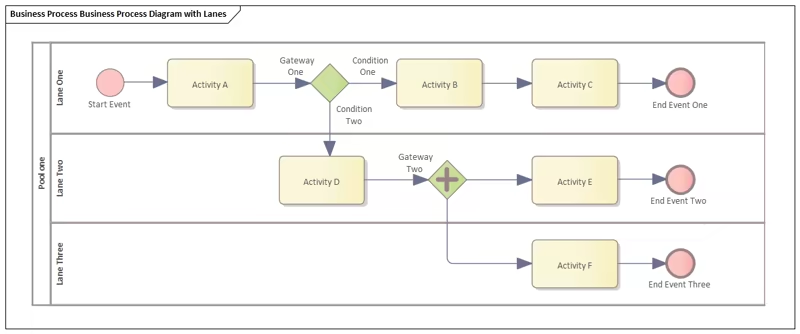
So if you’re a new user, you’ll be overwhelmed by the notation and technical details. Also, now that LLMs don’t need that representation to be graphical, looking for code-first alternatives to Camunda makes complete sense.
2. Less control over the agent tool loop in the simpler path
Camunda remains BPMN-first. Its recommended AI Agent Sub-process handles tool resolution, the agent feedback loop, and short-term conversation memory internally. Teams that need to inspect or approve every tool call can instead use the more explicit AI Agent Task pattern, although this requires more BPMN modeling. Long-term semantic memory generally still relies on an external vector store connected through Camunda.
3. Agent memory and state can become awkward
BPMN engines might track workflow state well, but handling agent state is a different story. You often need prompt history, tool results, retrieval context, model output, user feedback, and checkpoints across many turns.
Storing this around Camunda adds extra systems and glue code. For teams building agents, it is often cleaner to choose a tool where memory, checkpoints, replay, and resume behavior are closer to the code.
Evaluation Criteria
We evaluated each alternative against three criteria that matter most for agentic orchestration.
- Code-first agent development: Can I define agents, tools, retries, state, and branching in Python or TypeScript instead of mainly editing BPMN diagrams? This matters because most AI teams already build model calls, tool wrappers, and eval logic in code.
- Control over the tool-calling loop: Can I intercept, change, approve, retry, block, or enrich every tool call? This matters when an agent touches internal APIs, sends messages, writes files, or makes decisions that need review.
- Durable execution and resume semantics: If the agent fails halfway through a 40-step job, can it restart from the right step without repeating costly LLM calls? For long-running tasks involving human approvals, clean recovery matters.
What are the Top Alternatives to Camunda
Before we deep dive into tool reviews, here’s a quick comparison table to help you make a decision:
| Camunda Alternative | Best For | Key Features | Pricing |
|---|---|---|---|
| Kitaru by ZenML | Testing agent changes against real production runs | - Full-run replay with recorded tool history - Production-derived regression cohorts - Versioned evaluators and experiments - Wraps your agent SDK, no BPMN | - Free (open source, Apache 2.0) - Paid plans start at $39/month |
| Temporal | Durable agent workflows | - Code-defined durable workflow execution - Retryable external activity handling - Persistent event history tracking | - Free (Open-source) - Paid plans start at $100/month |
| LangGraph | Stateful agent graphs | - Explicit stateful agent graph modeling - Persistent memory across interactions - Human approval workflow interruptions | - Free tier - Paid plans start at $39/seat/month |
| Inngest | Event-driven functions | - Durable step state persistence - Event-triggered workflow continuation - Configurable retry backoff policies | - Free tier available - Paid plans start at $75/month |
| Restate | Durable services and agents | - Durable async service execution - Built-in state persistence layer - Long-running timer orchestration | - Free tier available - Paid plans start at $75/month |
| DBOS | Database-backed workflows | - Database-backed workflow state persistence - Idempotent execution with workflow IDs - Native Pydantic AI integration support | - Free and open-source - Paid plans start at $99/month |
| Hatchet | Background tasks and agents | - Distributed task queue management - Configurable worker concurrency controls - Historical task replay debugging | - Free tier available - Paid plans start at $500/month |
| Microsoft Agent Framework | Enterprise agent workflows | - Multi-agent workflow composition patterns - Human approval checkpoint handling - Model provider abstraction layer | - Free and open source |
| Prefect | Python workflow orchestration | - Python-native flow orchestration engine - Interactive workflow pause mechanisms - Built-in execution observability | - Free tier available - Paid plans start at $100/month |
| Google ADK | Google Cloud agent teams | - Multi-agent collaboration workflows - Integrated evaluation testing framework - Flexible cloud deployment targets | Free and open source SDK (cloud and model costs apply) |
| OpenAI Agents SDK | OpenAI-native agent apps | - Agent-to-agent task handoffs - Built-in safety guardrail checks - End-to-end execution tracing support | Free SDK; API usage is billed separately and differs from model to model. |
1. Kitaru by ZenML
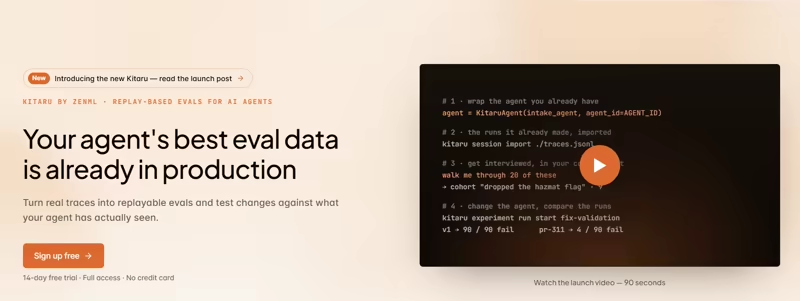
Kitaru is an open-source, self-hosted replay and evaluation test bench for AI agents. As a Camunda alternative, it makes the most sense when your problem is capturing real behavior, replaying it against changed code or prompts, and checking whether a fix solves one case without breaking ten others.
Kitaru sits beside the framework you already use, like PydanticAI, LangGraph, OpenAI Agents SDK, Mastra, or Vercel AI SDK. Your framework owns the loop, while Kitaru records or imports complete sessions and turns selected production runs into repeatable tests.
Feature 1. Replay Production Runs Without Rebuilding Them As BPMN
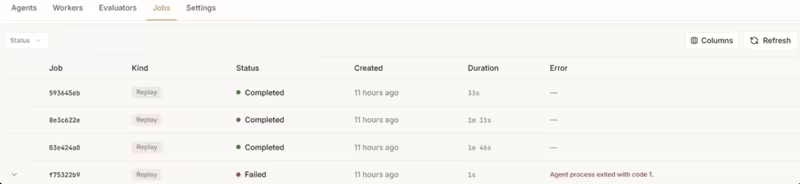
Kitaru records complete agent sessions or imports traces from Langfuse, LangSmith, Braintrust, Logfire, Arize Phoenix, and Kitaru JSONL. You can then use those real production cases for replay instead of recreating the agent’s behavior as a BPMN process or hand-written test. You can change the model, system prompt, user input, model parameters, or code version and record a new session for comparison.
During replay, Kitaru starts the agent’s real code from the beginning with the original session input. That makes it useful when the behavior you care about lives inside the agent loop rather than in a process diagram.
Feature 2. Re-Run Agent Code Against Controlled Tool History
import asyncio

from kitaru.client import KitaruAPIClient
from kitaru.api_models.v1.replay import ReplayCreateRequest
from kitaru.api_models.v1.replay_config import (
    EvaluatorConfig,
    HistoryConfig,
    ToolPolicy,
)


async def main() -> None:
    client = KitaruAPIClient()
    replay = await client.replays.create(
        ReplayCreateRequest(
            baseline_session_id=BASELINE_ID,
            evaluators=[EvaluatorConfig(evaluator="refund-check")],
            tool_policy=ToolPolicy(
                default=HistoryConfig(scope="baseline", on_miss="fail")
            ),
            evaluate_baselines=True,
        )
    )
    print(replay.id, replay.job_id, replay.status)


asyncio.run(main())
Agent testing gets risky during tool calls. Replaying a refund, email, database write, or other external action against the live system can turn debugging into a second incident.
Kitaru lets a replay use recorded tool results, fixed responses, permitted live calls, or supported model-generated responses instead of blindly repeating every external action.
For tools with side effects, you can use recorded history with a fail-on-miss rule. If the changed agent asks for a tool result that does not exist in history, the replay can fail or remain inconclusive instead of quietly treating the test as a pass.
Feature 3. Test Prompt, Model, and Code Changes Across Frozen Production Cases
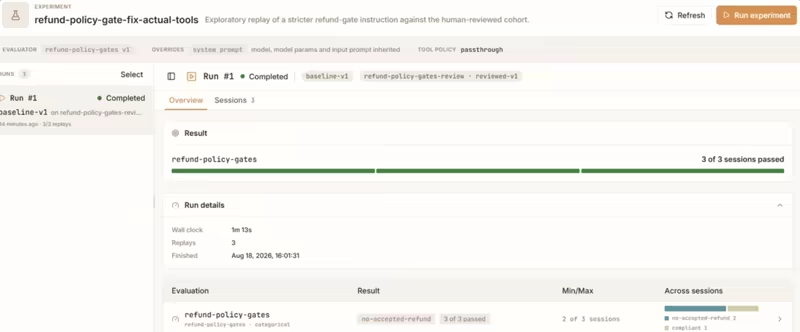
Kitaru groups selected production sessions into immutable cohort versions. You can then change a model, prompt, model parameters, input, or agent code version and run one replay for every case in that cohort.
The baseline and candidate can be scored with the same evaluator versions. Instead of checking whether one demo looks better, you can see which real cases improved, regressed, traded one behavior for another, or could not be judged with the available evidence.
Feature 4. Turn Human Review Into Reusable Agent Checks
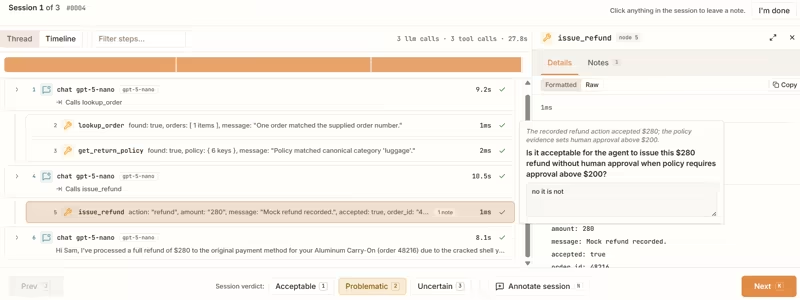
Kitaru Investigations let reviewers label complete sessions or attach annotations to specific nodes and payload fields. Those judgments can then be used to check and calibrate versioned evaluators before they become part of a regression suite.
Kitaru also includes offline checks for tool failures, repeated calls, output contracts, resource budgets, model rules, and expected tool workflows. These checks inspect recorded sessions without rerunning the agent or calling external tools.
Feature 5. Keep Your Existing Agent Framework and Run Tests in Your Environment
Kitaru does not ask you to move the agent loop into another workflow model. Its adapters record and replay around existing frameworks, while importers can bring in traces from Langfuse, LangSmith, Braintrust, Logfire, or Kitaru JSONL.
The server uses FastAPI and PostgreSQL, while workers execute agent replays, evaluators, and imports inside environments you control. Your application packages, credentials, and tool access can stay with your team rather than moving into a separate BPMN-based process layer.
Pricing
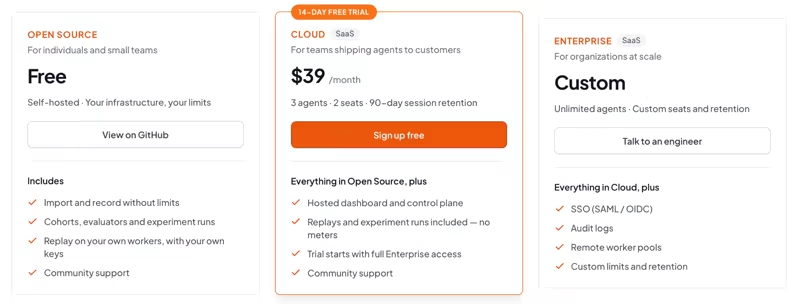
Kitaru’s open-source version is free to self-host, with unlimited recording and imports, cohorts, evaluators, experiment runs, and replay on your own workers. Other than that, we offer a 14-day free trial of our hosted cloud plan (no credit card required) priced at:
- Cloud: $39 per month
- Enterprise: Custom
Sign up to Kitaru, it’s free: cloud.kitaru.ai
Pros and Cons
Kitaru’s strength is replay. Your production runs become the regression suite, and replay re-executes your real code against recorded tool results, so a refund or a database write never fires twice while you test. It also asks for no rewrite, wrapping PydanticAI, LangGraph, OpenAI Agents SDK, Mastra, or Vercel AI SDK in Python or TypeScript instead of moving your agent loop into a process model.
The limit sits upstream of Kitaru. Replay needs root inputs, a complete node graph, and tool calls that kept both a name and a payload, and many observability exports keep only messages and responses. Kitaru grades each session ready, partial, or unavailable at import, so you find out on day one, but message-only traces mean instrumenting before replay works.
2. Temporal
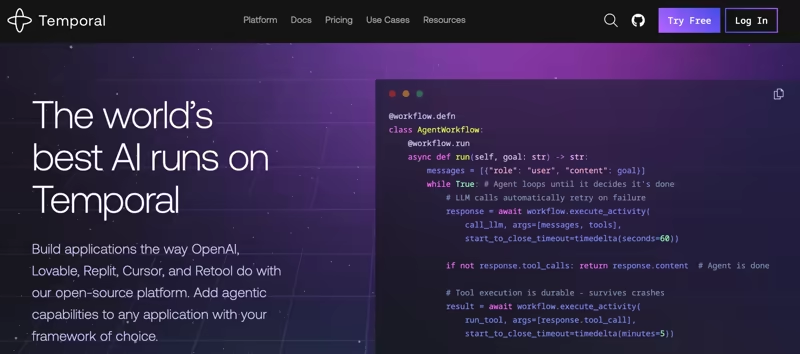
Temporal is a durable execution platform for long-running workflows. It’s a good Camunda alternative when agent teams want code-first workflows, retry policies, and event history.
Features
- Define workflows in code by using Python, TypeScript, Go, Java, and other SDKs instead of BPMN models. Your orchestration logic lives in an ordinary function, so the work happens in your editor with version control and tests rather than a separate modeling tool.
- Wrap agent tools as activities by treating OpenAI Agents SDK tools or service calls as retryable units. An Activity is where side effects happen, so each model or tool call is tracked on its own and retried independently of the rest of the run. If one call hits a rate limit or times out, Temporal retries just that step instead of replaying the whole workflow.
- Comes with persistent event history to recover workflow state after worker crashes or restarts. In Temporal, every step is appended to an event history, and when a worker comes back, the platform replays that history to rebuild the workflow’s in-memory state exactly where it stopped.
- Configure retry policies per activity by setting the backoff behavior and which failures count as retryable. Retries are declarative config on the Activity, so Temporal runs the backoff loop for you, no hand-written try/except needed.
Pricing
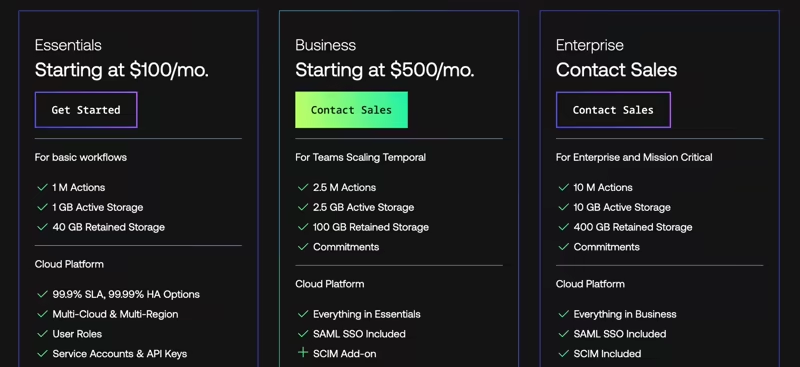
Temporal is free to self-host. Temporal Cloud includes three paid tiers:
- Essentials plan: $100/month
- Business plan: $500/month
- Enterprise: Custom Pricing
Pros and Cons
Temporal is one of the strongest options for durable execution. It gives engineering teams deep control over workflow state, retries, timers, and recovery. It also persists workflow event history and replays execution after failure.
The tradeoff is operational and conceptual weight; teams must learn Temporal’s workflow model and keep deterministic code rules in mind. Also, external calls live in Activities and not workflow code; you may find debugging harder.
3. LangGraph
LangGraph is an open-source framework for long-running, stateful AI agents built around explicit graphs with nodes and edges. As a Camunda alternative, it’s best for teams that want complete control over agent state, iterative loops, and human-in-the-loop review while keeping the entire workflow code-first and developer-friendly.
Features
- Represent agent behavior as a stateful graph by defining agents, tools, routers, and decision points as nodes and edges. This makes loops, retries, and handoffs explicit, so you can see where the agent can revise an answer, call a tool, or route work to another path.
- Persist graph state with checkpoints so an agent can pause, resume, and continue across turns. You can store thread-level state for conversation continuity and add longer-term memory through stores, which helps agents carry useful context across sessions.
- Add human review with interrupts before important or risky actions like sending messages, writing files, running SQL, or calling internal APIs. You can stop the graph at a defined point, collect a reviewer decision, then continue with the same state once the action is approved or changed.
Pricing
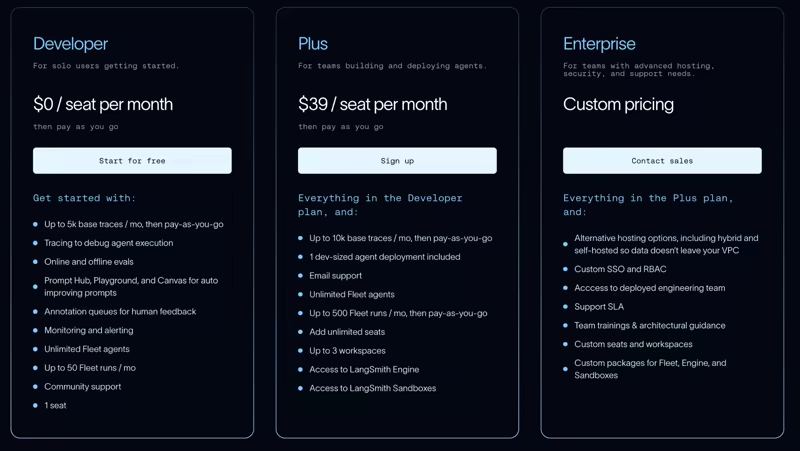
LangGraph is open source and free to use. However, if you choose to use LangSmith’s platform for production features like deployment, observability, or fleet management, pricing is determined by the plan you choose:
- Developer: Free
- Plus: $39/seat per month
- Enterprise: Custom pricing
📚 Read our detailed guide on LangGraph pricing.
Pros and Cons
LangGraph gives better control over agent behavior than BPMN. Its graph-based approach makes it easier to build agents that can loop, branch, maintain memory, and embed human review steps. Overall, a strong fit for teams already using LangChain.
The downside is the added complexity and boilerplate, as relatively simple workflows can end up feeling more heavyweight than necessary. Similarly, durability and deployment depend on how you configure the platform. It’s not a drop-in process engine.
4. Inngest
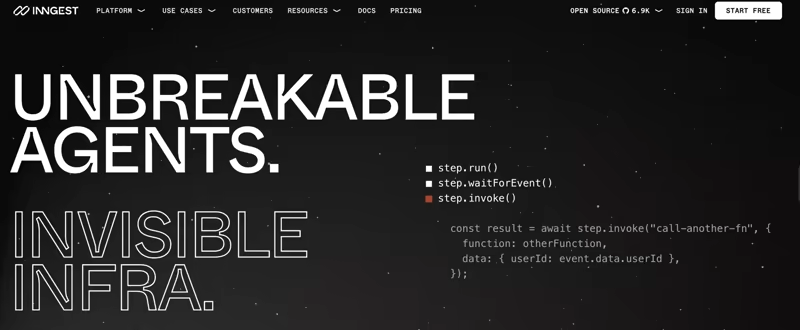
Inngest is an event-driven workflow engine for durable functions. It’s a Camunda alternative for teams that prefer TypeScript or Python functions with durable steps, waits, retries, and event triggers.
Features
- Run durable functions with saved step output so completed work is not repeated during replay. Each
step.run()can hold the result of an LLM call, tool request, or database update, which helps you avoid paying again for work that has already finished. - Supports sleeps, signals, and event waits inside a function. You can pause an agent workflow until a user replies, a webhook arrives, or a delay has passed. This is useful for agent tasks that depend on approval or external system events.
- You do not need to move core agent logic into a separate BPMN engine. Inngest lets your functions run in your app, serverless platform, or backend service while Inngest manages workflow state.
- Trigger agent jobs from product events such as webhooks, app events, queues, and schedules. This works well when agent tasks start from user actions, background jobs, lifecycle events, or recurring checks inside an existing web app.
Pricing
Inngest is source-available and can be self-hosted. Its current server and CLI releases use the SSPL with delayed publication under Apache 2.0, while its SDKs are Apache 2.0 licensed.
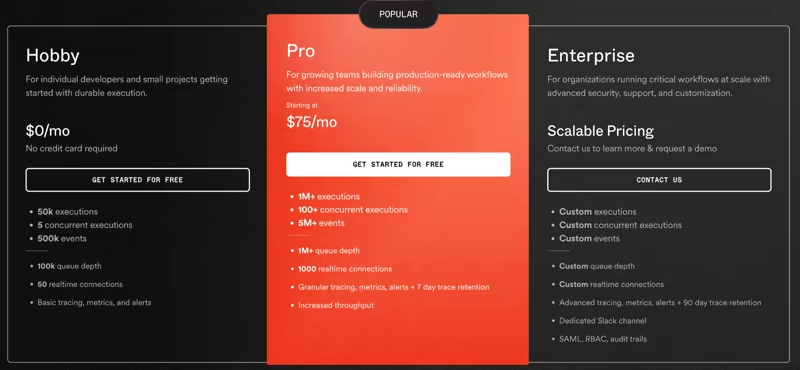
- Hobby: Free
- Pro: $75 per month
- Enterprise: Custom pricing
Pros and Cons
Inngest feels much lighter than Camunda for product event workflows and agent jobs that fit function-based execution. It is easy for web teams to adopt.
The downside is that it’s less natural to deploy stateful multi-agent graphs than LangGraph or Kitaru. If your team needs BPMN diagrams, formal business process modeling, or built-in process task apps, you may still prefer Camunda over Inngest.
5. Restate
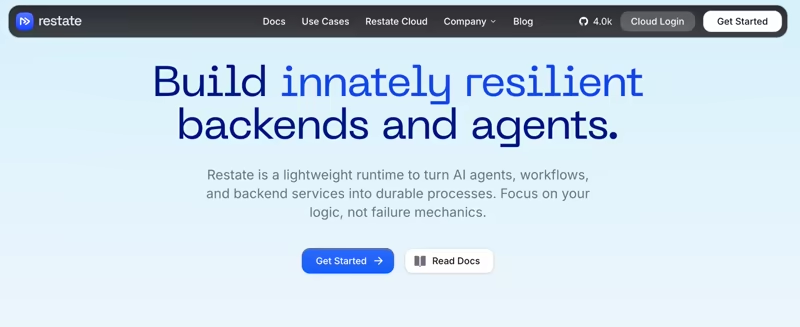
Restate is a lightweight runtime for building durable services, workflows, and AI agents. It’s popular among teams that prefer a code-first approach and need long-running, stateful services and agents that can pause, persist progress, and resume automatically after crashes or interruptions.
Features
- Record progress for async service calls and workflow logic. You can write normal backend code while Restate keeps enough history to continue after failure. This is useful when agents call tools, services, or APIs that may time out or fail mid-run.
- Store durable state close to the service or virtual object that owns it. You can store agent session state, task progress, counters, or tool outputs beside the execution path.
- Resume from saved progress after crashes, restarts, or transient failures to reduce duplicate tool calls and protect long-running jobs from infrastructure failures. You can also set up timers that let a workflow sleep until a later time.
- Run as a single binary or through Restate Cloud. Teams can start locally, self-host, or use the managed service based on their needs. This makes it easier to add durable execution to services without adopting a full process suite.
Pricing
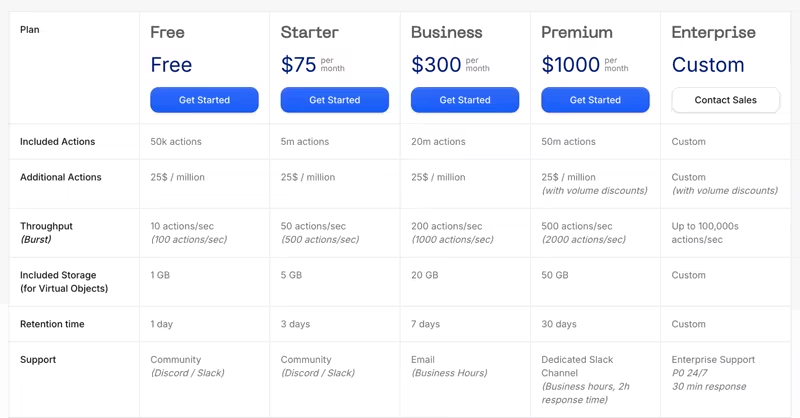
Restate offers a free cloud tier and four paid plans:
- Starter: $75 per month
- Business: $300 per month
- Premium: $1000 per month
- Enterprise: Custom pricing
Pros and Cons
Restate is appealing for teams that want the durability of a workflow engine without a large platform footprint. It maps well to agents, event pipelines, and backend services.
However, Camunda still takes the edge because of its ecosystem maturity and a longer history in enterprise process modeling. Besides, Restate asks teams to adopt its service/runtime model, which may be unfamiliar if they only want a task queue or agent SDK.
6. DBOS
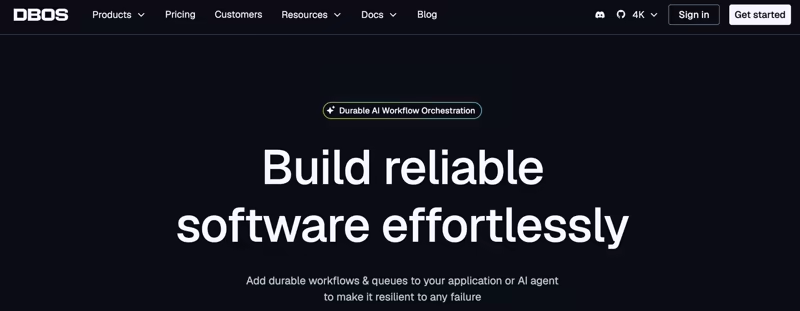
DBOS is a durable execution framework that uses the database as the source of workflow truth. It’s best for Python or TypeScript teams that want workflows, transactions, and agents in normal application code.
Features
- Works with Pydantic AI and lets model requests, MCP calls, and tools run as workflow steps. You can build agent workflows that survive API failures, worker restarts, and long-running tool actions.
- Recover and resume from the last completed step when a crash happens. DBOS also uses workflow IDs as idempotency keys, which helps avoid duplicate runs when APIs retry requests, webhooks fire again, or the same event gets sent more than once.
- Pause with durable sleeps and timeout patterns inside workflows. You can pause a job until a time window passes or stop it when it exceeds the allowed runtime without building separate schedulers.
Pricing
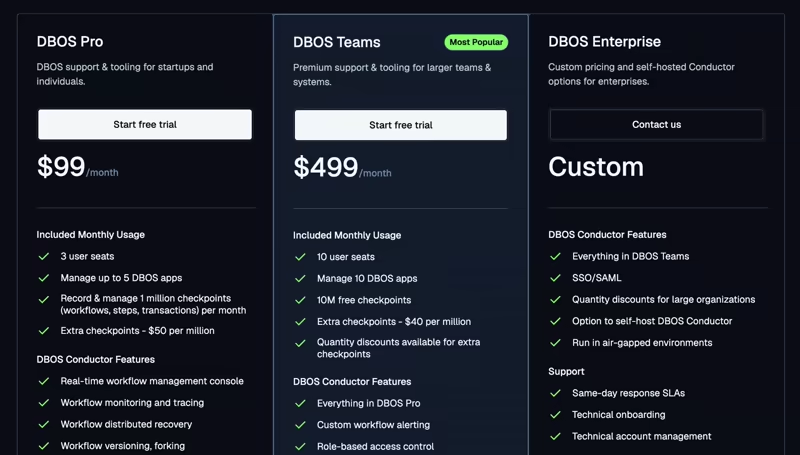
DBOS Transact is free and open source. Additionally, DBOS provides three premium plans:
- Pro: $99 per month
- Teams: $499 per month
- Enterprise: Custom pricing
Pros and Cons
DBOS is a strong fit when your agent workflows already depend on database state. It gives direct code control without a BPMN layer. The downside is that teams must be comfortable with DBOS’s database-centered model and may need extra UI or business process features around it.
7. Hatchet
Hatchet is an open-source developer platform that helps you build and deploy mission-critical AI agents, durable workflows, and background tasks. It works well as a Camunda alternative when teams need queues, retries, workers, and replay for agent tasks.
Features
- Write background tasks and workers in Python, TypeScript, Go, or Ruby. A task can be anything from an LLM call to a file-processing job or a single agent step. If your team prefers keeping orchestration in code, Hatchet feels much more natural than modeling everything as BPMN service tasks.
- Control how many workers, queues, and tasks run at once. You can limit how many agent tasks run in parallel, move heavy jobs into separate queues, or avoid overwhelming rate-limited APIs. This comes in handy when your models or internal services cannot handle unlimited traffic.
- Configure retries, backoff rules, and non-retryable errors right alongside your task definitions. You can automatically retry temporary model or API failures while stopping on known business errors. That means less custom retry code spread throughout your application.
- Stores task events and logs that help you inspect failed runs. You can see which task ran, what failed, and where to retry or debug. This is especially helpful in agent workflows where one failed tool call can be difficult to track down.
Pricing
Hatchet is free to use as an open-source platform. It also has a free cloud-based Developer plan with usage-based task runs, and two paid plans:
- Team: $500 per month
- Scale: $1000 per month

Pros and Cons
Hatchet is easier to adopt than Camunda for teams that mostly need background jobs and durable agent tasks. It gives strong worker and queue control with less process modeling overhead. The tradeoff is that it is not built for BPMN-native business process teams.
8. Microsoft Agent Framework
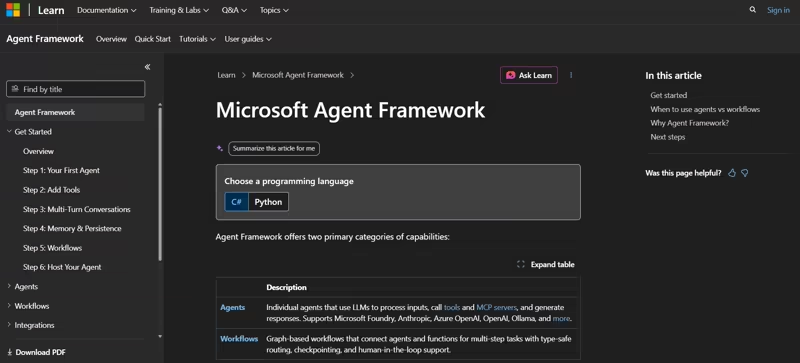
Microsoft Agent Framework is an open-source SDK that combines agent building blocks with workflow orchestration. For teams already working in the Microsoft ecosystem, Agent Framework is a reliable alternative for type-safe workflow routing, checkpoints, and human-in-the-loop steps.
Features
- Microsoft Agent Framework makes it easy to connect agents to tools, internal APIs, and MCP-enabled services. Instead of modeling every action in BPMN, you can keep workflows in code and give agents direct access to the systems they need to work with.
- Create predictable multi-agent workflows. You can define how agents and functions work together, what data gets passed around, and where execution goes next. This gives you more control over complex workflows than relying on prompts alone and makes multi-agent systems easier to reason about.
- Handle long-running processes and approvals with support for checkpointing and human-in-the-loop patterns, so workflows can pause for approvals or external input and then resume later if your business processes span hours or days, and shouldn’t fail just because a worker restarts. This is useful.
- Integrates with Azure OpenAI, Anthropic, Ollama, and other providers. You can keep orchestration logic in one framework while changing model providers as needed.
Pricing
Microsoft Agent Framework is free and open source under the MIT license. Model, Azure, and hosting costs apply separately.
Pros and Cons
Microsoft Agent Framework gives teams more agent-specific control than BPMN, especially for approvals, agent handoffs, and typed workflows. It also fits well with Azure and .NET or Python teams. The downside is that it is newer than Camunda and may need more engineering ownership.
9. Prefect
Prefect is a Python-first workflow orchestration tool for flows, tasks, retries, events, and monitoring. It’s a Camunda alternative for teams that want Python-native orchestration around agents and data workflows.
Features
- Instead of modeling processes in BPMN, Prefect lets you define workflows as regular Python code using flows and tasks. If your team already builds services, data pipelines, or AI applications in Python, you can keep orchestration in the same codebase and use familiar development tools.
- Supports retries at both the task and flow level, with retry counts, delays, and conditions. You can use this for flaky model calls, API timeouts, and temporary service failures. The retry settings live with the task, so the behavior is easier to review and change.
- Has a built-in UI where you can see workflow runs, check which task failed, and what happened next. That makes debugging agent-related pipelines much easier than digging through raw logs.
Pricing
Prefect offers an open-source version and four pricing plans for its cloud-based service:
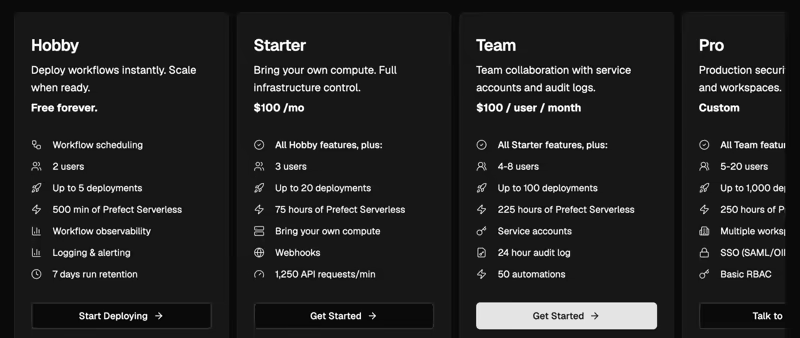
- Hobby: Free
- Starter: $100 per month
- Team: $100/user per month
- Pro: Custom pricing
- Enterprise: Custom pricing
Pros and Cons
Prefect is a practical option when agent workflows sit beside Python data jobs, batch runs, and scheduled tasks. It is simpler to read than BPMN for Python teams.
However, Prefect isn’t for native agent memory or tool-loop design. It’s a general workflow tool, not a dedicated agent framework.
10. Google ADK
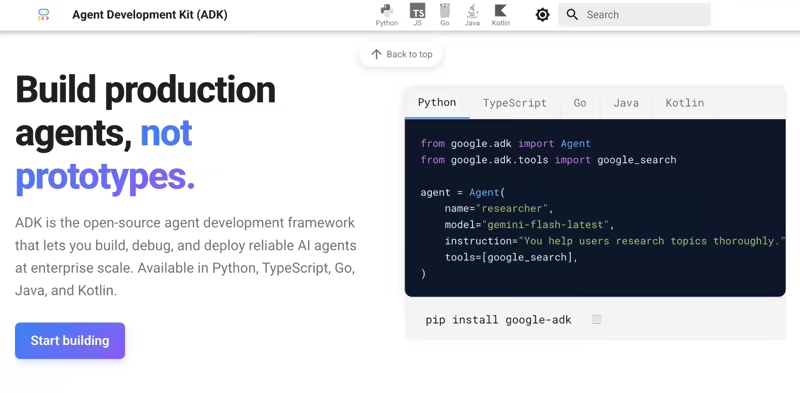
Google Agent Development Kit (ADK) is an open-source framework for building AI agents and coordinating multi-agent workflows. It has tools for defining agent behavior, connecting agents to tools and services, and orchestrating interactions between them. It’s best for teams that already plan to develop and deploy agent systems on Google Cloud.
Features
- Orchestrate multi-agent systems that coordinate, route work, and call tools. You can build a planner agent, specialist agents, and tool-calling agents that coordinate as part of a larger workflow, all defined directly in code.
- Use workflow agent patterns for cases where you want more structure and predictability. You can define sequences, routing rules, and coordination paths so agents have clear boundaries while still retaining some flexibility.
- Use evaluation tools to test agent behavior before deployment. You can check how agents use tools, assess output quality, and validate multi-step interactions to catch issues early.
- Supports Python, TypeScript, Go, and Java, so you can build agents using the languages they already use in production and avoid rewriting everything around a single stack.
Pricing
Google ADK is free and open source. Google Cloud, Gemini, hosting, and other service costs apply separately.
Pros and Cons
Google ADK is a strong fit for teams building agents inside the Google ecosystem. It gives more agent-native pieces than Camunda for tools, evals, and multi-agent flows. The downside is cloud fit; teams outside Google Cloud may prefer a more neutral runtime.
11. OpenAI Agents SDK
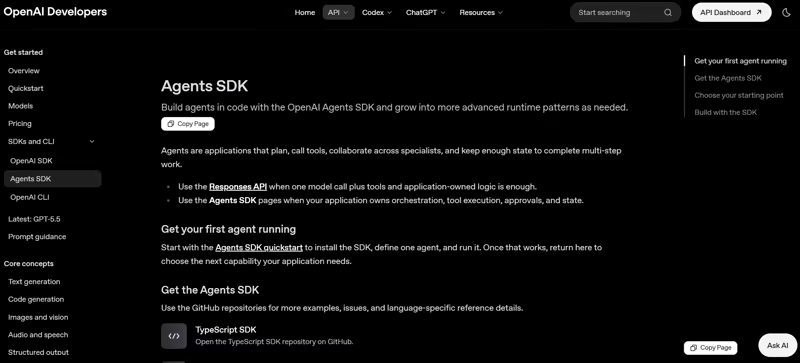
OpenAI Agents SDK is a code-first SDK for building agents with tools, handoffs, guardrails, tracing, and sandbox execution. It is a Camunda alternative when your agent stack already depends on OpenAI models and APIs.
Features
- Configure agents with instructions, tools, output types, handoffs, guardrails, and runtime behavior directly in code, keeping agent logic alongside the rest of your application. You can version, test, and update agent configurations using the same development practices you use for the rest of your codebase.
- Route requests from one agent to specialist agents for billing, support, research, or coding tasks. Each agent can focus on a specific responsibility while a coordinating agent decides where work should go next. This way, you can build modular multi-agent systems that are easier to scale, debug, and extend over time.
- Block unsafe inputs, validate outputs, or pause execution before tool calls to maintain control over how agents interact with users and internal systems. Guardrails can enforce business rules and ensure responses meet compliance requirements. You can also introduce human review steps before sensitive operations are executed.
Pricing
The SDK itself is free to use. OpenAI API usage is billed separately based on the selected models and tools.
Pros and Cons
OpenAI Agents SDK is a natural fit for teams that want agent behavior close to model calls. It gives far more direct control over tools and handoffs than BPMN. The limitation is durability; for long waits, replay, and workflow recovery, many teams will pair it with Kitaru, Temporal, Restate, or another runtime.
The Best Camunda Alternatives for Agentic Orchestration
There is no single best Camunda alternative. The right pick depends on how agent-shaped your work is, what language your team builds in, and how much of the durable runtime you want handed to you versus assembled yourself. Based on our testing, here are the top two that stand out:
- Temporal is best when the durability problem spans Go, Java, and TypeScript services and is not specifically agent-shaped.
- LangGraph is best when you want explicit nodes, edges, checkpoints, and human-in-the-loop interrupts in one graph.
If your agent already runs in Python or TypeScript and your bigger problem is testing changes safely, Kitaru by ZenML is best (of course, we are a little biased). It turns real production sessions into replayable regression cases, lets you test prompt, model, and code changes against controlled tool history, and compares the candidate against the original behavior before you ship.
Star the project on GitHub, read the docs, or book a demo if your team needs a managed control plane through ZenML Pro.