
On this page
Dagster built a strong following by treating pipelines as data assets. That works well for some teams, but not every workflow wants to become an asset.
If your day-to-day work involves model training, batch inference, or AI agents, Dagster may feel oddly complicated and less natural. Add its broad concept vocabulary, limited built-in ML lifecycle support, and Prefect’s July 2026 agreement to acquire Dagster Labs, and you have three reasons to compare the alternatives.
We did the research, so you can skip the tab marathon. We reviewed eight Dagster alternatives across workflow design, ML support, infrastructure, developer experience, and price.
Note: Prefect remains a technically valid Dagster alternative. We exclude it from the ranked list because Prefect is the company acquiring Dagster Labs, and this guide focuses on alternatives outside the proposed combined company.
A Quick Overview of the Best Dagster Alternatives
- Why look for alternatives: Dagster’s asset-first model does not suit every workload. Its concept set can take time to learn, while ML lifecycle work often depends on external tools.
- Who should care: Data engineers, ML engineers, platform teams, and technical leaders who run data pipelines, training jobs, batch inference, or AI workloads.
- What to expect: Eight alternatives to Dagster, ranging from ML-focused platforms to general schedulers and Kubernetes workflow engines.
The Need for a Dagster Alternative?
Dagster is a capable data orchestrator. The question is whether its core model matches your team’s work.
Reason 1. The Asset-First Model Can Be a Poor Fit for Process-Shaped Work
Dagster still supports ops, but its documentation weighs on assets for new projects. The asset model works well when the output matters more than the process. For example, a warehouse table or dbt model fits neatly into an asset graph.
The platform recommends assets for new data pipelines, but it also supports runtime fan-out through ops and dynamic graphs. Workloads such as runtime-determined scoring jobs can use DynamicOut, map, and collect. The trade-off is that highly process-shaped workloads may push teams toward Dagster’s secondary op/job model instead of its primary asset model.
Reason 2. A Steeper Learning Curve Than the Quickstart Suggests
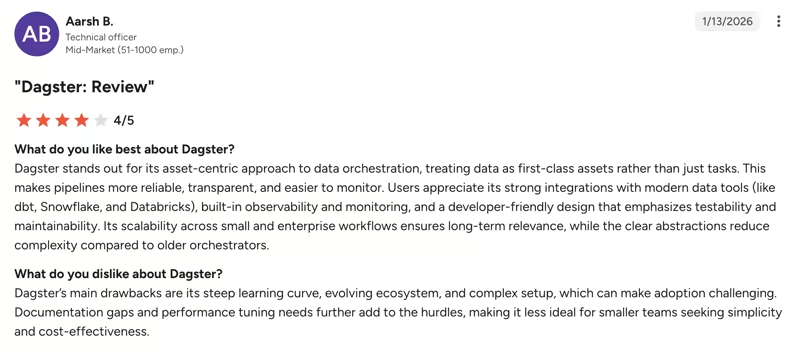
Dagster’s production model introduces concepts beyond assets, including Definitions, code locations, I/O managers, asset checks, schedules, sensors, and declarative automation. Teams should evaluate whether that additional vocabulary gives them useful control or creates unnecessary onboarding work.
You also need to understand asset checks, code locations, I/O managers, and the top-level Definitions object. Plus, its scheduling layer offers schedules, sensors, and declarative automation. That is a lot of nouns to meet before your first production run.
For analytics engineers, noun-richness means plenty of control. But that also makes onboarding feel a little like meeting the whole family on the first date.
Reason 3. Limited ML-Specific Lifecycle Features
Dagster orchestrates ML workloads, but it does not manage the ML lifecycle. There is no native experiment tracker, no model registry, and no deployment layer.
You typically pair it with a second platform, like MLflow or Weights & Biases, for tracking and registry. There too, Dagster’s official MLflow integration is still marked beta, with a warning that minor releases may include breaking changes. Its Weights & Biases integration is community-maintained and not officially supported.
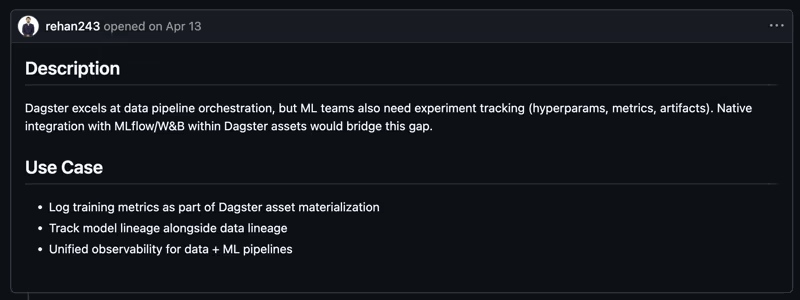
For ML teams, features like hyperparameter, metric, artifact, and model lineage records are non-negotiable alongside orchestration. A recent Dagster GitHub feature request for native ML experiment tracking highlights the same gap:
What the Prefect Acquisition Means for Dagster Users?
Prefect announced its acquisition of Dagster Labs on July 13, 2026. Dagster says the open-source project will stay active, Dagster+ will keep its name, and existing contracts will continue.
Things look unchanged on paper, but the deal still adds a few new variables for teams in the middle of an evaluation.
We wrote about the same dynamic when Anaconda acquired Outerbounds, and the pattern with integrations of this size is consistent enough to name:
- Pricing gets repackaged. Two overlapping product lines under one owner rarely keep two separate price lists for long. Renewals tend to land on the combined platform’s terms.
- Overlap gets consolidated. Prefect and Dagster are both Python orchestrators with managed clouds. Nobody maintains two of everything forever, and one side’s roadmap usually absorbs the other’s.
- Priorities reset. Whatever the standalone Dagster roadmap promised last quarter now competes with everything the merged company needs to ship to make the integration story land.
None of this means Dagster is suddenly a bad choice. It means buyers should ask direct questions about pricing, roadmap ownership, and the future relationship between Dagster and Prefect.
Evaluation Criteria
We evaluated each Dagster alternative against four criteria that matter most when you are replacing Dagster for data and ML work:
- Workflow and abstraction model: Does the tool organize work around assets, tasks, containers, or pipelines? This matters because the abstraction you orchestrate shapes how future vocabulary and workload gets modeled.
- Data and ML lifecycle support: Does it track artifacts, experiments, and models natively, or does it hand those jobs to integrations? ML teams feel this gap every day; data-only teams may not care.
- Infrastructure and compute support: Can you run it locally, through managed cloud services, or on your own Kubernetes cluster?
- Developer experience: How much setup and platform work stands between a local script and a production run? We looked at local development, UI quality, language support, and how much operational surface you take on.
What are the Top Alternatives to Dagster?
| Dagster Alternative | Best For | Key Features | Pricing |
|---|---|---|---|
| ZenML | ML and AI teams wanting one layer for pipelines, models, and agents | Pipelines as plain Python with @step and @pipeline; swap orchestrators through stacks, no rewrites; automatic artifact versioning plus Model Control Plane | Free (open source, Apache 2.0); paid plans start at $399/month |
| Apache Airflow | Battle-tested batch orchestration at scale | Python DAGs with the TaskFlow API; 80+ community provider packages; DAG versioning and event-driven scheduling in Airflow 3 | Free and open source (Apache 2.0); managed services priced separately |
| Kestra | Declarative, event-driven automation across mixed-language teams | YAML flow definitions with an embedded editor; 1,800+ plugins across data and infra tools; time, event, and API triggers | Free open-source edition; Cloud and Enterprise pricing on request |
| Mage | Notebook-style interactive pipeline development | Interactive Python, SQL, and R blocks; built-in schedule, event, and API triggers; dbt and streaming pipeline support | Free (open source); Mage Pro starts at $100/month plus usage |
| Flyte | Kubernetes-native ML workflows with strong typing | Strongly typed @task and @workflow Python API; immutable, versioned, cached executions; GPU scheduling and spot instance support | Free (open source, Apache 2.0); Union.ai starts at $950/month plus usage |
| Argo Workflows | Platform teams orchestrating containers on Kubernetes | Container-native steps defined as Kubernetes CRDs; DAG and steps templates with artifact passing; CronWorkflows and Argo Events triggering | Free and open source (Apache 2.0) |
| Metaflow | Python-first data science from laptop to cloud | FlowSpec classes with automatic artifact snapshots; @resources, @batch, @kubernetes compute decorators; resume failed runs from the failed step | Free and open source; managed enterprise available |
| Databricks | Teams already standardized on the lakehouse | Lakeflow Jobs with task DAGs and file-arrival triggers; managed MLflow with Unity Catalog registry; serverless compute and Mosaic AI | Consumption-based DBU pricing; 14-day trial with $400 of usage |
1. ZenML
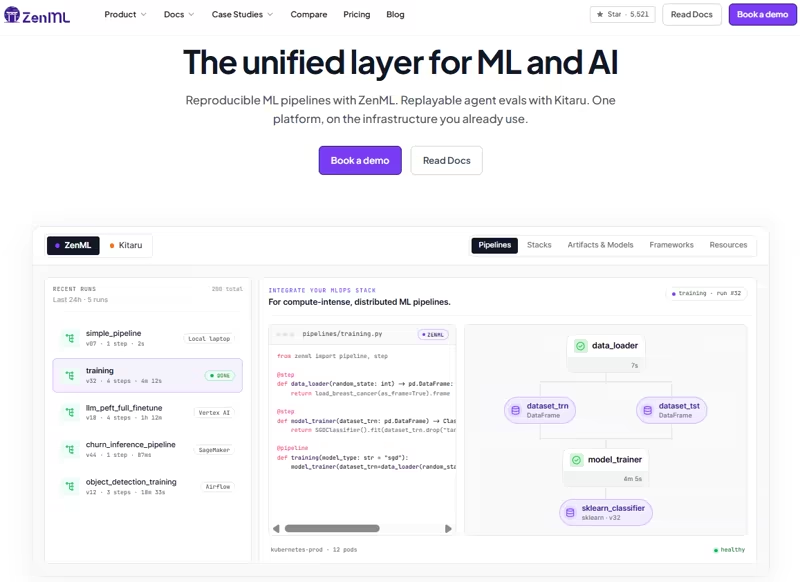
ZenML is an open-source framework for running ML pipelines, AI workflows, and model operations on the infrastructure you already use.
Where Dagster asks you to model your work as assets, ZenML lets you define work as Python steps and pipelines, and treats versioned artifacts, model management, and infrastructure portability as things the framework handles for you.
It’s the closest option on this list if you want to keep Dagster’s code-first approach, plus gain the ML lifecycle features Dagster outsources to integrations.
Feature 1. Pipelines as Plain Python
ZenML uses two main decorators: @step for units of work and @pipeline for the workflow that connects them. No oddly complicated asset graph to design or DSL to learn:
from zenml import pipeline, step

@step
def step_1() -> str:
    """Returns a string."""
    return "world"

@step
def step_2(input_one: str, input_two: str) -> None:
    """Combines the two strings passed in."""
    print(f"{input_one} {input_two}")

@pipeline
def my_pipeline():
    output_step_one = step_1()
    step_2(input_one="hello", input_two=output_step_one)
The API stays close to ordinary Python. You can start with a local run before you add cloud infrastructure, remote compute, or deployment rules.
Feature 2. Swap Orchestrators Without Rewriting Pipelines
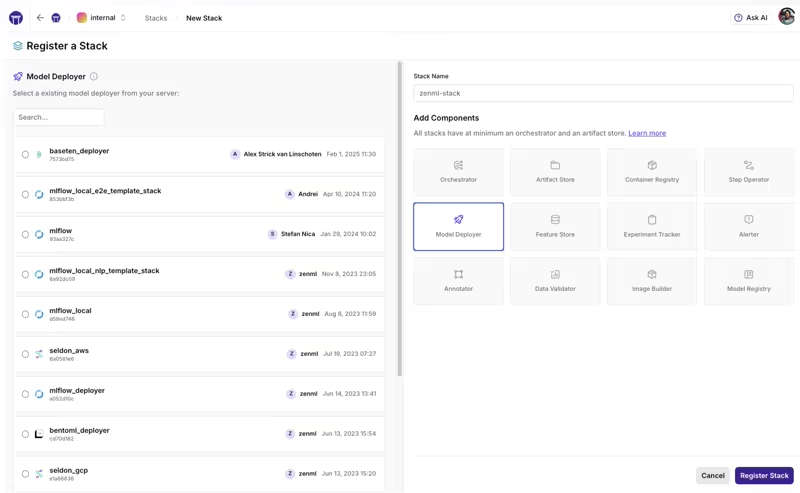
A ZenML stack describes your infrastructure, including an orchestrator, artifact store, container registry, and so on.
You can also develop the same pipeline with a local stack. Later, move execution to Kubernetes, SageMaker, Vertex AI, or even Airflow itself. The pipeline structure does not need to change when the active stack changes.
ZenML’s specific differentiator is that the orchestrator is a swappable stack component behind the ZenML pipeline definition. Dagster also supports multiple execution environments and external compute through executors, launchers, and Dagster Pipes, but it does not provide the same cross-orchestrator stack abstraction.
This separation is useful when teams want one pipeline API across several environments.
Feature 3. Artifacts and Caching Come With Each Run
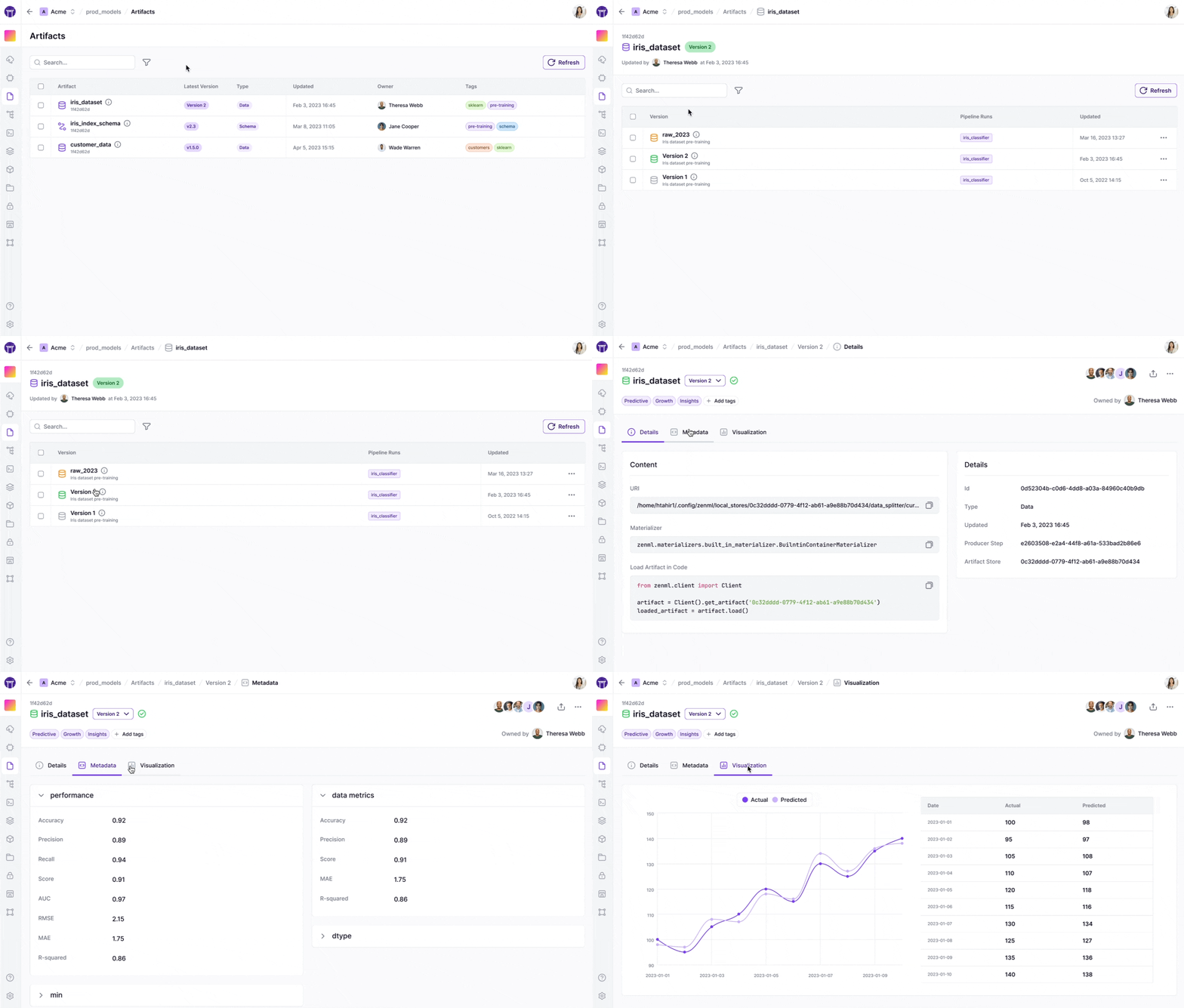
ZenML records step inputs and outputs as versioned artifacts, with lineage back to the code and inputs that produced it. When a step runs again with the same inputs, code, and configuration, ZenML reuses the cached output instead of recomputing it, which is exactly what you want when you rerun one part of a pipeline without repeating every costly step.
Feature 4. Model Control Plane and Experiment Tracking
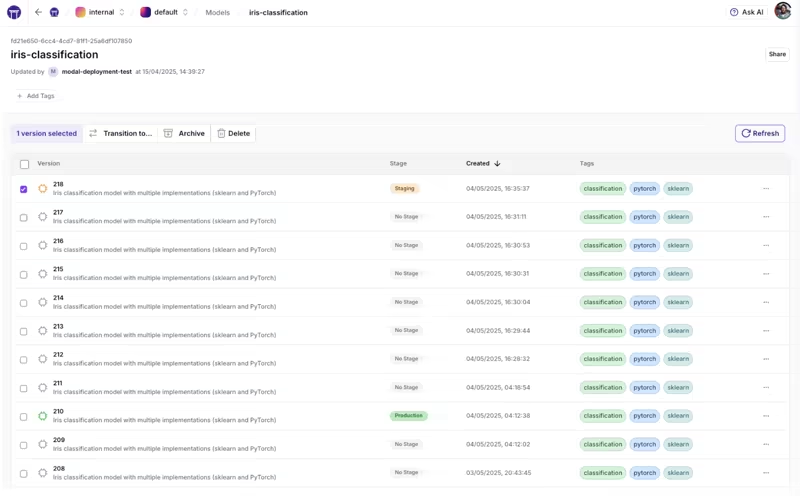
Our Model Control Plane groups datasets, weights, and metrics into versions you can compare and promote through stages like staging and production.
For metrics-heavy workflows, ZenML plugs into MLflow, Weights & Biases, and Comet as stack components, so tracking is a configurable choice and not another architecture project.
Pricing
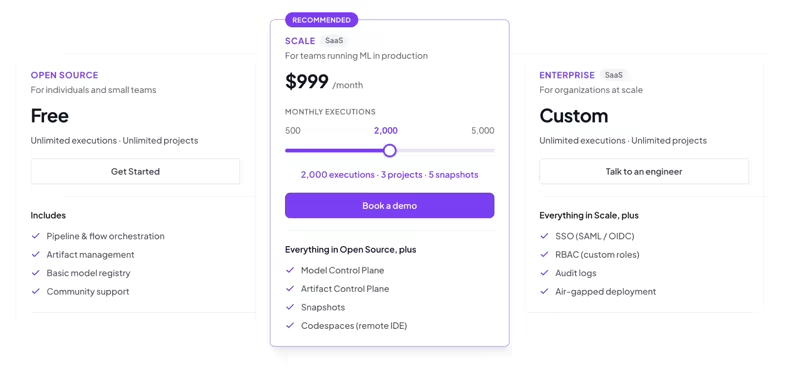
ZenML’s core framework is free and open source under the Apache 2.0 license. For growing teams wanting a managed space, ZenML offers usage-based plans:
- $399 per month: 500 executions, 1 project, 1 snapshot
- $999 per month: 2,000 executions, 3 projects, 5 snapshots
- $2,499 per month: 5,000 executions, 10 projects, 20 snapshots
- Enterprise: Custom pricing
Note: One plan covers both ZenML for ML pipelines and Kitaru for durable AI agents, on the same control plane.
Pros and Cons
ZenML is a strong Dagster alternative when ML is the main workload. It gives you a small Python API, automatic artifact records, built-in model management, and the freedom to run the same pipeline on any of a dozen orchestrator backends. ZenML Pro covers both ZenML pipelines and Kitaru agent workspaces under one control plane, governance layer, support tier, and bill. Kitaru remains a separate Python SDK and runtime designed for durable agent execution.
As a younger project, ZenML’s community is smaller than Airflow’s, and it is Python-only. If your workloads are mostly analytics engineering and warehouse tables, you may still prefer Dagster’s asset catalog or a SQL-first product.
2. Apache Airflow
Apache Airflow is a free, long-standing choice for scheduled batch pipelines. Airflow 3.3 builds on the major architectural changes introduced in Airflow 3. It separates DAG processing from the scheduler, adds versioned DAG bundles, and introduces experimental Java and Go task SDKs.
Features
- Define workflows using Airflow operators, or use the TaskFlow API to convert regular Python functions into tasks. Task outputs can be passed to the next step without extra XCom setup.
- Airflow’s provider packages add ready-made hooks and operators for AWS, Google Cloud, Azure, Snowflake, Databricks, and many other systems. You usually do not need to build every connection from the ground up.
- Set retry rules for failed tasks, rerun missed date ranges through backfills, and start workflows on a schedule or when a specific event occurs. This gives you one place to manage routine failures and delayed data.
- Run tasks on the same machine during development, distribute them with Celery, or send each task to Kubernetes. Airflow gives you several execution models, so the setup can grow with your workload.
- Inspect task logs, run history, dependencies, and failure states in the web interface. You can also clear failed tasks or trigger reruns without reaching for the command line every time something has a bad day.
Pricing
Airflow is free and open source under the Apache 2.0 license. You pay for the infrastructure and the team that runs it. Managed options include Amazon MWAA, Google Cloud Composer, and Astronomer Astro, each priced by the vendor.
Pros and Cons
Airflow has a mature ecosystem and years of production use behind it. Airflow 3’s DAG versioning, event-driven scheduling, and UI rewrite have closed many long-standing gaps, and the project’s 2026 release cadence has been brisk. It’s a sensible choice for large batch data workloads that depend on many external systems.
The trade-off is scope and weight. A production setup includes several services and a metadata database. Airflow does not give ML teams native artifact management, experiment tracking, or model version control. Airflow only schedules your training job, everything around the model is on you.
Relevant articles to read:
3. Kestra
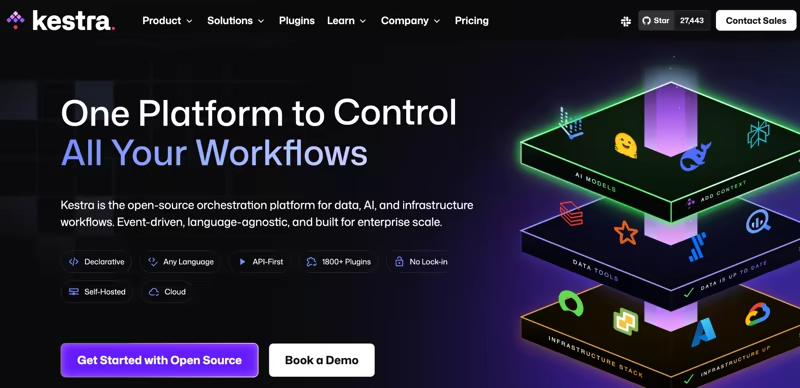
Kestra is an open-source orchestration platform that defines flows in YAML. It’s a good option when you want workflows in version control without requiring every contributor to write Python.
Features
- Describe tasks, dependencies, conditions, retries, and triggers in one declarative file. You can edit flows in a code repository or through Kestra’s built-in editor.
- A single flow can include Python, SQL, Bash, Node.js, R, and other supported languages. This is useful when orchestration work crosses data, infrastructure, and application teams.
- Trigger workflows with cron schedules, API calls, webhooks, message queues, or external events. Event support is part of the core product and not an extra layer bolted on later.
- Kestra includes plugins for databases, cloud services, messaging systems, dbt tools, and AI providers. These plugins reduce the amount of custom integration code needed between tasks.
- Retry a failed task, replay part of a flow, or run a backfill without redeploying the workflow. Your operators can recover from outages without treating every failure like an incident report.
Pricing
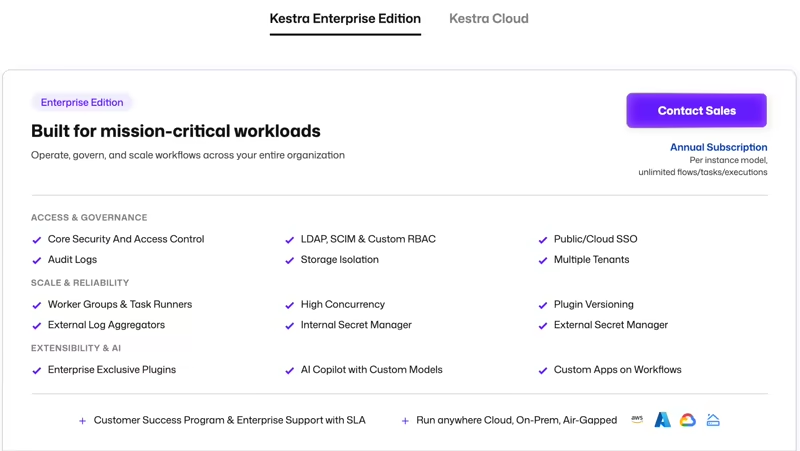
Kestra offers a free open-source version. Then an Enterprise Edition and a Cloud-hosted Plan with custom pricing.
Pros and Cons
Kestra is a strong pick when orchestration extends beyond the data team. Its YAML format and broad language support make it easier for mixed teams to work in the same tool. The plugin count is genuinely large, and the event-driven trigger model is first-class.
For an ML team coming from Dagster, though, the fit is looser. Your logic lives in script tasks, the server is a JVM application with its own resource requirements, and there are no ML lifecycle primitives. Add unpublished Cloud and Enterprise pricing, and evaluation requires a sales conversation.
4. Mage
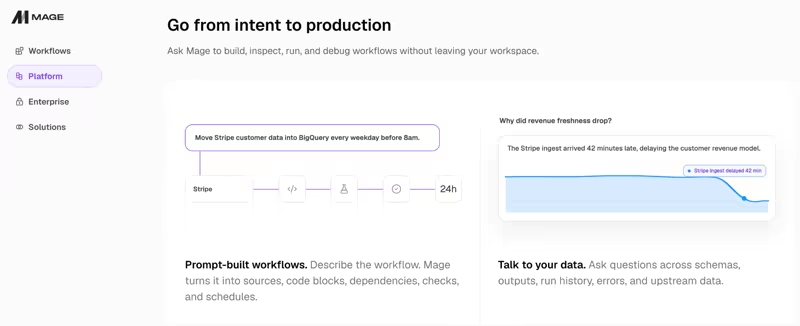
Mage combines a notebook-style editor with modular data pipeline blocks. A pipeline can mix Python, SQL, and R while showing block outputs inside the browser. Last year, Mage introduced an AI Sidekick that builds and debugs pipelines from prompts and an Autopilot that monitors and auto-recovers them.
Features
- Create loaders, transformers, and exporters as separate blocks, then run each block separately while testing logic and inspecting output. The editor shows outputs immediately, which makes debugging feel closer to notebook work.
- Trigger jobs on schedules, API calls, and external events like a new file arriving in cloud storage. This covers both routine batch jobs and on-demand workflows.
- Mage can run dbt models inside a pipeline and process streaming data from systems such as Kafka, Kinesis, or Pub/Sub. That lets you manage batch and streaming work from the same interface.
Pricing
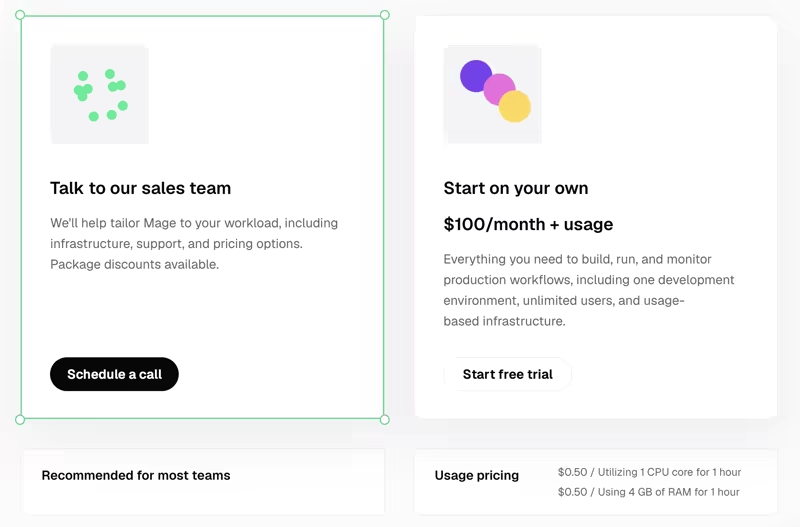
Mage OSS is free to use. It has a managed paid plan, Mage Pro, starting at $100 per month plus usage, metered at $0.50 per CPU core per hour and another $0.50 per 4 GB of RAM per hour, with a 7-day free trial.
Pros and Cons
Mage’s pipeline development feels quick in a way not many orchestrators can match. The browser editor gives you immediate feedback, and the block model is easy to scan.
Its ML layer, however, is still basic compared with ZenML or Flyte. If you need experiment records and model governance, you must add other products. Also, dbt and data integrations require Docker or Mage Pro, so the pip-install experience is limited. Some of Mage’s newer operational features also sit in the paid product.
5. Flyte
Flyte is a Kubernetes-native workflow orchestrator built for production-grade data and ML pipelines. Of everything on this list, Flyte is the closest alternative to Dagster in rigor while staying pipeline-centric. It uses Python for workflow code and runs work on Kubernetes-backed infrastructure.
Features
- Define tasks and workflows with Python decorators, then specify the expected type for each input and output. Flyte checks those boundaries before execution, which catches bad data before it reaches an expensive compute step.
- Record each workflow run as an immutable execution with its code, inputs, and outputs. You can inspect how a result was produced without relying on someone’s memory or a mysterious notebook called
final_v7. - Cache task outputs by passing
cache=Trueto the decorator, so Flyte can reuse the result when the same code and inputs appear again. This avoids repeating work when nothing relevant has changed. - Request CPU, memory, or GPU resources directly in code. Heavy training jobs can use GPU nodes, while smaller preprocessing steps stay on cheaper compute.
Pricing
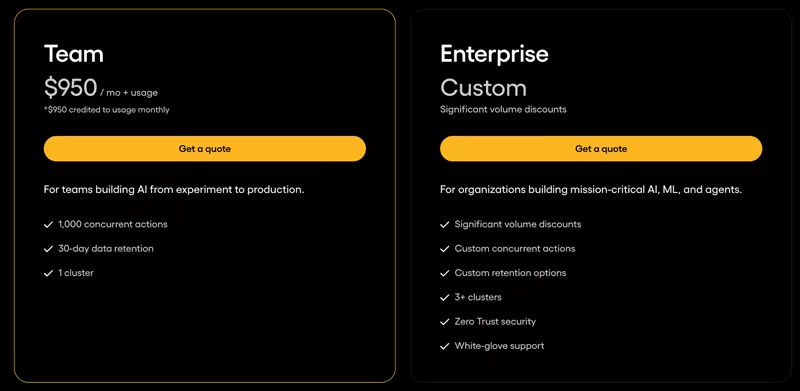
Flyte is free to self-host. Union.ai, the company behind Flyte, offers managed hosting options:
- Team plan: $950 per month plus usage
- Enterprise: Custom pricing
Pros and Cons
Flyte is what you pick when reproducibility is non-negotiable. It has strict task boundaries, repeatable runs, and tight control over compute. It’s proven at a large scale, with built-in multi-tenancy. For ML teams with a platform team behind them, it is one of the strongest Dagster alternatives.
The cost is infrastructure. Self-hosting means operating Kubernetes and the services around Flyte. Its own deployment docs recommend involving your infrastructure team, so smaller teams may find that burden hard to justify.
Relevant articles to read:
6. Argo Workflows
Argo Workflows is a container-native workflow engine for Kubernetes. Workflows function as Kubernetes resources, and each task usually runs in its own container.
Features
- Use DAG templates when tasks have dependencies or step templates when they need to run in sequence. Both options are defined through Kubernetes YAML.
- Pass artifacts between steps through S3, GCS, or Azure Blob storage backends. Later tasks can pull those artifacts when they need them.
- Reuse workflow logic with WorkflowTemplates and ClusterWorkflowTemplates. This helps you avoid copying the same container definitions across every project.
- Use
CronWorkflowsfor scheduled runs and Argo Events for webhooks, queues, and 20+ external signals. The setup is powerful, though it assumes familiarity with Kubernetes.
Pricing
Argo Workflows is free and open source under Apache 2.0. There is no commercial tier for the project itself; your main costs are the Kubernetes cluster it runs on and the number of people who operate it.
Pros and Cons
Argo gives platform teams direct control over container jobs. It works well for large parallel workloads and is your best pick if you already use Kubernetes as the main execution layer.
But coming from Dagster may feel like switching from an ML platform to an engine. The engine has no notion of experiments, models, or artifact versioning beyond file passing. Every ML lifecycle concern becomes something you build or outsource to integrations.
7. Metaflow
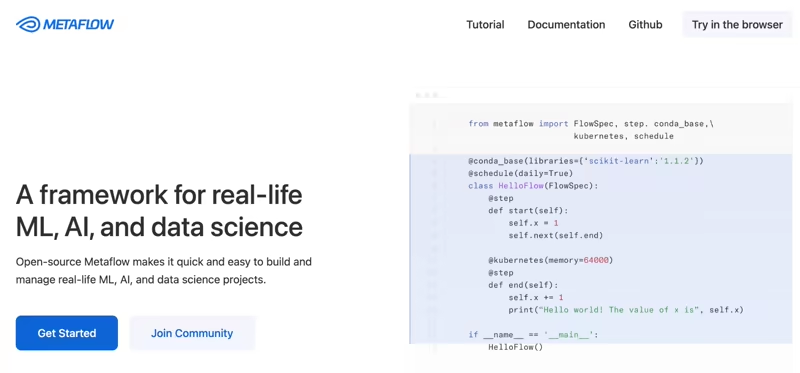
Metaflow is a Python framework for real-life ML, AI, and data science, developed at Netflix and open-sourced in 2019. Its core promise is moving from laptop to cloud without changing code.
Like Dagster, Anaconda acquired Outerbounds, the company behind Metaflow, in April 2026, while committing to keep Metaflow open source.
Features
- Structure workflows as
FlowSpecclasses with@stepmethods, supporting linear, branch, and foreach fan-out transitions. The structure stays readable for data scientists who want production workflows without moving all logic into YAML. - Values stored on the flow object are persisted after each step. You can inspect them later through the client API or display them in Metaflow Cards.
- Add decorators such as
@batchor@kuberneteswhen a task needs remote CPU or GPU resources. The rest of the flow can still run locally. - Recover with
@retry,@catch,@timeout, and theresumecommand, which reruns a failed flow from the failed step while reusing successful results. - Deploy to production orchestrators including AWS Step Functions, Argo Workflows, and Airflow. You keep the Python flow model while using another system for scheduling and execution.
Pricing
Metaflow is free and open source. Anaconda now offers the commercial platform previously provided by Outerbounds as part of its enterprise AI orchestration product. Public pricing for that is not listed, so you need to contact sales for a quote.
Pros and Cons
Metaflow’s interface is friendly to data scientists. The flow code reads like normal Python, artifacts are saved by default, and resume support helps when a long training run fails near the end. For individual teams that want production ML without platform ceremony, it remains one of the friendliest options.
The constraints are operational and, now, organizational. Production use still needs a metadata service, object storage, and a compute layer. And the Anaconda acquisition puts Metaflow’s commercial layer in the same uncertainty bucket as Dagster itself.
Relevant article to read: Metaflow alternatives
8. Databricks
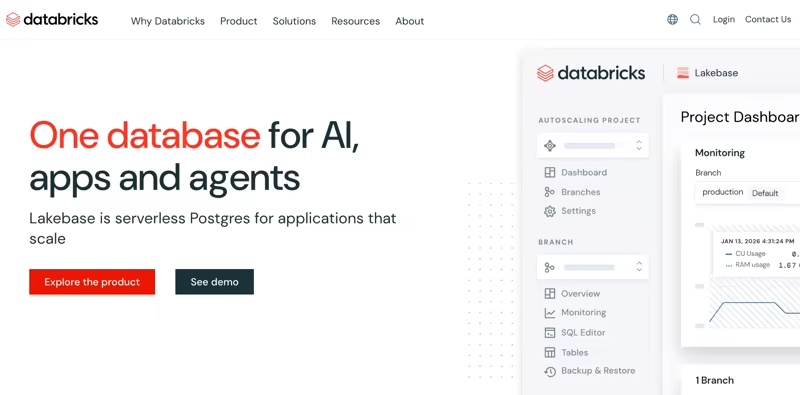
Databricks is the option where you stop picking an orchestrator and adopt a platform. Orchestration on the Data Intelligence Platform is now called Lakeflow Jobs (formerly Databricks Workflows), and it sits alongside managed MLflow, Unity Catalog, and Mosaic AI in one integrated stack.
Features
- Orchestrate jobs as DAGs of tasks, it can include notebooks, Python scripts, SQL, pipelines, and other Databricks tasks. You connect them into a DAG and set the order in which they run, with branching and looping control flow.
- Trigger on schedules or events, including file-arrival triggers that start a job when new files land in S3, Azure, or GCS. File-based triggers are useful for ingestion and batch processing that should begin as soon as data lands.
- Record parameters, metrics, and model artifacts inside the Databricks workspace. You can compare training runs without operating a separate MLflow server.
- Track experiments and govern models with managed MLflow, including a model registry in Unity Catalog with cross-workspace lineage.
Pricing
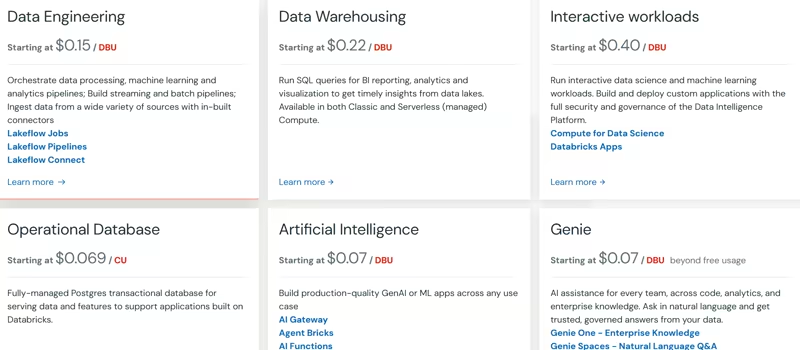
Databricks offers a limited free edition for personal use, plus a 14-day trial with up to $400 in credits. Then it charges by consumption in DBUs, with rates that vary by cloud, region, tier, and compute type.
Pros and Cons
Databricks makes sense when you already keep data, notebooks, and models in the lakehouse. The ML lifecycle features Dagster lacks are simply there. Jobs and experiment tracking live in one platform, and so do model registration, serving, and access rules.
The trade-off is commitment. It’s not the best choice when pipelines need to stay portable across external systems. Lakeflow Jobs orchestrates work inside Databricks workspaces, so it replaces Dagster only to the extent that your workloads move onto the platform. Needless to say, usage-based pricing makes cost forecasting harder to estimate.
Relevant articles to read: Databricks alternatives
The Best Dagster Alternatives for Data and ML Orchestration
The right alternative depends on what your team runs most often:
- Choose ZenML if your main work involves ML pipelines, model versions, artifact lineage, and moving runs across different infrastructure.
- Choose Apache Airflow if you need proven batch orchestration, a huge integration ecosystem, and a tool your data team likely already knows.
- Choose Flyte if you run ML workloads on Kubernetes and need typed workflows, strong resource controls, and repeatable execution at scale.
Our honest read: Dagster still makes sense for data teams that think in assets. But the Prefect acquisition means anyone evaluating it is also betting on a roadmap in transition.
If your pipelines are heading toward training, inference, and agents rather than warehouse tables, you might want to consider ZenML. It is open-source, it runs on the infrastructure you already have, and the pipeline you write on your laptop today is the one you ship to production.
If you’d like to see it against your own use case, book a demo with our team.