
On this page
Vellum started as an LLM development platform for prompts, workflows, and evaluations. In May 2026, the company launched a personal AI assistant and rebuilt Vellum around it.
Six months later, that bet is over. Vellum began final exports and switch-offs of cloud-hosted assistants on November 7, 2026. Assistant users need a new home now, and teams on the older development platform may be considering an exit too.
- AI engineers on your agent
- Set up in minutes
- No credit card
That’s enough reason to cover this article. So, we reviewed 9 Vellum alternatives for both groups: the people who ran the assistant and the teams who built, evaluated, and debugged LLM apps on Vellum.
A Quick Overview of the Best Vellum Alternatives
- Why look for alternatives: Vellum began shutting down its cloud-hosted assistants, and user data is being scheduled for deletion. It’s also ending active maintenance of its original assistant repository.
- Who should care: If you ran a Vellum assistant and used Vellum’s prompts, workflows, and evaluations to build agents.
- What to expect: A review of 9 Vellum alternatives across four jobs, from replacing the assistant and rebuilding visual workflows to running evals and replaying production sessions against a change.
The Need For a Vellum Alternative
Vellum is shutting down its Personal Assistant Platform. It hasn’t announced the same for every older development service.
Here’s what to know.
1. Hosted Assistants are Being Turned Off
Vellum began taking final exports and turning off cloud-hosted assistants on November 7, 2026. You can still sign in at vellum.ai/export to download your assistant’s .vbundle file until December 13, 2026. After that, downloads and logins will close, and Vellum will permanently delete the hosted data.
🔎Quick help: Vellum’s restore instructions explain how to run it locally. You’ll need to reconnect services because saved credentials aren’t exported.
2. Self-Hosted Assistants Have a Different Path
An assistant already running locally with your own model keys and no Vellum account can keep working.
The Vellum assistant repository remains available under the MIT license, although Vellum won’t actively maintain it. A founding engineer is maintaining Cadet, a rebranded fork for people who want to stay close to the original assistant.
3. The Original Development Platform is a Separate Question
Vellum’s older development docs still describe prompt management, workflow building, deployments, and evaluations. The assistant shutdown notice doesn’t say that these development services have shut down. However, the development changelog has no entry after February 2026. That isn’t proof of shutdown. Still, check support status and export your work before another release depends on it.
Evaluation Criteria
We scored each alternative on four criteria. OpenClaw, Dify, and Langflow are not evaluation tools, so for those three we also asked if they replace the Vellum product you used.
- Migration and Data Portability: Is migrating to alternatives possible? We considered prompts, workflows, datasets, and evaluation results. We checked formats, APIs, import options, and how much infrastructure you have to rebuild.
- AI Agent Evaluation Capabilities: Can you test outputs and intermediate decisions? We checked offline and online evals, LLM judges, custom rules, human review, and regression tests.
- Production Replay and Reproducibility: Can you test a changed agent against a failed production run? We looked for recorded tool responses, controlled re-execution, and repeatable debugging of historical failures.
- Observability and Debugging: You need enough visibility to find where and why an agent failed. Can the tool capture LLM calls, tool executions, intermediate steps, errors, token usage, and latency?
What are the Top Alternatives to Vellum
| Vellum Alternative | Best For | Key Features | Pricing |
|---|---|---|---|
| Kitaru by ZenML Labs | Replaying production sessions against one change | • Re-runs real agent code with recorded tool history • Expert review and a CI gate | • Free (open source) • Starter $39/month |
| Dify | Rebuilding Vellum workflows in a visual builder | • Workflow Studio, agents, and RAG pipelines • Node-by-node run logs | • Free (Community, self-host) • Professional $59 per workspace per month |
| Langflow | A free, MIT-licensed visual builder | • Flows as portable JSON • Built-in traces per component | • Free (open source) |
| LangSmith | LangGraph teams that need traces and evals | • LLM judges, pairwise and human evals • OTLP ingest | • Free • Plus $39/seat/month |
| Braintrust | Eval-first teams that gate merges on scores | • Scorers, human review, and CI • Unlimited users | • Free • Pro $249/month |
| Langfuse | An open-source trace store you can export from | • MIT core with OTLP ingest • Observation-level scoring • Scheduled blob export | • Free self-host or Hobby • Core $29/month |
| Comet Opik | Low-cost hosted tracing and test suites | • Agent traces and test suites • Annotation queues • Export and import CLI | • Free (open source) • Pro Cloud $19/month |
| Arize Phoenix | Self-hosted tracing on OpenTelemetry | • OpenInference auto-instrumentation • Datasets and experiments | • Free (self-host) • AX Pro $50/month |
| OpenClaw | Replacing the Vellum assistant itself | • Messaging channels • Local memory and skills | • Free (open source) • Model costs extra |
1. Kitaru by ZenML Labs
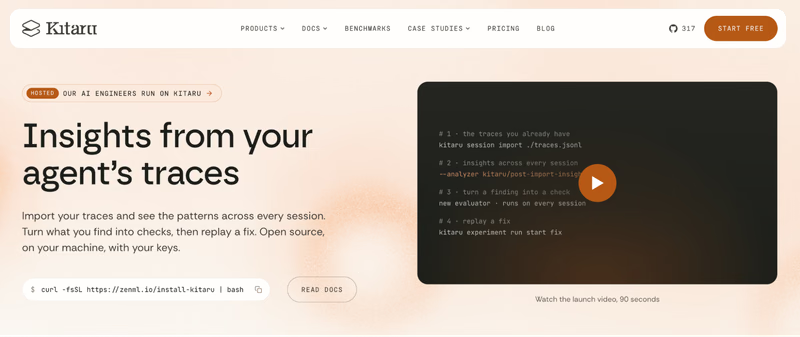
Kitaru by ZenML Labs is an open-source, replay-based evaluation runtime for AI agents. It takes sessions your agent already ran, changes exactly one thing, runs your real agent code again, and scores the result next to the original.
Kitaru doesn’t replace Vellum’s workflow builder or its assistant. It covers the step after a migration. Say you move a support agent to a new framework. A stored trace does not contain executable agent code. Kitaru requires you to register the agent’s code and connect a compatible adapter, then reruns it with recorded tool results under a history policy.
Here are three features that make Kitaru a good Vellum alternative:
Feature 1. Import Traces From Your Existing Tool

Kitaru imports complete agent sessions from Langfuse, LangSmith, Braintrust, Logfire, Arize Phoenix, MLflow, and Kitaru JSONL. You can use those sessions for investigations and tests. However, there is no Vellum importer. But you can write your own custom importer to import traces from anywhere.
Feature 2. Replay With Recorded Tool History

A replay starts from a baseline session and feeds your agent its original inputs. A tool policy decides how tool calls get answered. The history policy returns the recorded result, static returns a fixed one, and passthrough runs the live tool.
For example, if the original support agent called refund_payment, you can return its recorded result instead of issuing another refund. Use history with on_miss="fail" for calls that must never reach production. This is important because Kitaru’s default policy allows live calls unless you set a safer one.
You replay unchanged first for a faithful baseline, then fork with one override, such as a model, a prompt, or a code change.
Feature 3. Evaluators, Expert Review, and a CI Gate

Score recorded and replayed sessions with versioned Python evaluators, including LLM judges and custom rules. Kitaru also ships ten deterministic evaluator bundles for checks such as tool health, output contracts, model policies, resource budgets, and workflow order. These inspect existing evidence without rerunning the agent.
A coding assistant can also prepare an investigation. An expert reviews trace evidence, records a verdict, and collects failures plus successful counterexamples in an immutable cohort.
Run that cohort against your candidate agent before release. The experiment command can return a nonzero exit code when a run fails, so your CI pipeline can stop a change that breaks the agreed tests.
Pricing
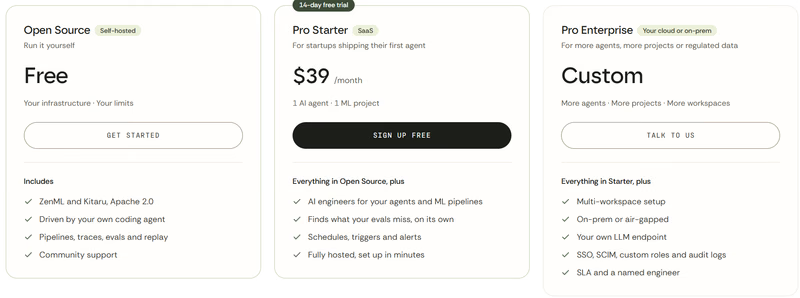
Kitaru is free to self-host under Apache 2.0. Its managed offering has a 14-day trial and two paid options:
- Pro Starter: $39 per month for 1 AI agent and 1 ML project, with up to 100 pipeline runs per month, no session limit, and a 14-day trial requiring no credit card. Replay model costs are billed through your own keys.
- Pro Enterprise: Custom; on-prem or air-gapped deployment, your own LLM endpoint, SSO, SCIM, and audit logs.
Pros and Cons
Kitaru focuses on full-session replay with recorded tool results. LangSmith and Braintrust also test real application code; their evaluation code controls how external dependencies are handled. It brings production traces, human-reviewed cases, and versioned evaluators into one regression process. Recorded tool responses can also prevent a test from sending another refund or modifying a live database. It’s self-hostable, plus Starter includes unlimited seats, so domain experts are not a seat line item.
However, Kitaru is a young project, so interfaces can change. Kitaru’s core workflow centers on trace imports, investigations, evaluations, and replay. Its docs currently list no OTLP ingestion endpoint; ZenML Pro adds a hosted dashboard, schedules, triggers, and alerts.
Related reading: Kitaru vs LangSmith
2. Dify
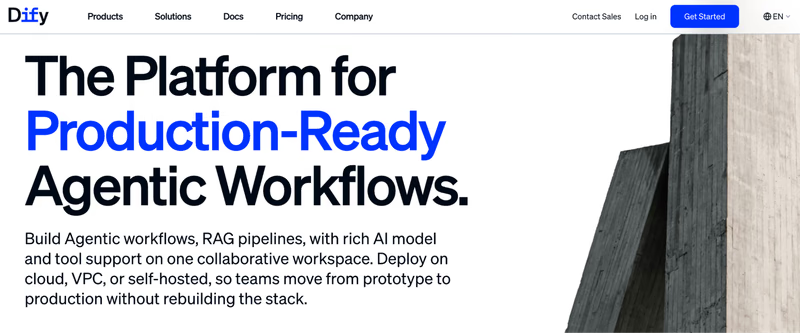
Dify is a visual platform for building AI chatbots, agents, and RAG applications. Its Workflow Studio lets you connect prompts, models, knowledge bases, API calls, and decision logic without writing every step in code. It’s a close match for Vellum’s original workflow builder.
Features
- Use Workflow Studio to connect model calls, retrieval steps, tools, and logic nodes. This works well when your team wants to rebuild a Vellum flow without writing the entire application loop in code.
- Package an app as an
.ifpkgfile and import it into another workspace or a self-hosted Dify instance. Logs, knowledge bases, credentials, and annotations don’t move with it. - Open workflow logs to see each node’s inputs, outputs, latency, and token usage. Test With Params lets you retry a logged workflow’s inputs in the editor. It does not preserve the old external tool responses, so a new run can behave differently.
- Let users and operators rate answers and let operators attach improved responses. Send traces to LangSmith, Langfuse, Opik, or Arize for further evaluation.
Pricing
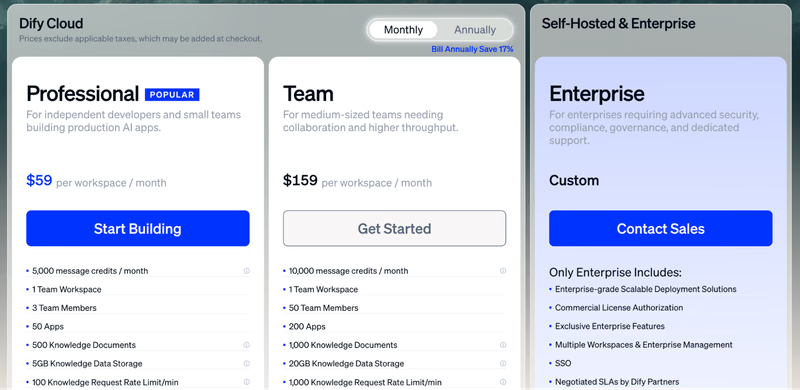
Dify offers a free self-hosted Community edition under its modified Apache 2.0 license, plus a free one-person cloud Sandbox. Its paid options are:
- Professional: $59 per workspace/month
- Team: $159 per workspace/month
- Enterprise: Custom pricing
Pros and Cons
Dify is the closest like-for-like replacement for Vellum’s workflow builder. Ready-made connections to models and tools, and convenient deployment through APIs or web apps make it even more accessible. The open-source Community edition adds another option if you want to keep the application on your own infrastructure.
However, its built-in tests don’t replay past runs against recorded tool history. You’ll need another tool for that. Its modified Apache 2.0 license also requires permission to operate a multi-tenant service based on Dify’s source code.
3. Langflow
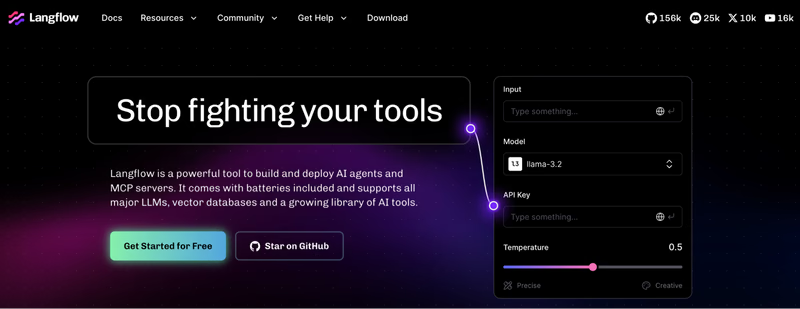
Langflow is a low-code builder for agents, RAG apps, and MCP servers. As a developer, you can also extend components with Python when a workflow needs more than the editor provides. It’s MIT-licensed, runs locally with uv, and ships as a desktop app for Windows and macOS.
Features
- Export a flow’s nodes, connections, and metadata as a JSON file, or package a project as a ZIP archive. Reimport it elsewhere, then reconfigure secrets stored in global variables.
- Open built-in traces to inspect inputs, outputs, errors, timing, and token usage across a flow. For example, you can find the retrieval component that returned an empty result before the agent gave a bad answer.
- Run a flow and inspect the tools the agent called and what they returned. Human-in-the-loop components can request approval or rejection of a tool call. Use it to check a workflow before release.
- Send execution details to services such as LangSmith, Langfuse, Arize, or Opik when your team needs shared monitoring and evaluations beyond the editor.
Pricing
Langflow is free and open source. Langflow.org also offers a free cloud option and lists no paid tiers.
Pros and Cons
Langflow is the go-to tool for rapid prototyping, with a portable JSON format and the option to customize components in Python. On Reddit, it’s proven for small production applications and collaborating with less technical stakeholders.
Langflow’s Playground supports interactive testing. For automation, its Flow DevOps Toolkit provides test scaffolding and GitHub CI workflows; you supply the test cases and assertions. Use fixtures or mocks when tests must avoid live external calls.
Related reading: Langflow alternatives
4. LangSmith
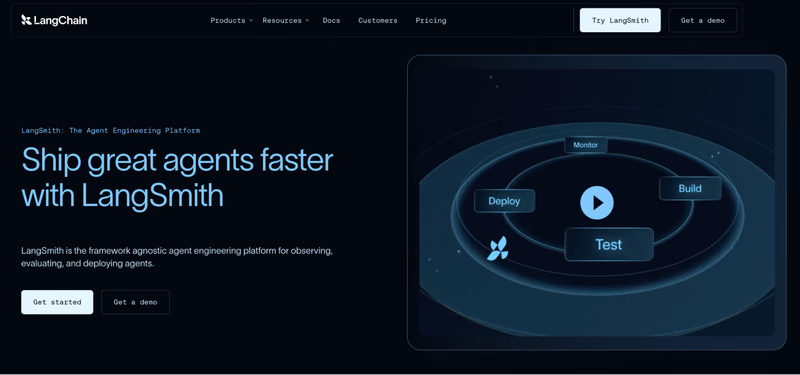
LangSmith is LangChain’s platform for observing, evaluating, and deploying agents. It works with different frameworks, but its connection to LangChain and LangGraph makes it especially appealing to teams already using them.
Features
- Inspect traces through nested runs. Its detailed view exposes model calls, tool use, errors, and multi-turn sessions. LangSmith Chat, formerly Polly, helps you investigate failed traces and analyze conversation threads and evaluation results.
- Use LLM judges, custom code, human reviews, and pairwise comparisons to score agent behavior. You can also apply online checks to individual runs, including tool-call child runs, when you want to monitor a particular failure pattern.
- Pass stored examples through your target function with LangSmith evaluations. The function runs your application code again, which helps you compare a prompt or implementation change. External tools still run live unless you mock them in your code.
- Ingest OpenTelemetry traces, run evaluations through its pytest integration, and send trace data to S3-compatible storage in Parquet format. Bulk export has plan restrictions, so check your account’s eligibility before planning a large move.
Pricing
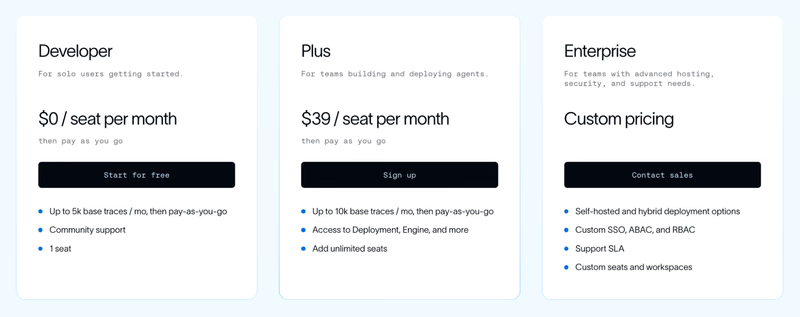
LangSmith offers a free single-seat developer plan with 5,000 base traces per month. This is followed by two paid plans:
- Plus: $39 per seat per month
- Enterprise: Custom pricing
Pros and Cons
If you used Vellum for prompt testing and evaluation, LangSmith covers much of that workflow. It also adds conversation-level debugging and tests you can run in CI. Its close support for LangGraph reduces setup work for teams already in that ecosystem, while human review and experiment comparisons help turn individual failures into reusable checks.
When an evaluation invokes real tools, use mocks or fixtures if those calls must not reach live systems. Bulk export is Enterprise-only for customers who signed up after August 3, 2026. Customers who signed up on or before that date can use bulk export on Plus or Enterprise until February 1, 2027.
Related reading: LangSmith alternatives
5. Braintrust
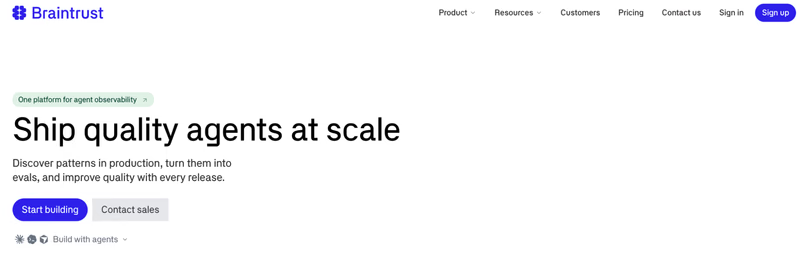
Braintrust is an eval-first platform that combines production tracing, evaluations, and experiments for testing agent quality before release. It’s a strong fit if Vellum’s evaluation workflow was your main reason for using the platform.
Features
- Inspect spans for model calls, tools, functions, and scores in hierarchy or timeline views. You can follow a failed response back to the tool call or prompt that contributed to it.
- Score traces and experiments using code-based scorers or via LLM judges. Add human review queues for cases that need a second opinion, like a disputed support answer.
- Run experiment evaluations from your code and compare candidate results against a baseline with Braintrust’s GitHub Action. Use it to catch score regressions before merging.
- Send OpenTelemetry traces into Braintrust and use BTQL to query logs. This helps teams investigate recurring failures without manually opening every run.
Pricing
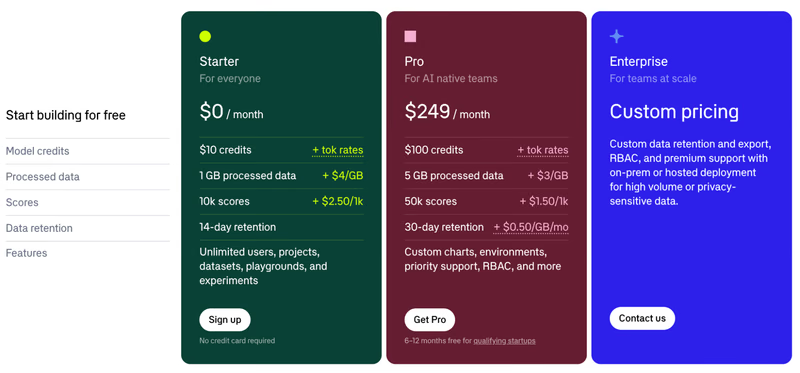
Braintrust’s pricing separates processed data from evaluation scores. It offers three core plans:
- Starter: Free
- Pro: $249 per month
- Enterprise: Custom pricing
Pros and Cons
Braintrust has unlimited users on every plan, so reviewers add no seat cost. Its side-by-side prompt comparisons and organized evaluation datasets are best for getting to the root cause of a failed run.
Braintrust has open-source SDKs but no free self-hosted platform edition. New Enterprise deployments in your own cloud use BYOC, with Braintrust operating the data plane; the self-hosting guides cover existing customer-operated deployments.
Related reading: Kitaru vs Braintrust
6. Langfuse
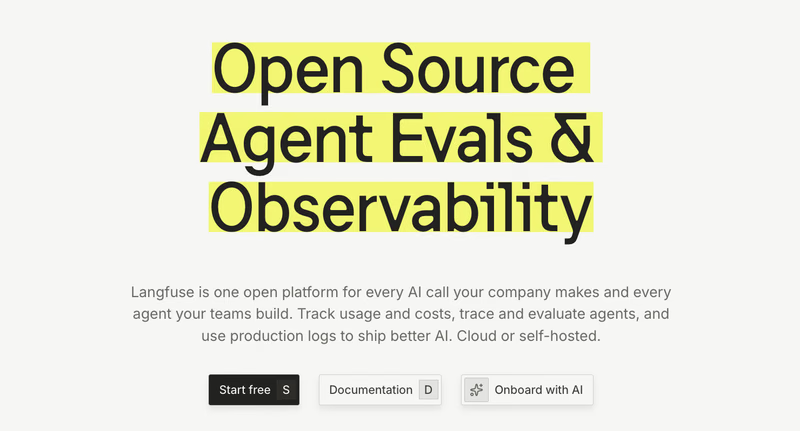
Langfuse is an open-source trace store and eval platform with an MIT core. It collects model calls, retrieval steps, and tool activity as connected observations. For Vellum users who need a new place to inspect agent behavior and manage prompts, Langfuse makes sense.
Features
- Capture model calls, tool invocations, and retrieval steps as observations. You can also use the agent graph to see the sequence of actions and find which step caused a failed response.
- Evaluate traces and observations with code checks, human annotations, or LLM judges. This helps when an agent’s final answer looks fine, but its tool use is wrong.
- Use the experiments SDK to pass examples through your task function and compare results. Your application runs in your own process, so mock external tools if a test must not trigger real actions.
- Send traces through an OpenTelemetry endpoint and schedule exports to S3, Google Cloud Storage, or Azure Blob Storage. Supported formats include Parquet, CSV, JSON, and JSONL. This helps teams keep a copy of their agent history outside the platform.
Pricing
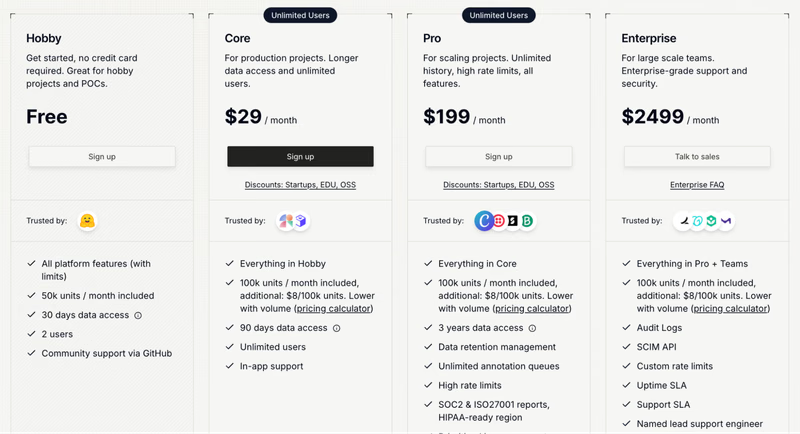
Langfuse is free to self-host and also provides a free hosted plan with 50,000 units per month for up to two users. Other than that, it has three paid plans:
- Core: $29 per month
- Pro: $199 per month
- Enterprise: $2,499 per month
Pros and Cons
Among the open-source tools here, Langfuse answers the portability criterion best, with OTLP in and scheduled blob export out. Users also like its ability to inspect token usage and latency alongside responses.
However, on Cloud, blob export needs Pro plus the $300-per-month Teams add-on, or Enterprise. Very long agent traces can be hard to follow, and self-hosting also means maintaining PostgreSQL, ClickHouse, Redis, and object storage.
Related reading: Kitaru vs Langfuse
7. Comet Opik
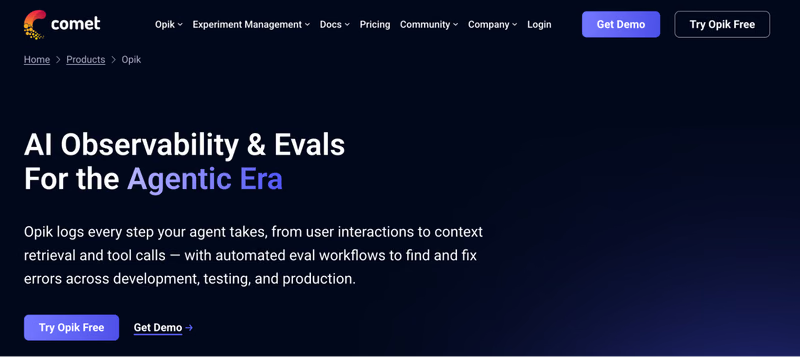
Opik is Comet’s open-source observability and evaluation platform for tracing, debugging, and evaluating AI applications. It records agent steps as spans, groups conversations into threads, and lets you build test suites with assertions and scoring rules.
Features
- Record model calls, tool invocations, and external API requests as nested spans. Group multi-turn interactions into threads and use agent graphs for supported frameworks, including LangGraph and Google ADK.
- Build Test Suites with natural-language assertions that an LLM judge checks. Configure repeated runs and pass thresholds when a single agent response isn’t enough to judge a change.
- Score incoming traces with online evaluation rules and route selected cases to annotation queues. This lets reviewers examine recurring failures and improve the examples used for later tests.
- Use
opik exportandopik importto transfer supported trace data between Opik installations. This helps with a move to self-hosting.
Pricing
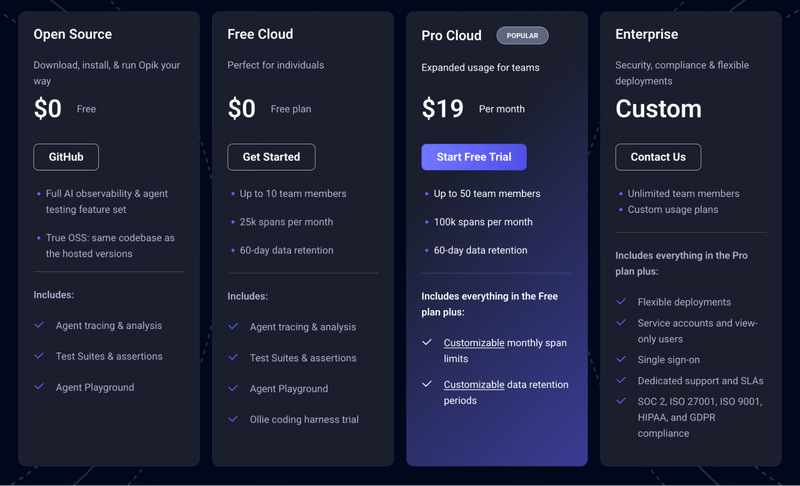
Opik is open Source and free to self-host with unlimited spans and retention. Its three hosted plans are Free Cloud, Pro Cloud, and Enterprise:
- Cloud: Free
- Pro: $19 per month
- Enterprise: Custom pricing
Pros and Cons
Opik has the cheapest paid hosted tier here and a self-hosted path with no span ceiling. The free self-hosted edition lacks user-management features; Enterprise deployments add user management and SSO.
However, self-hosting comes without user management, and SSO is Enterprise-only. An open issue reports missing function-call details in the Python SDK’s streamed Gemini traces. Check your integration and SDK version before relying on complete tool-call capture. And you must control external calls in your test code if rerunning the agent could change real data.
Related reading: Opik vs Langfuse
8. Arize Phoenix
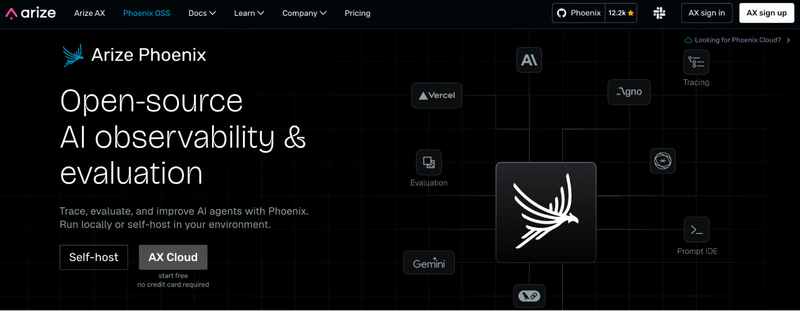
Arize Phoenix is Arize’s self-hosted tracing and evaluation tool built around OpenTelemetry. Phoenix focuses on the development and debugging workflow; Arize AX is the separate managed platform.
Features
- Track prompts, model parameters, retrieved documents, tool calls, token use, and exceptions. This makes it easier to investigate why an agent cited the wrong document or chose the wrong tool.
- Use OpenInference integrations with LangGraph, OpenAI Agents SDK, Google ADK, and PydanticAI. Teams can add tracing without rebuilding the underlying agent.
- Apply model-based judges, code checks, and human labels to trace data. Build datasets and experiments to compare changes across a repeatable set of examples.
- Use span replay to rerun a stored model call with a modified prompt or model. This helps test one generation, although it doesn’t rerun the complete agent loop against recorded tool history.
Pricing
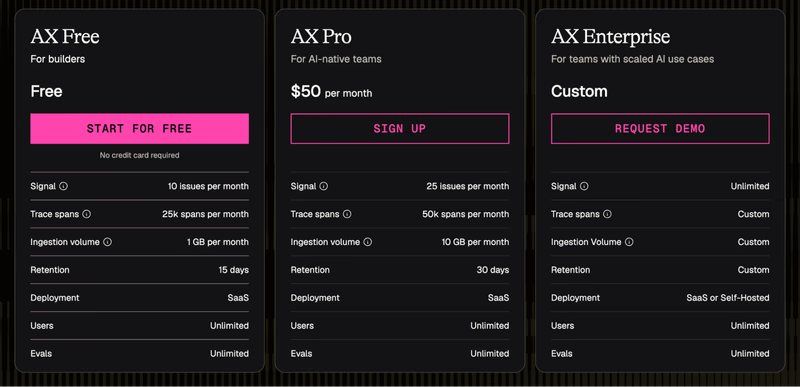
Phoenix is free to self-host, while Arize AX offers a free plan to get started and two paid plans:
- AX Pro: $50 per month
- AX Enterprise: Custom pricing
Pros and Cons
Phoenix keeps traces on your own infrastructure. Its visual trace view is good for locating failed model calls and understanding longer workflows. Structured evaluations, prompt testing, and the ability to run Phoenix locally without an upfront license fee make it an attractive alternative to Vellum.
However, the license is source-available rather than OSI-approved. Instrumentation and evaluation concepts take time to learn, especially for more complex applications. Its Span replay re-runs one stored model call in the playground, not the agent’s tool loop.
Related reading: Kitaru vs Arize
9. OpenClaw
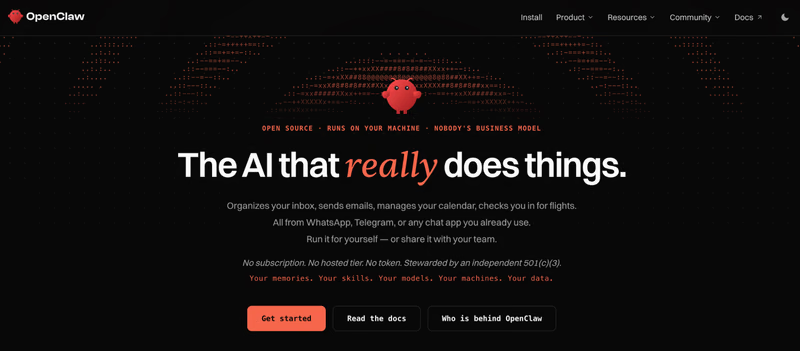
OpenClaw is a self-hosted personal AI assistant that works through messaging apps like WhatsApp, Telegram, Slack, and Discord. It can use tools, run local commands, store memory in workspace files, and add skills from its community. You operate the gateway and connect the models and services it needs.
Features
- Run an OpenClaw gateway on your own machine and communicate through supported channels such as WhatsApp, Telegram, Slack, Signal, Discord, and iMessage. This lets you keep the assistant in the apps you already use.
- Keep preferences and long-term context in workspace files such as
MEMORY.mdandUSER.md. Add skills from ClawHub when you want the assistant to handle another task or service. - Use openclaw migrate for Claude Code, Codex CLI, or Hermes. The migration command can bring over supported memory, configuration, and skills, although it doesn’t include a built-in Vellum migration path.
- Export telemetry through the observability configuration and review cost information from session logs. Review agent activity and model costs.
Pricing
OpenClaw is free and open source. You pay the model provider and cover any hosting or infrastructure costs yourself.
Pros and Cons
OpenClaw has about 394,000 GitHub stars. Users praise its persistent memory, control through familiar chat apps, and the freedom to run the assistant on their own machine. For someone leaving Vellum’s hosted assistant, those are practical reasons to consider a local setup.
However, it ships with no Vellum migration provider, so you rebuild memory and skills from your own notes or backup. Also, the model API costs can rise quickly with long conversations. And since OpenClaw can access files and execute commands, you need to manage permissions and gateway security carefully. Evals and replay are not its job.
Wrapping Up
Whether you ran Vellum’s assistant or built on its development platform, pick the alternative for the job you need.
- OpenClaw replaces the assistant, and the Cadet fork from Vellum’s founding engineer is the other option.
- Dify and Langflow are better fits for teams rebuilding visual workflows, with logs and traces built in.
- LangSmith, Braintrust, Langfuse, Opik, and Phoenix cover tracing and evaluations, each with a different mix of hosted and self-hosted options.
Underneath all of those sits the replay criterion. After all, how else do you know your updated agent won’t repeat an old failure? That’s the job Kitaru was built for.
Kitaru adds controlled full-session replay against recorded tool results, so you can test a new prompt, model, or code version on cases your agent has already seen. Point it at last month’s real sessions, replay them against the change, and see what breaks before your users do.
If that’s the problem on your desk, try Kitaru OSS or a 14-day free trial of the managed version.
- AI engineers on your agent
- Set up in minutes
- No credit card