
On this page
Neptune.ai has been a go-to tool for experiment tracking in machine learning. However, with Neptune joining OpenAI and winding down its public services, teams are seeking alternatives that not only replace Neptune’s tracking capabilities but also extend into broader MLOps needs.
Below, we present nine of the best Neptune AI alternatives – each offering robust experiment tracking along with features like artifact management, model registry, pipeline orchestration, and more to supercharge your ML workflow.
Overview
- Why Look for Alternatives: Neptune AI is joining OpenAI and will shut down its platform, leaving users needing a new experiment tracking solution.
- Who Should Care: Existing Neptune users and ML engineers who want not just experiment tracking but a more complete MLOps platform (model versioning, pipeline automation, etc.).
- What to Expect: 9 alternatives that offer more than Neptune’s experiment tracking – including open-source platforms and managed services that cover model lifecycle management, data versioning, and deployment integration.
Evaluation Criteria
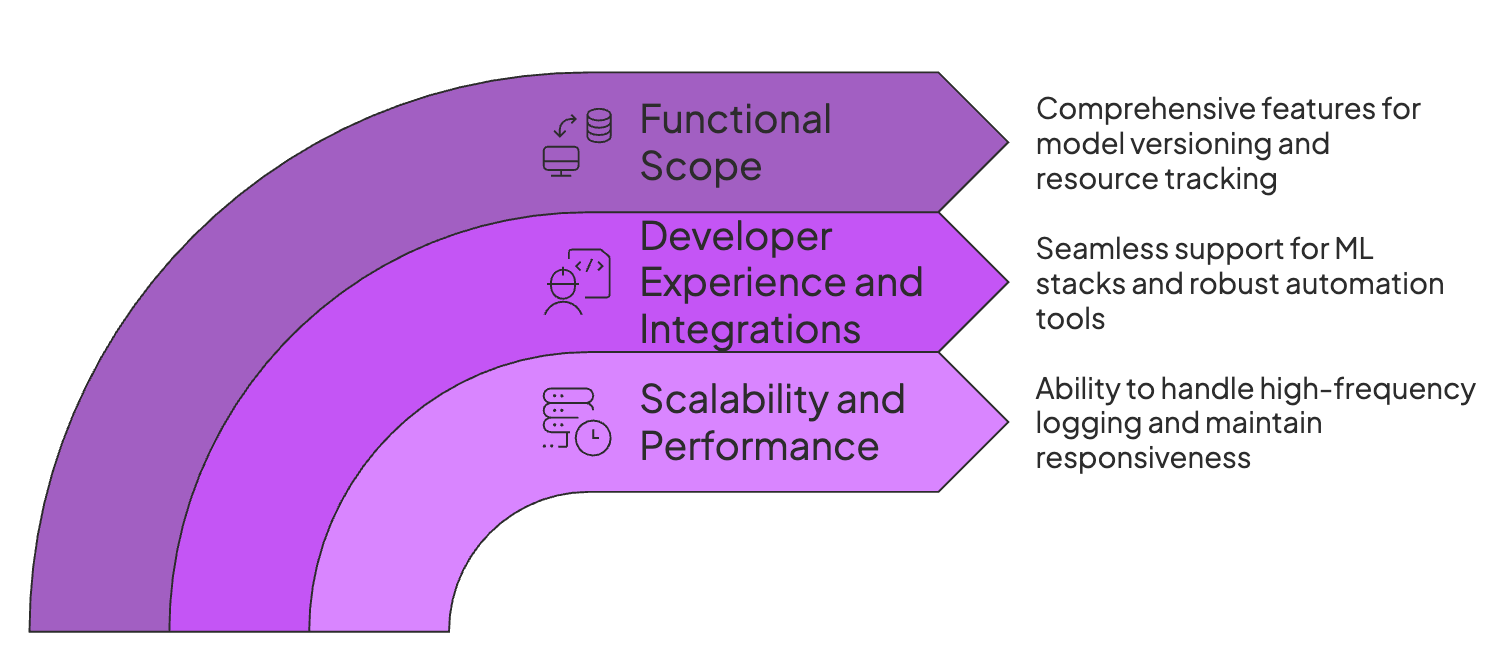
When evaluating Neptune AI alternatives, we focused on key criteria to ensure the frameworks we cover meet modern ML workflow demands:
1. Scalability and Performance
Neptune was good at handling millions of runs and huge metadata logs without any lag. So the alternatives must be the same. So for the alternatives in the list, we checked the following:
- If it can handle high-frequency logging, like per-step metrics for LLMs, without blocking training.
- Does the dashboard remain responsive with 100+ parallel experiments?
- Are there caps on artifact size or log retention? An ideal alternative shouldn’t arbitrarily limit your data.
2. Developer Experience and Integrations
When it comes to ML frameworks, Neptune was deep into the trenches. It has integration with all major frameworks. The alternative you choose must be similar and offer:
- First-class support for ML stack without hacky workarounds. Logging from TensorFlow, PyTorch, scikit-learn, and others should be simple.
- A robust SDK and REST API for automation.
- Support for logging offline and syncing later if internet or service connectivity is lost.
3. Functional Scope: Tracking vs. Registry
Apart from experiment tracking, look for tools that also handle model versioning and stage transitions. Tools like ZenML and W&B include built-in model registries, whereas Neptune requires a separate registry service.
Next, look for a framework that offers artifact and data lineage. Can it version datasets and artifacts, and trace which data/code produced each model?
The ability to log GPT/CPU usage, memory, and other resource metrics alongside the experiment metrics for debugging performance issues is also an important criterion.
What are the Top Alternatives to Neptune AI
In a hurry, here’s a table summarizing the top Neptune AI alternatives:
| Neptune AI Alternative | Best For | Key Features | Pricing |
|---|---|---|---|
| ZenML | Teams that want a unified, Python-native MLOps + LLMOps platform that covers experiment tracking, pipelines, and model lifecycle in one place. | - Pipeline-first workflows with built-in experiment tracking - Automatic artifact + metadata tracking and lineage - Integrated model registry and control plane for governance - Cloud-agnostic stacks with integrations into Kubernetes, S3, MLflow, W&B, and more | Free (open-source) + business plans (ZenML Cloud, enterprise custom pricing) |
| Weights & Biases | Teams that want a polished, SaaS experiment tracker with strong visualization and collaboration. | - Fast logging of metrics, hyperparameters, and custom charts - Built-in artifact storage and model registry - Deep integrations with major ML libraries | Free plan Paid cloud plans from ~$50/user/month; enterprise + self-hosted plans with custom pricing |
| MLflow | Teams that want a self-hosted, open-source standard for experiment tracking and model registry. | - Experiment tracking for metrics, params, tags, and artifacts - Built-in model registry with staging/production states - Projects and Models components for reproducible runs and deployments | Free (open-source) Managed MLflow hosting via Databricks and cloud vendors (pricing varies) |
| Comet ML | Teams that want a SaaS platform for tracking experiments, plus model registry and production monitoring. | - Web UI for comparing runs, metrics, and hyperparameters - Model registry to register and manage models for deployment - Automatic logging of code version, environment, and hardware details | Free Pro at $39/user/month; Enterprise with custom pricing |
| AimStack | Teams needing a fast, open-source tracking UI that can self-host and scale for many runs. | - Self-hosted tracking server with high UI scalability - Logging of scalars, images, text, and custom data - Thousands of runs at scale | Free (open-source) Team tier at ~$15/user/month; enterprise custom pricing |
| ClearML | Teams that want experiment tracking tightly integrated with orchestration, dataset versioning, and scheduling. | - Automatic logging of metrics, parameters, artifacts, and notebooks - Scheduler/Orchestrator for running tasks on local machines or cloud - Built-in dataset versioning and model registry | Community plan free (incl. 100GB artifacts) Pro from ~$19/user/month + usage Enterprise custom pricing |
| Polyaxon | Teams running large-scale experiments or hyperparameter sweeps on Kubernetes. | - Experiment tracking for metrics, params, and outputs - Native hyperparameter sweeps - Model registry + model versioning - Notebook and job orchestration | Hybrid cloud platform from $490/month Enterprise on-prem (custom) |
| Google Vertex AI | Teams already on Google Cloud that want experiment tracking integrated into a fully managed ML platform. | - Vertex AI Experiments for logging metrics, parameters, and artifacts - End-to-end platform for training, tuning, deployments, and monitoring - Integrated model registry - Pipeline + RAG + Kubernetes support (Kubeflow-based) | No separate fee for experiments; pay-as-you-go according to compute, storage, and GCP usage |
1. ZenML
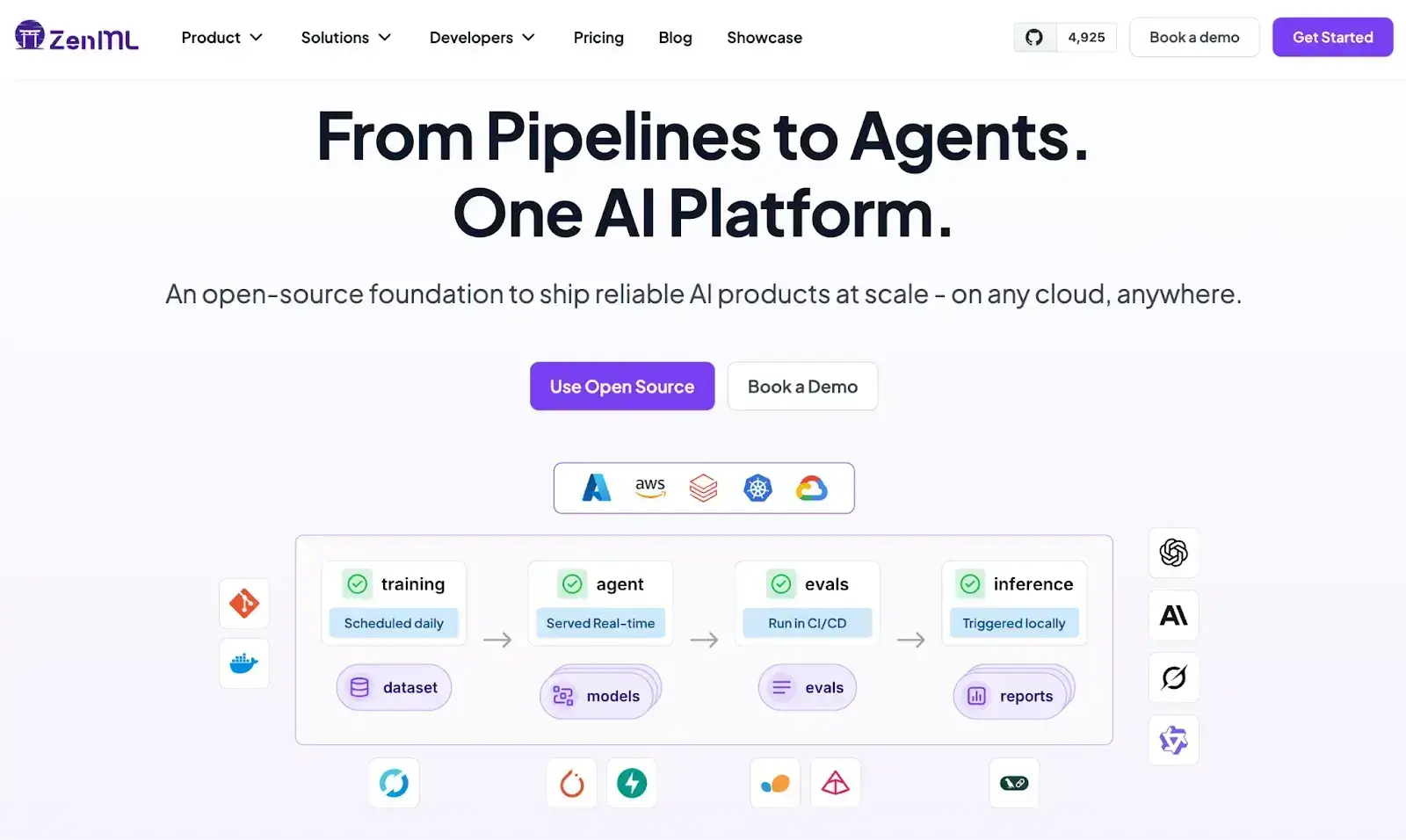
ZenML is an open-source MLOps + LLMOps framework that specializes not just in experiment tracking, but also in providing an end-to-end platform covering experiment tracking and the rest of the ML lifecycle.
It allows you to define pipelines in Python, track every artifact and metric, and orchestrate workflows on any backend - all in one tool.
Let’s have a look at some features that ZenML has (similar to Neptune AI) and more.
Feature 1. Artifact Tracking and Visualization
ZenML automatically tracks and versions every artifact produced in your pipelines. Models, datasets, and other outputs are stored in an artifact store and linked to the pipeline steps that create them.
This built-in artifact tracking gives you complete lineage; it lets you trace a model back to the exact data and code that produced it. ZenML’s artifact store also generates visualizations (data previews, model performance plots, and more) for the dashboard.
The result is a system where nothing falls through the cracks; even if you forget to log something manually, ZenML’s pipeline engine records it.
This is the reason why JetBrains chose ZenML over any other MLOps framework.
Feature 2. Metadata Tracking
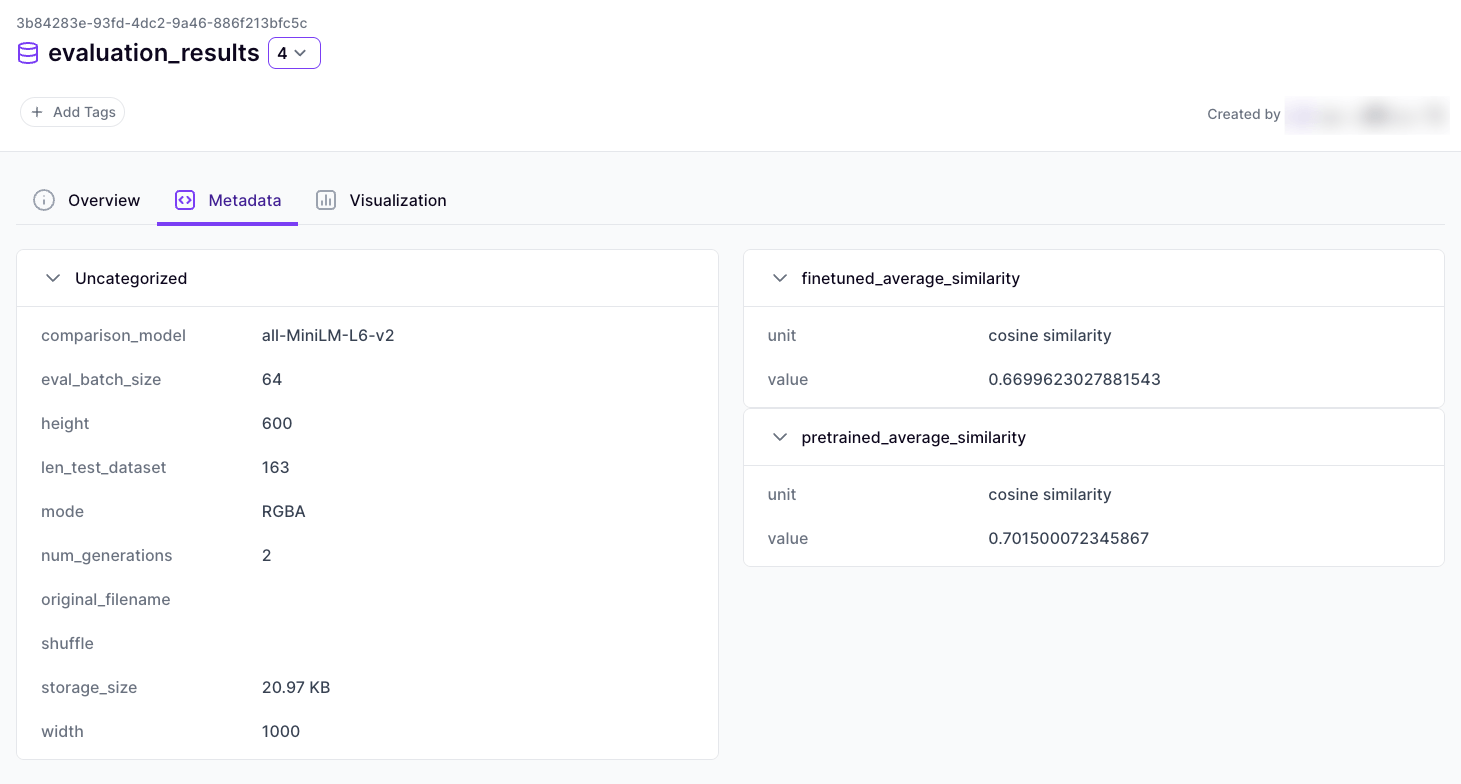
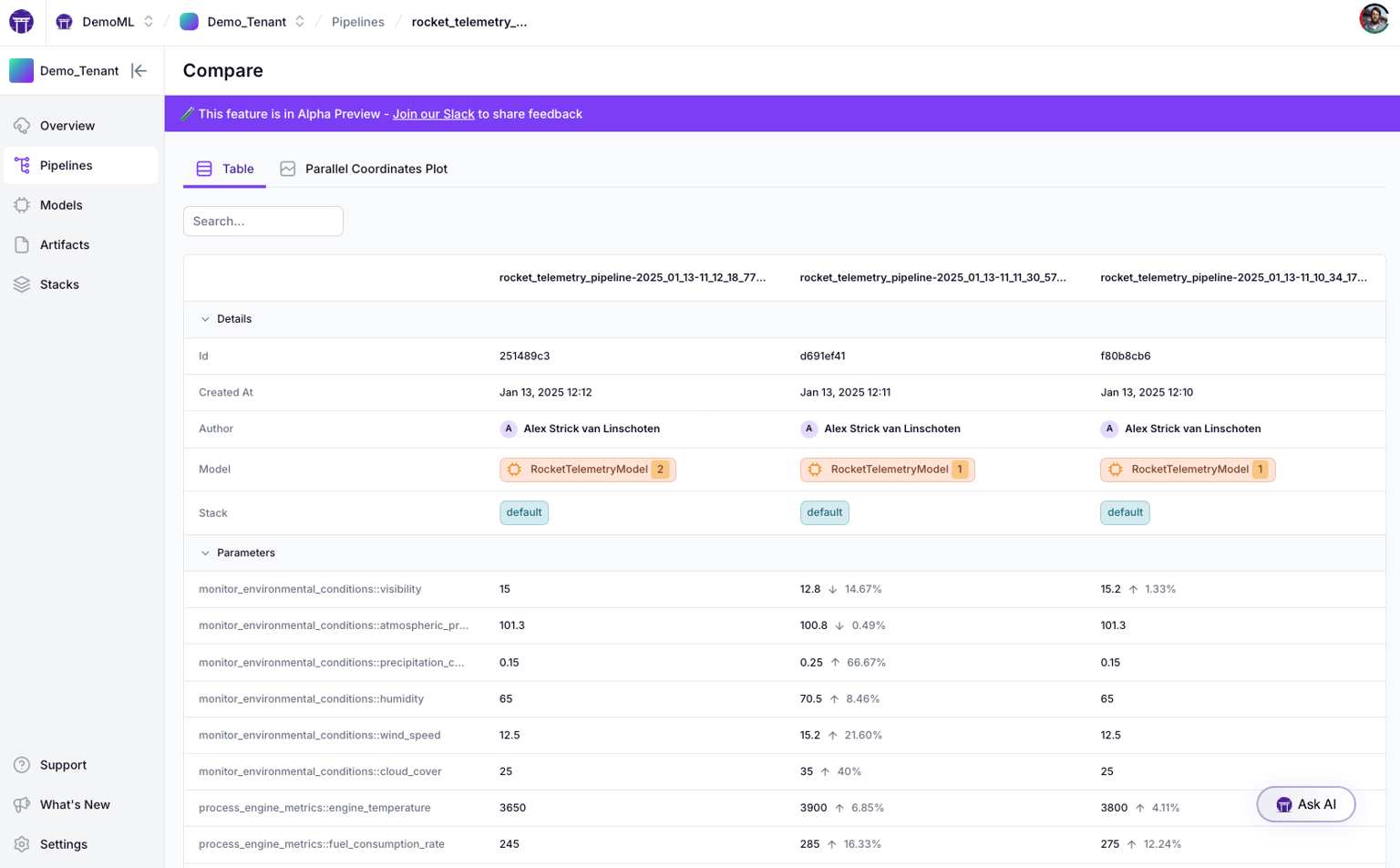
Beyond artifacts, ZenML captures rich metadata about each run. It logs parameters, metrics, source code versions, environment details, and even the Git commit ID automatically. Every pipeline run is an experiment tracked by ZenML - meaning you get experiment tracking for free whenever you run a pipeline.
This metadata-centric approach gives you experiment comparisons and insights similar to Neptune’s UI, but tied directly into your pipeline context. You can query metadata to compare runs, and ZenML’s Model registry and control plane can provide advanced visualization of this metadata in a unified way.
Feature 3. Model Registry
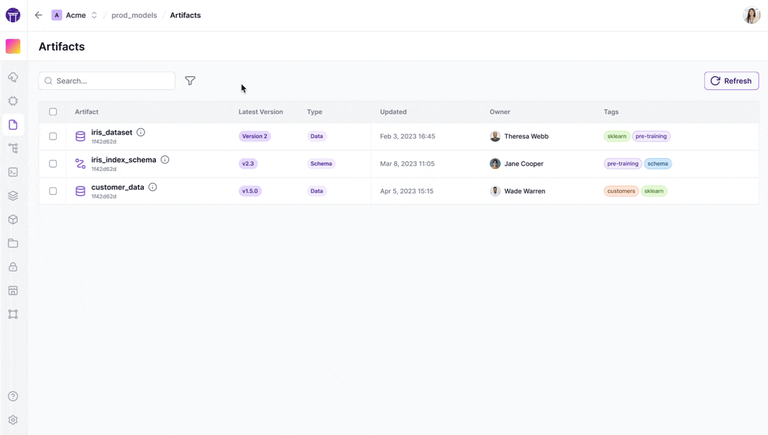
ZenML comes with a built-in model registry that lets you register models as pipeline outputs and manage their stages (like assigning “production” or “staging” tags).
Models in ZenML are first-class artifacts with versioning. This means you can promote a model to production directly within ZenML and track which pipeline produced it.
Neptune didn’t offer a native model registry – you had to rely on external tools. With ZenML, experiment tracking and model registry are part of the same system, simplifying the journey from experiment to deployed model.
ZenML MLOps Integrations
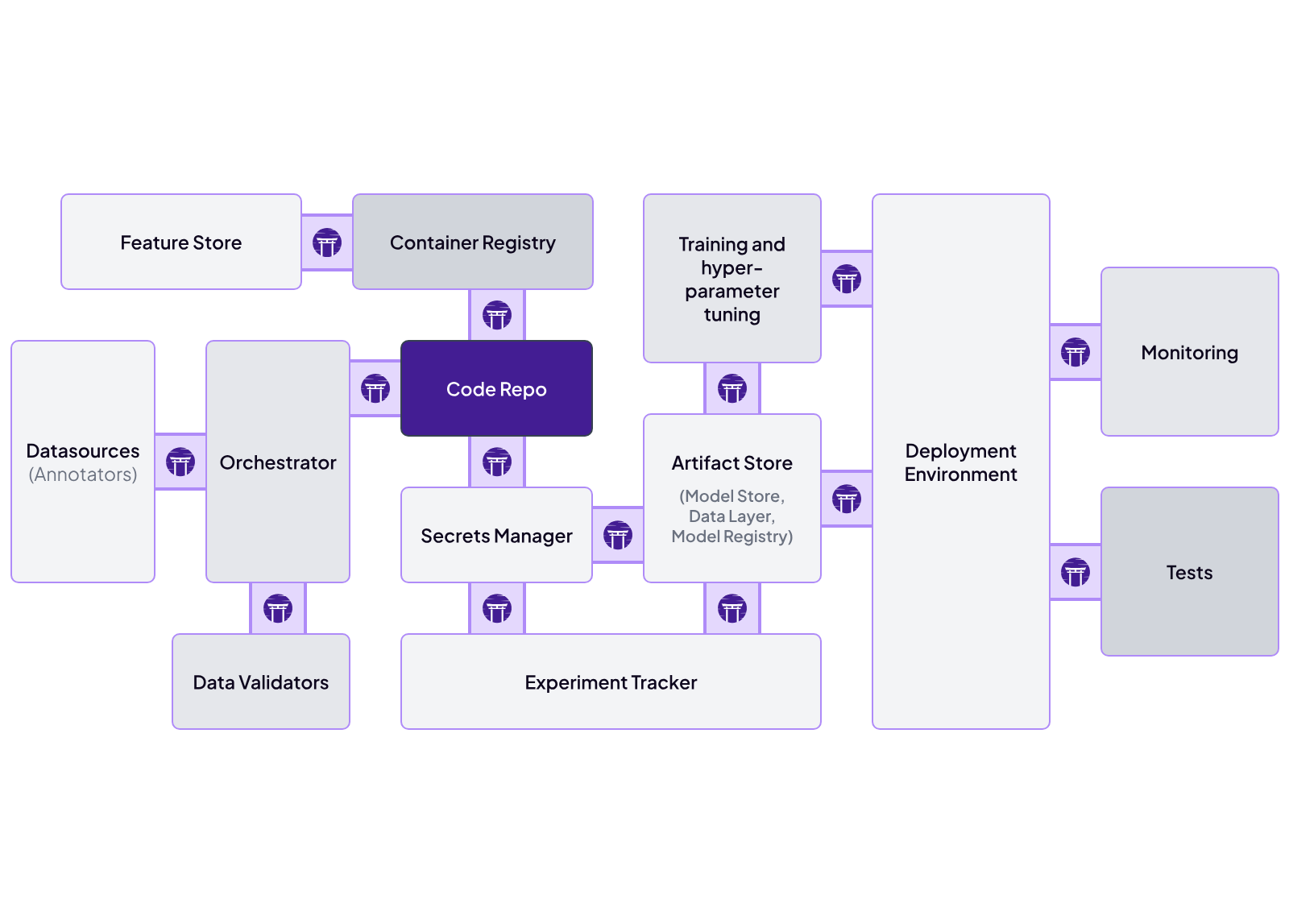
One of ZenML’s strengths is its flexibility and integration with other MLOps tools. It is designed to be cloud-agnostic and pluggable (‘no lock-in’ philosophy). You can mix and match infrastructure backends in a ZenML stack – for example, log artifacts to S3, run pipelines on Kubernetes, use MLflow or Weights & Biases as tracking UIs if desired, etc.
ZenML provides integrations for popular frameworks and services (like Spark, Kubernetes, Kubeflow, HuggingFace, and more). This means you can leverage best-of-breed tools through ZenML’s pipelines.
Neptune, on the other hand, was a closed system mainly for tracking. ZenML’s integration-first approach ensures it can slot into your environment and augment it, rather than forcing a walled garden.
Leaving Neptune? Try ZenML for Experiment Tracking and More
How Does ZenML Compare to Neptune AI?
ZenML covers a much broader surface area than Neptune. Neptune was mainly an experiment tracker that logged metrics and let you compare runs. ZenML is a full MLOps framework.
It tracks experiments, orchestrates pipelines, versions data and models, and connects directly to deployment workflows. If you want one system to support the whole ML lifecycle, ZenML fits that need in a way Neptune never tried to.
Neptune’s strength was its UI for run comparison and flexible filtering. ZenML can reach a similar experience by integrating with tools like MLflow or Weights & Biases, but goes further by tying every run to pipeline and artifact lineage. You see not just which run performed best, but exactly which data, code, and steps produced it.
Finally, ZenML is open source and cloud-agnostic. Neptune is proprietary and will be shutting down soon. With ZenML, you can self-host, keep control of your stack, and still automate deployments from experiment to production.
Pricing
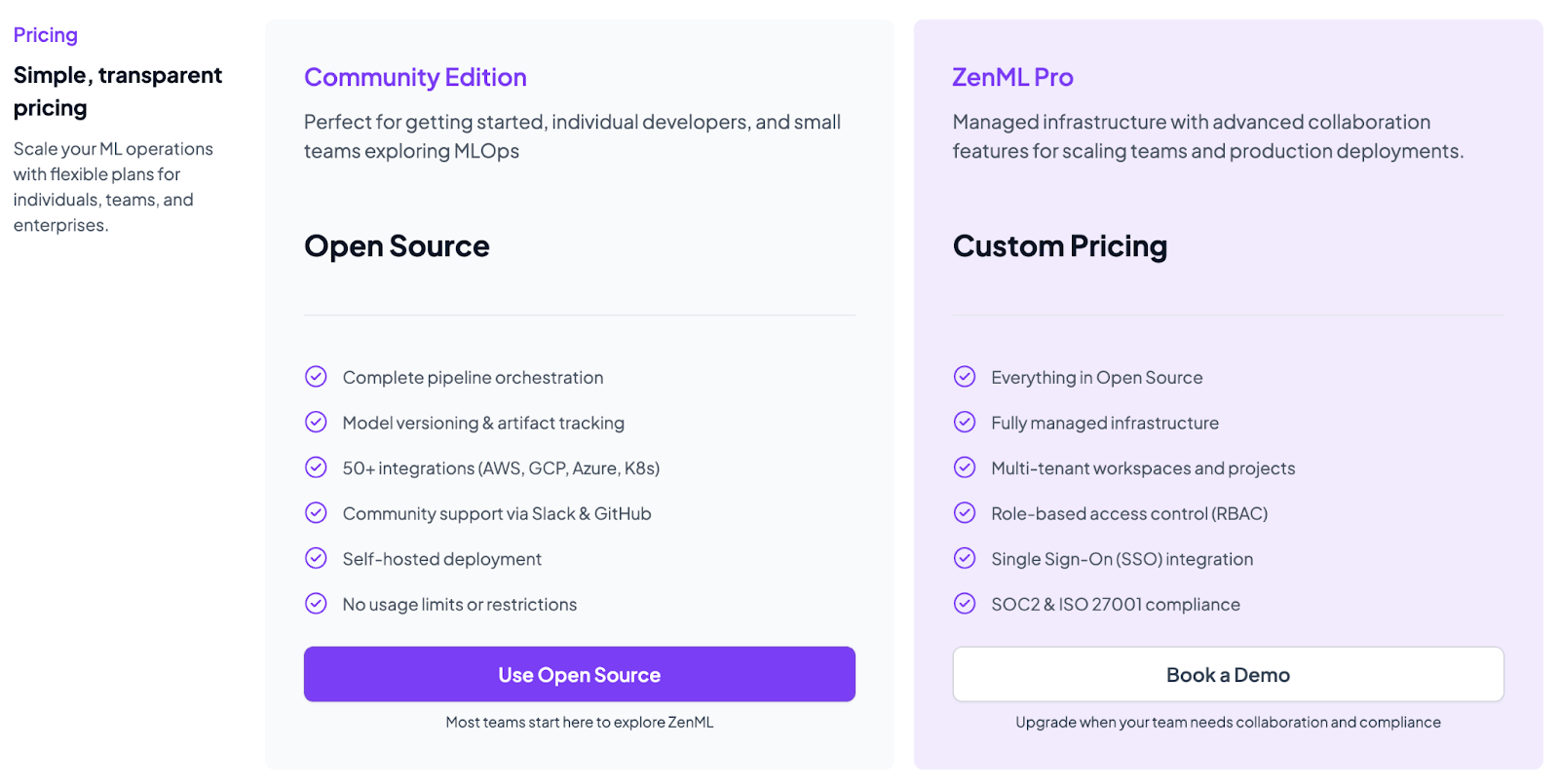
ZenML is free and open-source (Apache 2.0 License). The core framework, including the tracking, orchestration, and upcoming dashboard, can all be self-hosted at no cost. For teams that want a managed solution or enterprise features, ZenML offers business plans (ZenML Cloud and ZenML Enterprise) with custom pricing based on deployment and scale.
These paid plans include features like SSO, role-based access control, premium support, and hosting, but all the core functionality remains free in the open-source version. Essentially, you can start with ZenML’s free tier and only consider paid options if you need advanced collaboration or want ZenML to manage the infrastructure for you.
Pros and Cons
ZenML provides an end-to-end platform that covers experiment tracking and pipeline orchestration in one tool. It’s highly Pythonic, allowing ML engineers to define pipelines with simple decorators instead of learning a new UI or DSL.
However, ZenML is comparatively newer to the market and is not as battle-tested as MLflow. If you need a proven, single-purpose tracker, you might lean toward established names, but for a forward-looking team that wants a unified MLOps solution, the slight trade-off in maturity is outweighed by ZenML’s breadth and modern design.
2. Weights & Biases
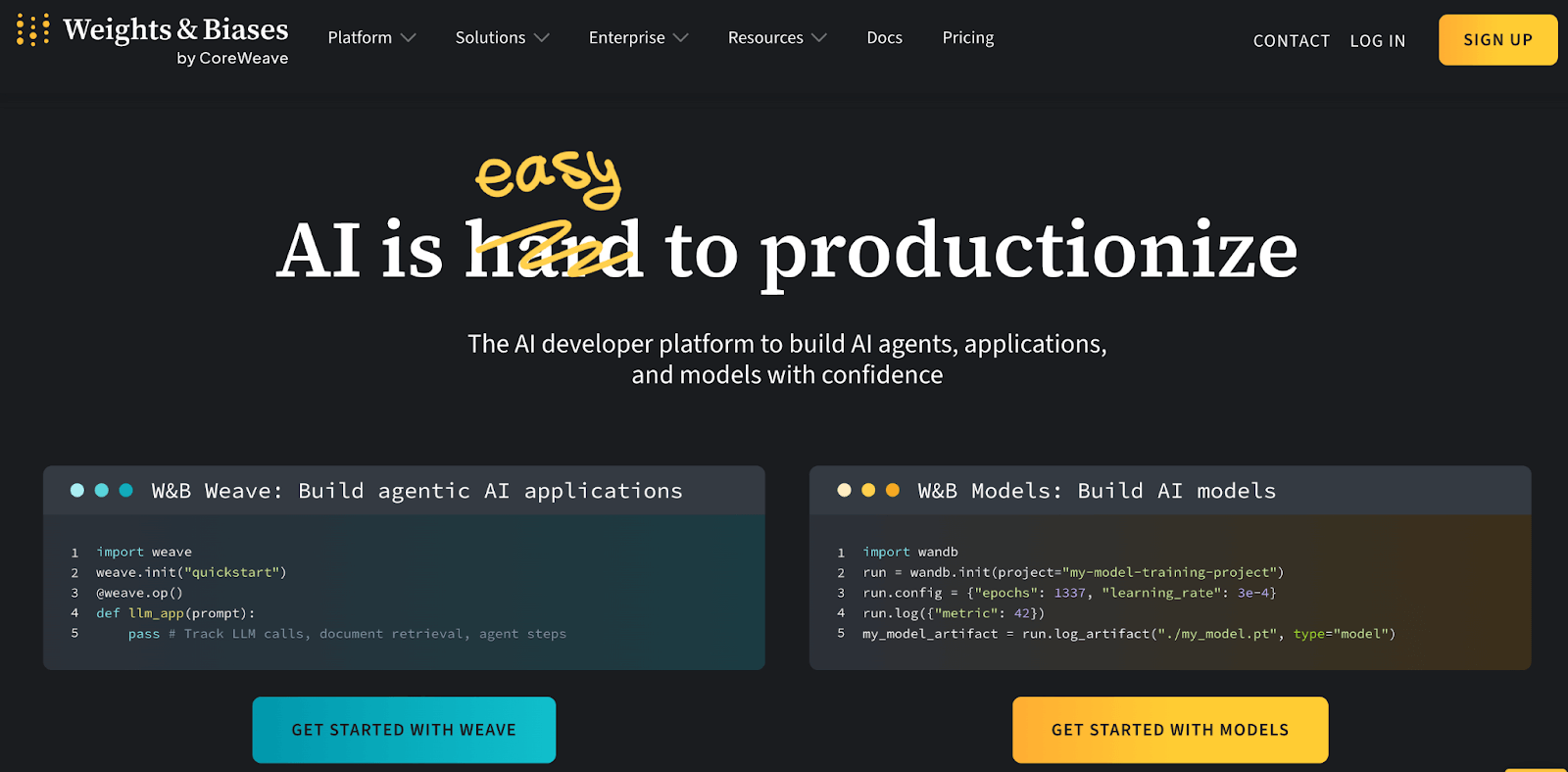
Weights & Biases is a popular cloud-based platform for experiment tracking and model management, making it a strong alternative to Neptune. It provides a polished UI for real-time monitoring of ML runs, and it’s known for its powerful visualization and collaboration features.
Features
- Lets you log metrics, hyperparameters, and custom charts with just a few lines of code.
- Includes a built-in model registry and artifact storage system that lets you version datasets and models via the W&B artifacts interface and promote models to a registry for staging or production.
- Integrates with most ML libraries - TensorFlow, PyTorch, Keras, scikit-learn, and others.
- Invite team members to projects, share experiment results with a link, and even create interactive Reports – essentially customizable dashboards or reports mixing text, images, and plots.
Pricing
W&B’s pricing depends on the hosting method you choose:
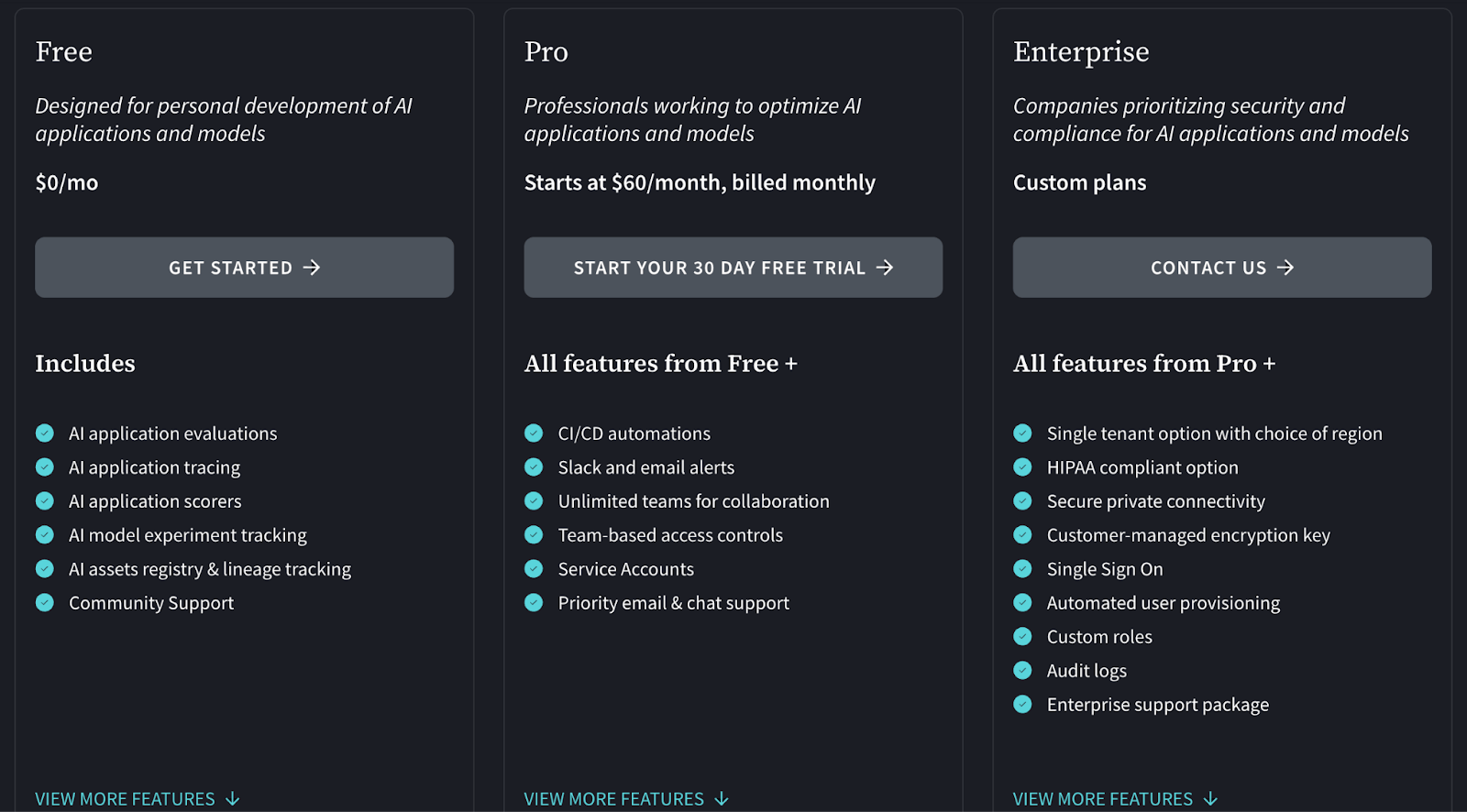
For Cloud-hosted, it has 3 plans to choose from:
- Free
- Pro: $60 per month
- Enterprise: Custom pricing
And it has a Personal and Advanced Enterprise plan (both are custom pricing) for a privately-hosted platform.
Pros and Cons
W&B provides the most polished user interface in the market. It requires minimal setup to start streaming metrics. The visualization capabilities are superior to most open-source alternatives.
However, the pricing can become steep for large teams. The proprietary nature of the platform also creates a dependency similar to Neptune.
3. MLflow
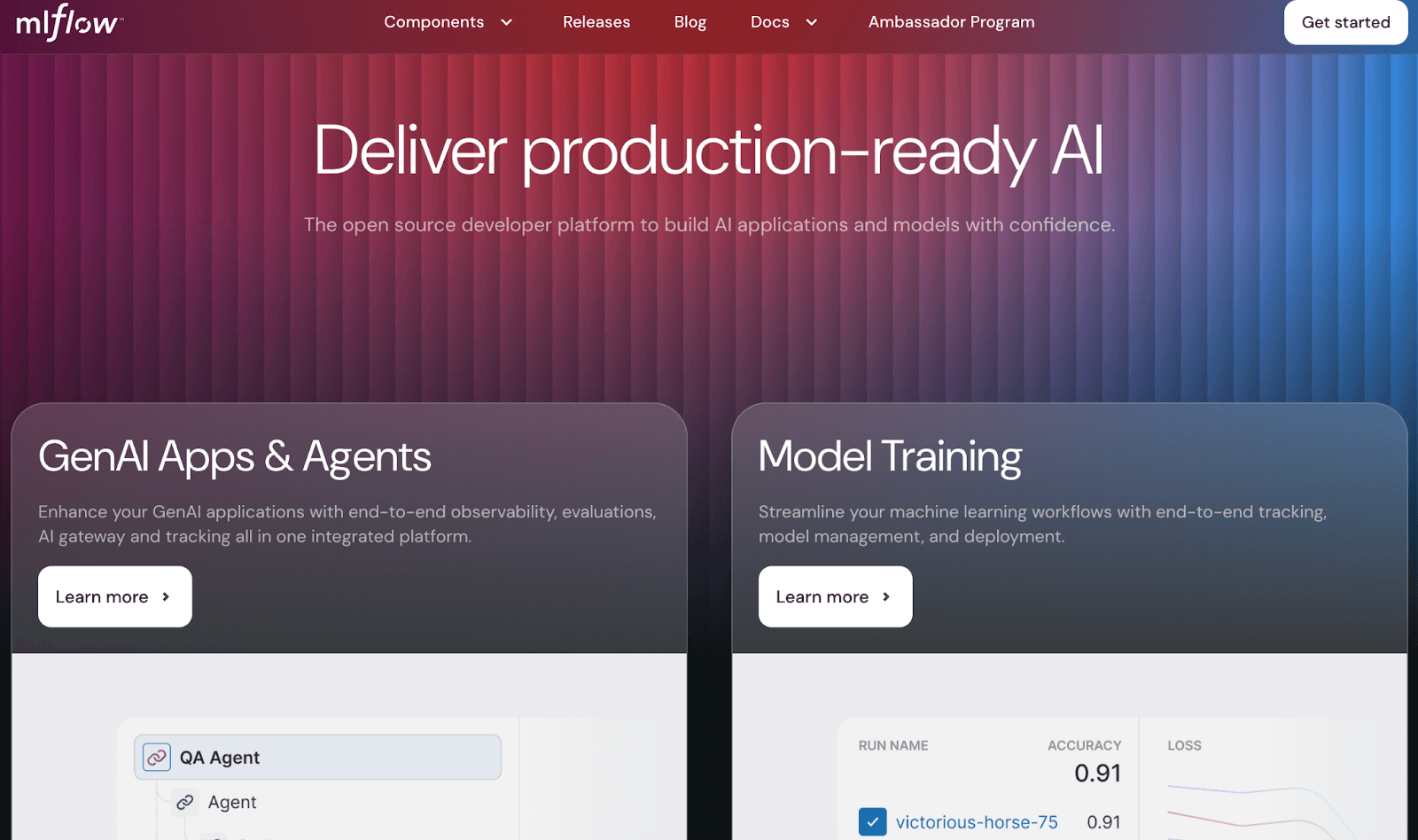
MLflow is an open-source platform originally developed by Databricks, and it has become a de facto standard for experiment tracking in many ML teams. If you’re looking for a Neptune alternative that you can self-host and integrate easily with various tools, MLflow is a top contender.
Features
- Tracking component lets you log metrics, parameters, tags, and artifacts for each run via a simple API. It includes a lightweight web UI to view runs, compare metrics across runs, and even plot them.
- Has a built-in model registry to manage model versions. You can save models (with their artifacts and metadata) and transition them from staging to production.
- Because MLflow is open-source and widely adopted, many libraries have direct MLflow support. For example, PyTorch Lightning and HuggingFace can log to MLflow with one line.
- Beyond tracking, MLflow Projects is a feature to package code in a reproducible way, and MLflow Models provides a format to save models with a unified predict interface (and even deploy them to serving platforms).
Pricing
MLflow is free and open-source. You can install an MLflow tracking server on your own infrastructure at no cost. All features are available in the open version.
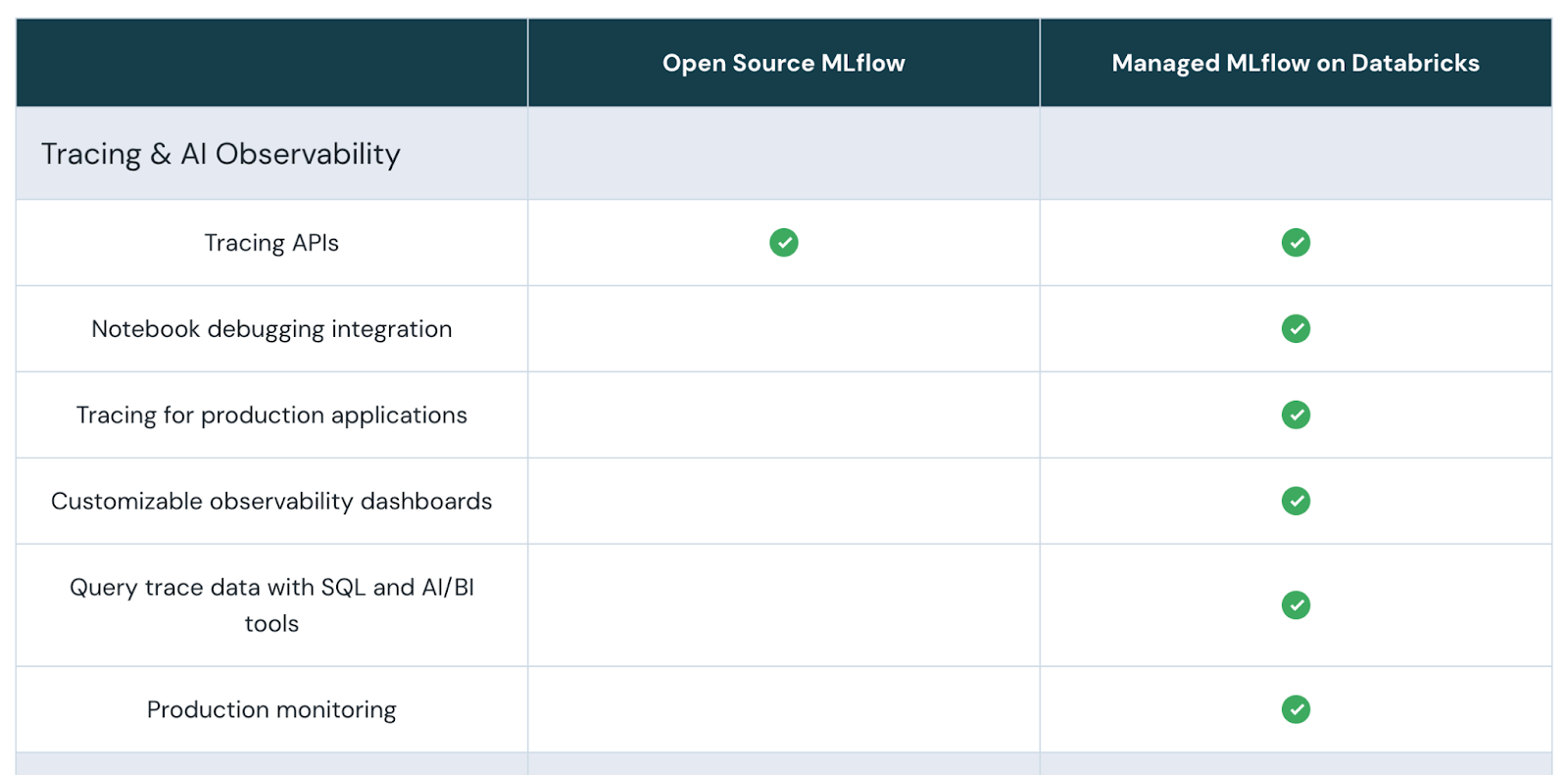
There is no official paid version of MLflow itself except via companies that offer it as a service. For instance, Databricks provides a managed MLflow as part of its platform (with enterprise features like access control), and cloud vendors integrate MLflow into their offerings (with some limitations).
Pros and Cons
MLflow is the industry standard and has massive community support. It is completely free and flexible. You can run it on your laptop or a massive cluster.
The downside is the user interface. It feels dated and less interactive compared to modern SaaS tools. Setting up and maintaining a secure, multi-user MLflow server also requires significant DevOps effort.
4. Comet ML
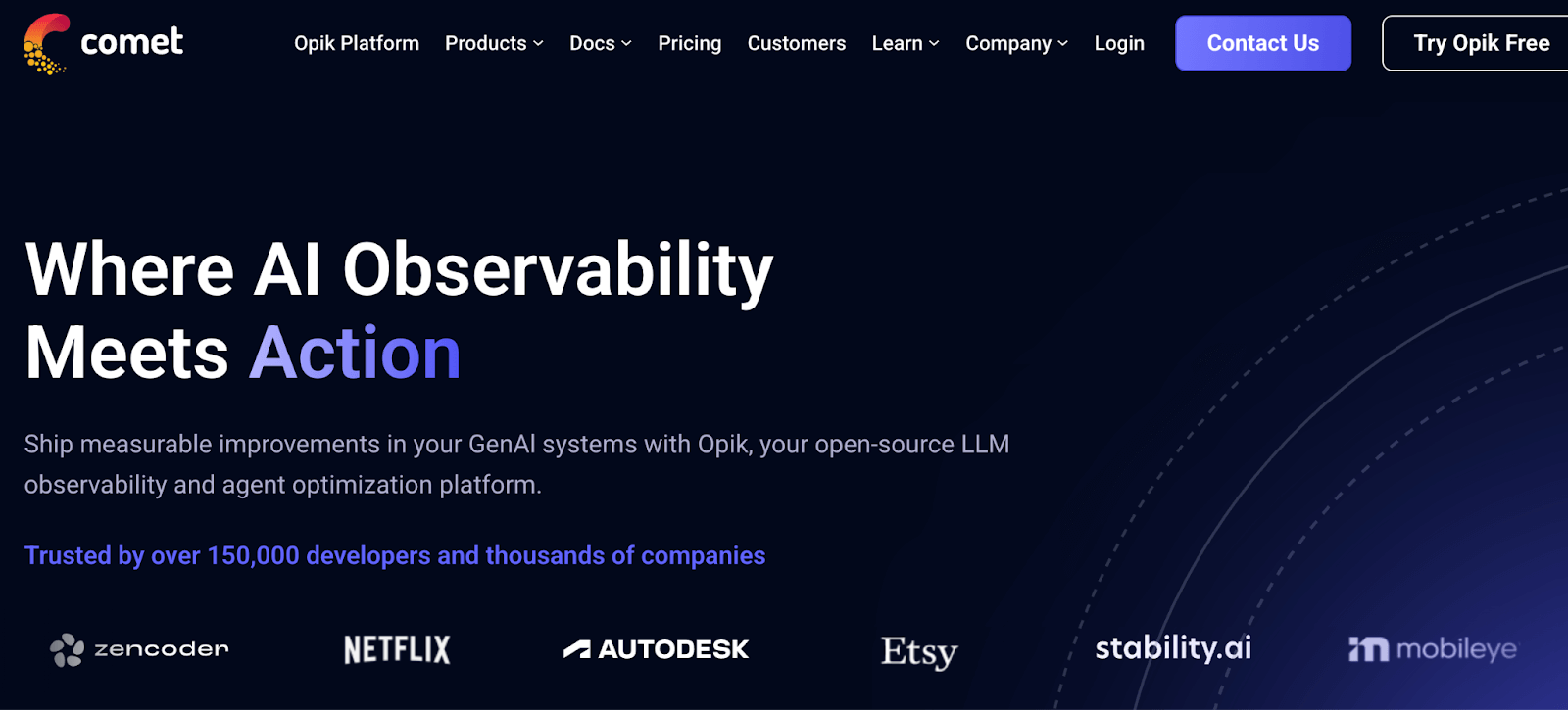
Comet ML is another experiment tracking platform that overlaps with Neptune’s feature set and goes a bit further. It’s a SaaS-first tool (with on-prem options) that allows tracking, visualizing, and comparing experiments, plus it includes a model registry and even some production monitoring.
Features
- Provides a clean web UI where you can see all your experiment runs, charts of metrics over time, hyperparameter values, etc.
- Every experiment in Comet can log model files, and the tool comes with a model registry to register these models for deployment.
- Automatically logs useful context: the Git commit hash of your code, hardware details, Python package, and more.
- Lets you invite team members, organize projects, and comment on experiments.
Pricing
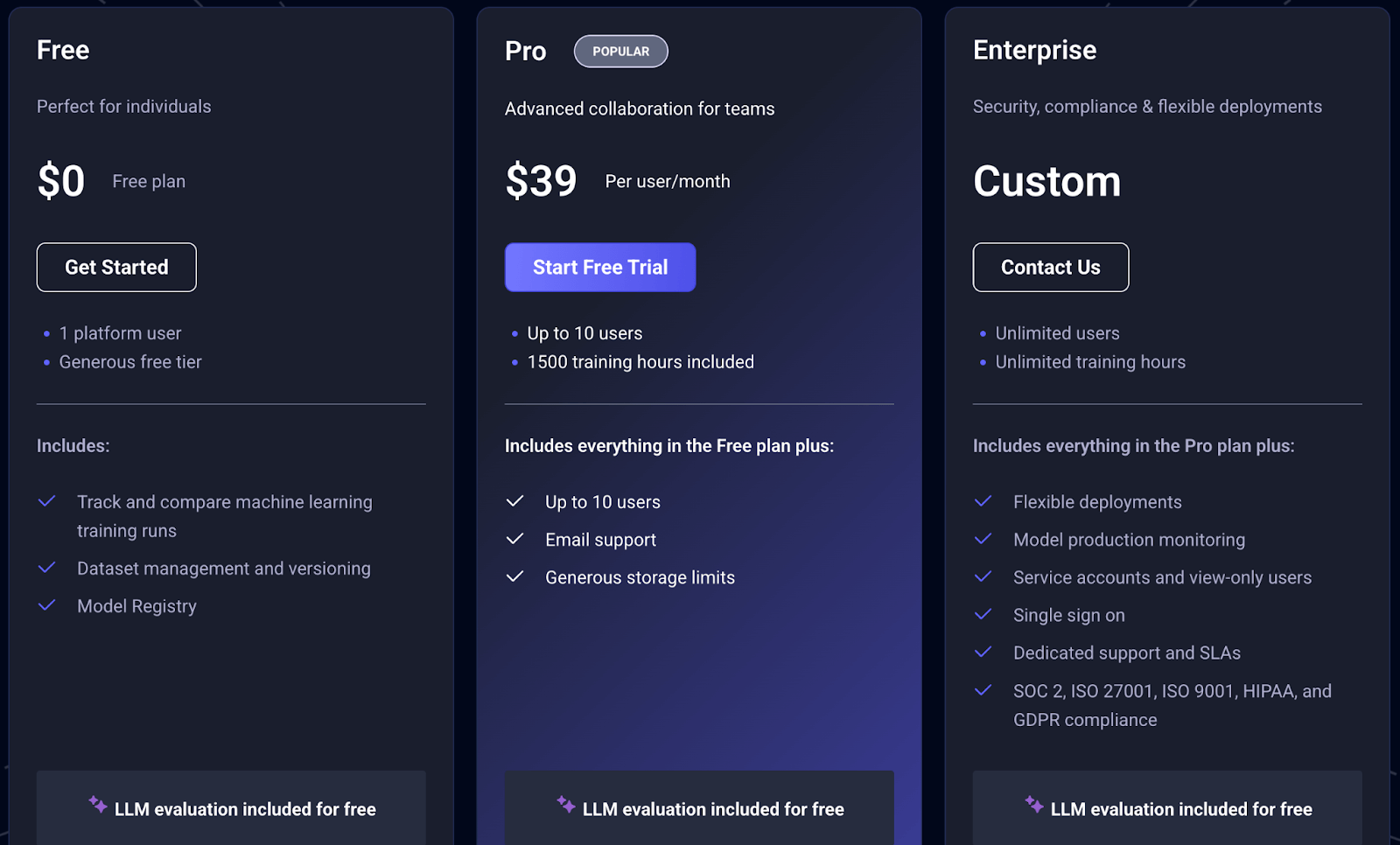
Comet ML offers a free plan, two paid plans:
- Pro: $39 per user per month
- Enterprise: Custom pricing
Pros and Cons
Comet ML provides a comprehensive feature set – experiment tracking, model registry, and even monitoring – in one platform. Its UI is user-friendly and supports a wide range of experiment metadata (code, metrics, visualizations) in one place.
However, collaboration features like organizing teams and projects are only available on paid plans, so the free tier is mostly for solo use.
5. AimStack
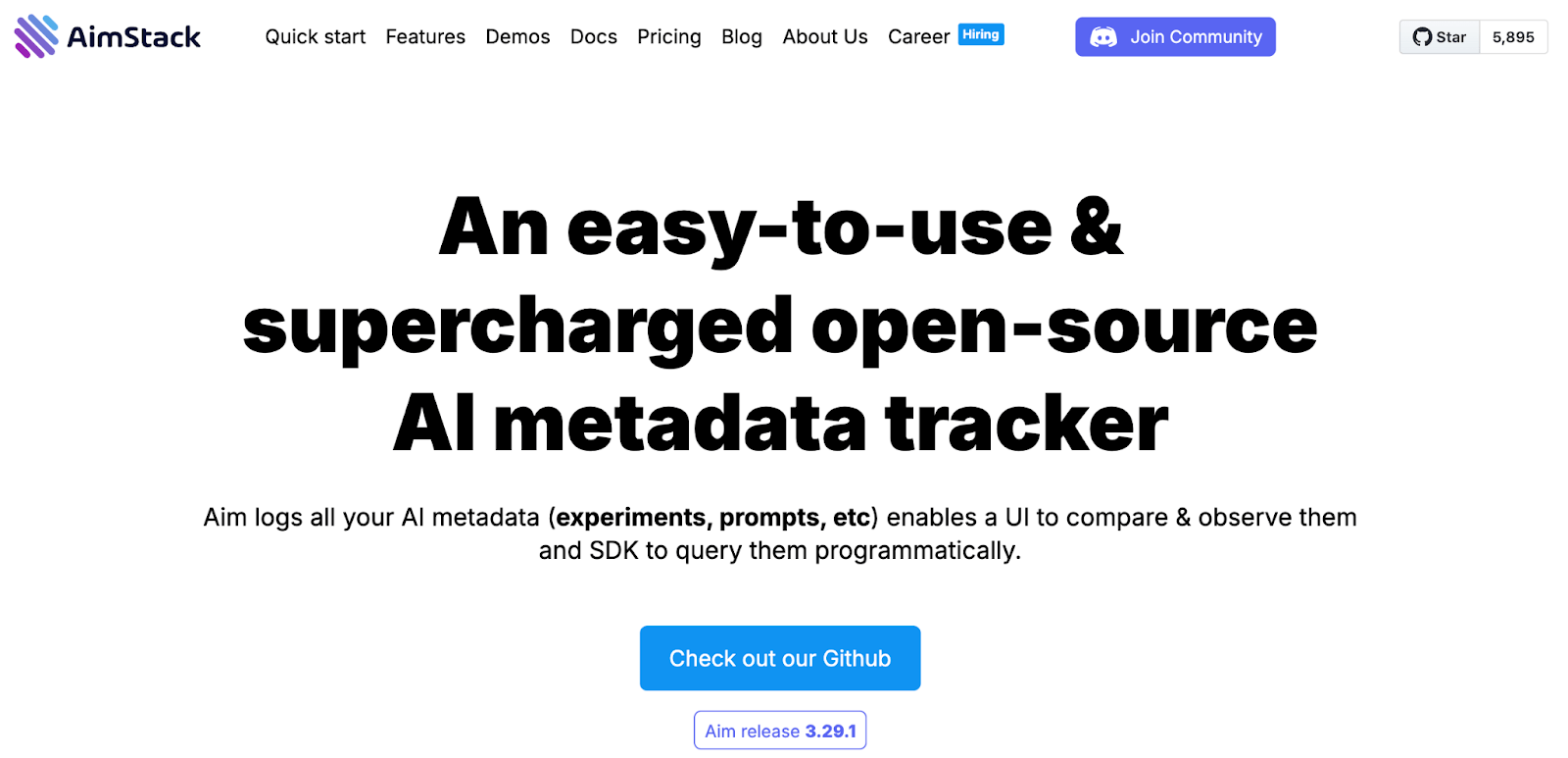
AimStack (Aim) is an open-source experiment tracker that has gained popularity as a lightweight yet powerful alternative to tools like Neptune. It’s essentially an open-source version of an experiment tracking UI, which you can self-host for free.
Features
- Free to use, and you can run it on your own machine or server. It consists of a tracking server and a web UI. This means all your experiment data stays in your environment – a plus for those concerned about cloud services.
- Let's you visualize metrics from thousands of runs, overlay plots, and query runs by parameters. You can easily compare learning curves, see distributions, and more.
- Log not just scalars (metrics) but also images, text (like model predictions or generated texts), and other custom data.
- Aim can serve as a UI on top of MLflow’s tracking backend. If you already log experiments to MLflow but dislike its UI, Aim can connect and let you explore MLflow runs with Aim’s nicer interface.
Pricing
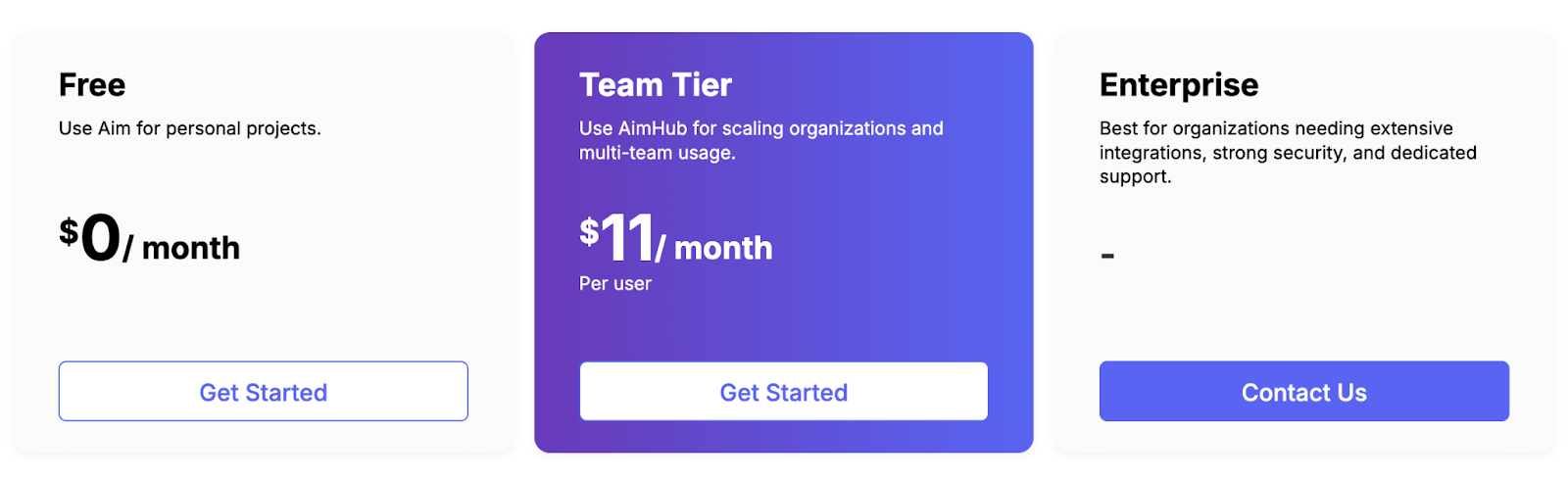
Aim is completely free in its open-source form. You can use it without any license costs. Apart from its free plan, you also get two paid plans to choose from:
- Team Tier: $11 per month per user
- Enterprise: Custom pricing
Pros and Cons
Aim is the best choice for teams that hit performance limits with other trackers. It is fast and handles massive datasets beautifully. Being open-source allows for full data ownership.
The downside is that it is a newer tool compared to others on the list. The community is smaller, and you bear the burden of self-hosting and maintenance.
6. ClearML
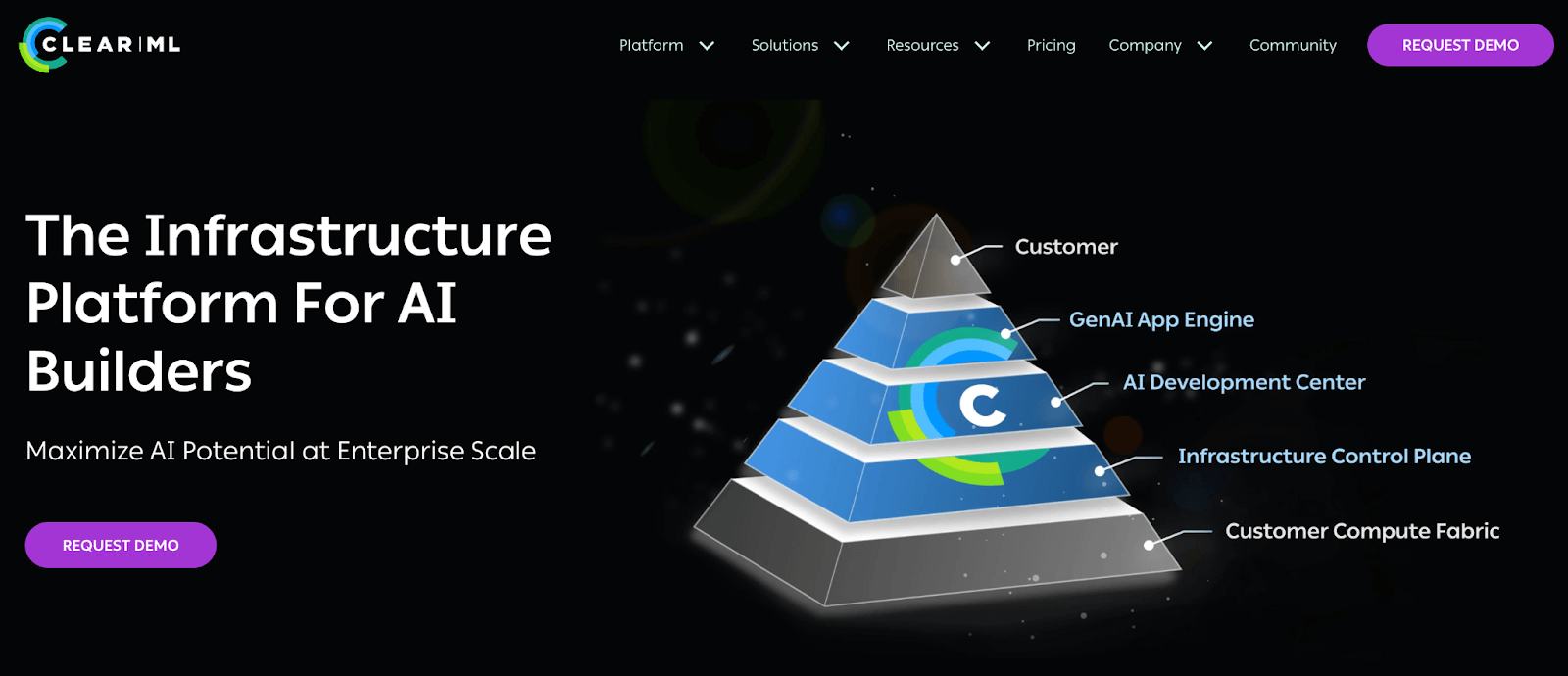
ClearML is an end-to-end MLOps platform that includes experiment tracking as one of its core components. It can be seen as a more expansive alternative to Neptune – not only does it track experiments, but it also offers orchestration, data management, and even a pipeline scheduler.
Features
- Automatically logs metrics, parameters, artifacts, source code, and even Jupyter notebooks from your training runs.
- Beyond tracking, ClearML includes a scheduler/worker system. You can turn any Python script into a ClearML task and schedule it on remote machines or cloud instances.
- Has components for dataset versioning and a model registry. Datasets can be registered and versioned similarly to DVC, and models trained can be saved as outputs that ClearML manages and version controls.
- ClearML provides Python hooks to integrate with TensorFlow, PyTorch, sklearn, etc., or you can use its API to manually log.
Pricing
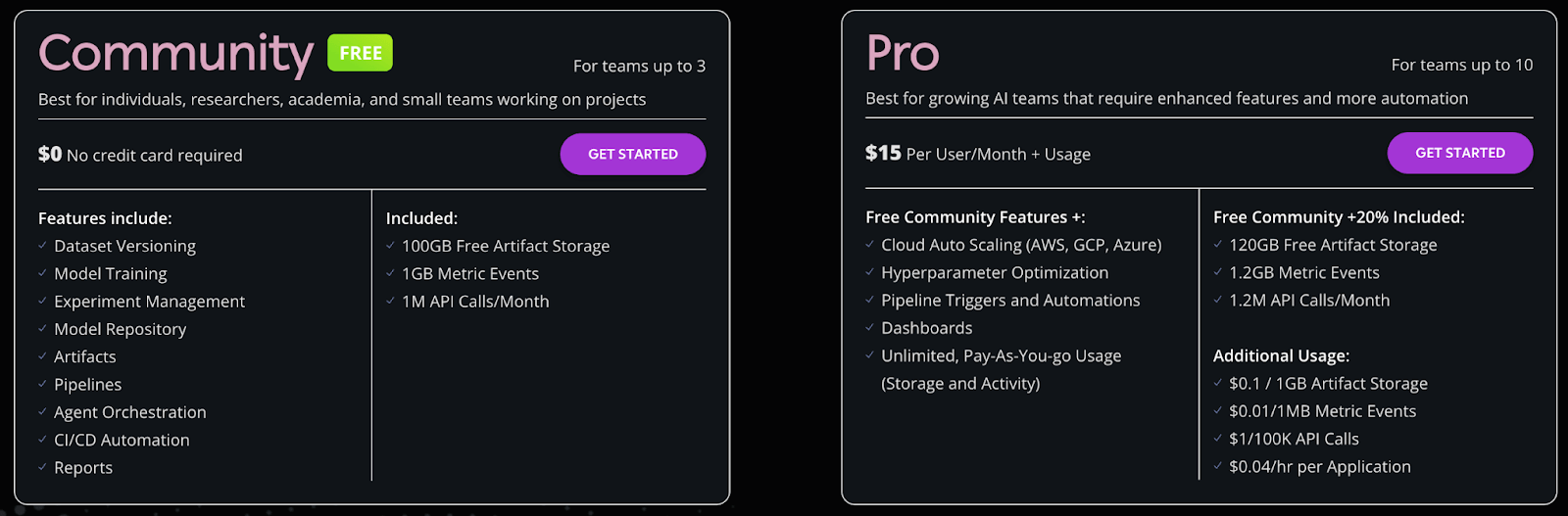
ClearML comes with a free plan (Community) that offers most of the MLOps features and 100GB of free artifact storage. But if you want more storage, API calls, and additional features, you can switch to its Pro version that costs $15 per month per user + usage.
Pros and Cons
ClearML offers incredible value by bundling orchestration with tracking. The ability to launch a local experiment on a remote GPU is a killer feature. It’s open-source and easy to start.
Because ClearML does a lot, some parts are not as polished as dedicated tools. For instance, the UI, while improving, might not be as slick or customizable for charts as Neptune’s or W&B’s.
7. Polyaxon
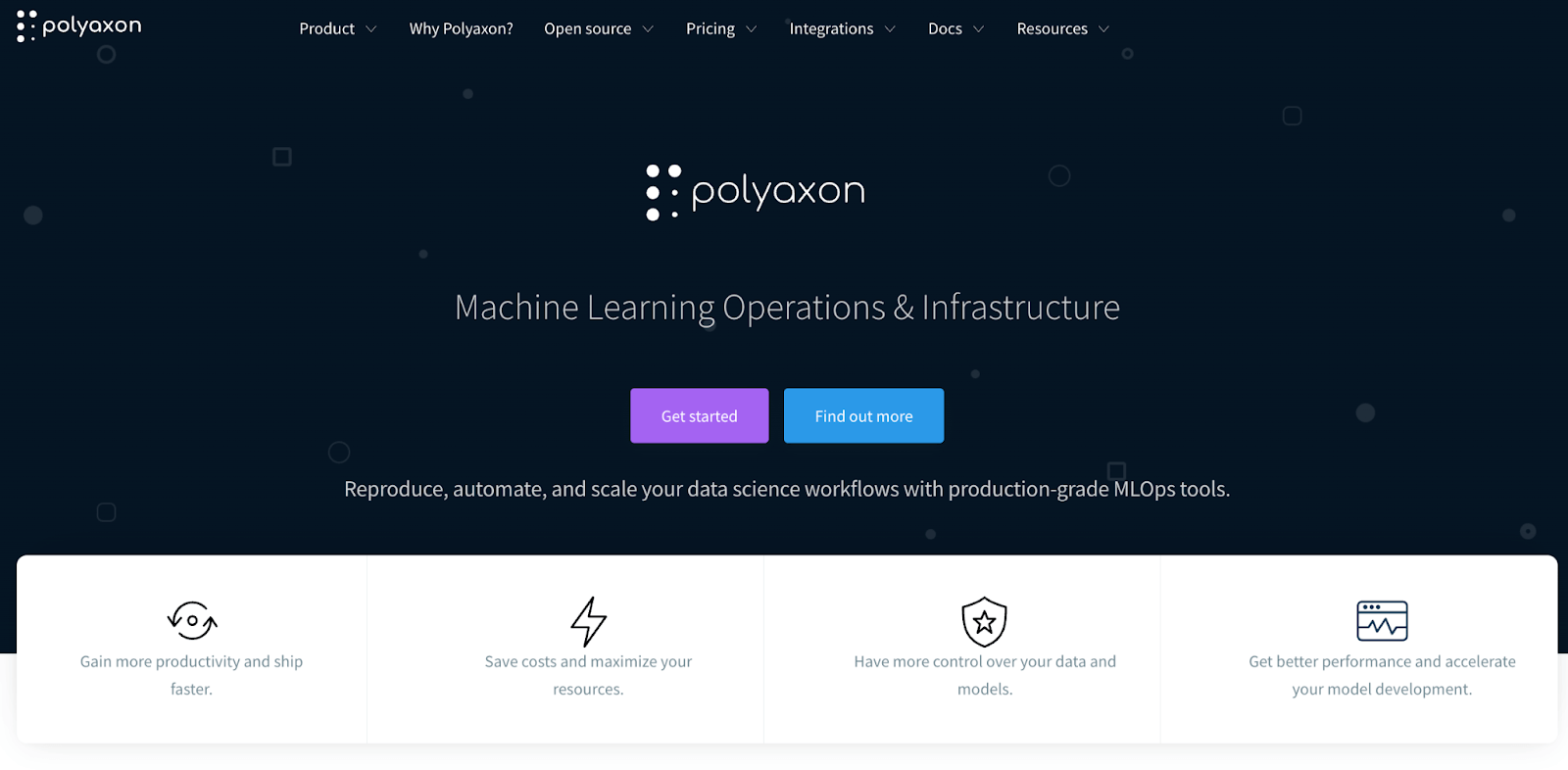
Polyaxon is a platform that originally focused on experiment management and hyperparameter tuning on Kubernetes. Over time, it evolved into a full ML lifecycle platform. It tracks experiments similar to Neptune, but its real strength is in orchestrating them at scale (particularly in cloud or on-prem clusters).
Features
- Provides experiment tracking where metrics, hyperparameters, outputs, and logs from training runs are automatically captured.
- Comes with built-in support for hyperparameter tuning. It can launch multiple runs with different hyperparameters on a Kubernetes cluster and track all those runs for you.
- Includes model management, where you can promote experiment runs to a model registry, with versioning.
- Supports multi-user setups with organization/project structure. It has role-based access control, team management, and SSO integration for enterprises.
Pricing
Polyaxon has two categories of pricing:
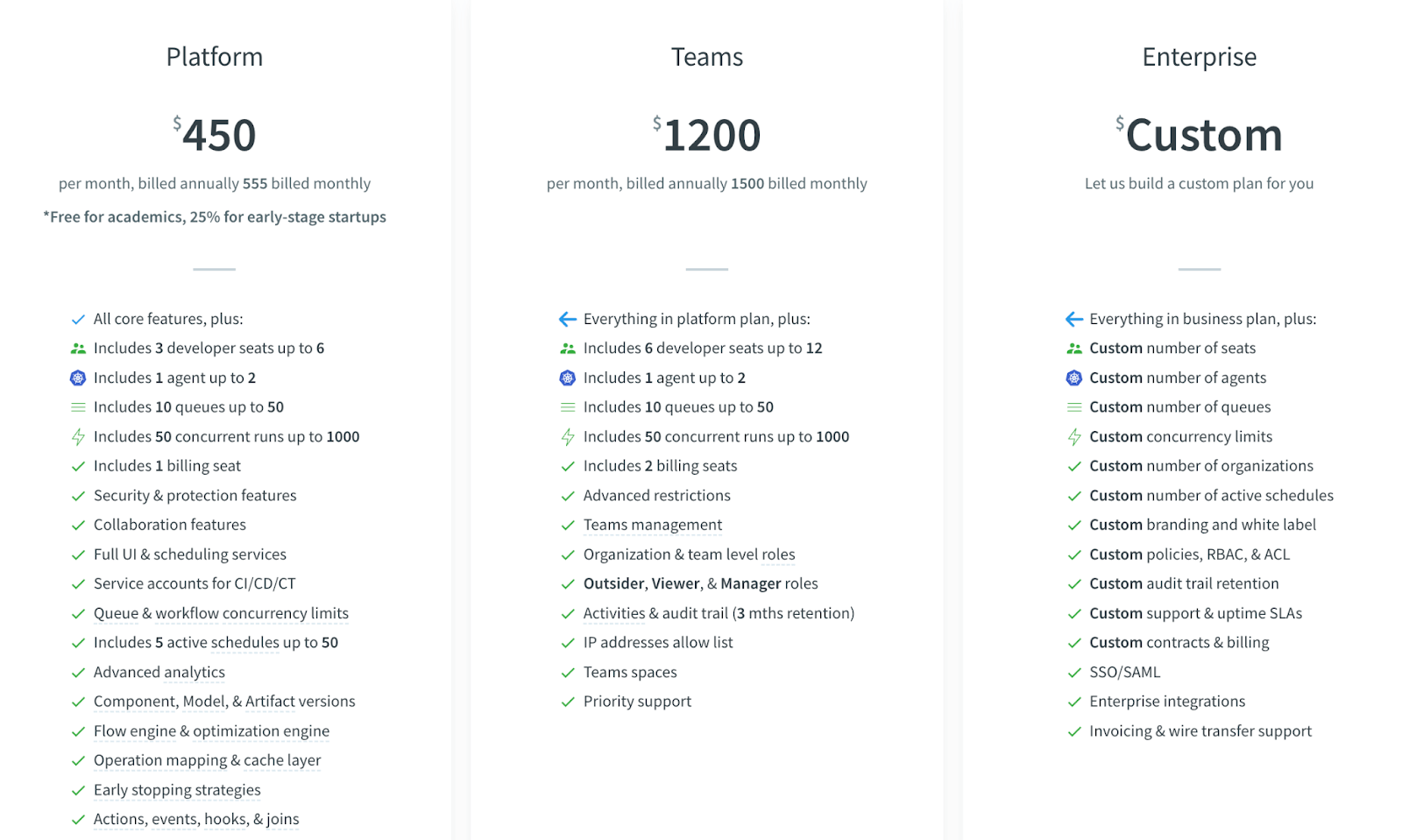
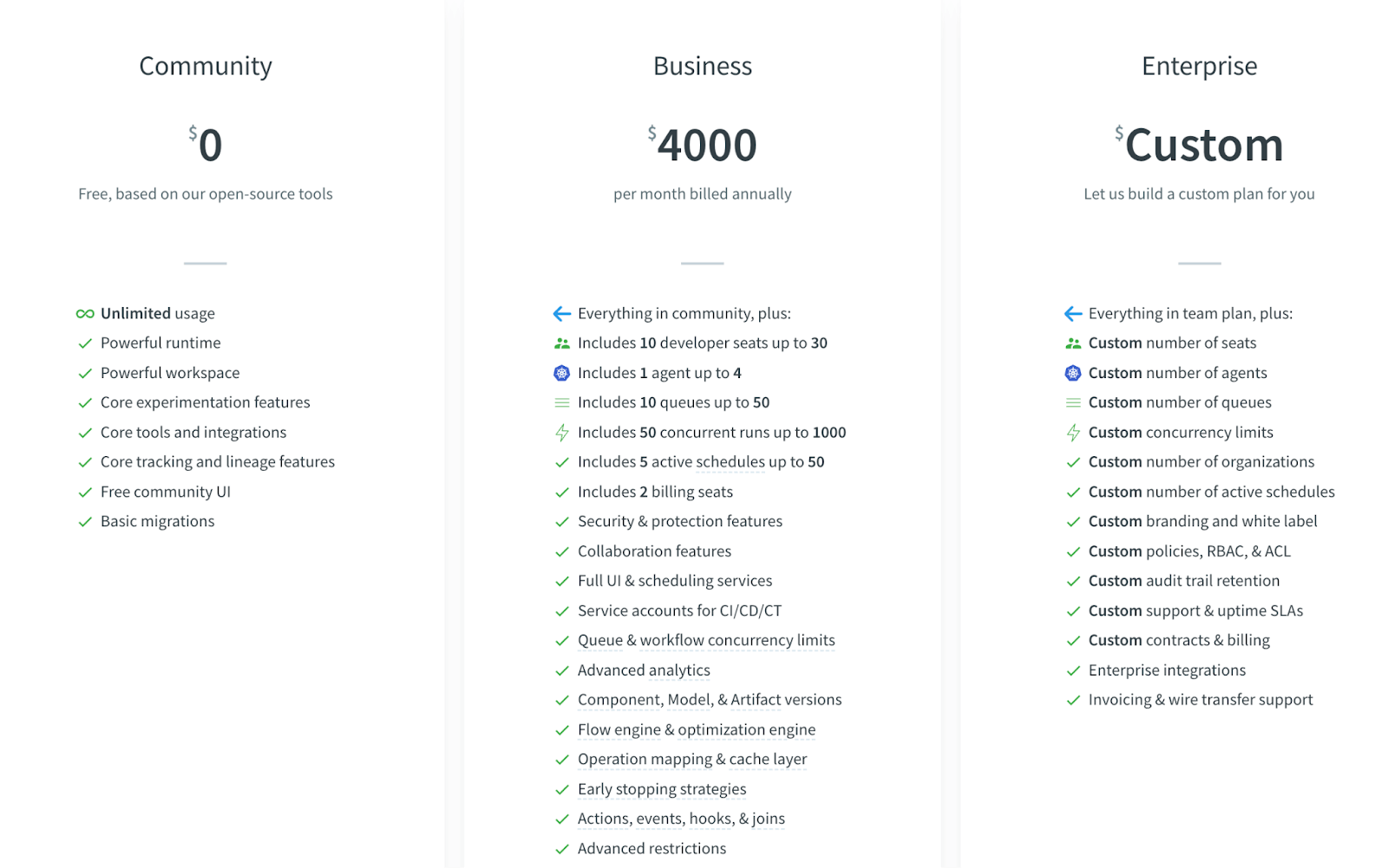
The first one is a Hybrid cloud where you have three plans to choose from:
- Platform: $450 per month billed annually ($555 monthly)
- Teams: $1,200 per month billed annually ($1,500 monthly)
- Enterprise: Custom pricing
It also has plans to self-host the platform:
- Community: Free
- Business: $4,000 per month billed annually
- Enterprise: Custom
Pros and Cons
Polyaxon is powerful for running experiments at scale. It’s one of the few alternatives that not only tracks experiments but can launch and manage them (especially on Kubernetes).
But setting up Polyaxon, especially the open-source version on a Kubernetes cluster, requires DevOps efforts. It’s much heavier than a simple pip install, which Neptune’s client was.
8. Google Vertex AI
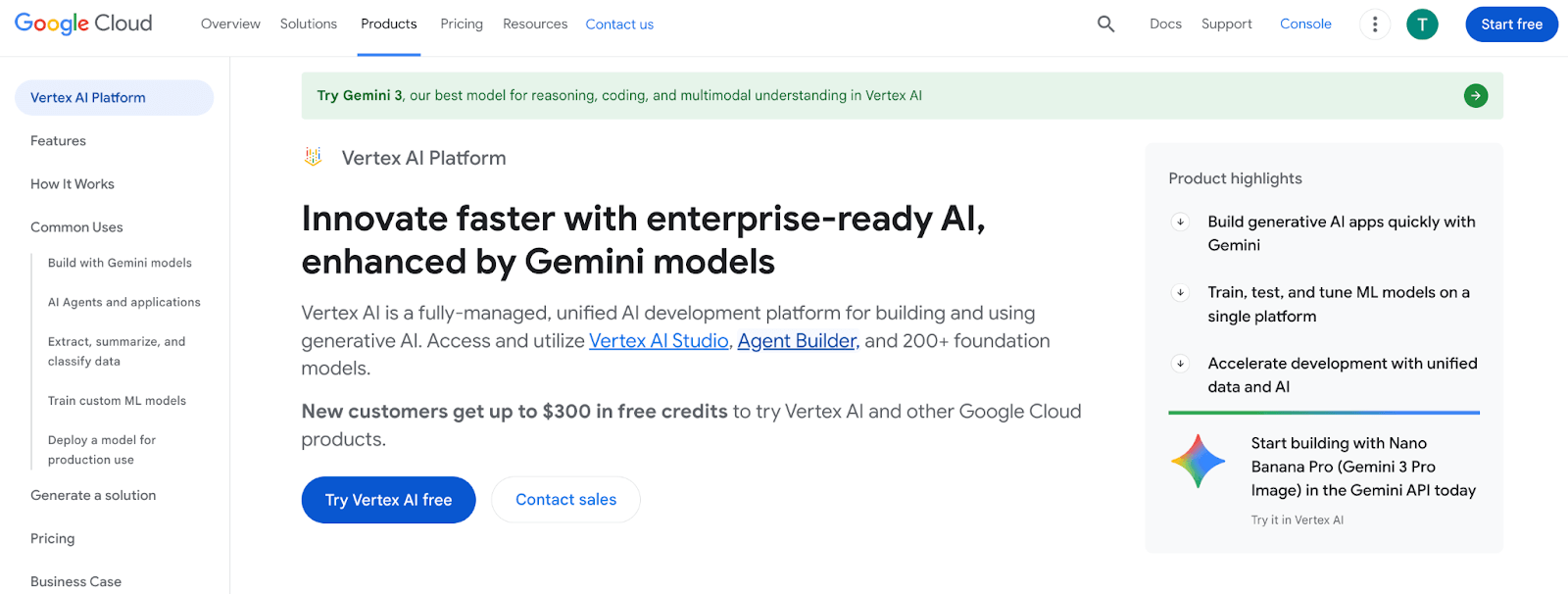
Vertex AI is Google Cloud’s unified ML platform, which includes experiment tracking among its many services. If you were using Neptune and are open to a cloud-specific solution, Vertex AI could step in by logging experiments within the broader Google ecosystem.
Features
- Has a feature called Vertex AI experiments that allows you to log and organize experiment runs. It automatically records parameters, metrics, and artifacts for models trained on the platform.
- Covers data preparation, model training, hyperparameter tuning, model deployment, and monitoring - all in one place.
- Includes a Model Registry where any model (including those from experiments) can be versioned and tagged. It also has Vertex Pipelines (based on Kubeflow Pipelines) to orchestrate end-to-end workflows.
- Because it’s on Google Cloud, Vertex can leverage heavy compute (TPUs, GPUs) easily and log experiments from them.
Pricing
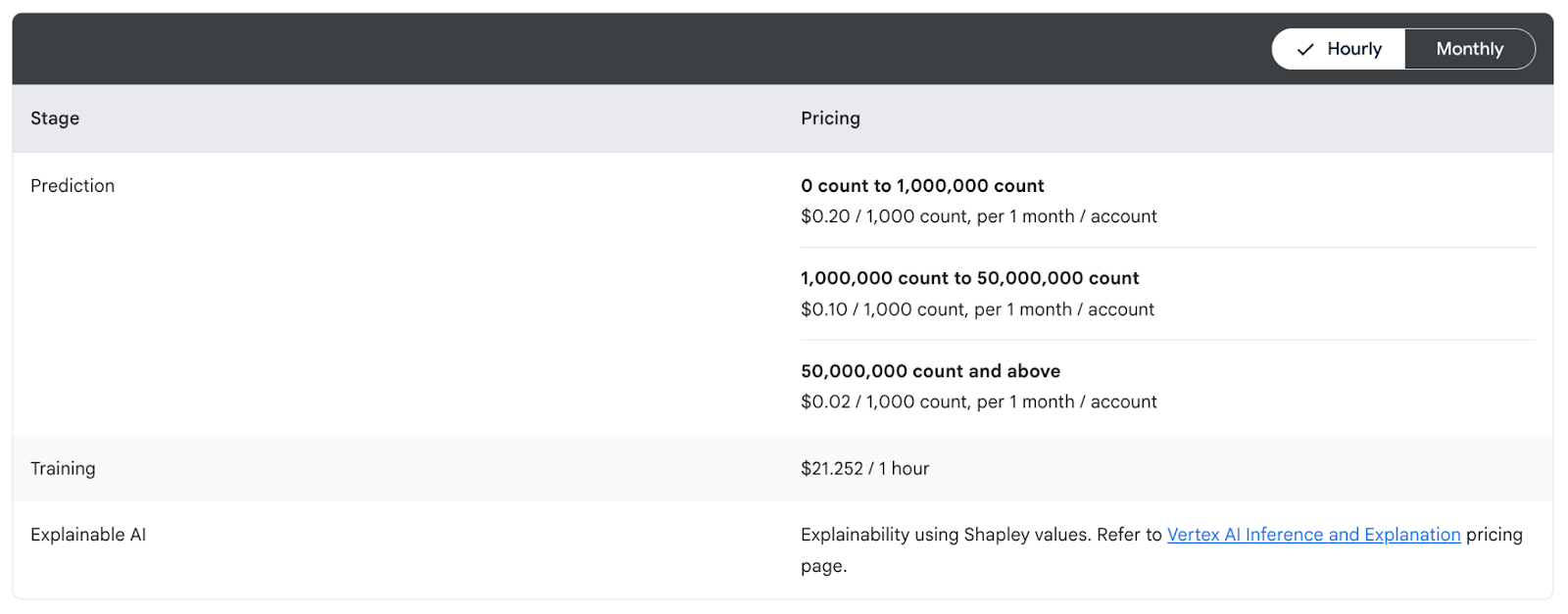
Vertex AI’s experiment tracking does not have a separate charge; you pay for the underlying resources you use. For example, if you run training jobs, you pay for the VMs or TPU time, and logging experiments is essentially free aside from minor storage costs.
The pricing model for Vertex AI is pay-as-you-go for each service (training, prediction, etc.). There’s no user-based pricing – instead, costs come from compute, storage, and other services used.
Pros and Cons
For teams already on GCP, Vertex AI is very convenient – no new service to sign up for, and experiments are tracked in the same console as datasets and deployments. It’s fully managed, so there’s no overhead of maintaining anything, and it inherits GCP’s robust security and scalability.
But remember, it’s not open-source, so you are subject to Google’s product decisions and pricing. Also, while Vertex’s experiment tracking is decent, it’s not as specialized as Neptune was – some advanced tracking UI features or flexibility might be lacking.
The Best Neptune AI Alternatives for Experiment Tracking and More
Choosing the right Neptune AI alternative depends on your priorities and the scope of your ML projects. If you want a like-to-like experiment tracker, tools like Weight & Biases or Comet ML will give you a hosted UI and a smooth experience.
But if you want a platform to manage all your MLOps needs, ZenML stands out as the most comprehensive solution. It covers experiment tracks like Neptune did, and goes further to integrate pipelines, artifacts, and deployments, all under an open-source framework.
In fact, ZenML can serve as a single tool replacing not just Neptune but several other pieces in the ML stack, which is ideal if you want to minimize tool fragmentation.
📚 More relevant alternative article to read:
If you’d like a guided tour of how ZenML can specifically replace Neptune in your setup, our team is here to help. Book a demo with us today and learn how ZenML can become your experiment tracker and help you accelerate your journey from research experiments to reliable, production-grade AI.