
On this page
n8n and Make both platforms promise pure automation and the ability to build AI agents. However, their approach to this goal is different.
Make has long been the darling of the no-code world. It offers a visual, gamified interface to build automations without code. In contrast, n8n positions itself as a low-code alternative, designed for technical teams who crave the flexibility of JavaScript and the security of self-hosting.
Choosing the right AI workflow automation tool depends on a number of factors. And so, in this article, we dissect their differences across visual building, agent capabilities, and pricing so you can know exactly when to use which platform.
n8n vs Make: Key Takeaways
🧑💻 n8n: A fair-code automation platform built for developers. It features a node-based editor with support for custom JavaScript, complex logic, and self-hosting for absolute data control. This flexibility makes it the top choice for technical teams to architect sophisticated AI pipelines.
🧑💻 Make: A cloud-based, visual integration platform designed for business users and no-code builders. Its drag-and-drop interface, built on a no-code approach, prioritizes ease of use and speed, allowing less tech-savvy teams to launch AI automations without writing code.
n8n vs Make: Features Comparison
Here’s a quick comparison table to show you the difference between n8n and Make at a glance.
| Parameters | n8n | Make |
|---|---|---|
| Visual Workflow Builder | Flowchart-style editor with complex branching, loops, and parallel execution. Best for technical precision. | Bubble-based visual interface. Intuitive, linear, and gamified. Best for rapid, simple setups. |
| Building AI Agents | LangChain-based AI Agent node using LangChain JS primitives. Supports local models (e.g., Ollama) and composable agent workflows for building hierarchical patterns. | Goal-driven agents (Beta) with built-in RAG and “Context Files”. Relies on pre-built SaaS tool integrations. |
| Data Mapping and Transformation | JSON-based and uses JavaScript for powerful, code-level data manipulation and complex logic. | Spreadsheet-style and uses drag-and-drop “pills” and Excel-like formulas for no-code transformation. |
| Integration Capabilities | “Universal adapter” approach. Excellent HTTP node for any API and self-hosting for private internal tools. | Massive library of 3,000+ pre-built apps. Focuses on instant, form-based connections to popular SaaS. |
Feature 1. Visual Workflow Builder
Being able to see the logic flow of an AI agent, how it chains prompts, accesses tools, and handles errors, is critical for debugging non-deterministic LLM behaviors. Both platforms use infinite-canvas interfaces, but their visual metaphors differ substantially.
n8n
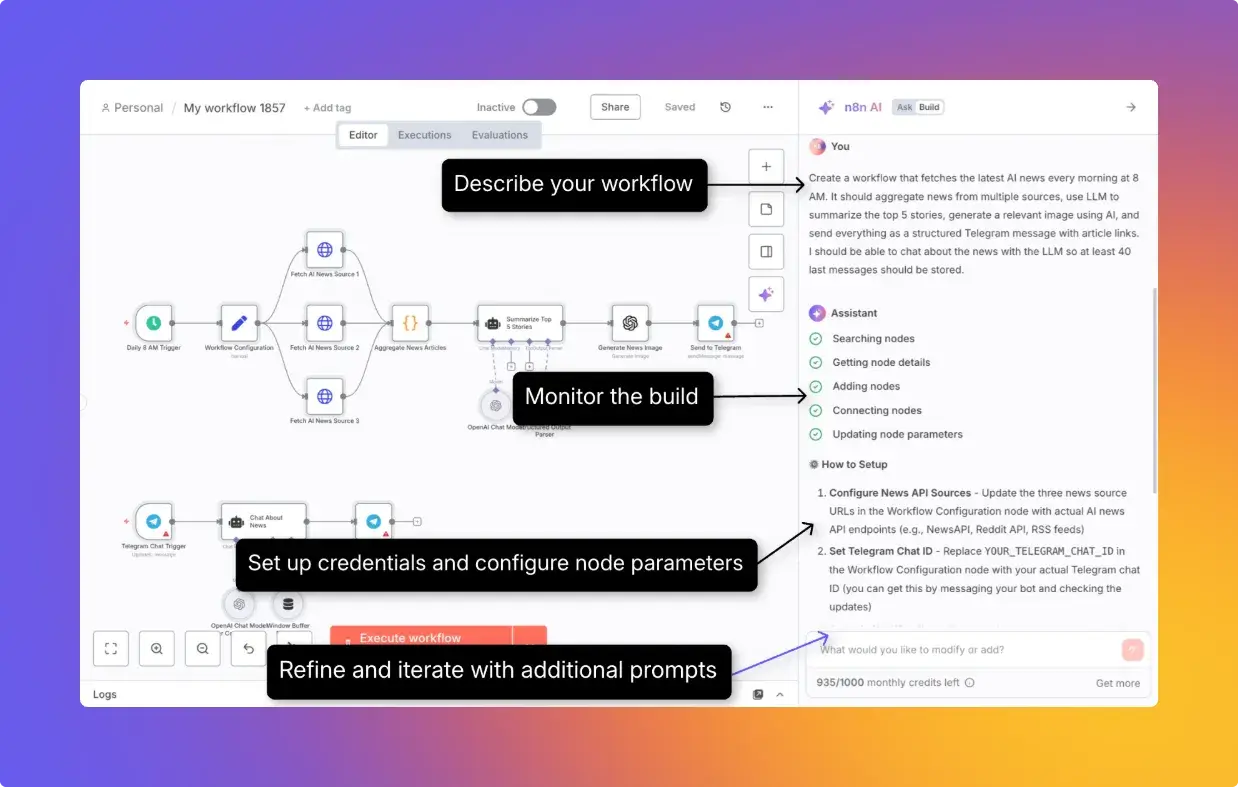
n8n offers a node-based visual editor that lets you build complex, non-linear workflows with loops, branching, and parallel execution. Each node performs a single action. For example, fetching data via HTTP, sending a Slack message, or running custom JavaScript.
Connecting nodes is straightforward: drag from the right dot of one node to the left dot of the next. The canvas supports handy tools like zoom controls, a mini-map for navigation, and keyboard shortcuts for power users.
Some stand-out features:
- Hybrid editing: You can add custom JavaScript or Python via the Code node (and use JavaScript inside expressions) for full control over data transformation.
- LangChain integration: n8n natively integrates LangChain, allowing you to drag-and-drop advanced concepts like RAG pipelines without writing boilerplate code.
- Debuggability: The editor shows the exact data output (JSON) at every step, making it easy to inspect what the LLM actually received and generated.
n8n also offers an AI Workflow Builder that lets you create, refine, and debug workflows using natural-language prompts. Each create/modify interaction consumes one credit, and credits are allocated monthly by plan. Availability differs by plan and hosting model (for example, cloud tiers include credits, while self-hosted availability can differ).
n8n’s integrations directory lists 1,300+ integrations (each providing one or more nodes) for services like Slack, PostgreSQL, OpenAI, and Google Sheets.
**📚 Must read: **The Top 10 n8n Alternatives
Make
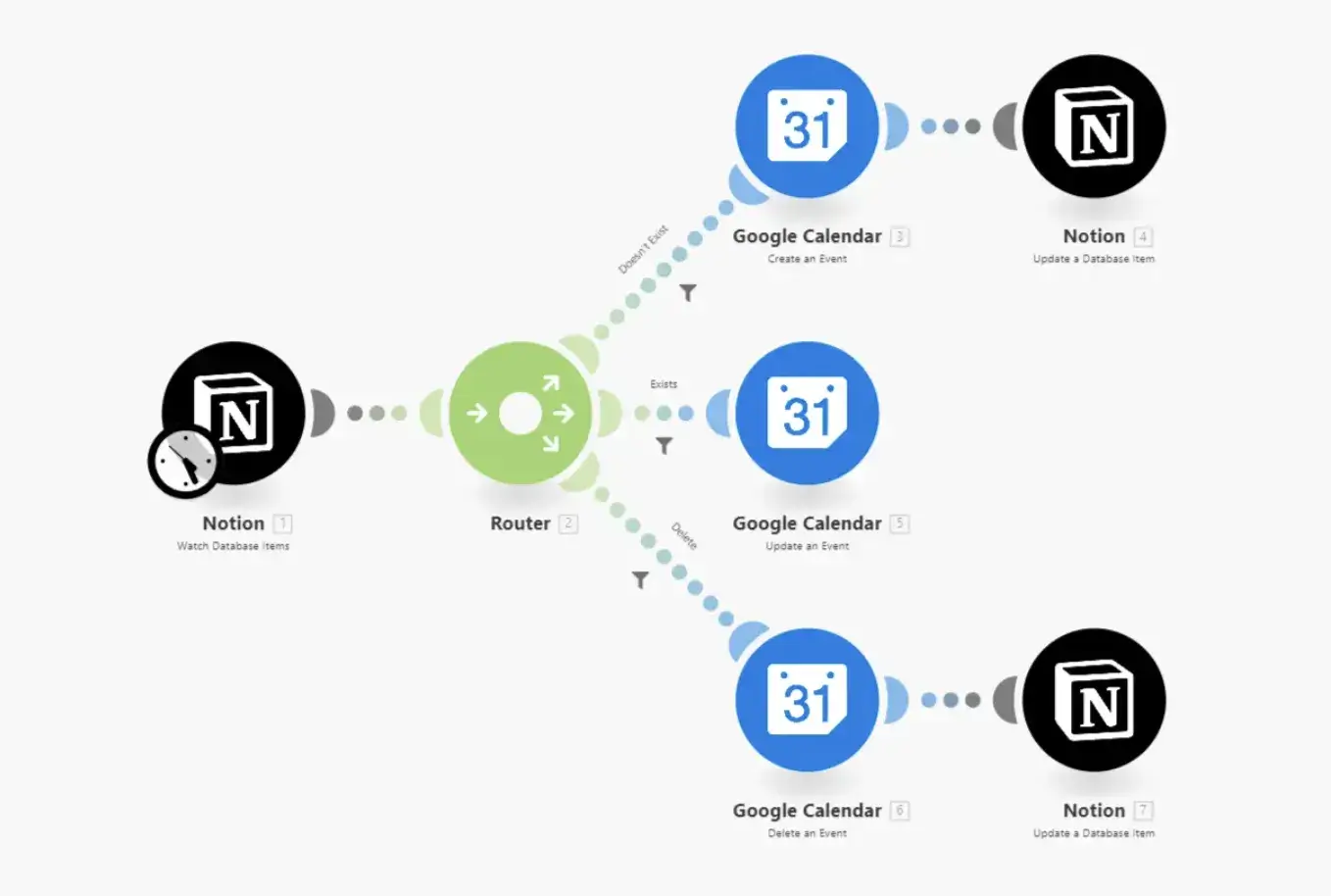
Make takes a slightly different approach to visual workflow building. Instead of ‘workflows,’ Make uses the term ‘scenarios’ for its automations. The builder presents a flowchart-style canvas where each step appears as a circular module connected by lines.
Make’s strength lies in its handling of complex logic without code. It offers built-in visual constructs rather than code:
- Routers: For conditional branching
- Iterators: For loops through arrays
- Aggregators: To combine multiple items into one
These constructs appear as distinct visual elements on the canvas. Error handling is built in and appears as a visual element too. You can attach error handlers to specific modules and define retry logic, fallback paths, or notification triggers, which makes debugging easy.
The module library includes 3,000+ app integrations, and each integration exposes triggers, actions, and search capabilities with detailed parameter documentation. For apps outside the library, the HTTP module lets you connect to any REST API, similar to n8n.
Bottom line: n8n wins because its node-based editor is built for complex, non-linear automation. Make’s visual interface is genuinely no-code for basic use**.** It’s more approachable for less tech-savvy users, but n8n is better once logic complexity increases.
Feature 2. Building AI Agents
Both n8n and Make have evolved beyond simple workflow automation to offer robust AI agent building capabilities, though they take distinctly different architectural approaches.
n8n
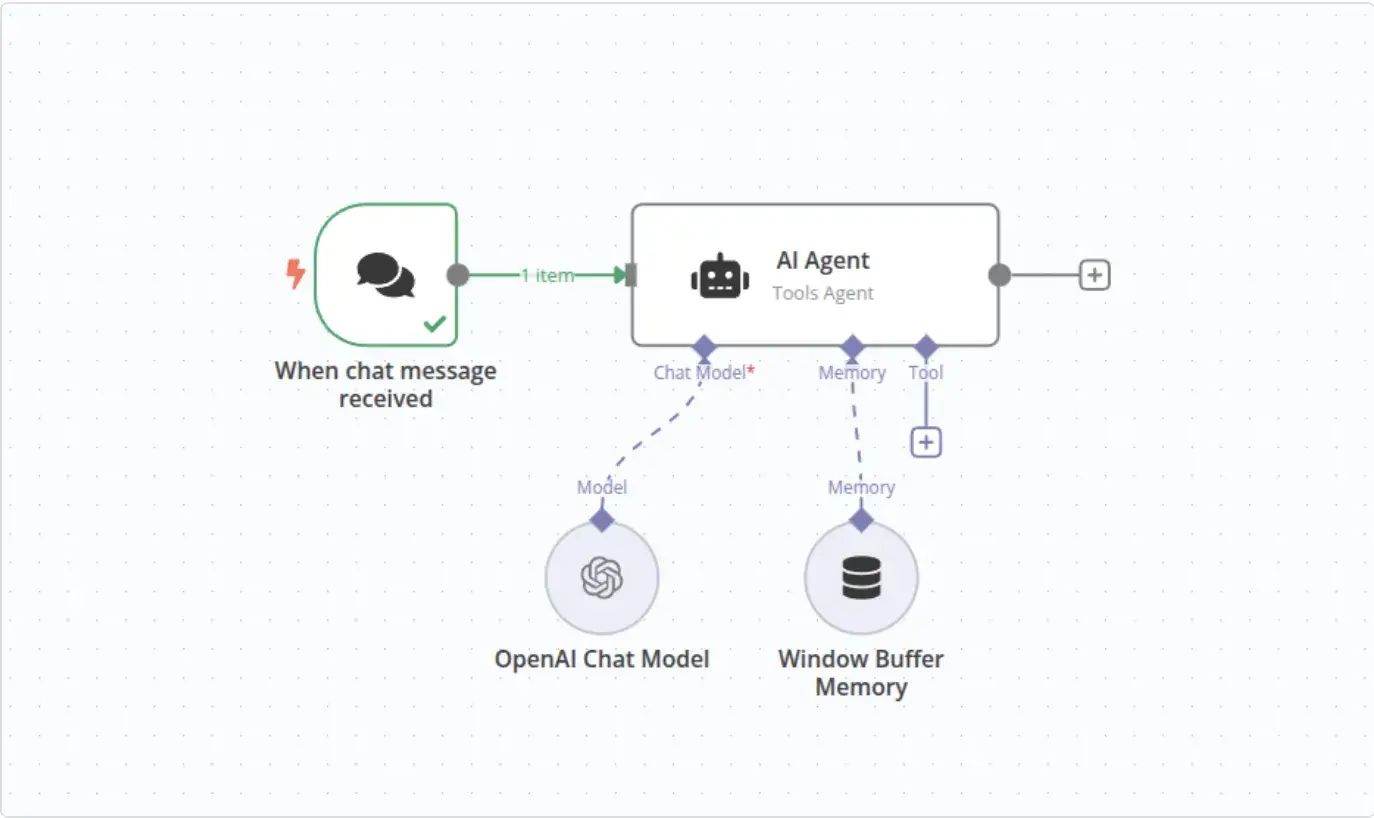
n8n brings the power of code-first frameworks to a visual interface. Its AI Agent node is built directly on LangChain’s JavaScript framework. Plus, it supports a sophisticated ‘Tools Agent’ architecture that allows agents to autonomously reason and decide which tools to invoke.
This technical foundation gives n8n exceptional depth in AI agent development compared to Make. Other standout features for AI agent building include:
- Broadest LLM support: n8n offers one of the broadest LLM integration sets among low-code automation tools, with native integrations for major providers like OpenAI, Claude, Google Gemini, Azure OpenAI, and more. Notably, it supports Ollama for local model deployment; an ideal feature for teams with strict data sovereignty requirements.
- Hierarchical tool ecosystem: Beyond standard tools, agents can use the 'Call n8n Workflow' tool to invoke entire workflows as tools. This functionality enables complex, hierarchical multi-agent architectures where one agent delegates tasks to another. hierarchical multi-agent architectures.
- Advanced RAG and memory: The platform supports multiple popular vector stores (e.g., Pinecone, Qdrant, Weaviate, PGVector). Plus, emerging support for MCP-style interoperability via community and experimental integrations.
So overall, n8n covers all the aspects needed to build a sophisticated AI agent. However, you’d need some understanding of LangChain concepts and prompt engineering. This, in turn, makes n8n a low-code rather than purely no-code solution for advanced use cases.
Make
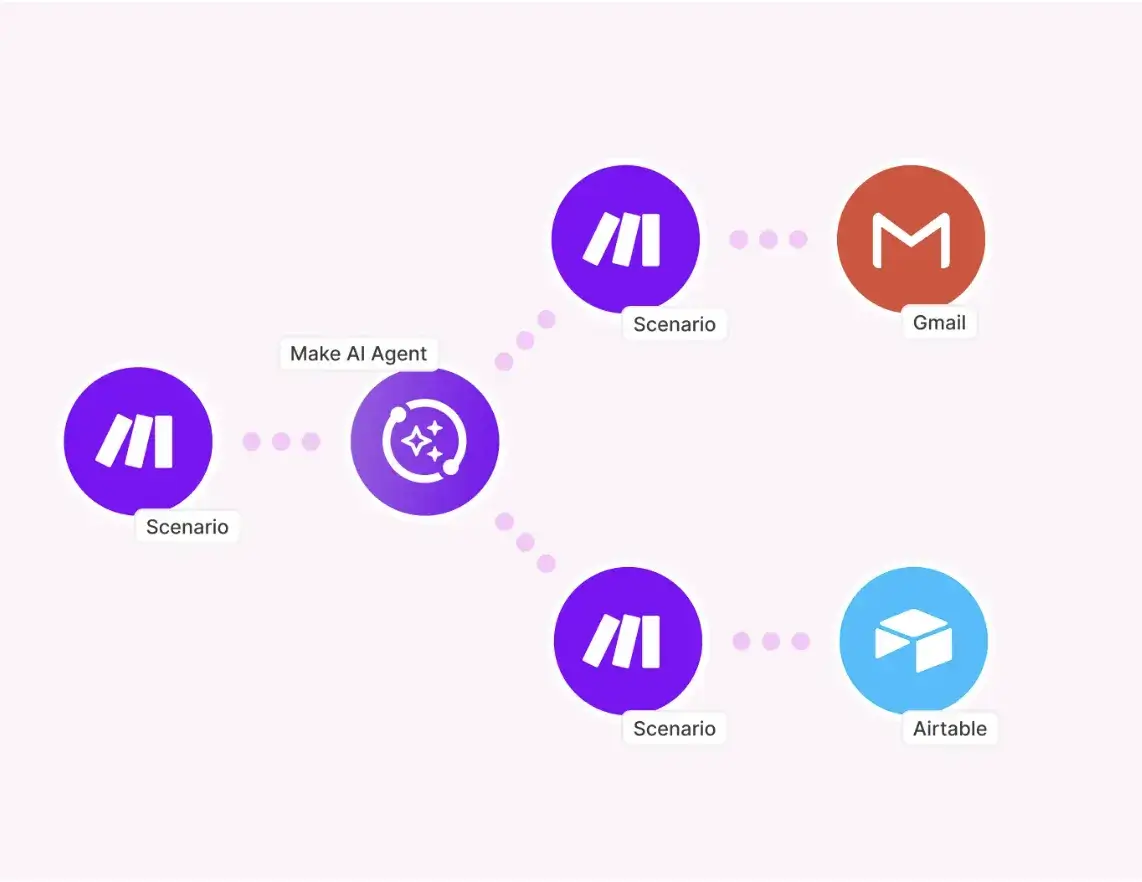
Make takes a more abstracted approach and prioritizes accessibility over technical depth. Currently in open beta, Make’s AI Agents are goal-driven automations. You simply define the agent’s purpose via a system prompt, and it autonomously selects from available tools to accomplish the task.
Some standout features:
- Massive tool library: Unlike n8n, where you often build tools, Make users attach existing Make scenarios or individual modules as tools. For context, Make has a massive library of 3,000+ app integrations without the need for custom development.
- Built-in RAG: Make simplifies Retrieval-Augmented Generation with context files. You can upload documents like PDF, CSV, and DOCX up to 20MB, which are embedded and stored in Make-managed retrieval infrastructure, no external setup required.
- Streamlined configuration: LLM support includes built-in managed models, with optional connections to OpenAI, Claude, and Gemini. An AI-powered 'Improve' feature also helps users optimize their system prompts automatically. However, Make lacks support for local models or the broader range of providers n8n offers.
Bottom line: n8n offers deeper agent control because its AI Agent node leverages LangChain JS abstractions. Make’s agents are genuinely no-code and great for fast setups, but its current beta approach is more managed goal automation than serious agent engineering.
Feature 3. Data Mapping and Transformation
Data mapping and transformation capabilities determine how easily you can reshape information, reference previous outputs, and apply custom logic without breaking out of the visual workflow builder.
n8n
n8n treats data mapping as a core part of its visual workflow building experience. The platform offers two approaches: a drag-and-drop UI for quick mappings and an expressions editor for more complex transformations.
In the drag-and-drop interface, you run a node, view its output in table/JSON/schema view, and then click-and-hold any field to drag it into the next node’s parameter. This generates the expression syntax automatically. The data structure in n8n is an array of JSON objects, and each element is called an ‘item.’
The expressions editor uses a templating syntax wrapped in double curly braces: {{ $json.fieldName }}.
For more control, n8n lets you write JavaScript directly within expressions. The platform includes Luxon for date manipulation and JMESPath for querying nested JSON.
Here’s an example of how I used n8n to transform data between nodes:“
// Access a nested field
{{ $json.customer.address.city }}

// Apply string transformation
{{ $json.email.toLowerCase().trim() }}

// Conditional mapping with fallback
{{ $json.nickname ?? $json.firstName ?? "Guest" }}

// Reference data from a specific previous node
{{ $('Get Customer Data').first().json.orderId }}
Make code block (fixed):
// Format a date
{{formatDate(1.created_at; "YYYY-MM-DD")}}

// Uppercase and concatenate
{{upper(1.firstName)}} {{upper(1.lastName)}}

// Array operations
{{join(1.tags; ", ")}}

// Conditional logic using if()
{{if(1.status = "active"; "Active Customer"; "Inactive")}}
Make
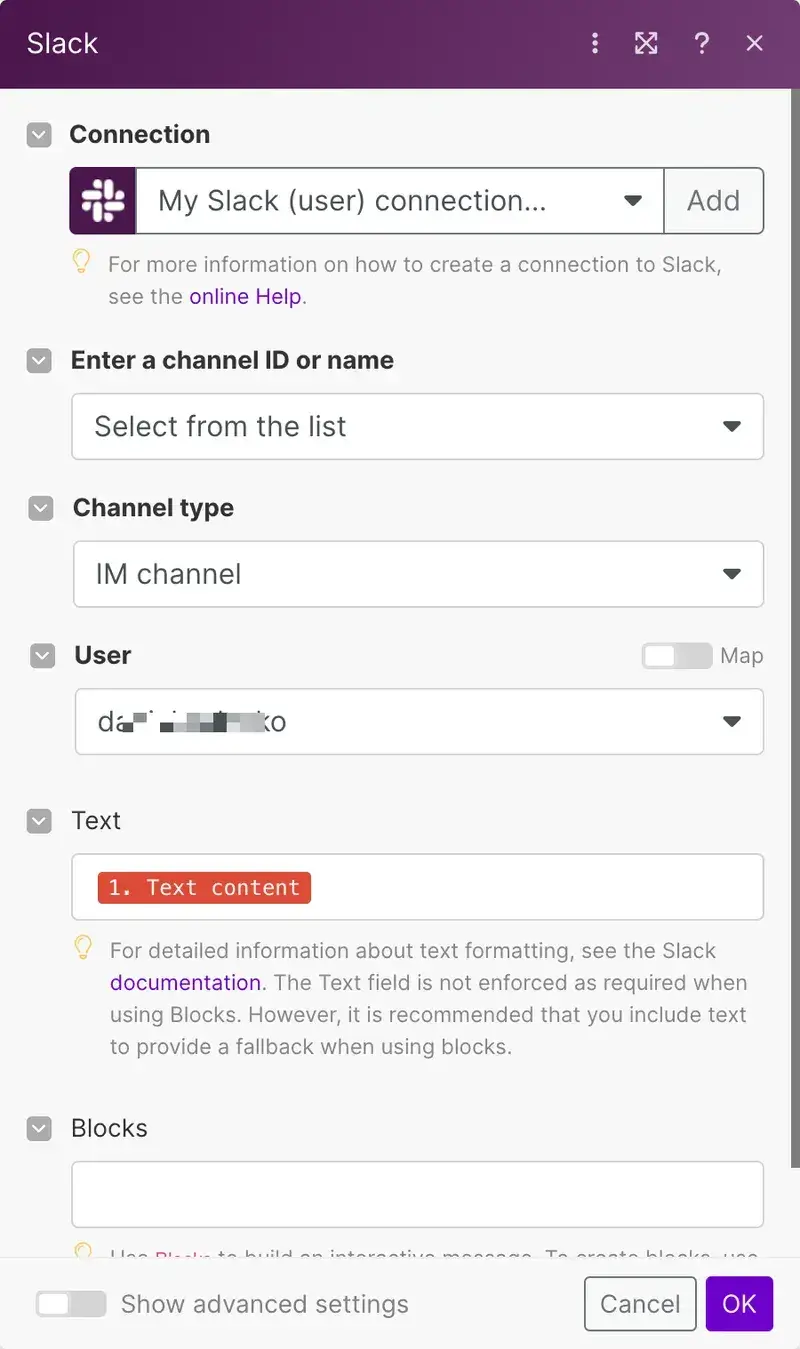
Make employs a visual panel for data assignment. When you click a field, a side window opens to display available data ‘pills’ from previous modules. You simply drag and drop these color-coded tags into your target field to build the payload.
Transformation relies on a comprehensive library of built-in functions, similar to formulas in Excel or Google Sheets. You can combine text, math, date, and array functions directly in the input box to modify data without code.
Handling lists (arrays) works differently here. To process a list of items, like analyzing sentiment for multiple user comments, you must use an Iterator module to split the array and an Aggregator module to combine the results later. This explicit structure keeps scenarios organized but requires a mental shift for those accustomed to standard code loops.
Bottom line: Make wins here for most teams because it’s pill-based mapping. The interface is faster for everyday data wrangling without requiring you to understand JSON structure or expression syntax.
n8n is stronger for advanced logic, but it often pushes you toward expressions and JavaScript once transformations get even mildly complex. For pure no-code transformation speed, Make is the better tool.
n8n vs Make: Integration Capabilities
n8n
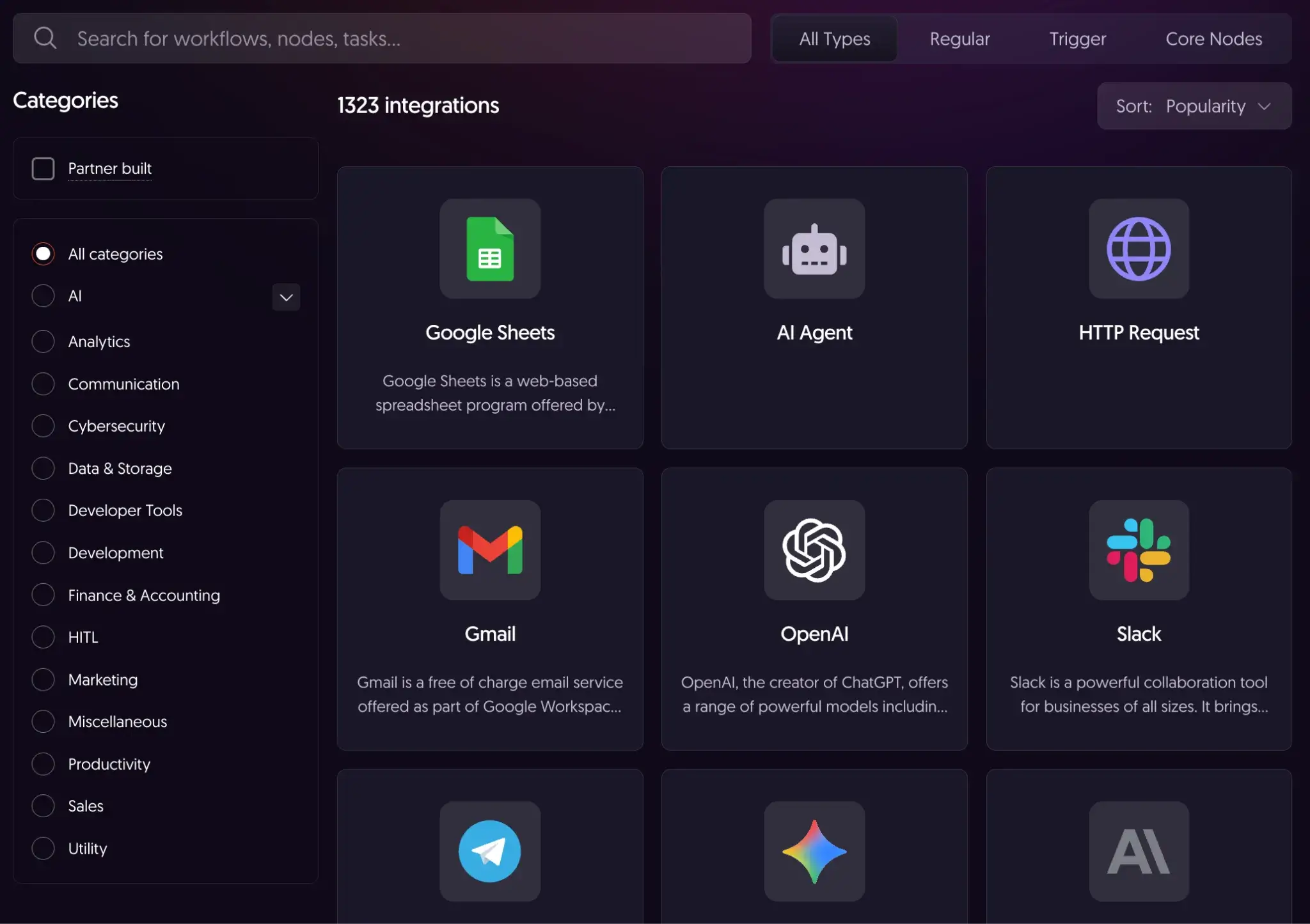
While n8n’s integrations directory lists 1,300+ integrations, its real strength is generic connectivity (for example, HTTP Request for APIs that don’t have a dedicated integration).
- Universal adapter: The HTTP Request node acts as a universal adapter to interact with any REST or GraphQL API that lacks a pre-built node.
- Private connectivity: The self-hosted nature of n8n permits direct access to local databases and private services without exposure to the public internet, a critical feature for enterprise security.
- Community nodes: The Community Nodes repository allows developers to install custom nodes created by the user base, which facilitates the expansion of platform capabilities beyond the official roadmap.
Make
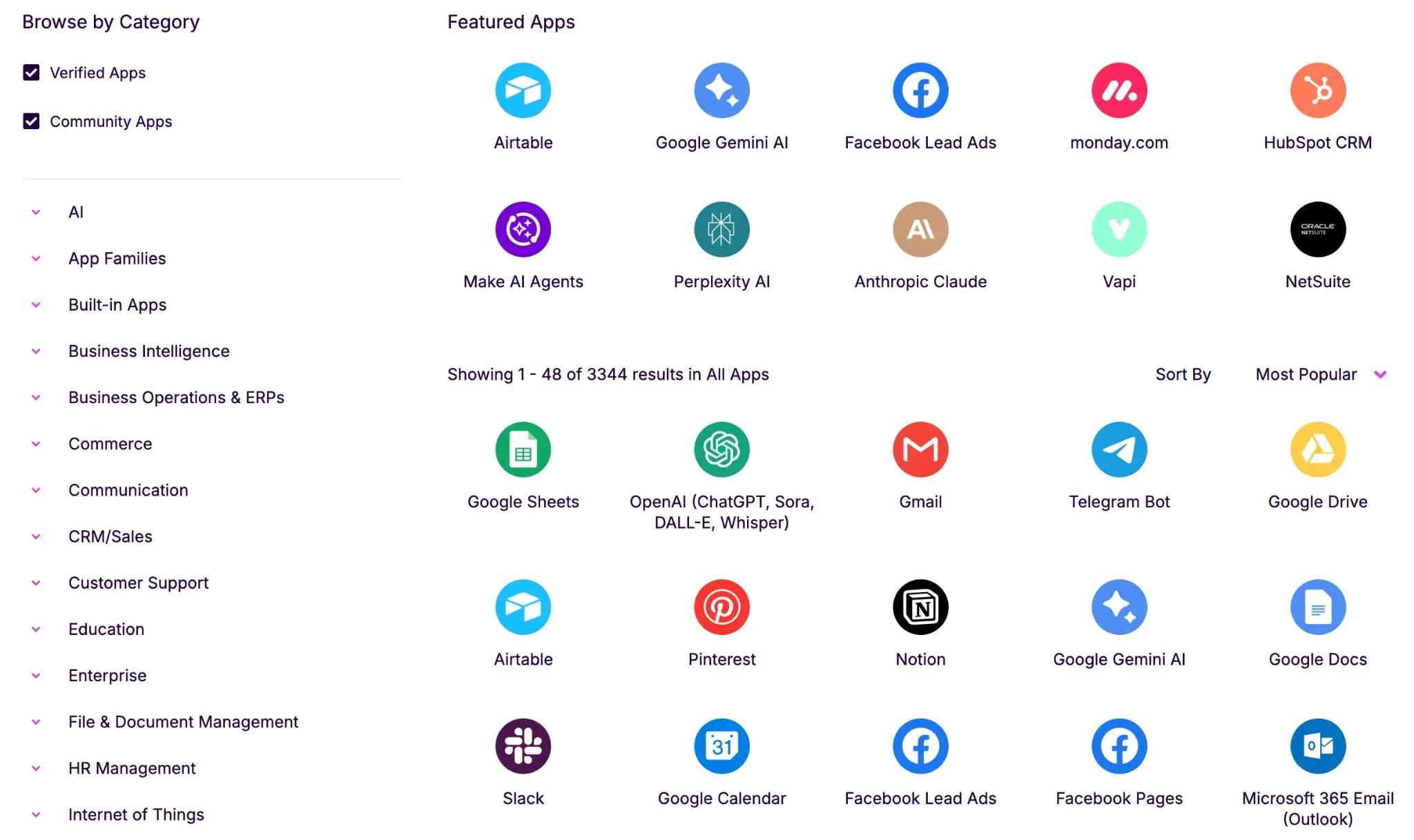
Make dominates in terms of sheer volume. The platform boasts a massive catalog of 3,000+ pre-built apps, covering almost every popular SaaS tool from CRM and marketing to project management.
- Visual Wrappers: You don't need to review API documentation to find the right endpoint. You simply select a module like 'Create a Record' or 'Update a Row,' and Make presents a user-friendly form to complete.
- Rapid Setup: This form-based approach drastically reduces setup time for standard business tools.
- Fallback Option: For services absent from the library, Make provides a generic HTTP app to bridge the gap, though it lacks the depth of control found in n8n.
n8n vs Make: Pricing
Pricing is often the deciding factor, and the difference here is fundamental: n8n typically charges by workflow executions (a full run), while Make charges by credits, where each module action in a scenario counts as one credit.
n8n
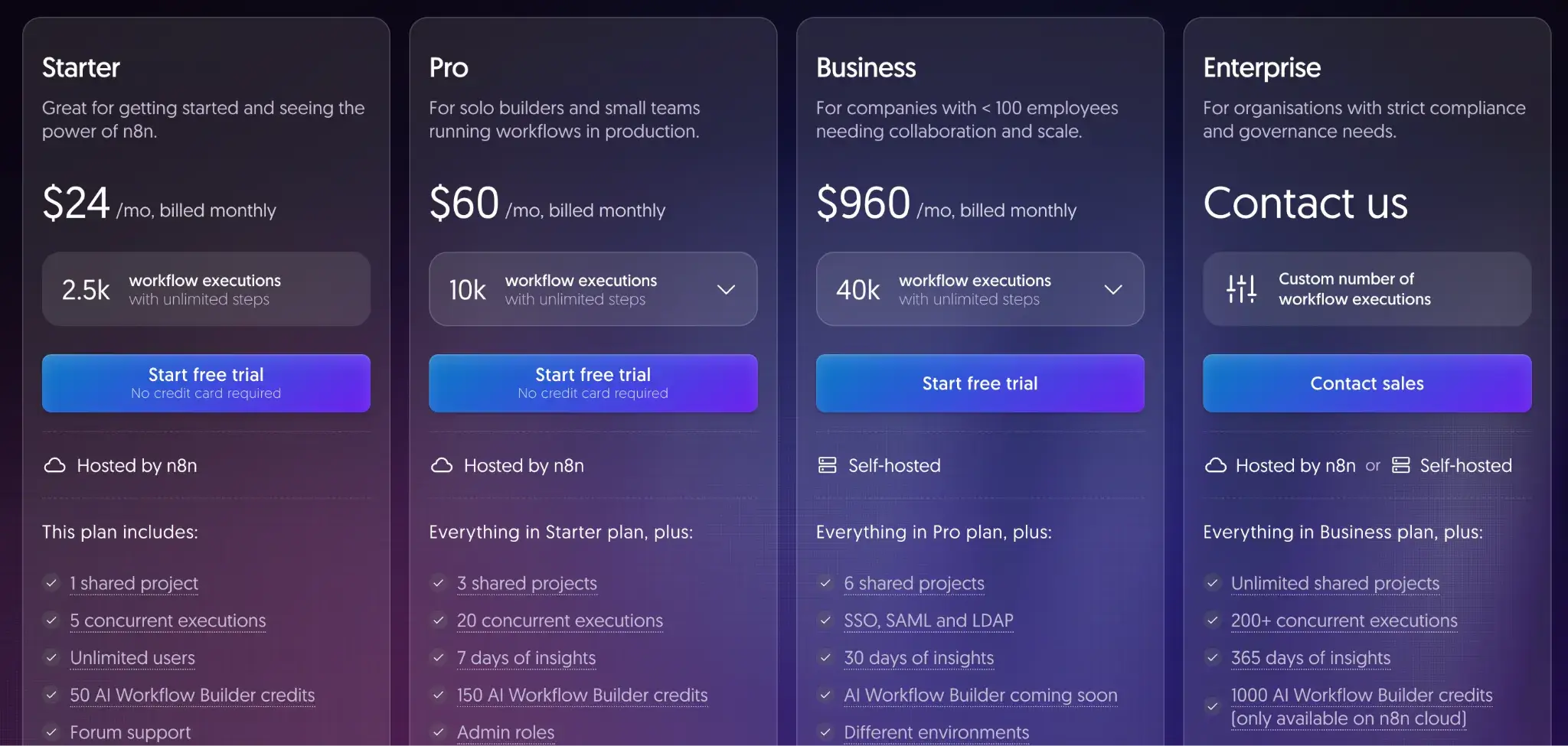
n8n offers a free self-hosted Community Edition (source-available under n8n’s Sustainable Use License, a fair-code license). Other than that, it offers a free trial for its paid plans:
- Starter: $24 per month
- Pro: $60 per month
- Business: $960 per month
- Enterprise: Custom pricing
Make
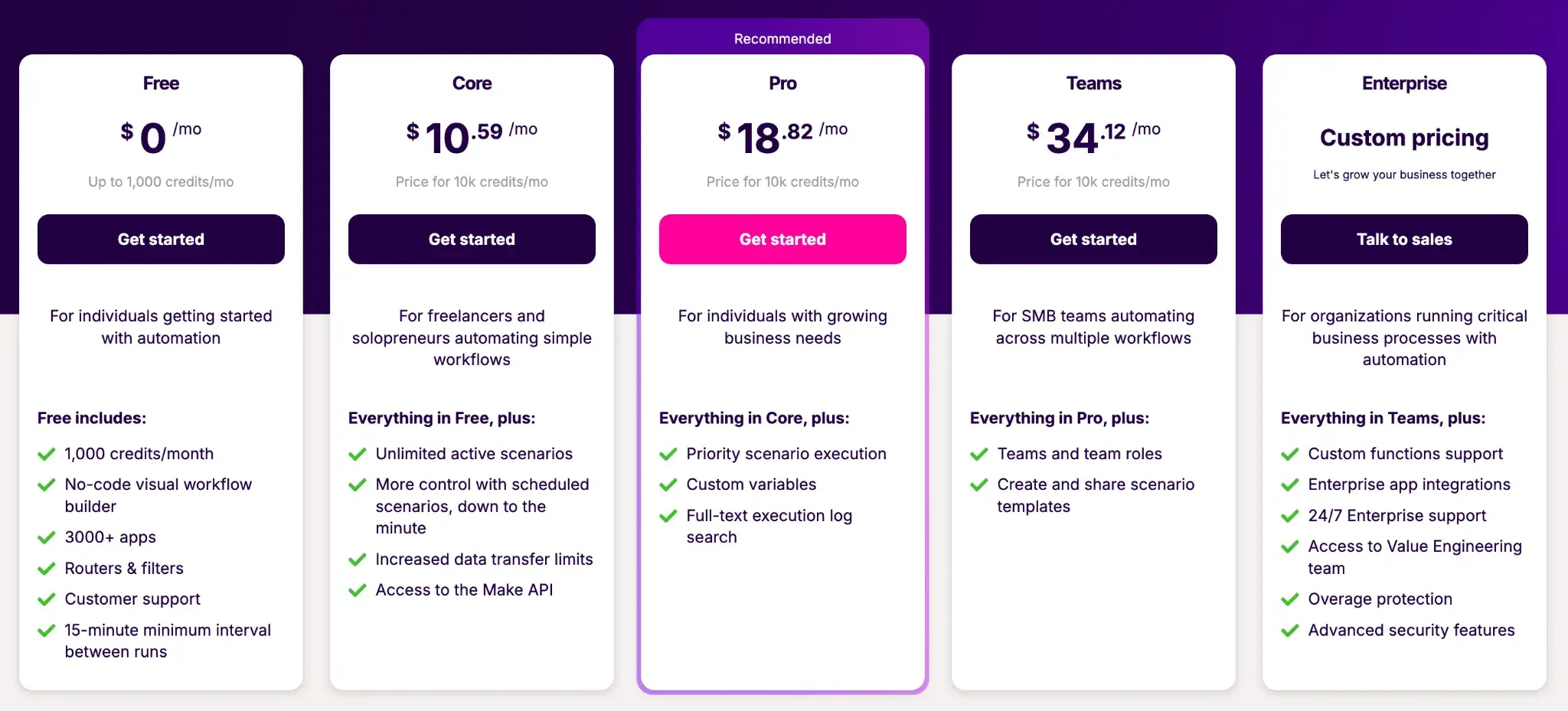
Make offers a free plan for individual use and four paid plans:
- Core: $10.59 per month
- Pro: $18.82 per month
- Teams: $34.12 per month
- Enterprise: Custom pricing
When You are Better Off with a Code-Based MLOps/LLMOps Workflow Automation Frameworks
Visual builders like n8n and Make allow you to assemble a proof-of-concept AI agent in minutes. However, as your team scales and workflows become mission-critical products, the no-code ceiling often becomes a blocker.
You might face challenges with:
- Version control and CI/CD: Visual flows are stored as massive JSON or XML files. This makes it nearly impossible to 'diff' changes in a Pull Request or run automated unit tests before deployment.
- Reproducibility: Drag-and-drop tools abstract away the environment. You cannot easily pin specific library versions.
- Complex logic: While visual loops exist, implementing advanced retry logic, custom error handling, or dynamic resource allocation often results in 'spaghetti flows' that are a nightmare to debug.
To cover up for no-code limitations, ZenML provides a code-based MLOps framework designed to bridge the gap between rapid experimentation and robust production. It treats your AI workflows not as static graphs, but as reproducible software pipelines.
At this stage, the problem is no longer about how quickly you can assemble an automation. It’s about whether that automation behaves like real software. Once agents are tied to production data, evaluated continuously, and updated over time, teams need workflows that can be reviewed, tested, versioned, and reasoned about in the same way as application code. This is where visual abstractions start to work against you, not because they are wrong, but because they hide too much of the system’s behavior.
A code-based framework like ZenML makes this transition explicit. Instead of replacing tools like n8n or Make, it sits above them as the orchestration and lifecycle layer. Agents become pipeline steps, experiments become reproducible runs, and evaluations become first-class citizens. This structure allows teams to keep rapid automation where it belongs, while managing AI workflows with the discipline required for long-term reliability and scale.
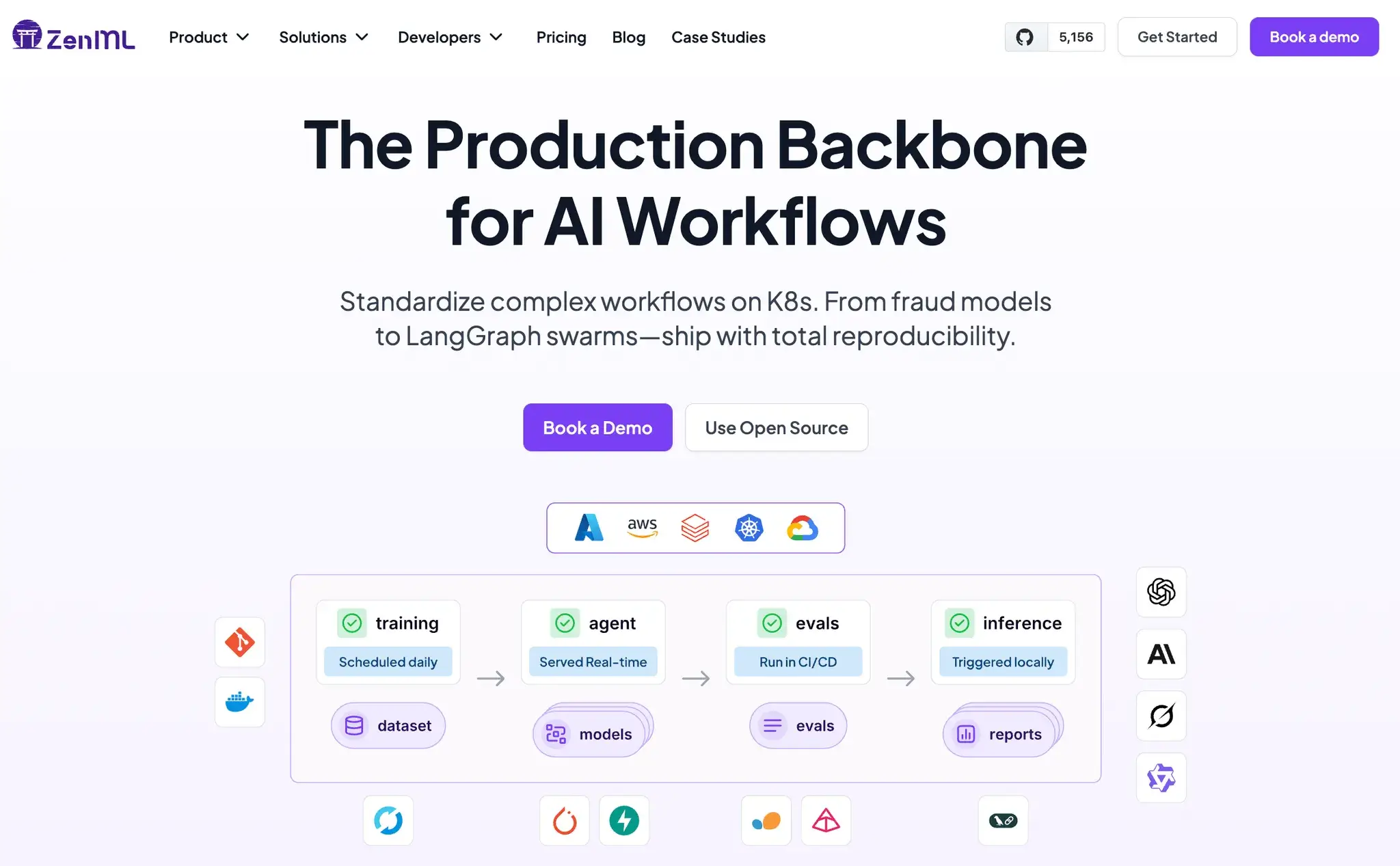
ZenML helps you close the outer loop around your agents:
- Embed agents in pipelines: Treat your n8n or Make workflow as a single step within a larger pipeline. ZenML connects this step to upstream data preparation and downstream evaluation, ensuring the entire lifecycle runs as a unified process.
- Unified lineage: ZenML tracks every run, prompt, and artifact. You get a single dashboard to visualize how your agents connect to data sources and deployment targets, which provides total auditability.
- Glue across Stacks: The framework uses a 'components-and-stacks' model. You can mix LangChain, LlamaIndex, or even external APIs into one coherent workflow without vendor lock-in.
📚 Relevant MLOps article you should read:
Which One’s the Best MLOps Framework for Your Business?
Choosing between n8n and Make depends on what level of technicality your team can adopt.
- If your goal is to ship AI automations fast with minimal setup, Make is the easier starting point. Its scenario builder, massive app library, and built-in agent/RAG workflow make it a strong fit for business teams that want results without touching code.
- n8n is the better choice once workflows stop being simple. When you need branching logic, custom transformations, private connectivity, or self-hosting for data control, n8n gives technical teams far more room to build and extend.
However, if these workflows become part of a product or a core ML system, both tools can hit a ceiling. That’s where a code-first framework like ZenML fits best.
ZenML helps you operationalize the outer loop around agents. Think of pipeline orchestration, evaluation, artifact tracking, lineage, and deployment across environments.
In practice, Make or n8n can power the automation layer, while ZenML provides the structure needed to run these workflows as production-grade ML systems.