
On this page
Building production AI today often feels like assembling a puzzle where the pieces come from different boxes. You have LLMs that behave unpredictably, traditional ML models that need rigorous training pipelines, a web of infrastructure to hold it all together, and so much more.
To solve this puzzle, teams look for tools that can bring order to the chaos. You may know LangSmith as a framework-agnostic LLM observability and evaluation platform (with strong integrations for LangChain/LangGraph), MLflow as a widely used open-source platform for experiment tracking and model management, and ZenML as a pipeline-focused framework that orchestrates ML and AI workflows via pluggable stack components.
While all three tools aim to make AI development production-ready, they solve fundamentally different problems in the stack.
In this LangSmith vs MLflow vs ZenML article, we compare the three head-to-head across pipeline orchestration, reproducibility, and deployment to help you decide which tool fits your platform needs.
LangSmith vs MLflow vs ZenML: Key Takeaways
🧑💻 LangSmith: A specialized platform for LLM application engineering. It excels at debugging, tracing, and evaluating complex agentic workflows built with LangChain and LangGraph. It’s not designed for traditional ML model training.
🧑💻 MLflow: An open-source platform for experiment tracking and a model registry. It enables logging of parameters, metrics, artifacts, and code versions, and supports model versioning and lifecycle management; it is not a general-purpose workflow orchestrator for complex multi-step pipelines.
🧑💻 ZenML: An MLOps + LLMOps framework that acts as the glue layer. It orchestrates your entire lifecycle, from data prep to training to deployment, and integrates seamlessly with multiple ML and LLMOps tools.
LangSmith vs MLflow vs ZenML: Common Features Compared
Below is a comparison table highlighting how these tools stack up against common production requirements:
<tr>
  <td><strong>Reproducibility</strong></td>
  <td>
    Trace export (and local replay for LangGraph runs when using checkpointing), plus evaluation dataset
    management with dataset versioning.
  </td>
  <td>
    Git commit + Run ID linkage; model versioning
  </td>
  <td>
    Complete lineage of code, data, and environment for every step
  </td>
</tr>

<tr>
  <td><strong>Deployment</strong></td>
  <td>
    LangSmith Deployment (formerly LangGraph Platform) for stateful agents
  </td>
  <td>
    Model serving APIs; can push models to SageMaker, AzureML, or use MLflow's REST server
  </td>
  <td>
    Orchestrates deployment through ZenML deployers and model deployer integrations and supports deploying
    full pipelines as long-running HTTP services
  </td>
</tr>

<tr>
  <td><strong>Infrastructure</strong></td>
  <td>
    Cloud (SaaS), Hybrid (BYOC), or Self-hosted (Enterprise)
  </td>
  <td>
    Open source (self-hosted) or managed offerings (e.g., Databricks Managed MLflow,
    Amazon SageMaker AI managed MLflow)
  </td>
  <td>
    Infrastructure-agnostic (Run on AWS, GCP, Azure, or local)
  </td>
</tr>| Feature | LangSmith | MLflow | ZenML |
|---|---|---|---|
| Pipeline Orchestration | Tracing + eval for LangGraph/LangChain runs (not an orchestrator) | Basic MLflow Projects for packaging reproducible runs; relies on external tools for orchestration | Native pipeline DSL with pluggable orchestrators |
Feature 1. Pipeline Orchestration
Orchestration is the backbone of any production system. It defines how your data flows, where your code runs, and how dependencies are managed. A strong orchestration layer lets you move beyond simple ad-hoc scripts to reliable workflows.
Each of the three tools takes a different approach (or lack thereof) to this orchestration capability.
LangSmith
LangSmith is not a general pipeline orchestrator. You wouldn’t use it to schedule a nightly retraining job on a GPU cluster or manage a complex ETL process.
Instead, it’s focused on LLM application flows. It helps you instrument and observe the sequence of prompts and tool calls in an AI agent or chain. For example, you can trace how a chatbot calls an LLM and processes the response through a series of functions.
If your pipeline is strictly a conversational agent deciding which tool to call next, LangSmith gives you the visibility you need. However, it assumes the underlying infrastructure is already handled.
If you need to orchestrate a full ML pipeline: ingest data, train a model, then evaluate and deploy, LangSmith alone isn’t sufficient. Its natural strength lies in debugging and monitoring within an LLM agent’s workflow, rather than coordinating distinct pipeline steps in a production infrastructure.
📚 Read more LangSmith relevant guides:
MLflow
MLflow is primarily an experiment tracking tool, not an orchestrator. It does introduce certain features to help structure code, like: MLflow Projects, to package code and environment for reproducible runs.
It helps with reproducibility, but MLflow has no built-in engine that schedules or coordinates multi-step pipelines.
An MLflow Project is a standard format for packaging and running code (from a local directory or a Git URI) via mlflow run. Projects can also specify and reproduce execution environments (e.g., virtualenv, conda, or Docker), but MLflow does not provide a general workflow orchestrator for scheduling, retries, or complex multi-step DAG execution.
MLflow will run your training script and log results, but it won’t automatically run a preprocessing step before training or a validation step after.
For example, if you need to run step A (data prep) on a CPU machine and step B (training) on a generic GPU instance, MLflow cannot handle that infrastructure switching for you. It relies on you or an external tool like Airflow to execute the code and tell it what happened.
ZenML
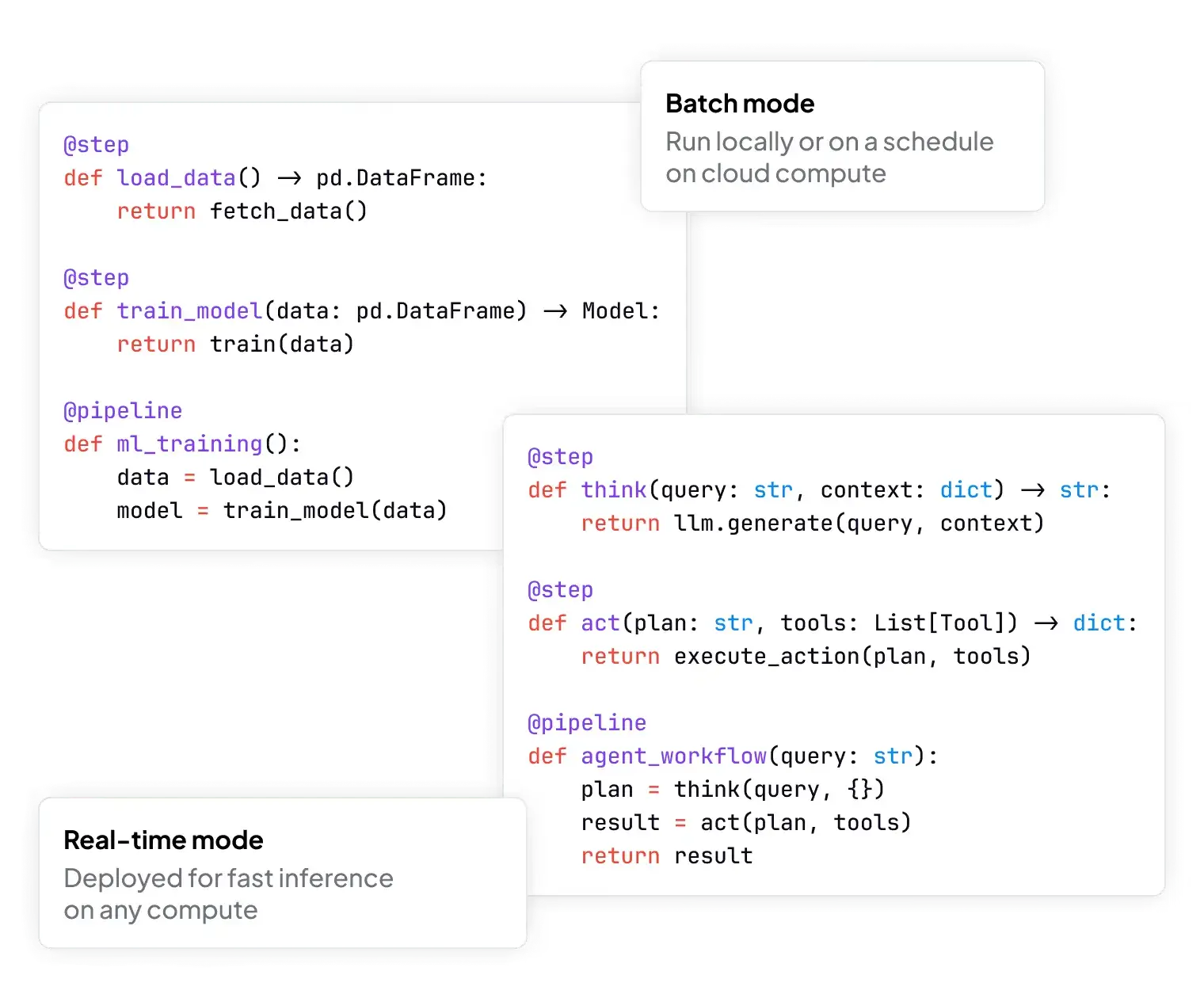
ZenML provides first-class pipeline orchestration as a core feature. It lets you define pipelines in Python code using the @pipeline and @step decorators, connecting steps into a directed flow.
With remote orchestrators (and some execution modes), ZenML builds Docker images for isolated execution and compiles pipelines into orchestrator-native representations (e.g., executing pipelines as Airflow DAGs or running them on Kubeflow Pipelines).
This means you can write a single ZenML pipeline that uses MLflow for experiment tracking; and, if needed, you can trigger LangSmith evaluations or logging from within pipeline steps by calling LangSmith’s SDK/APIs as part of your evaluation workflow.
For example:
from zenml import step, pipeline

@step
def load_data() -> str:
    # Logic to load data
    return "data"

@step
def train_model(data: str) -> None:
    # Logic to train model
    pass

@pipeline
def simple_ml_pipeline():
    data = load_data()
    train_model(data)
This decouples code from the execution engine. You can run pipelines locally or via an external orchestrator and even swap out the execution backend at will without changing your pipeline code. ZenML handles dependencies between steps, spins up containers or jobs for each step, and even caches step outputs to skip recomputation when nothing has changed.
It also handles orchestration features like parallelism and retries via the underlying platform. This means you get reproducible, automated workflows with minimal overhead, making it the most flexible choice for orchestrating complex ML workflows.
Bottom line: ZenML is the winner for orchestration. It’s the only tool built to define and run multi-step ML and AI/LLM pipelines across environments. LangSmith does not orchestrate pipelines, while MLflow can package and re-run code, but depends on external systems for scheduling, dependencies, and retries.
Feature 2. Reproducibility
In production AI, you need to reliably recreate model results and debug issues. Reproducibility ensures that every model, agent run, or prediction can be traced back to its origin.
LangSmith
For LLM applications, reproducibility is about being able to retrace and debug the sequence of calls and prompts that led to a given outcome. Because LLMs are non-deterministic, re-running the same code doesn’t guarantee the same result.
LangSmith is naturally good at LLM reproducibility. It provides full trace logging for each agent run. Every step of an LLM chain, whether it’s prompts, model calls, or tool interactions, is recorded.
You can look at a specific trace from three weeks ago, see exactly what the user input was, what prompts were constructed, and what the LLM output.
It also includes a prompt-engineering workspace with built-in versioning, so you know which prompt version produced which output. You can store and tag different versions of your prompts or chains, so if a prompt is updated, the system keeps the old version for reference.
This is crucial when an LLM’s behavior changes – you can compare runs with the old prompt vs. the new prompt to isolate the effect.
For example, you can reproduce chat-based experiments and regression-test agent behaviors by running the same chain with saved parameters.
However, LangSmith does not natively version arbitrary code or data outside the agent flow; it assumes your model and data management are handled separately.
MLflow
Reproducibility is a core goal of MLflow. An MLflow run can capture parameters, metrics, artifacts (files), and code version metadata, but what you get depends on what your code (or autologging) actually records during the run.
If you want full reproducibility, you typically need to explicitly log or reference your dataset and preprocessing configuration (for example, as artifacts or tags) rather than assuming they will always be captured automatically.
By capturing these, MLflow lets you later reproduce or analyze any run in detail. For example, you might train a model, log one parameter and metric, and save the model so you can compare or reuse it later:
import mlflow
from sklearn.linear_model import LogisticRegression

with mlflow.start_run():
    model = LogisticRegression(C=1.0)
    model.fit(X_train, y_train)

    mlflow.log_param("C", 1.0)
    mlflow.log_metric("accuracy", model.score(X_test, y_test))
    mlflow.sklearn.log_model(model, "model")
This is the typical MLflow pattern: wrap your training code in a run, log what matters, and let MLflow handle tracking and storage. If you use the MLflow Project format, it can also define the Conda environment or Docker container used for the run. This allows you to re-run a training script and get statistically similar results.
The limitation is that MLflow often requires manual logging. If you forget to log a specific dataset version or a preprocessing config, that link is lost forever.
ZenML
ZenML takes reproducibility to the next level by baking it into the pipeline execution.
Our framework tracks artifacts and lineage for pipeline runs and can containerise execution for remote orchestrators. For immutable Pipeline Snapshots (DAG + code + configuration + container images), ZenML Pro provides snapshot functionality.
With ZenML, you can:
- Trace a deployed model back to the exact run, data slice, and code commit that produced it.
- Run the pipeline today or later on a new cluster or machine, and ZenML can help reproduce the execution environment when you use pinned dependencies and container images (or Pipeline Snapshots in ZenML Pro).
Combined with the pluggable Stack framework, which supports custom orchestrators or object stores, ZenML ensures pipelines are fully reproducible across any infrastructure.
This level of reproducibility automation is largely transparent and saves time debugging “it works on my machine” issues.
Bottom line: Among the three tools, ZenML wins on this metric because it handles code, data, and config lineage natively, making it a natural choice if you need guaranteed consistency and lineage for every model or workflow in production.
Feature 3. Model/Agent Deployment
Once you have a working model or agent, you need to expose it to the world. For that, the deployment model is crucial. Each tool takes a distinct approach to serving models or LLM-powered agents in production.
LangSmith
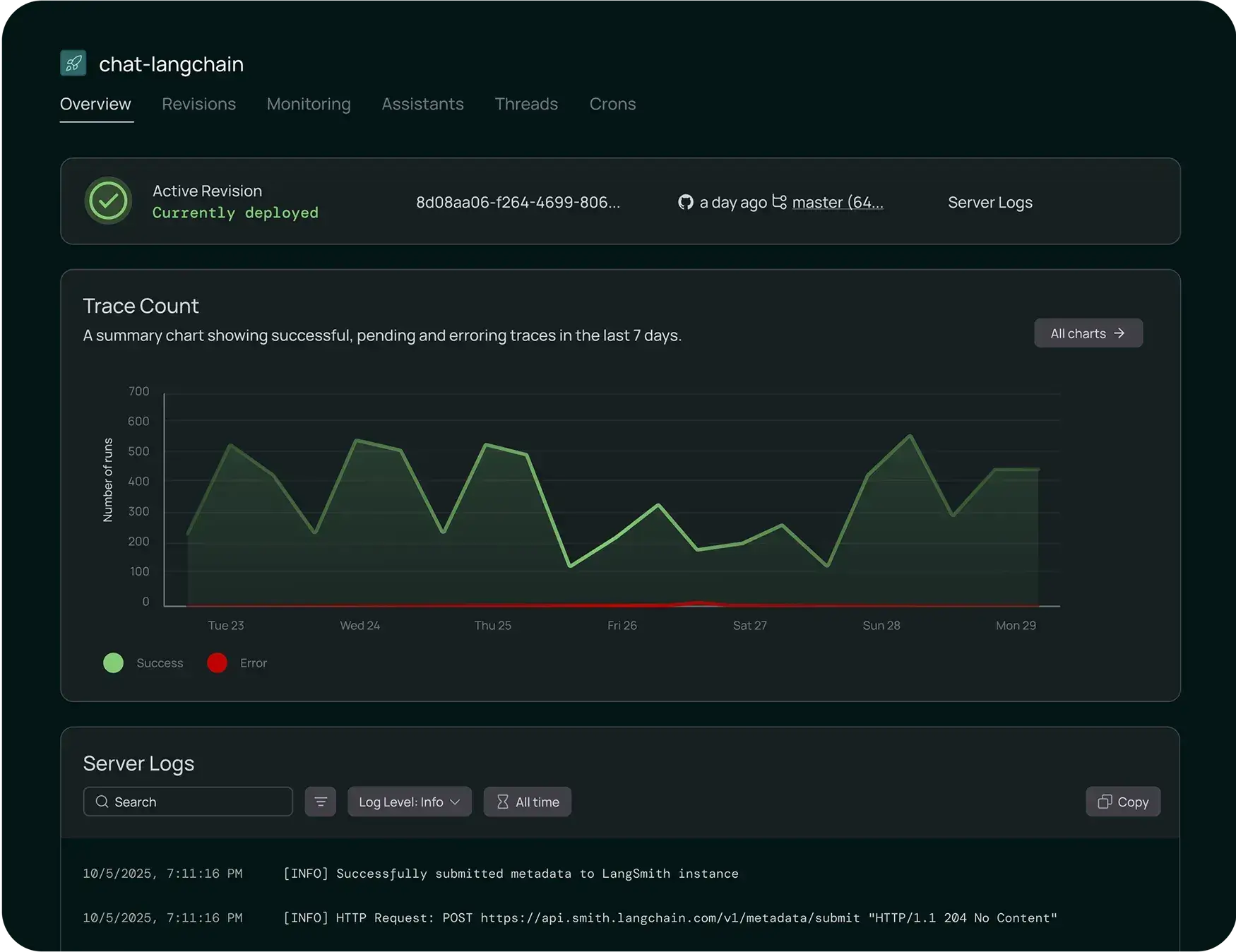
LangSmith Deployment (formerly the LangGraph platform) is purpose-built to manage long-running, stateful agent deployments. You can launch an agent with essentially one click or command. The system automatically handles the heavy lifting around state management.
For example, it offers built-in data stores for agent memory, session tracking, and tool outputs. There’s no need to build custom state-store endpoints: LangSmith Deployment provides built-in APIs for conversation threads, checkpoints, and related state management. It also includes version control for your agents, so you can instantly roll back to a previous version if a new release behaves unexpectedly.
However, LangSmith’s deployment is specific and not intended for general model serving or complex inference pipelines. For non-agent models, you would use other frameworks.
MLflow
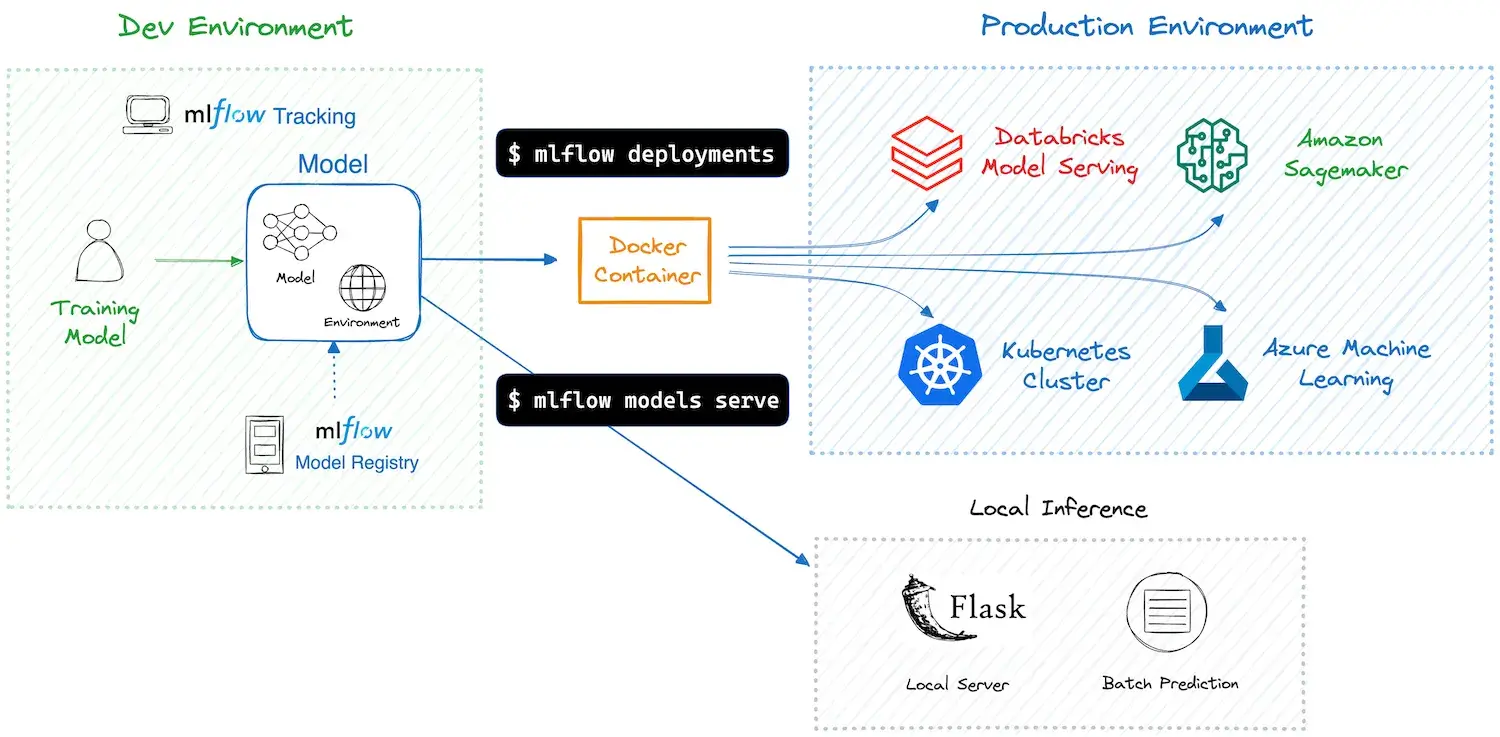
MLflow handles deployment from a model-first angle. Once you train and register a model, MLflow gives you a few straightforward ways to serve it.
For quick validation or lightweight use cases, you can start a local REST endpoint for any logged model. Running mlflow models serve instantly triggers an HTTP API, which works well for testing, demos, or internal tools. MLflow also hides framework differences through its flavors, so a scikit-learn model and a TensorFlow model follow the same serving pattern.
When you move to production, MLflow relies on external platforms instead of running a full serving system itself:
- Cloud services: deploy models to AWS SageMaker or Azure ML as real-time endpoints
- Databricks: serve models on managed infrastructure with autoscaling and access controls
- Containers and Kubernetes: package models into Docker images and deploy using compatible serving layers
MLflow treats each model as a portable unit with its code and environment bundled together. You handle the surrounding infrastructure, while MLflow bridges the gap between training and production deployment.
📚 Read more MLflow-related articles:
- Comparing Kubeflow vs MLflow vs ZenML
- What are the top alternatives to MLflow
- Compare Metaflow with MLflow and ZenML
ZenML
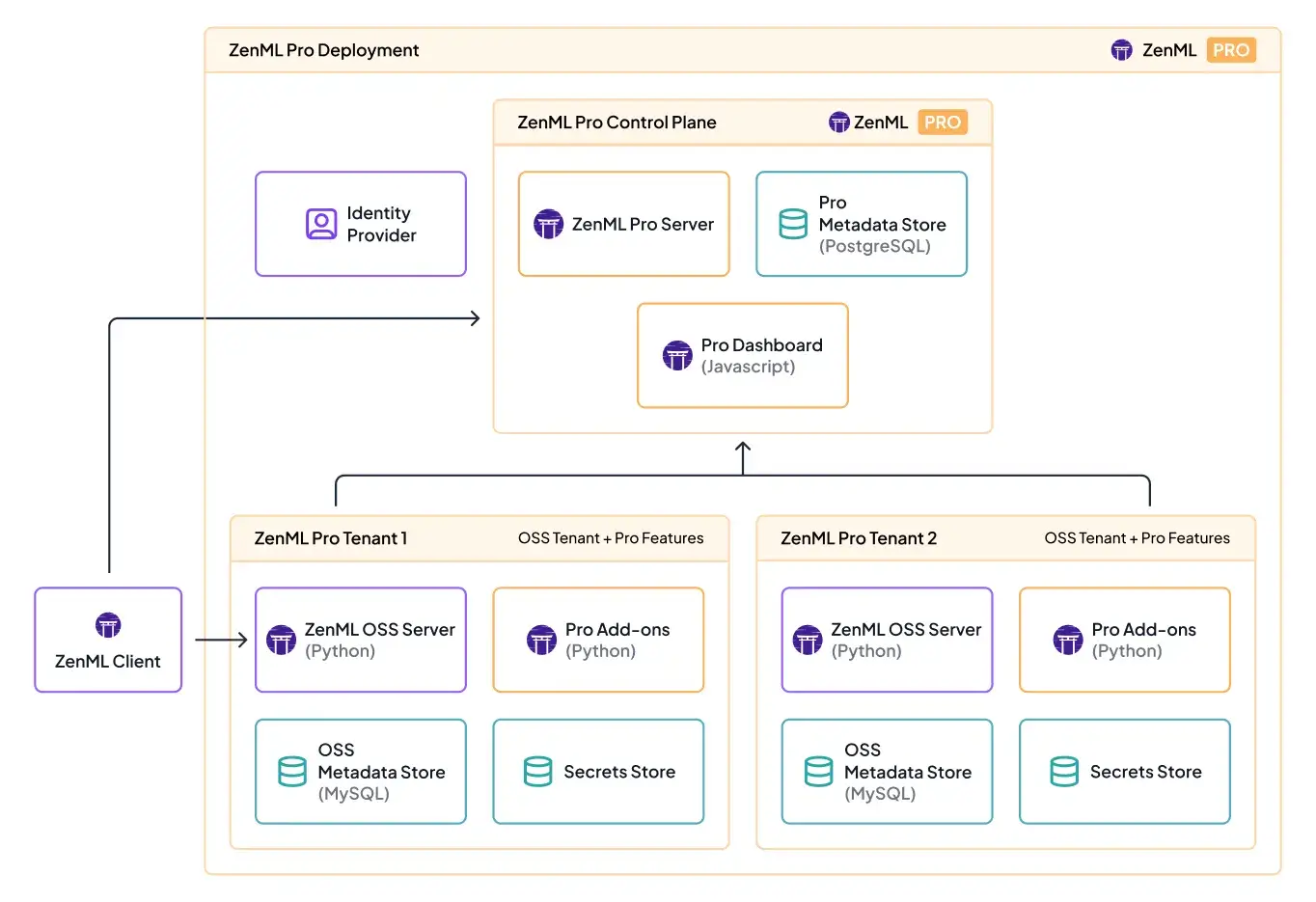
ZenML treats deployment as part of your pipeline, not a separate handoff at the end. Instead of acting as a model server, ZenML connects your trained models to external serving tools through code you already version and run.
Once your pipeline has finished training and evaluation, you can add a deployment step that automatically deploys the model to a serving platform. You configure this once in your ZenML stack, and the pipeline handles the rest.
Common deployment options include:
- KServe: deploy models to Kubernetes as REST endpoints
- Seldon Core: serve models with Kubernetes-native scaling
- MLflow deployer: reuse MLflow’s serving logic through ZenML
ZenML also supports deploying more than just single models. You can deploy an entire inference pipeline as a long-running HTTP service. This works well when prediction requires preprocessing, multiple models, or post-processing.
Under the hood, ZenML packages the pipeline and routes requests through the defined steps. You can serve simple models or complex multi-step workflows using the same framework. Deployment stays versioned, repeatable, and visible in the ZenML dashboard, which keeps training and serving tightly connected.
Bottom line: Each tool wins at a different deployment layer:
- LangSmith is best for deploying stateful LLM agents with built-in memory and versioning.
- MLflow excels at serving trained ML models as portable REST endpoints or managed services.
- ZenML connects deployment directly to pipelines and automates model or inference-pipeline rollout as part of training.
LangSmith vs MLflow vs ZenML: Integration Capabilities
Integration with other tools is crucial for any production AI platform. Each of these tools has a different focus for external integrations, reflecting their core use cases.
LangSmith
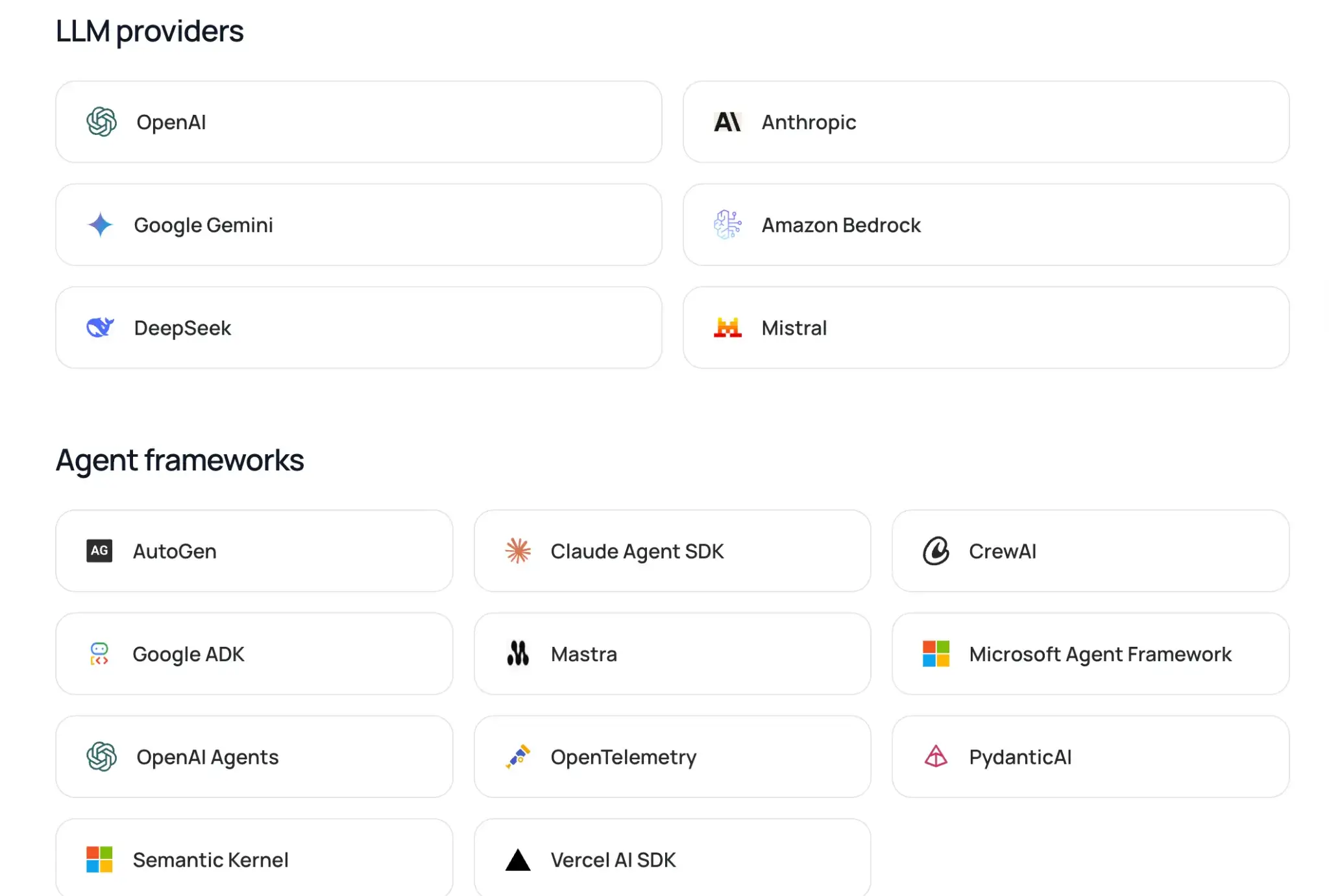
LangSmith integrates deeply with LangChain and LangGraph, but it is framework-agnostic and can be used with or without LangChain’s open-source libraries. This means if you build your chains or agents with LangChain, LangSmith can start logging and tracing them with minimal setup.
LangSmith also connects to popular large language model APIs and agent frameworks. For example, it offers integrations for OpenAI, Anthropic, and other major LLM providers through LangChain’s modules.
MLflow
MLflow is designed to work with common ML libraries and platforms. It supports native autologging for popular frameworks such as scikit-learn, PyTorch, TensorFlow, and XGBoost.
It’s also vendor-neutral. You can run MLflow on a local machine, on-prem infrastructure, or in the cloud without changing your code. This makes it easy to start small and move to shared or hosted setups as your team grows.
On the deployment side, MLflow connects with major cloud services:
- AWS SageMaker: deploy MLflow models to SageMaker using MLflow’s supported SageMaker deployment tooling (and the
mlflow.deploymentsinterface where applicable). - AzureML: deploy and manage models through AzureML tooling and CLI
- Databricks: use MLflow as a fully managed service with added enterprise features
MLflow does not provide its own workflow orchestration, but it logs from almost anywhere with minimal friction. In more complex stacks, MLflow tracking data can also be consumed by higher-level frameworks like ZenML through MLflow connectors, allowing you to keep MLflow as the tracking layer while managing pipelines elsewhere.
ZenML
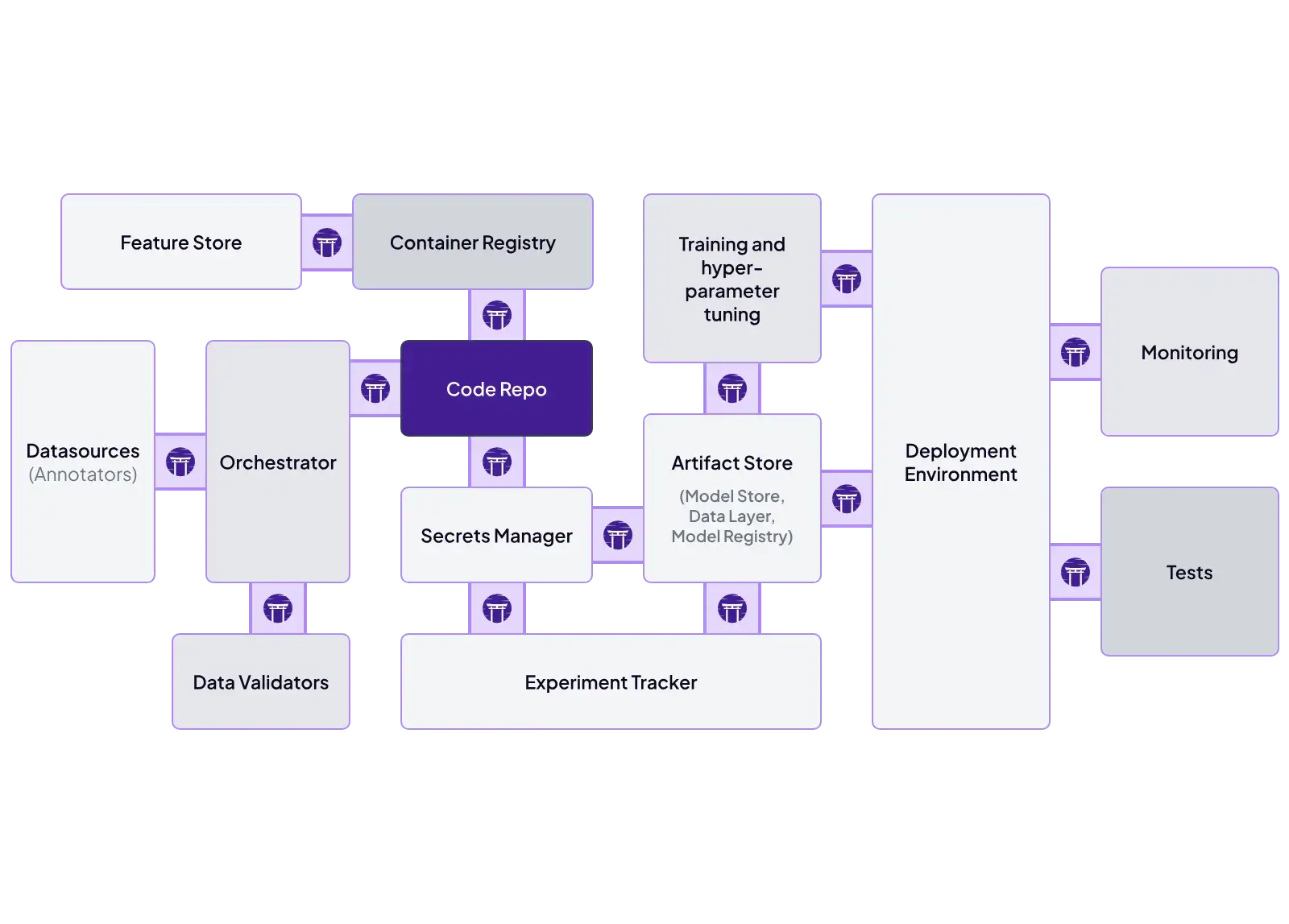
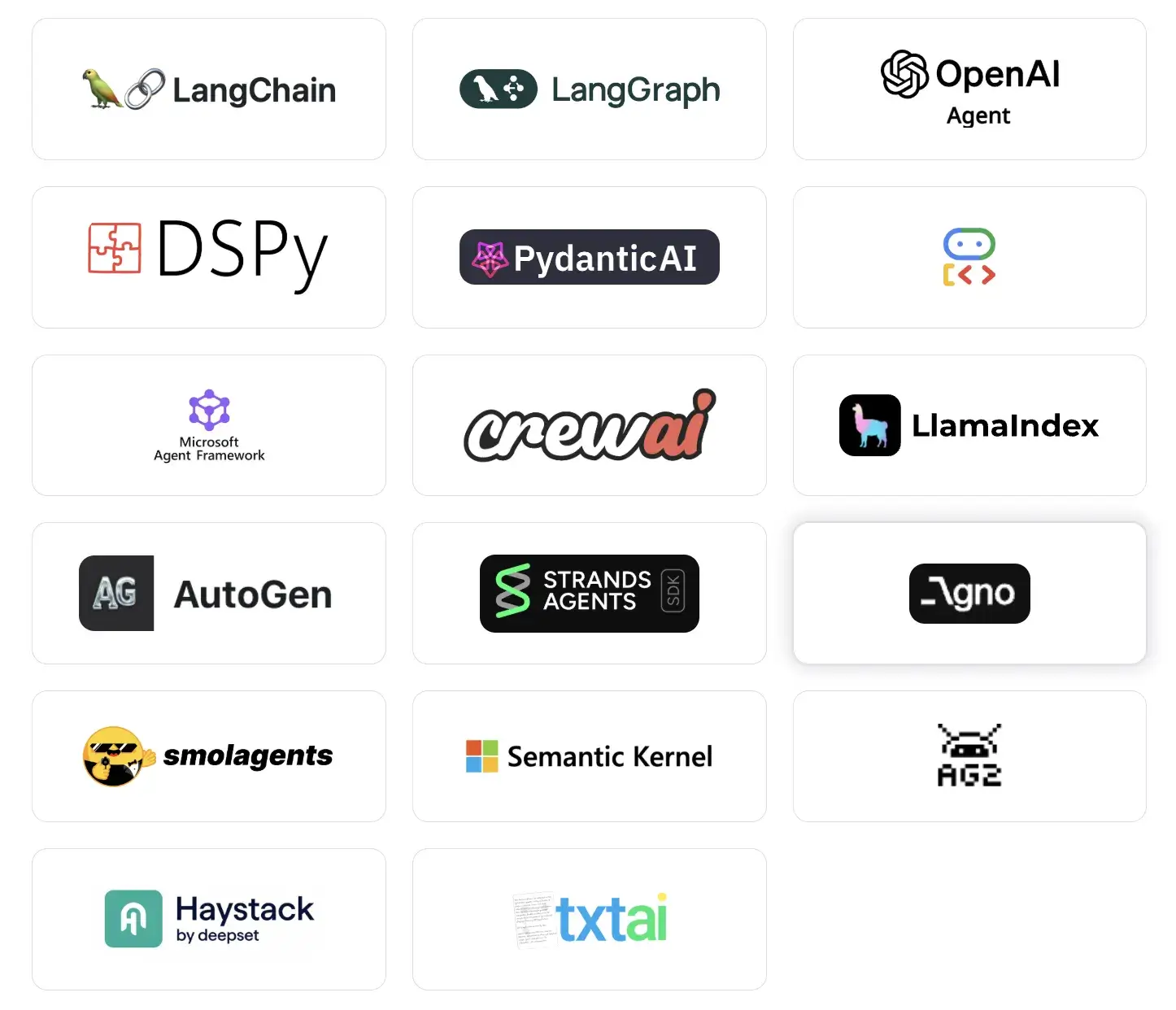
ZenML is designed to be extensible from the ground up. It treats integrations as first-class stack components, which lets you connect existing infrastructure without rewriting pipelines. Each part of the ML workflow is configurable and swappable.
ZenML supports integrations to a range of tools across the stack, including:
- Orchestrators: Airflow, Kubeflow, AWS Step Functions, local execution
- Metadata stores: SQLite, PostgreSQL, MySQL
- Artifact stores: Amazon S3, Google Cloud Storage, Azure Blob, local files
- Experiment trackers: MLflow, Weights & Biases, Comet
- Modeling: Hugging Face, LightGBM, NeuralProphet
ZenML also integrates with feature stores, secret managers, data validation tools like Great Expectations, and LLM-focused services.
This means teams can mix and match tools. You might run pipelines on Airflow, track experiments in MLflow, store artifacts in S3, and serve models with Seldon, all coordinated through ZenML. This makes incremental adoption straightforward without forcing a full-stack rewrite.
LangSmith vs MLflow vs ZenML: Pricing
All three tools offer free access to their core functionality, but costs can arise as you scale or opt for managed services.
LangSmith
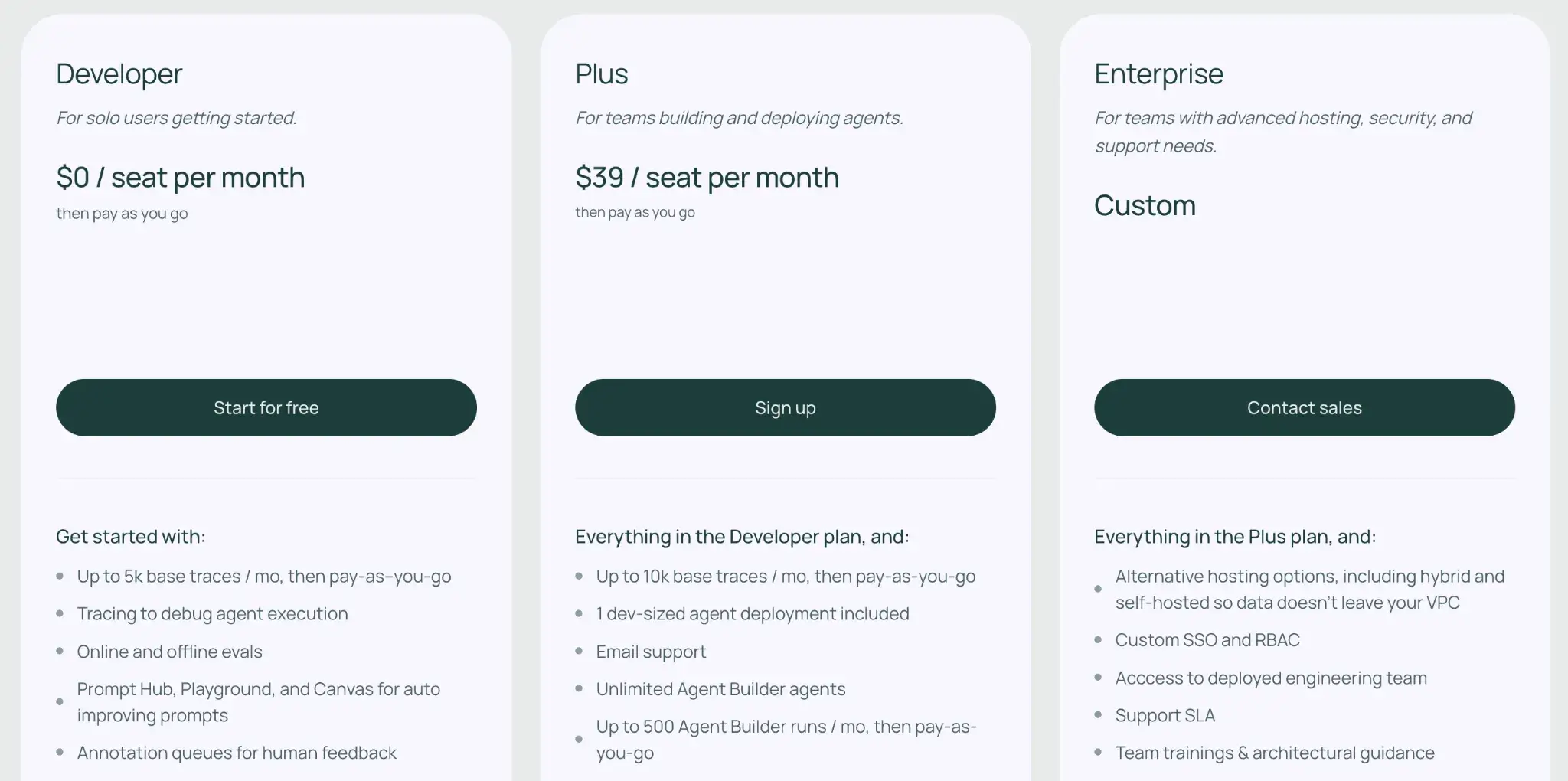
LangSmith pricing is seat-based plus usage-based.
- Developer: $0 per seat/month (1 seat max), includes up to 5k base traces/month, then pay-as-you-go for additional traces.
- Plus: $39 per seat/month, includes up to 10k base traces/month, then pay-as-you-go for additional traces. Plus also includes 1 dev-sized agent deployment.
- Enterprise: Custom pricing; can include advanced security and alternative hosting options (including hybrid or self-hosted).
👀 Note: Trace pricing depends on the retention tier you choose (base vs extended retention), and deployment usage is billed separately outside the included free deployment.
MLflow
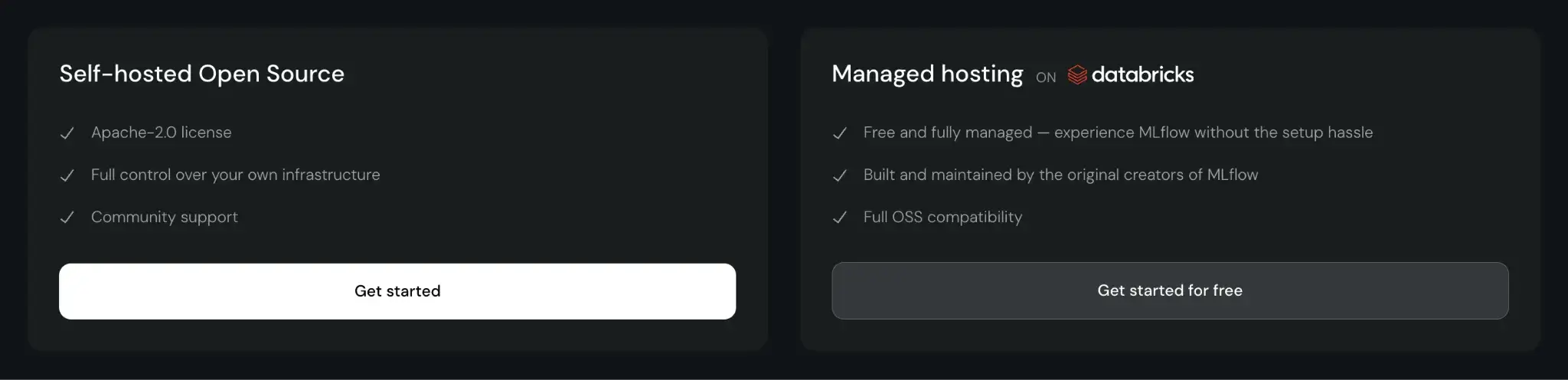
MLflow is open-source and free to use. You can self-host it, which incurs infrastructure and maintenance costs. Managed MLflow services, like those on Databricks or AWS, charge based on the compute and storage resources you consume.
ZenML
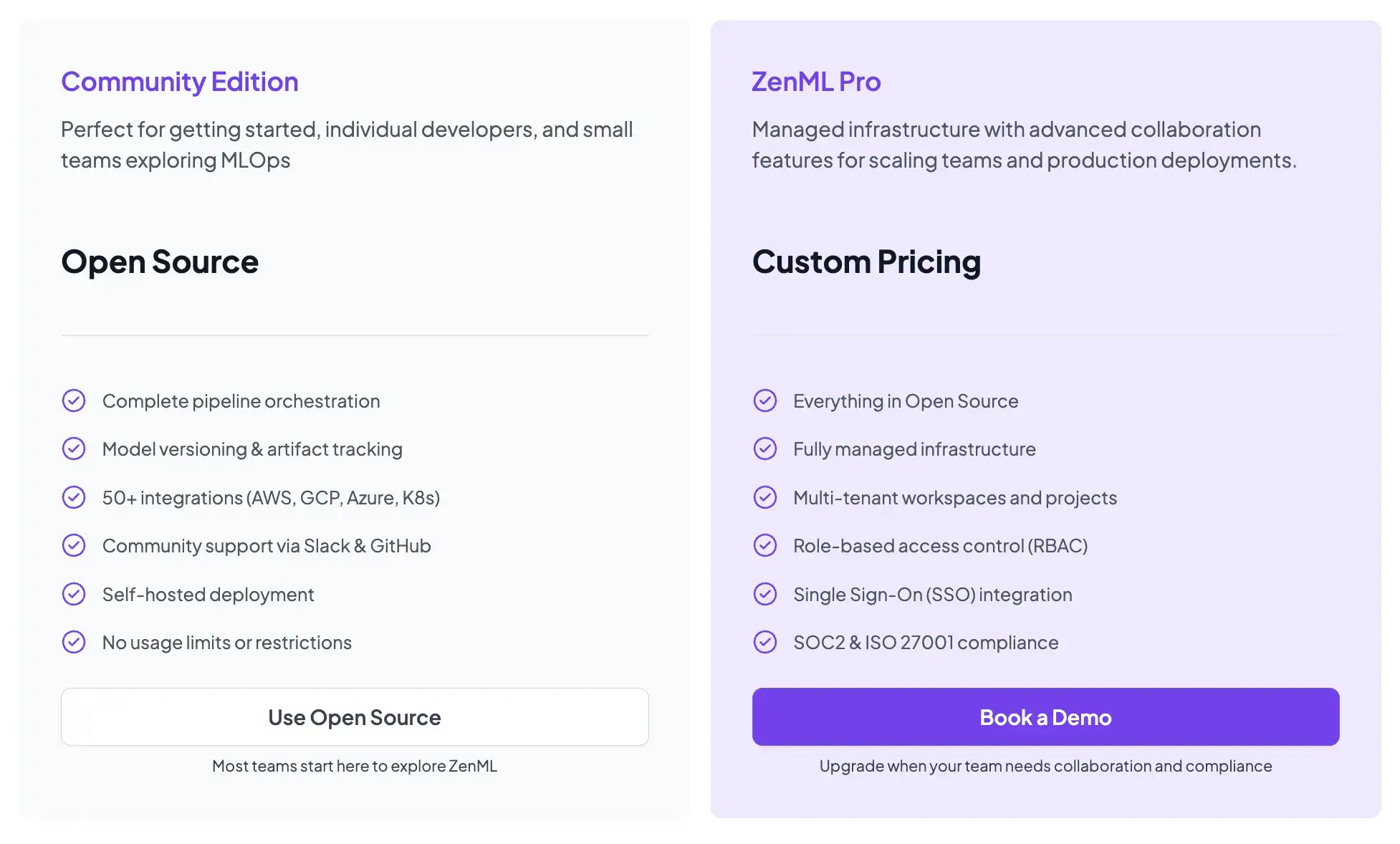
ZenML is also open-source and free to start.
- Community (Free): Full open-source framework. You can run it on your own infrastructure for free.
- ZenML Pro (Custom pricing): A managed control plane that handles the dashboard, user management, and stack configurations. This removes the burden of hosting the ZenML server yourself.
Wrapping Up
Each tool serves a distinct purpose in the production AI stack. To decide which platform fits your needs, consider what you prioritize:
- Choose LangSmith if your focus is on building language model applications and you need robust tools for tracing LLM calls, testing prompts, and debugging agent chains. It’s ideal for iterating on prompts, evaluating outputs, and monitoring LLM-driven workflows where prompt quality and agent logic are critical.
- Choose MLflow if you primarily need to track experiments, log metrics, and manage model versions for classical ML tasks. It excels as a lightweight tracking server and model registry when pipeline orchestration or complex deployment workflows are not your main concern.
- Choose ZenML if you want a unified MLOps/LLMOps platform to orchestrate end-to-end pipelines, or to integrate MLflow for logging and LangSmith for LLM observability within a single, consistent workflow.