
On this page
Shipping AI agents that run arbitrary code sounds simple until you try to do it safely. You deal with runaway compute costs, weak isolation, short-lived sessions, and sandboxes that break under real workloads.
E2B solves part of this problem, but it’s not a one-size-fits-all tool. Many teams find pricing adds up at scale and hit a wall when they get into concurrency limits, persistence, or control over infrastructure.
That’s where E2B alternatives come in. ML and platform engineers look for sandbox runtimes that fit how they actually deploy agents.
In this guide, we break down the 10 best E2B alternatives for deploying AI sandboxes. You’ll see how each option handles isolation, execution, pricing, and real-world agent workloads, so you can pick a sandbox that won’t collapse once you move past demos.
E2B Alternatives: Quick Overview
- Why look for alternatives: E2B’s paid tiers add a base subscription plus usage-based compute, and the platform enforces strict concurrency limits and session timeouts that disrupt long-running reasoning tasks.
- Who should care: ML and platform engineers, and Python developers who run untrusted or AI-generated code at higher volume, or who need stronger guarantees around runtime and state retention.
- What to expect: A detailed comparison of 10 E2B alternatives graded on sandbox-focused features, isolation methods, statefulness, and deployment options.
The Need for an E2B Alternative?
1. Cost Becomes Unpredictable at Scale
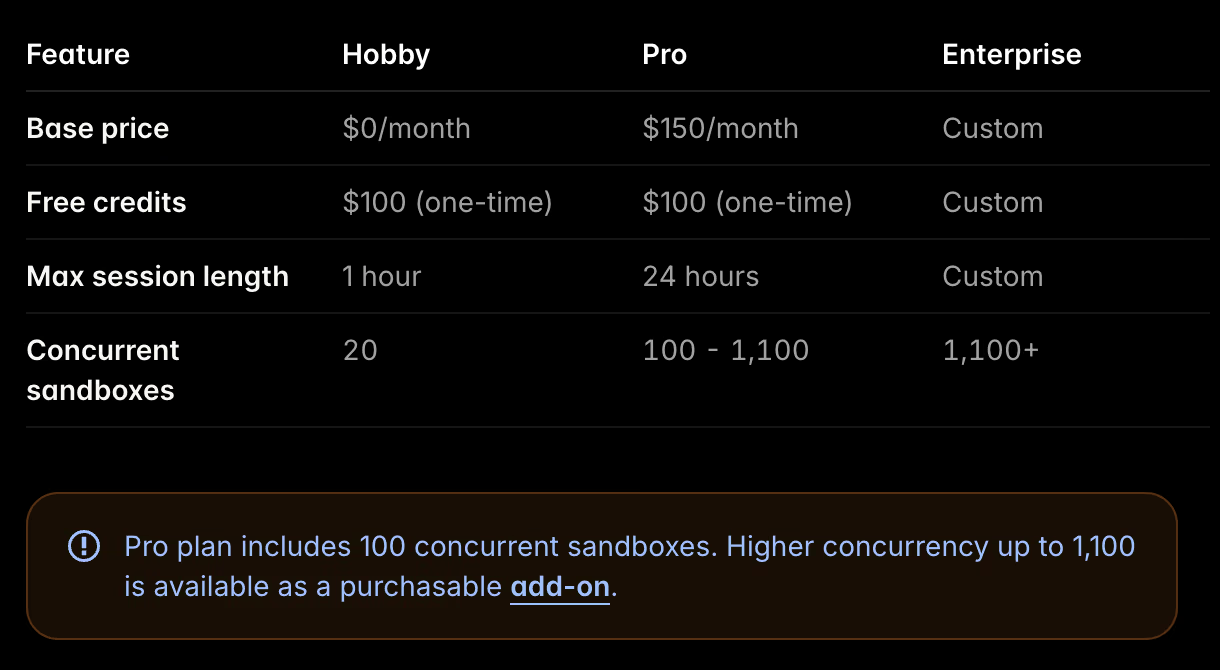
E2B operates on a model that combines a base subscription plus usage-based runtime costs. No doubt, this works well for short tasks like initial prototyping phases. But budgeting gets harder once agents fan out into many parallel jobs or keep environments alive to debug failures.
Per-second billing leads to unexpected invoice spikes when an agent enters an infinite loop or stalls during an operation.
A better alternative would offer fixed capacity models or reserved compute pricing for internal tools. Teams migrating away from E2B often like to run workloads within their own cloud accounts to leverage existing compute discounts.
2. Hard Limits on Session Length and Concurrency
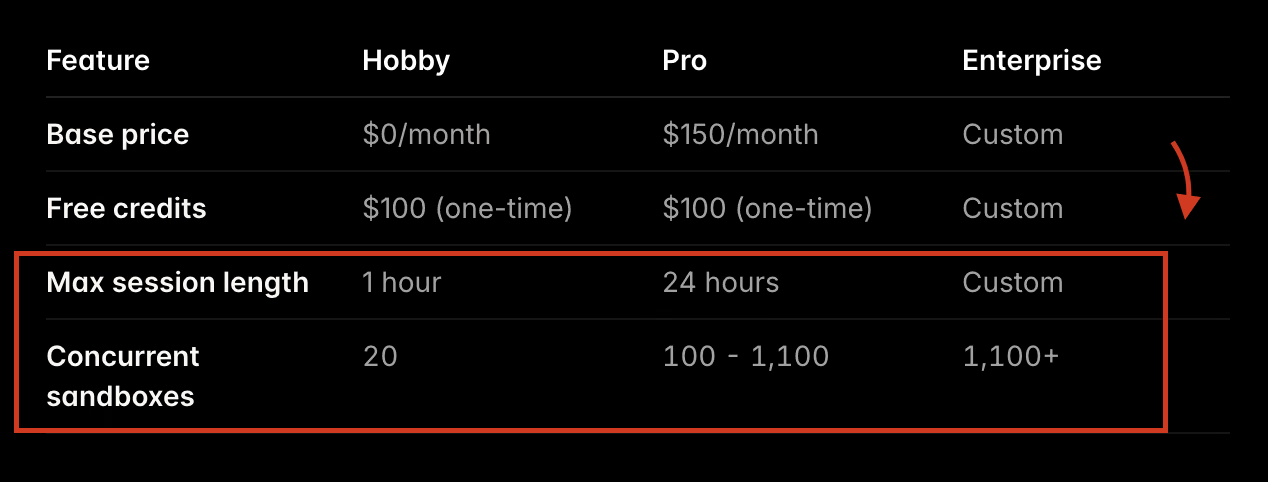
E2B imposes hard limits on how long a single session can remain active and how many sessions can run simultaneously. For example,
- The entry-level tiers limit maximum session lengths to 1 hour.
- ‘Pro’ tier cap session duration at 24 hours and impose concurrency ceilings.
Similarly, E2B caps concurrent sessions. The Hobby plan supports up to 20 concurrent sandboxes and the Pro plan includes 100 concurrent sandboxes. Concurrency can be increased further with an add-on (up to 1,100 concurrent sandboxes, depending on plan/contract).
On Vercel Sandbox, the max runtime is 45 minutes on Hobby and 5 hours on Pro/Enterprise, with 10 concurrent sandboxes on Hobby and 2,000 on Pro/Enterprise.
If your agent needs a multi-hour or multi-day state, you either serialize the state out of the sandbox or you choose a platform with longer sessions.
3. Persistence is Not Always ‘Production-Grade’ Yet
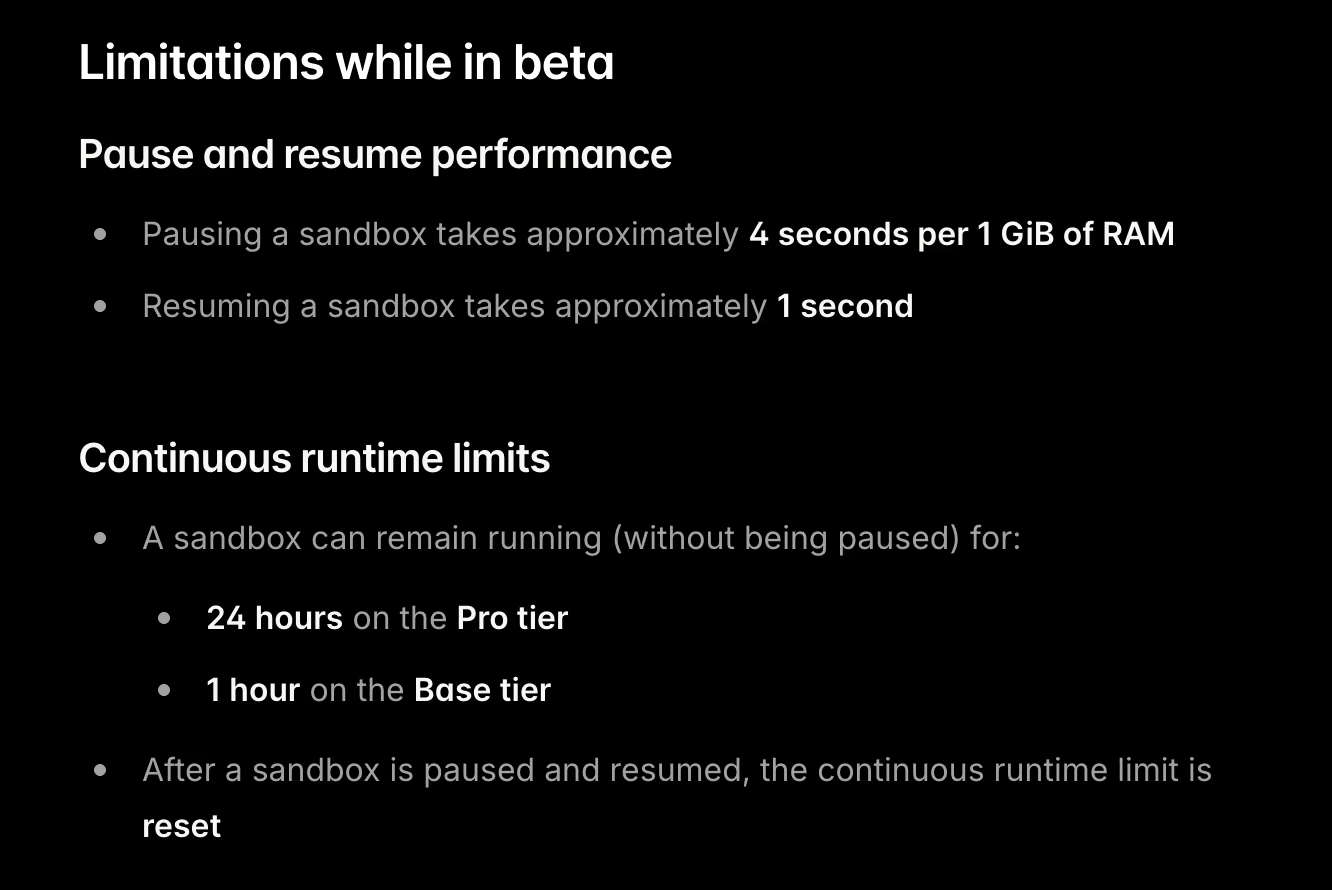
E2B Sandbox persistence is in public beta, with documented limitations; pausing takes ~4 seconds per 1 GiB RAM, and resume is ~1 second. Because the persistence layer is still evolving, if your team needs formal durability/retention guarantees, we suggest looking for an alternative.
E2B’s Build System 2.0 has shown reliability issues around sandbox template creation. There are open GitHub issues reporting persistence problems in some scenarios (for example, file changes not persisting after multiple resume cycles).
While this does not indicate problems with filesystem persistence itself, it adds friction for you if you depend on custom templates for repeatable agent runs. When template builds are unstable, creating fresh sandboxes from a known baseline becomes harder to automate, test, and debug in high-concurrency agent workflows.
Evaluation Criteria
We evaluated E2B alternatives based on how well they hold up in real-world, production sandbox workflows, not demos. And here are the evaluation criteria we suggest you consider before making an investment:
- Isolation model and security posture: We focused on how platforms isolate untrusted code from host infrastructure. Some rely on hardware-backed microVMs for stronger boundaries, while others use container-based or user-space isolation. This choice directly impacts how safely you can run AI-generated code at scale.
- Deployment model and data control: We assessed where sandboxes actually run. Fully managed platforms trade control for convenience. Bring-your-own-cloud options lets you execute sandboxes inside your own AWS or GCP accounts, which is often non-negotiable for data residency, compliance, or internal security policies.
- Scalability limits and quotas: We looked past headline scaling claims and examined real limits: maximum concurrent sandboxes, autoscaling ceilings, and cold-start latency. For agent-driven workflows, slow startup times or low concurrency caps quickly become bottlenecks.
- Lifecycle and state handling: We compared how platforms treat sandbox state. Some assume every run is disposable. Others support persistence, snapshots, or pause-and-resume flows. These differences matter when debugging agents, running long tasks, or resuming work without rebuilding environments from scratch.
What are the Top Alternatives to E2B
Here’s a quick table comparing the best E2B alternatives:
| E2B Alternatives | Best For | Key Features | Pricing |
|---|---|---|---|
| Modal Sandboxes | Running isolated Python workloads and agent jobs at scale | - Per-sandbox container isolation - GPU and CPU execution support - Programmatic sandbox lifecycle | - Free - Paid plans start at $250 + usage |
| Daytona | Teams that need self-hosted, persistent dev and agent sandboxes | - VM or container-based isolation - Persistent workspaces - Runs in your own cloud | - Free (Open source) - Pay-as-you-go |
| Vercel Sandbox | Short-lived sandboxed execution for web and edge workloads | - Ephemeral sandbox environments - Fast startup times - Tight Vercel integration | - Free - Paid plans start at $20 per month + usage |
| Cloudflare Sandboxes | Running untrusted code close to the edge | - Container-based (Cloudflare Containers) - Sandbox SDK APIs for commands/files/services - Global Cloudflare platform integration | - Usage-based |
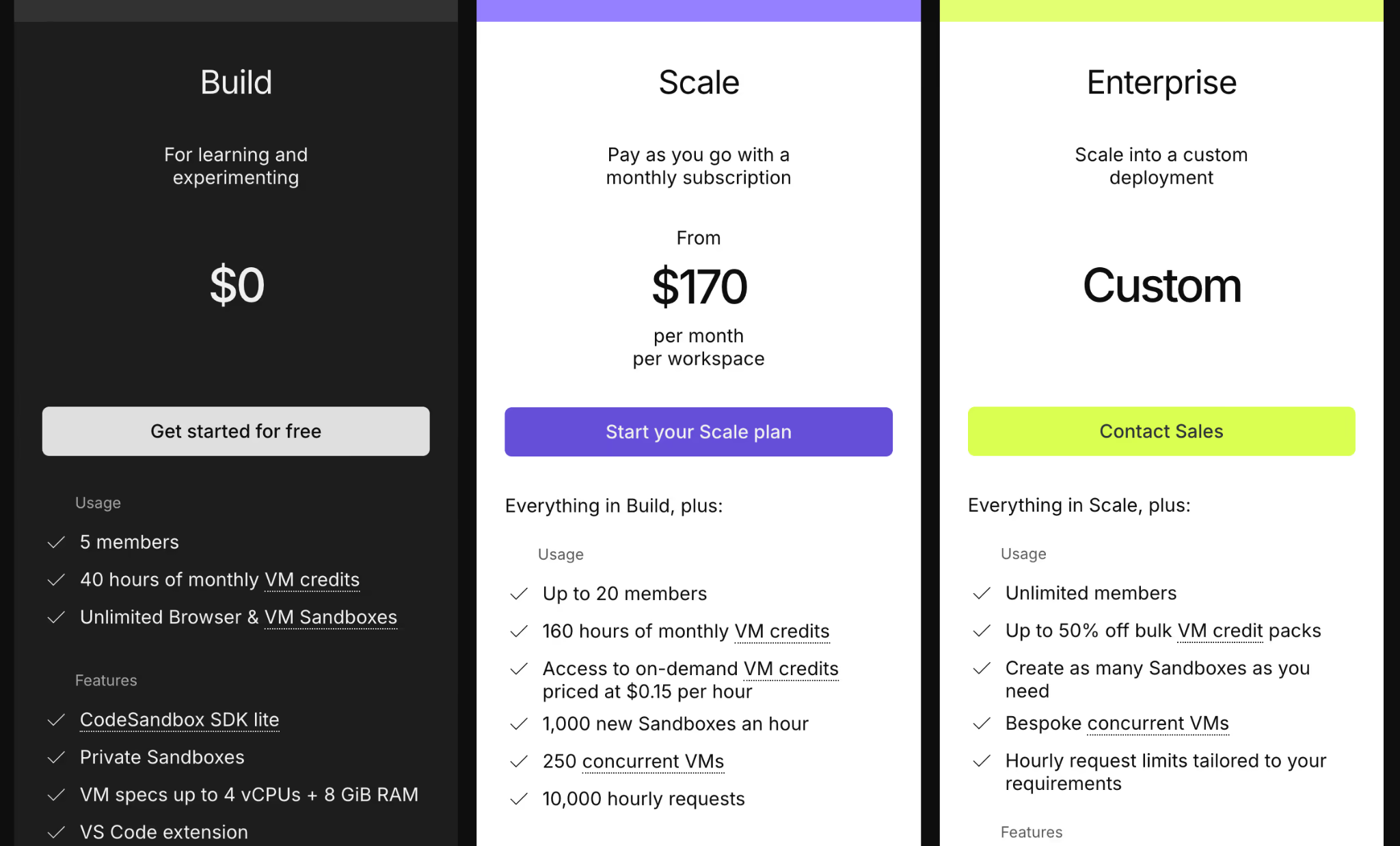
| CodeSandbox SDK | Embedding sandboxed dev environments inside products | - Container-based sandboxes - Browser and cloud execution - Session-scoped environments | - Free - Paid plans start at $170 per month (per workspace). |
| Runloop | Long-running agent and dev environments with state | - VM-backed isolation - Persistent disks - SSH and tooling access | - Free - Paid plans start at $250 + usage |
| Sprites | Persistent microVMs that hibernate with state | - Firecracker microVM isolation - Persistent ext4 filesystem + hibernate/resume - Checkpoints for rollback/forking and per-sandbox HTTP URLs | - Usage-based |
| Northflank Sandboxes | Teams deploying sandboxed services and jobs | - Container and service isolation - Kubernetes-backed execution - Persistent volumes supported | - Usage-based |
| Beam Cloud | GPU-backed sandboxed Python execution | - Containerized GPU runtimes - On-demand execution - Optional mounted storage | - Free - Paid plans start at $89 per month + usage |
| Blaxel | Agent runtimes with managed sandbox execution | - Per-agent isolated environments - Managed runtime control - Optional state persistence | - Pay-as-you-go |
1. Modal Sandboxes
Modal’s Sandboxes are secure containers you control from code. They are a strong E2B alternative when you want a Python-first API plus first-class snapshotting for branching agent runs and reducing setup overhead.
Features
- Execute commands inside an isolated sandbox using
Sandbox.exec, with direct access to stdout and stderr for debugging and inspection. - Enforce network isolation by blocking inbound traffic and denying access to other Modal resources by default, with explicit configuration required to open access.
- Create and restore snapshots of the sandbox filesystem, with early-stage memory snapshot support to roll back state or branch agent runs mid-execution.
- Run arbitrary code in a controlled environment for code-interpreter style workloads, including dynamic script execution and tool-driven agents.
- Build workflows in Python using Modal’s SDK patterns, making sandboxes easy to integrate into existing Python-based ML and agent pipelines.
Pricing
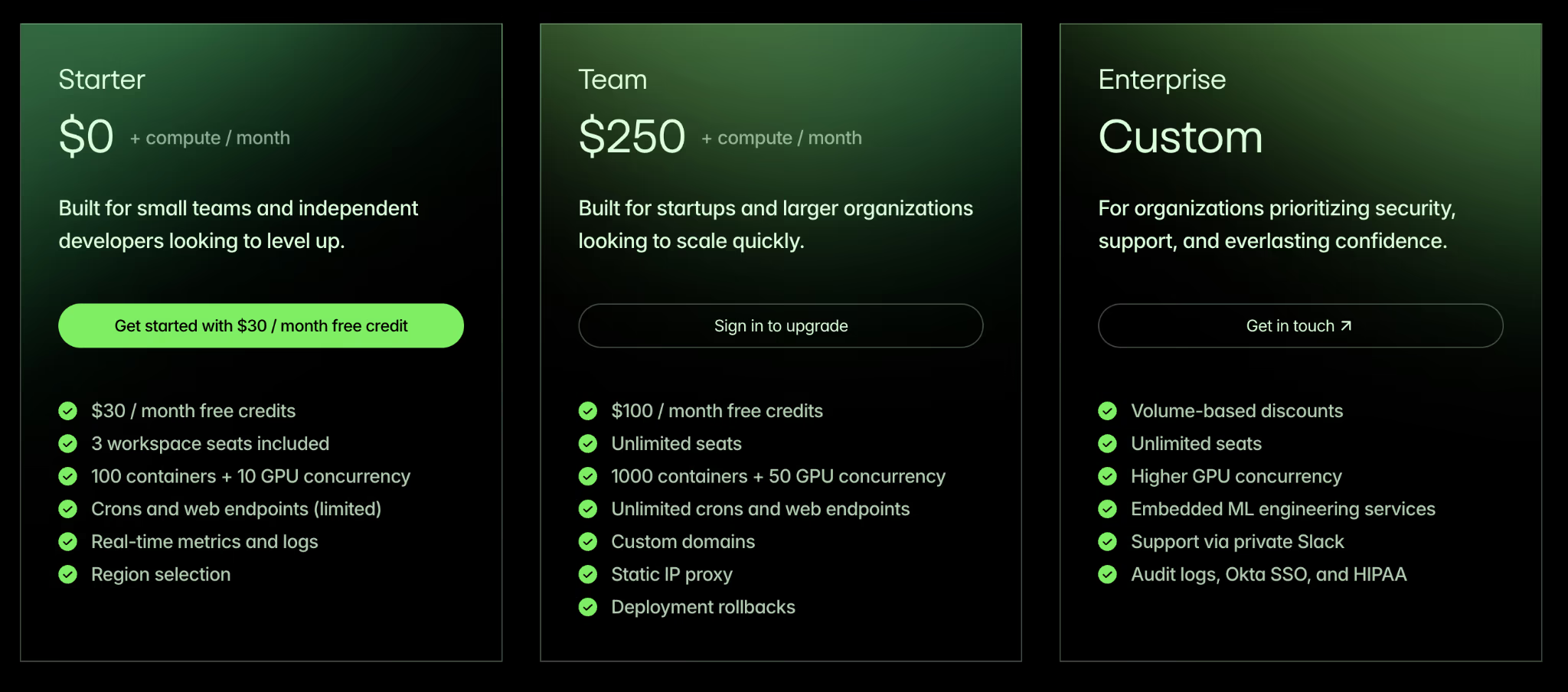
Modal offers a fixed subscription plus per-second unit pricing for CPU cores and memory for Sandboxes and Notebooks.
The entry tiers are as follows:
- Starter: $0 + compute/month
- Team: $250 + compute/month
- Enterprise: Custom pricing
Pros and Cons
Modal is praised for its nearly instant cold start times and exceptional developer experience. The native Python SDK eliminates the friction of managing Dockerfiles. You can spin up massive parallel workloads with just a few decorators.
However, Modal’s lack of on-premise deployment means you must run your workloads on their managed infrastructure. Also, the focus on Python means developers using other languages face a steeper learning curve or miss out on integrations.
2. Daytona
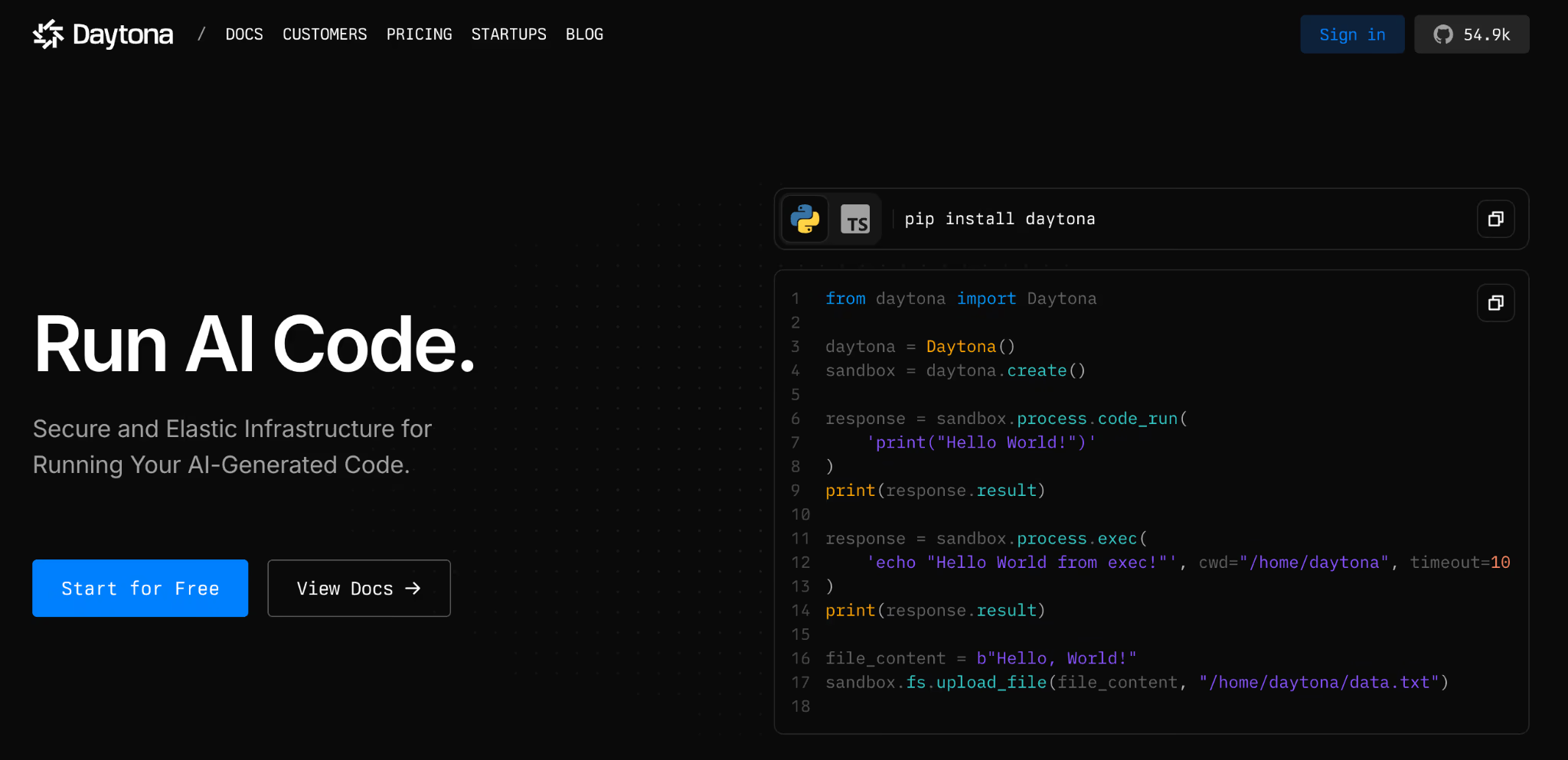
Daytona is an open-source development environment for running AI-generated code, with fast sandbox creation. It is a good E2B alternative when you want long-lived workspaces with a secure and elastic runtime and extremely low latency.
Features
- Daytona claims sub-90ms sandbox creation from a warm pool in its startup-program materials.
- Run custom environments through OCI and Docker-compatible images, so agents start from predefined stacks instead of generic base images.
- Supports long-lived workspaces designed to persist across restarts and repeated executions (subject to deployment and retention configuration).
- The system includes built-in Language Server Protocol support for native code editor integrations.
- Prepare for parallel agent branches with a roadmap focused on forking the filesystem and memory state to support concurrent execution paths.
Pricing
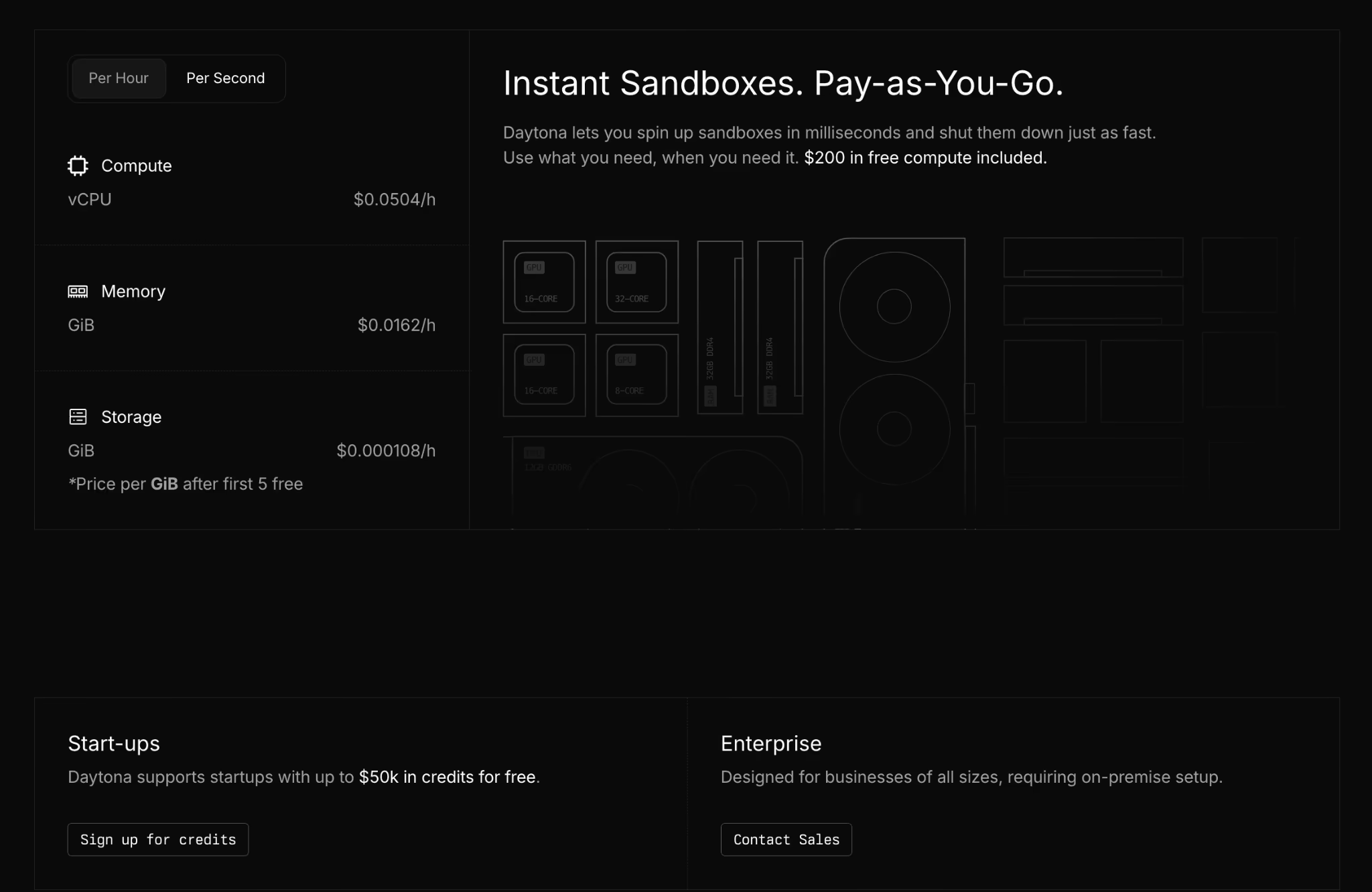
Daytona offers a usage-based pricing model with no upfront costs. For Startups, it offers a zero-cost starting point with $50k in free credits.
Pros and Cons
When we ran a check on Reddit, overall, users shared positive sentiments around Daytona’s stateful agent environments and team support. Product Hunt reviews also call out fast startup and quick SDK integration. The self-hosted deployment option gives enterprise teams more control over data residency and security posture.
On the negative side, the ecosystem is still maturing. Active GitHub issues show hundreds of SDK bugs and lifecycle glitches you should be ready to handle in early production. We also found that advanced features like live network tunneling are not as refined as those on older platforms.
3. Vercel Sandbox
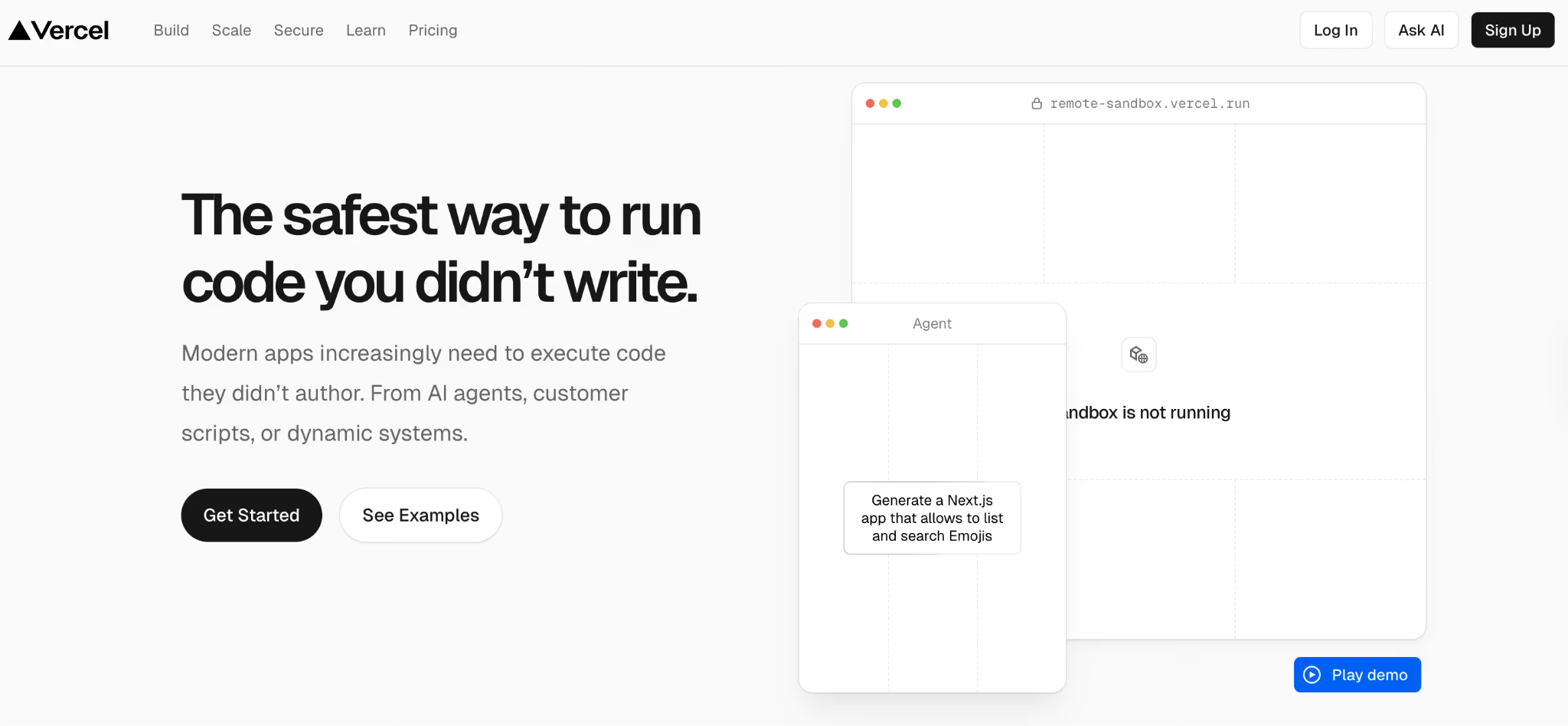
Vercel Sandbox is an extension of the Vercel edge network designed specifically for code execution tasks. It uses Firecracker microVMs to provide a secure boundary for untrusted code.
Features
- Create on-demand ephemeral Linux microVMs through the SDK to execute untrusted or user-generated code in a controlled environment.
- Isolate execution environments with a private filesystem, separate network namespace, and kernel-level process boundaries.
- Built-in timeouts, plus plan-based maximum runtime limits to control resource usage.
- Run CLI-based workflows that allow command execution and file transfer for inspection and issue analysis.
Pricing
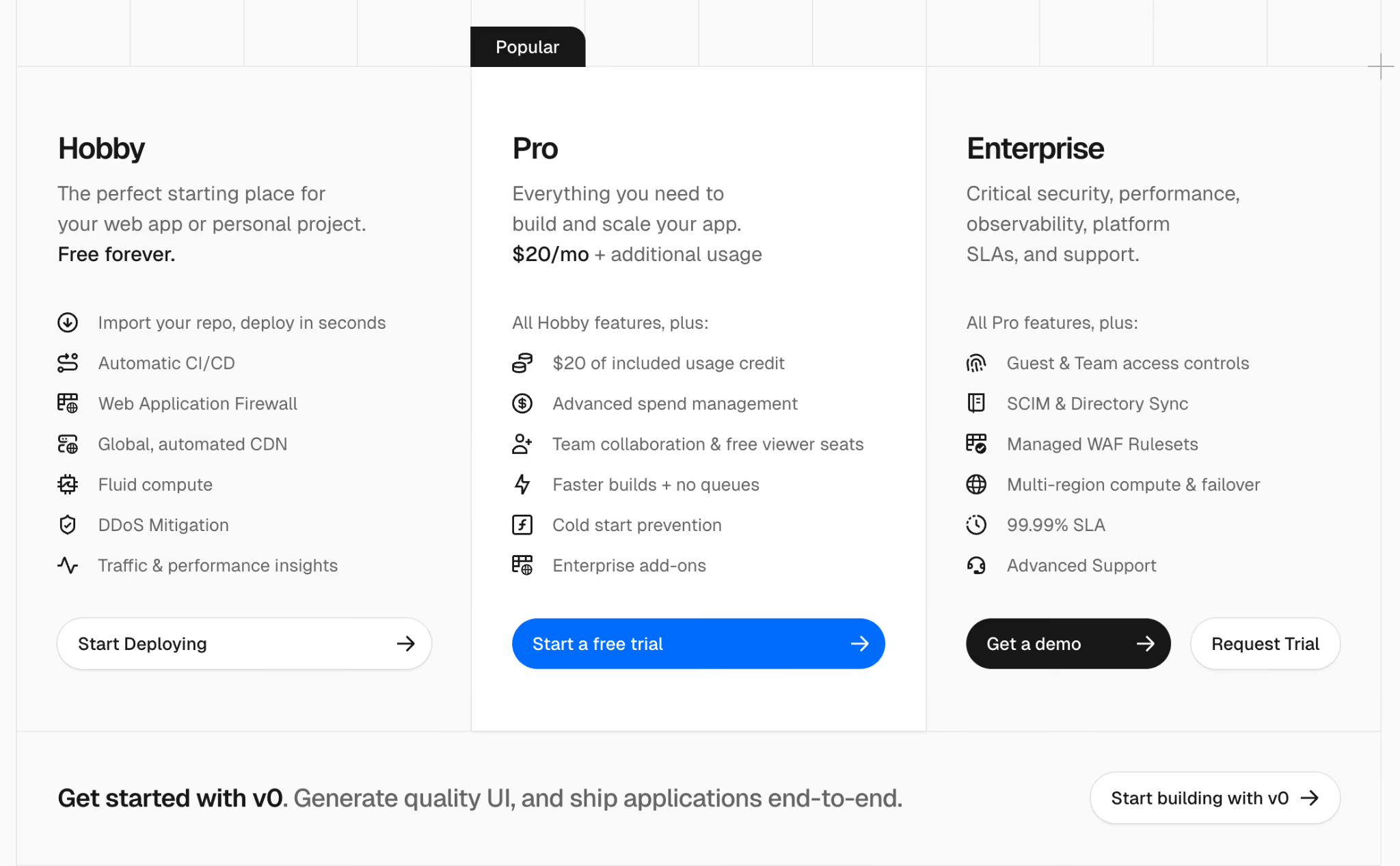
Vercel has three plans to choose from:
- Hobby: Free forever
- Pro: $20 per month + additional usage
- Enterprise: Custom pricing
Pros and Cons
Vercel Sandbox natively integrates with the Vercel platform, offering a rich experience for frontend teams already using it. You can trigger code execution environments directly from your existing web applications without configuring external API gateways. The built-in billing and usage dashboards provide clear visibility into your expenditures.
However, the constraints are severe for heavy machine learning tasks. The maximum runtime is capped at five hours on the paid plans, and there’s no GPU support.
4. Cloudflare Sandboxes
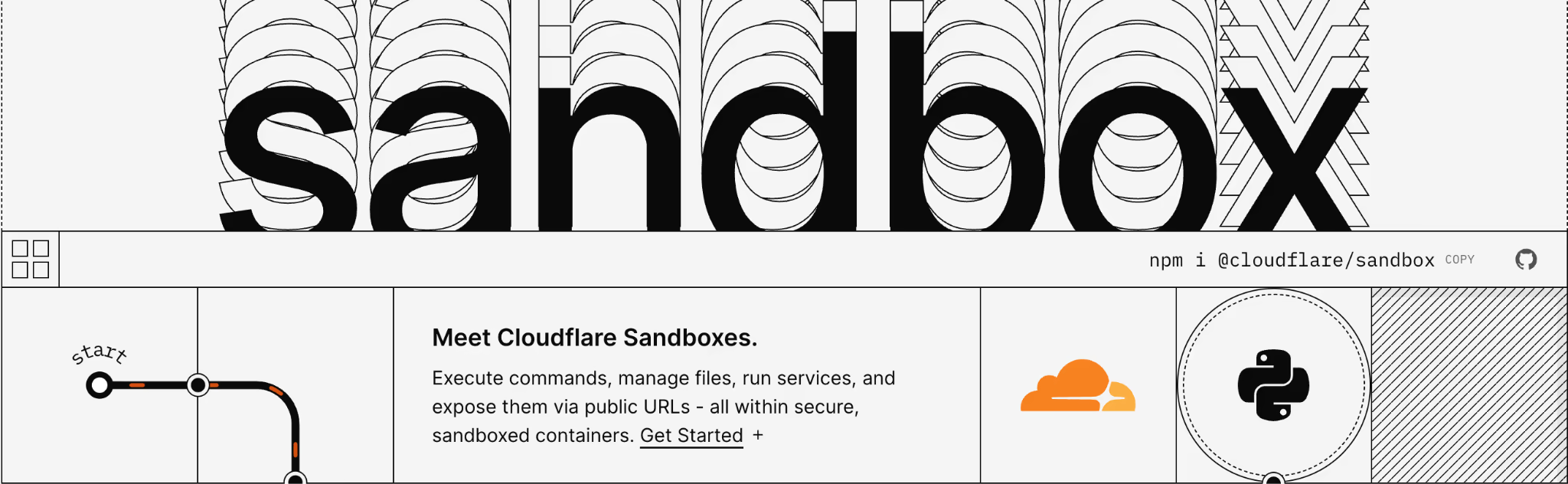
Cloudflare’s Sandbox SDK lets you run sandboxed containers controlled from Workers. It’s a good alternative to E2B when you want sandboxes inside the Cloudflare developer platform, with APIs for commands, files, and services.
Features
- Execute commands with live output delivery and enforced timeouts to control execution behavior inside the sandbox.
- Manage files through APIs that support reading, writing, and organizing the sandbox filesystem.
- Run background processes and expose internal services through preview URLs for service-level testing.
- Apply security isolation across filesystem access, process boundaries, and network controls as documented in Cloudflare’s security model.
Pricing
Sandbox SDK pricing is determined by Cloudflare Containers: CPU is billed on active usage, while memory and disk are billed based on provisioned resources (plus any Workers/Durable Objects/Logs usage).
Pros and Cons
Cloudflare Sandboxes are built on top of Cloudflare’s Containers platform rather than browser-style Workers isolates. This design helps with longer-running and more resource-intensive workloads. Startup latency is virtually nonexistent due to this architecture. If you already deploy Workers, Sandboxes can cut integration work because Workers and Sandboxes share the same platform surface.
The downside is instance sizing and platform characteristics inherited from Containers. Container docs list caps on vCPU, memory, and disk. YCombinator forum threads also debate cost versus major clouds for high-utilization usage patterns.
5. CodeSandbox SDK (Together AI)
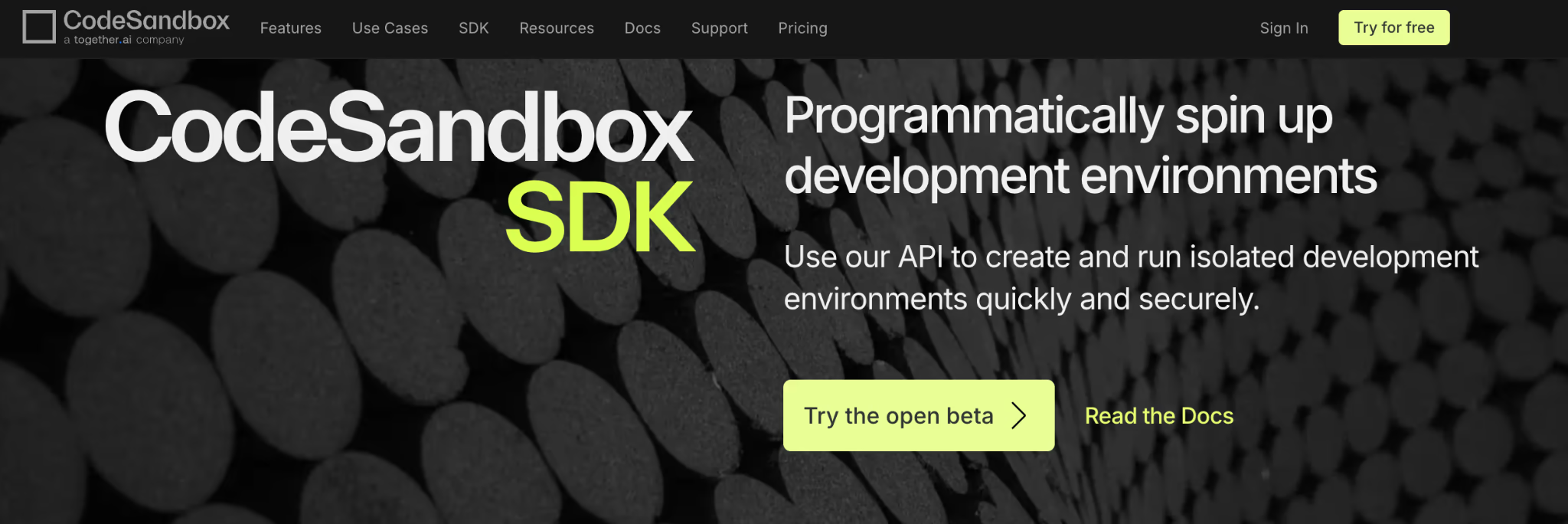
CodeSandbox SDK offers programmatic control over the popular CodeSandbox virtual machine infrastructure. CodeSandbox is now part of Together AI, and the SDK is positioned as the programmatic layer for VM sandboxes.
It’s a good E2B alternative when you want hibernation, fast resume, and forking built into the sandbox lifecycle.
Features
- Deploy VM-based sandboxes through the SDK, with snapshot-backed hibernation and fast resume as part of the sandbox lifecycle.
- Fork sandboxes to clone full execution state for parallel branches or A/B execution paths.
- Use file system APIs to read and write files directly from your app code.
- Restore memory state from snapshots with documented retention windows for inactive sandboxes.
- Integrate with Together AI through documented snapshots, restore, and fast template clones.
Pricing
CodeSandbox SDK offers a generous free plan for teams of up to 5 members. For more features and team members, it has two paid plans:
- Scale: $170 per month (per workspace)
- Enterprise: Custom pricing
Pros and Cons
Reviewers on G2 and Capterra praise the collaborative features and the flawless transition between automated code generation and human review. The snapshot resume feature works exceptionally well for applications that require constant stopping and starting.
However, the platform struggles with absolute control over infrastructure. You cannot deploy the compute nodes within your own cloud account. It also has limited resources compared to local setups and requires a strong internet connection.
6. Runloop
Runloop provides VM-based sandboxes called Devboxes, aimed at AI coding agents and evaluation workflows. It is a good E2B alternative when you want ‘dev environment as an API,’ plus templates and snapshots for repeatable tasks.
Features
- Provision Devboxes as VM-isolated execution environments that provide strong separation for AI coding agents and evaluation tasks.
- Execute commands through APIs that return stdout output and explicit exit codes for control and error handling.
- Reuse preconfigured environments with Blueprints that run setup steps once and apply the resulting Devbox image across tasks.
- Save and branch state with disk snapshots that capture filesystem state for rollback or parallel work paths.
- Deploy inside private networks through Enterprise VPC support, with availability through the AWS Marketplace for controlled infrastructure setups.
Pricing
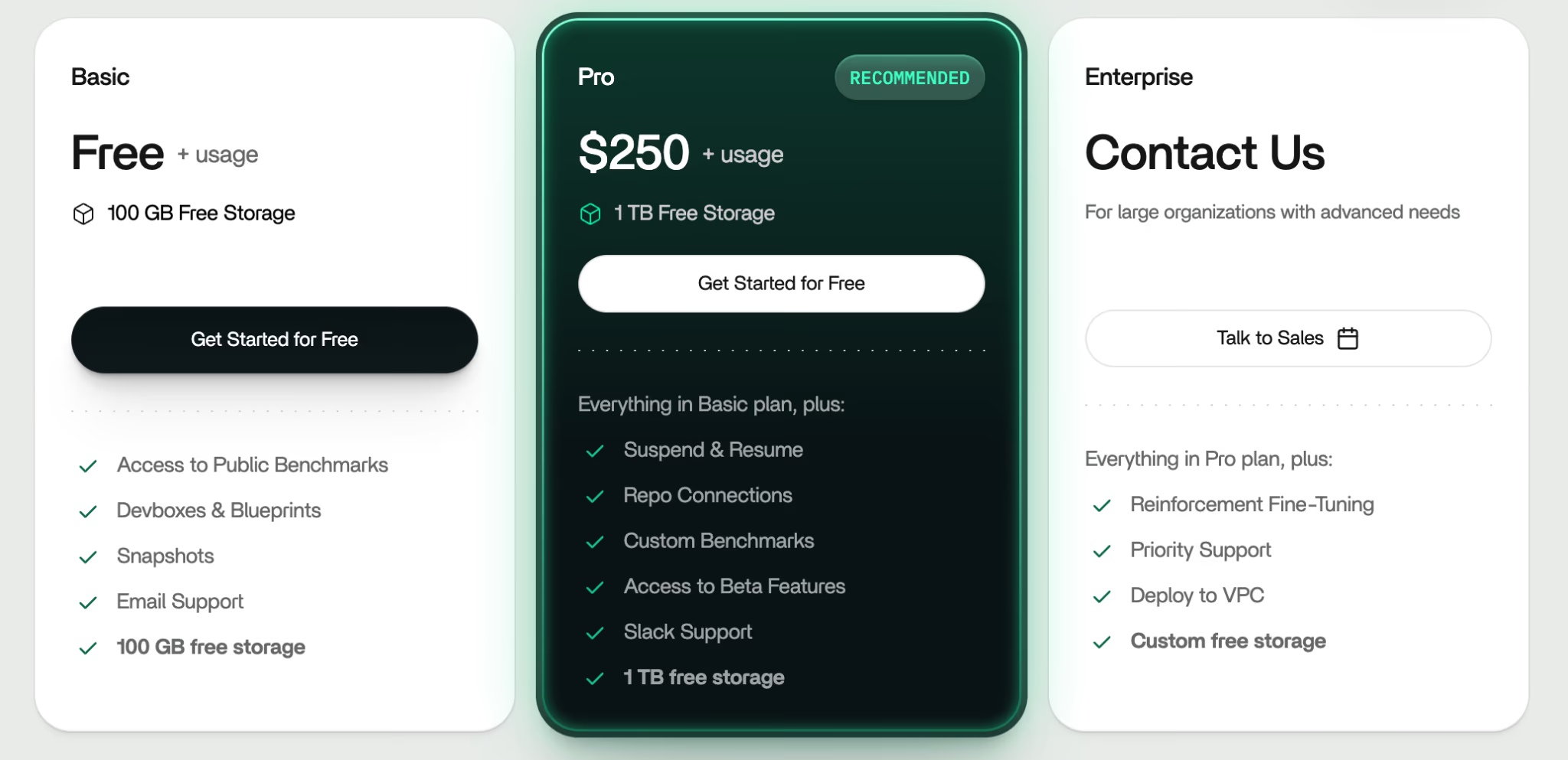
Runloop offers a free plan and two paid plans with fixed and usage-based pricing:
- Pro: $250 + usage
- Enterprise: Custom pricing
Pros and Cons
Runloop excels at evaluating and testing complex models. Its highlight is the built-in benchmarking tools, which are a major time-saver for measuring agent accuracy. Devboxes can feel similar to local dev environments for debugging, but performance and behavior still depend on the underlying VM configuration and network conditions.
The trade-off is cost. Its Pro plan has a monthly base fee before usage, which can be overkill for low-volume workloads. The platform is also relatively new, so the community support and third-party integrations are still maturing compared to established serverless vendors.
7. Sprites
Sprites provides persistent Linux sandbox environments that hibernate when idle and resume with state intact. Sprites keep filesystem state between runs and (per their documentation) can preserve full in-memory process state across standby/resume, which is useful for “pick up where you left off” agent workflows. The platform treats persistent data as a foundational requirement rather than an afterthought. A strong E2B alternative when your agent needs a ‘real Linux box’ that can sleep when idle and resume with state intact.
Features
- Preserve filesystem state with a persistent ext4 volume that remains intact across idle periods and restores on wake.
- Create and restore checkpoints to roll back to a known-good state. Sprites are designed to preserve state across hibernation and can resume with memory/process state intact (in addition to the filesystem).
- The infrastructure leverages Firecracker microVMs for strict hardware-level isolation.
- Expose internal services through per-Sprite HTTP URLs that route traffic into the running VM.
- Control outbound traffic with network policy rules that restrict or allow egress from the sandbox.
Pricing
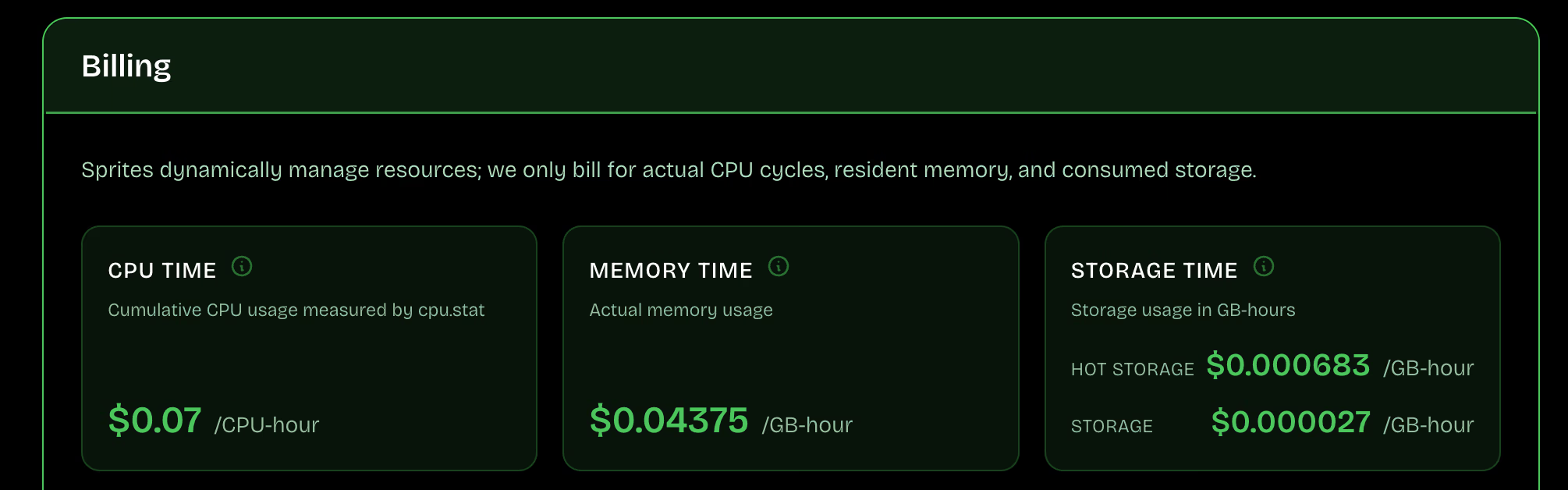
Sprites pricing is usage-based: you pay per actual CPU time, memory, and storage used, with compute.
Pros and Cons
A major advantage is that Sprites’ system boots to an active state in less than two seconds without using container images. The platform bills per second and charges nothing to compute when the instance is idle.
The downside is early-product roughness. Just months ago, a Hacker News thread reported API timeouts and confusing lifecycle behavior. Also, the lack of standard Docker container images frustrates teams with existing deployment pipelines.
8. Northflank Sandboxes
Northflank Sandboxes target multi-tenant secure workloads with flexible deployment and BYOC. They are a good E2B alternative when you want sandboxes to run in your VPC or you need one platform that covers sandbox fleets plus broader app ops.
Features
- Run sandboxes in your own cloud through BYOC deployment options across AWS, GCP, and Azure environments.
- Scale sandbox fleets automatically using CPU, memory, and request-rate triggers to match workload demand.
- Track and control costs with per-workload spending visibility and configurable budget alerts.
- Deploy across regions while using a single, consistent platform API for management and control.
- Execute operational commands through built-in platform tools to support debugging and runtime operations.
Pricing
Northflank uses a usage-based billing model. For specific enterprise deployment, contact their sales team for a quote.
Pros and Cons
Northflank is an excellent choice for organizations with strict compliance mandates. G2 reviewers praise Northflank’s support and ease of use, while noting some friction in initial dashboard navigation. For regulated workloads, BYOC can still be the deciding factor because it keeps the data safe in your cloud account.
However, Reddit users raise concerns about trust and uptime for production use, mainly because the platform is new and still maturing. Other than that, the dashboard and configuration options may be overwhelming for solo developers simply trying to run a quick Python script.
9. Beam Cloud
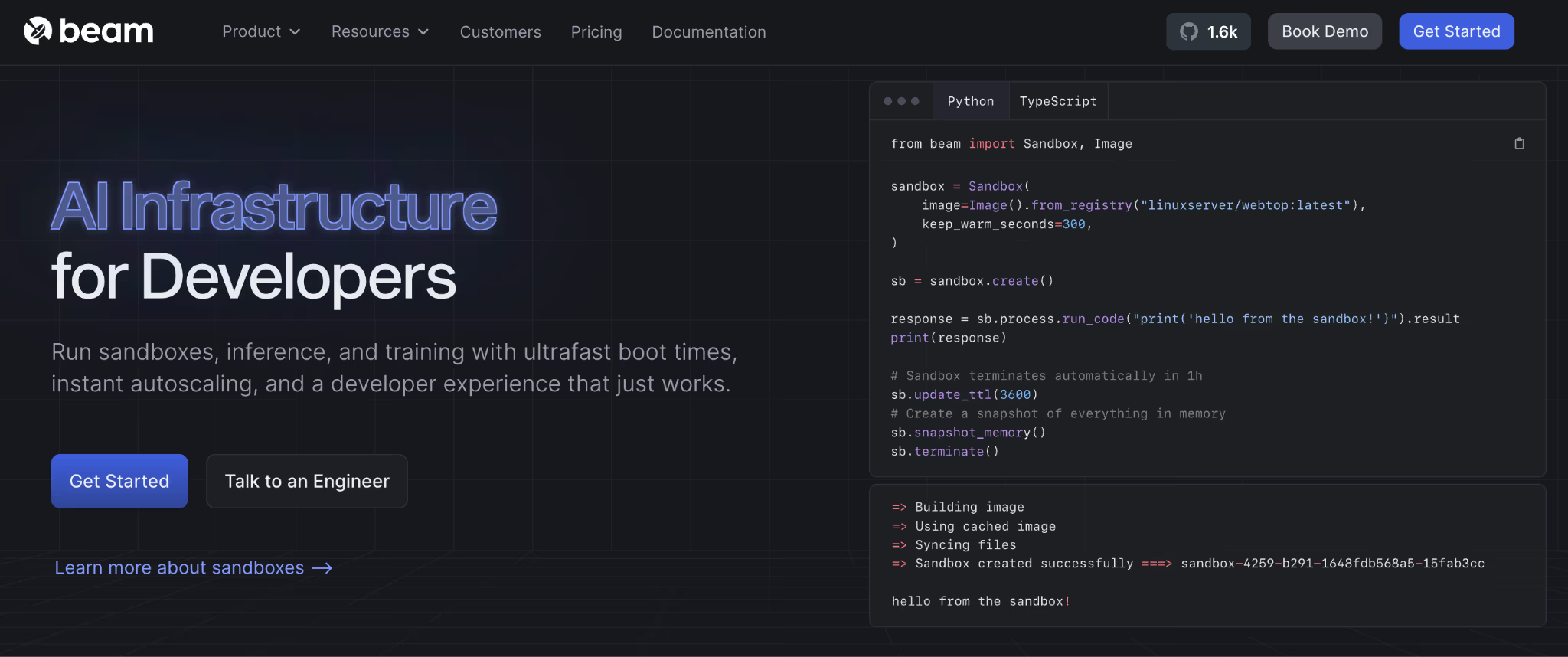
Beam Cloud offers sandboxes as secure environments for GPU-accelerated code execution, with networking and persistent storage. It’s a good E2B alternative when your sandbox jobs also need GPU access, and you want Python-driven control over images, processes, and ports.
Features
- Provision sandboxes as first-class resources with explicit process control for application code and shell commands.
- Save filesystem state with snapshots to restart execution from a known, clean baseline point.
- Expose internal services through preview URLs and configurable ports for debugging and service access.
- Control sandbox lifetime with TTL settings and session management across short-lived or persistent jobs.
- Self-host the runtime via the open-source Beta9 engine that underpins Beam’s sandbox infrastructure platform.
Pricing
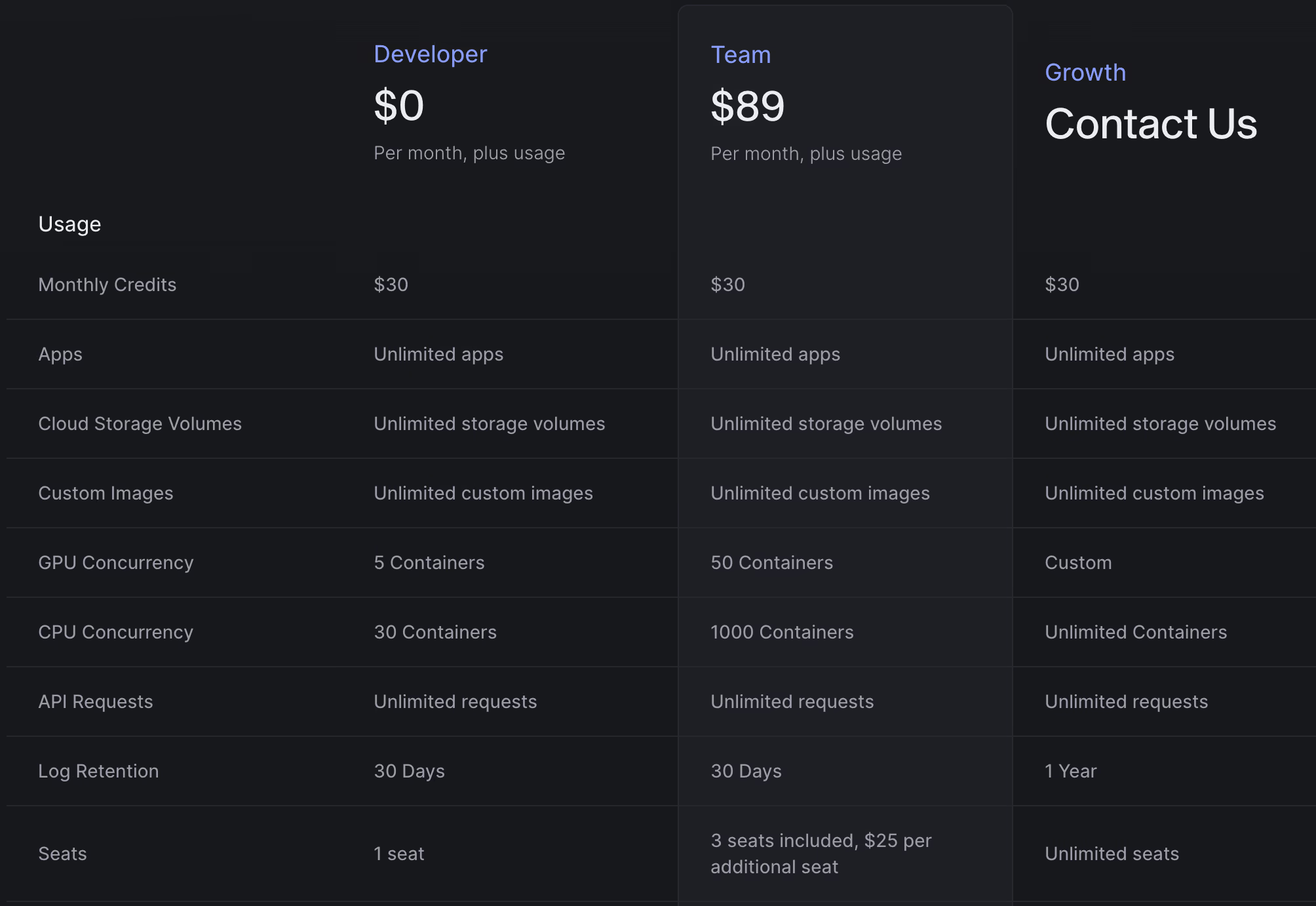
Beam offers a generous free plan for individual developers. Plus, two paid plans:
- Team: $89 per month, plus usage
- Growth: Custom pricing
Pros and Cons
Beam Cloud works well for teams that need short-lived compute environments with both CPU and GPU access. Sandboxes and containers start quickly. Beam also supports autoscaling, background jobs, and API endpoints, so teams can run batch workloads and services without managing their own infrastructure. The open-source Beta9 engine adds an extra option for teams that want the ability to self-host or avoid being locked into a fully managed platform.
The downside is service variability. A Reddit thread describes workloads stuck in pending states and pricing confusion. Beam Cloud’s usage-based billing can also be hard to predict for workloads with uneven runtimes or long-lived processes. Teams that are new to serverless container models may face a learning curve when adapting existing workflows.
10. Blaxel
Blaxel is built specifically for agent sandboxes, with tool-call native control via MCP. It’s great when you want an execution VM plus an agent-friendly control layer for files and processes.
Features
- Launch virtual machines instantly as isolated compute runtimes designed for running AI-generated agent code.
- Expose a built-in MCP server per sandbox to run commands and manage files through tool calls.
- Reuse standardized environments with templates that support consistent setup for repeatable agent tasks.
- Apply lifecycle policies to clean up sandboxes automatically when reuse is not required.
- Control network boundaries through VPC-related APIs documented in the platform API reference.
Pricing
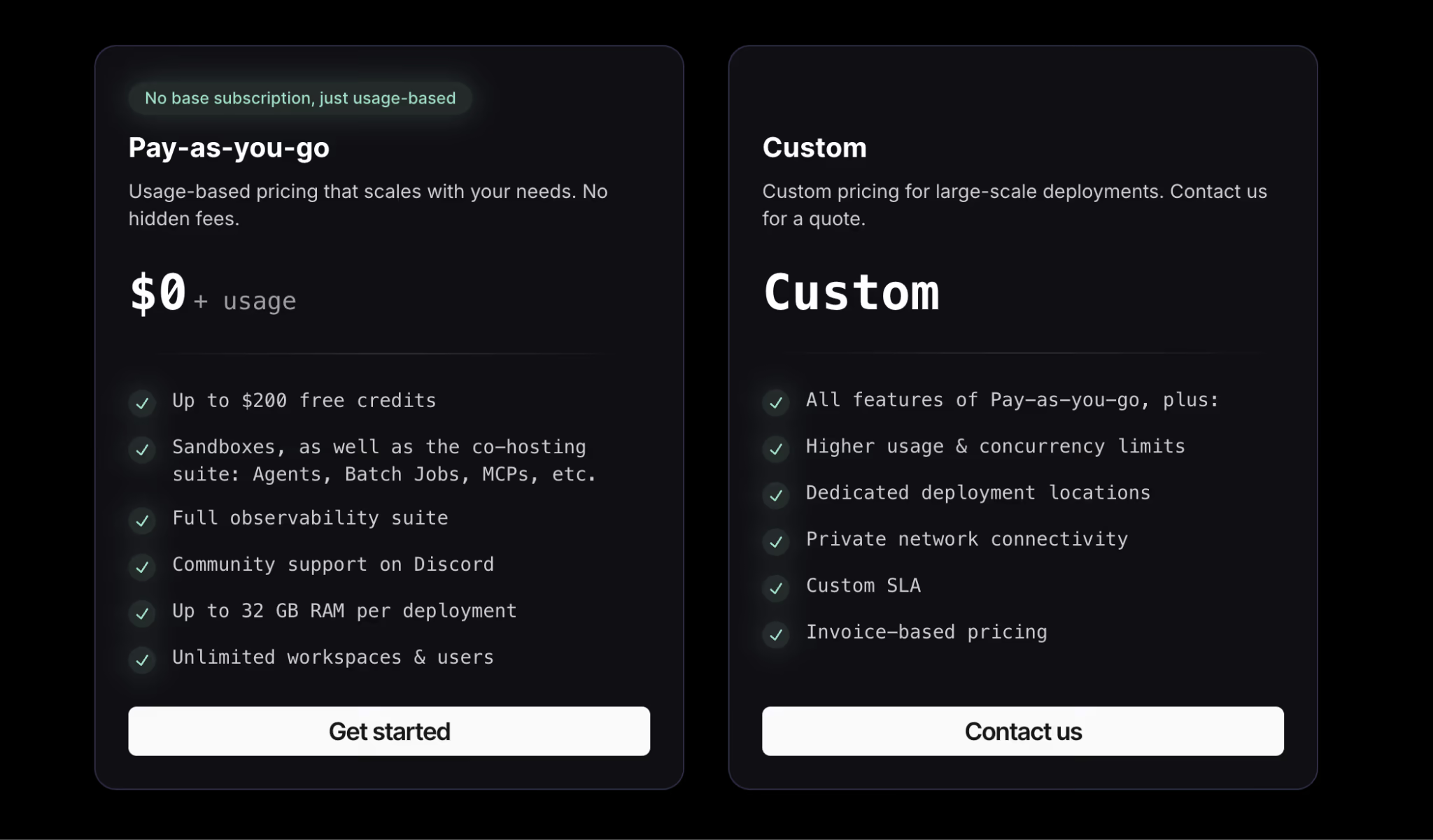
Blaxel offers self-serve onboarding and positions Sandboxes as a usage-driven service that scales to zero when idle. For enterprise procurement, higher volumes, or custom deployment requirements, contact Blaxel for tailored terms.
Pros and Cons
Blaxel delivers unparalleled resume speeds. For applications that require instant feedback loops, the twenty-five millisecond latency feels like a local execution. Blaxel also advertises aggressive scale-to-zero behavior after a short period of inactivity, aiming to avoid paying for idle compute while keeping state ready for fast resume.
Blaxel’s drawbacks stem from its enterprise focus. The lack of transparent, self-serve pricing creates a barrier to entry for small teams. Furthermore, the platform’s Sandboxes run in Firecracker microVMs, which provide stronger isolation boundaries than shared-kernel container runtimes.
The Best E2B Alternatives to Deploy AI Sandboxes
There’s no one-size-fits-all sandbox platform. The right choice depends on three things:
- How much control do you need?
- How long must your environments live?
- How tightly do sandboxes connect to the rest of your ML stack?
Some teams want ultra-fast, short-lived execution for agent steps. Others need persistent environments or deeper network control.
What often gets overlooked is how these sandboxes fit into a broader MLOps workflow. Running code safely is only one piece. You still need reproducible pipelines, versioned artifacts, and a way to tie experiments and deployments together.
This is where ZenML comes in.
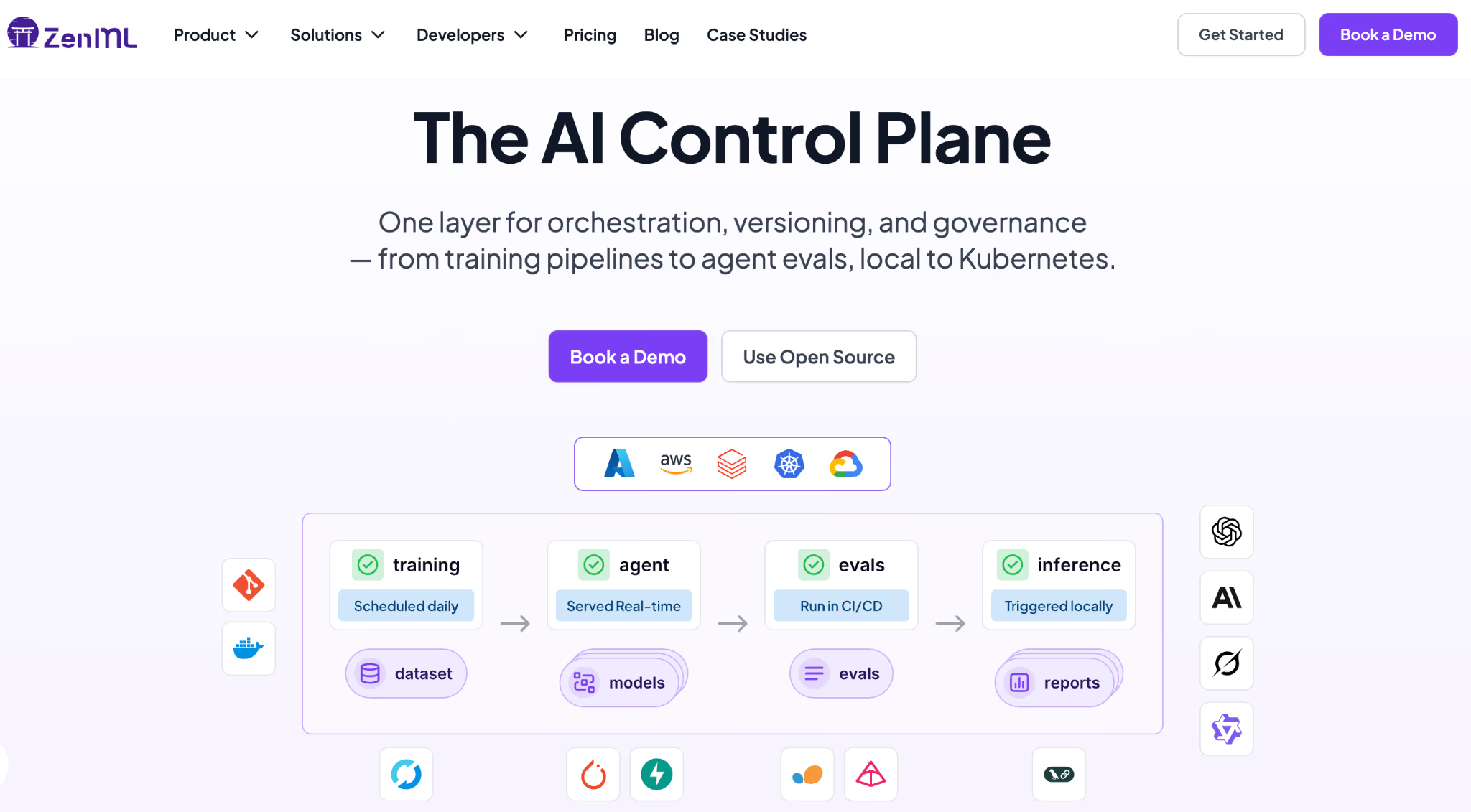
ZenML is a pipeline-first MLOps and LLMOps framework that can wrap your entire agent workflow, including the sandbox execution step (feature coming soon), into a reproducible, versioned pipeline. Each run is tracked with full artifact lineage, so you know exactly which data, prompts, and agent configurations produced which results.
Sandboxes will soon be a stack component in ZenML, making it easy to plug in to the above-mentioned tools as the execution backend for agents that run code.
With ZenML, you keep the sandbox provider you trust for isolation and execution while gaining the orchestration, tracking, and reproducibility layer that turns agent experiments into production systems.