
On this page
Temporal is a durable execution platform built for long-running, mission-critical workflows. Its promise is that your workflow runs to completion even if a process crashes, a server restarts, or a new deployment ships in the middle of it.
That model was designed for backend and platform teams orchestrating things like payment flows, order processing, provisioning, and data pipelines. More recently, teams building AI systems have reached for it too, to keep agents and long-running tool calls alive across failures.
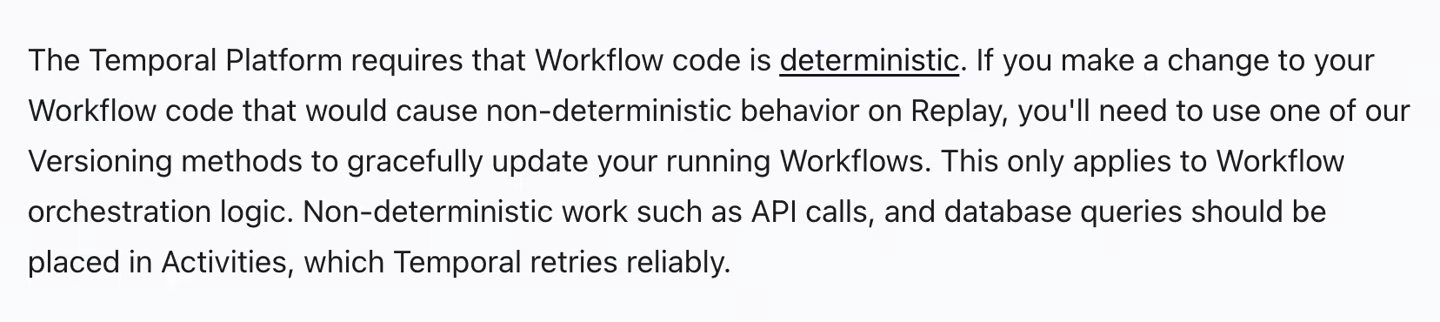
That guarantee comes with a cost. Temporal’s deterministic replay rules, worker operations, and versioning requirements can feel like too much platform for simple background jobs, and can add modeling overhead for agent loops because Temporal Workflow code must be deterministic; nondeterministic LLM calls, API calls, database queries, and other side effects should run in Activities. So, depending on what you’re building, another tool might fit your stack with far less overhead.
That’s what this article is about. We tested and compared the 9 best Temporal alternatives for durable execution and AI agent workflows, whether you want Python agents without replay restrictions, durable background jobs, Postgres-backed state, or serverless orchestration inside your existing stack. You’ll find each one broken down by its core features, pricing, pros, and cons.
A Quick Overview of the Best Temporal Alternatives
-
Why Look for Alternatives: Temporal is powerful, but its deterministic workflow model, worker operations, and versioning rules can feel heavy for simple jobs or modern agentic loops.
-
Who Should Care: AI platform teams, ML engineers, Python developers, and backend teams running agents or workflows who can’t afford to restart from Step 0 after a crash.
-
What to Expect: A breakdown of 9 Temporal alternatives, from agent replay and evaluation tools like Kitaru to durable workflow tools like Restate, DBOS, Inngest, and more.
The Need for a Temporal Alternative?
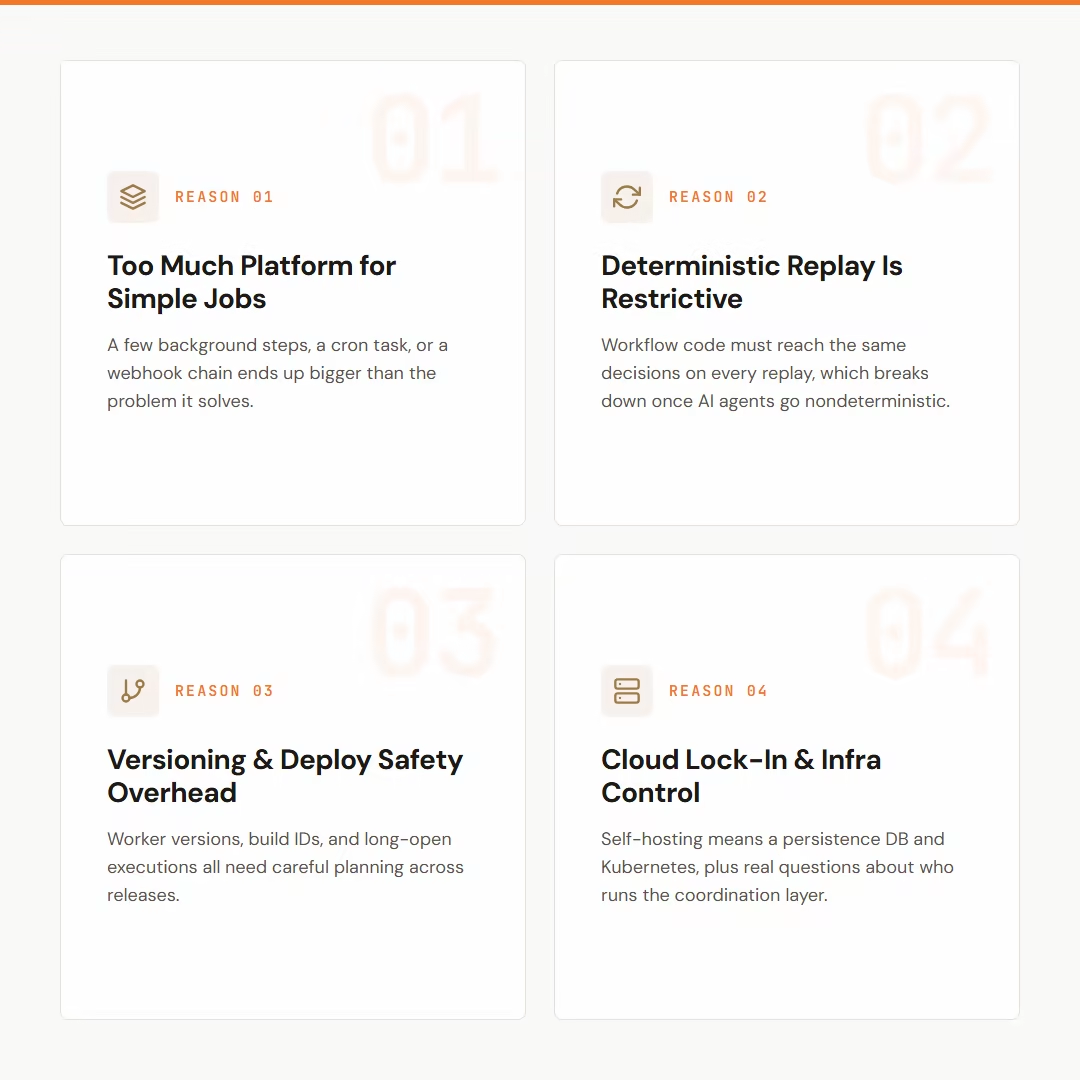
1. Temporal Can Feel Like ‘Too Much Platform’ for Simple Jobs
If your job is a few background steps, a cron task, or a simple webhook chain, the platform feels bigger than the problem. Everything has to be serializable before it can be passed between workflows and activities.
Temporal is a durable execution platform built around Workflows, Activities, Workers, Task Queues, Event History, Timers, Signals, and Updates, which can feel like more platform than a small background job needs.
2. The Deterministic Workflow Model Is Powerful but Restrictive
Temporal recovers workflows by replaying event history. For the replay to work, your workflow code must reach the same decisions each time.
Some backend systems still find it a fair practice, but with AI agents, it gets tricky. Model responses can vary, tool calls may return different results, and the end path may depend on user feedback.
The split feels awkward if you want a plain Python agent loop with checkpointed steps. So, non-deterministic code in an Agentic AI setup can diverge from the event history.
Teams often look for alternatives that avoid designing their application around deterministic event-history replay and instead expose step/checkpoint-oriented recovery primitives.
3. Versioning and Deploy Safety Become a Serious Engineering Concern
Temporal’s replay model makes deployment safety a real design concern. You need to plan worker versions, build IDs, and long-running executions carefully, especially when workflows may remain open across several code releases.
Plus, confusion around worker versioning, workflow versioning, and keeping older workers alive for long-running workflows.
4. Cloud-First Adoption Raises Lock-In and Infrastructure-Control Concerns
Temporal can be self-hosted, but production self-hosting requires running the Temporal Service with a persistence DB and possibly a Kubernetes/Helm setup. Temporal Cloud stores encrypted workflow state while workers run in your environment.
If your company has strict data controls, the question becomes bigger than workflow features. They need to know who runs the coordination layer and where the workflow state sits. They also need to understand how workers connect and what it would take to move later.
Evaluation Criteria
We evaluated each Temporal alternative against the criteria that matter for durable execution and AI agent workflows.
-
Developer experience and learning curve: We tested how fast you can get productive and whether you can write normal code without much back and forth. We also checked how closely local dev matches production, reviewing docs, SDKs, and tooling to see how easy it is to build and debug workflows.
-
Workflow model: We focused on how each system actually runs work, whether through replay, checkpoints, database state, Kubernetes jobs, or BPMN. This shapes how failures are handled and how flexible the code can be.
-
Operational model: We examined how each tool is deployed and run, from managed cloud to self-hosted setups. We reviewed infrastructure needs and ongoing overhead to understand what it takes to run in production.
-
AI agent fit: We looked at how well each tool supports real agent patterns like LLM and tool calls, human approvals, and long waits. We also checked for production-derived replay, regression testing, and human review, and, where relevant, whether a run can resume from failure without redoing completed work.
-
State and storage: We reviewed storage options and flexibility to understand how each tool handles data ownership and control. We checked where workflow state lives and how much control teams have over it. This includes whether it stays in your cloud, database, or object store.
-
Observability and recovery: Lastly, we reviewed tools for the visibility they provide within your workflow. This includes logs, traces, failed steps, and retries, whether they provide dashboards and tooling to see how quickly teams can debug issues and resume runs.
What are the Top Alternatives to Temporal
Before we deep dive into tool reviews, here’s a quick comparison table to help you make a decision.
| Temporal Alternative | Best For | Key Features | Pricing |
|---|---|---|---|
| Kitaru | Testing agent changes against production runs | • Full-run agent replay • Controlled tool history • Immutable regression cohorts • Versioned evaluators • Self-hosted workers | Free (open source, Apache 2.0) Paid plans start at $39/month |
| Restate | Lightweight runtime for durable backends | • Stateful virtual object abstraction • Built-in timer scheduling support • Fault-tolerant agent recovery logic • Service-oriented workflow coordination | Free tier available Paid plans start at $75/month |
| DBOS | Postgres-backed workflows | • Database-backed workflow state storage • Transactional step execution guarantees • Integrated workflow recovery mechanisms • Postgres-native idempotency handling | Free and open-source Paid plans start at $99/month |
| Inngest | Event-driven durable functions | • Event-triggered function execution • Step-based retry handling system • Built-in sleep and delay support • Serverless execution environment | Free tier available Paid plans start at $75/month |
| Hatchet | Durable tasks and queues | • Distributed worker queue management • Task-level retry configuration • Fine-grained concurrency limit settings • Centralized logging and monitoring | Free tier available Paid plans start at $500/month |
| Trigger.dev | TypeScript-first background jobs | • Checkpoint-based task resume system • Long-running task execution support • Managed worker infrastructure provisioning | Free tier available Paid plans start at $10/month |
| Argo Workflows | Kubernetes-native workflows | • DAG-based execution dependency modeling • Containerized step execution environment • Artifact storage and retrieval support • Custom resource definition integration | Free and open source |
| Azure Durable Functions | Serverless orchestrations for Azure teams | • Orchestrator function execution pattern • Activity-based task decomposition model • Durable timer and delay handling • Event-sourced workflow state management | Azure Functions usage pricing applies |
| Camunda | BPMN-first process orchestration | • External job worker execution model • Human task lifecycle management • End-to-end process visibility tools | Free tier available Custom pricing |
1. Kitaru by ZenML
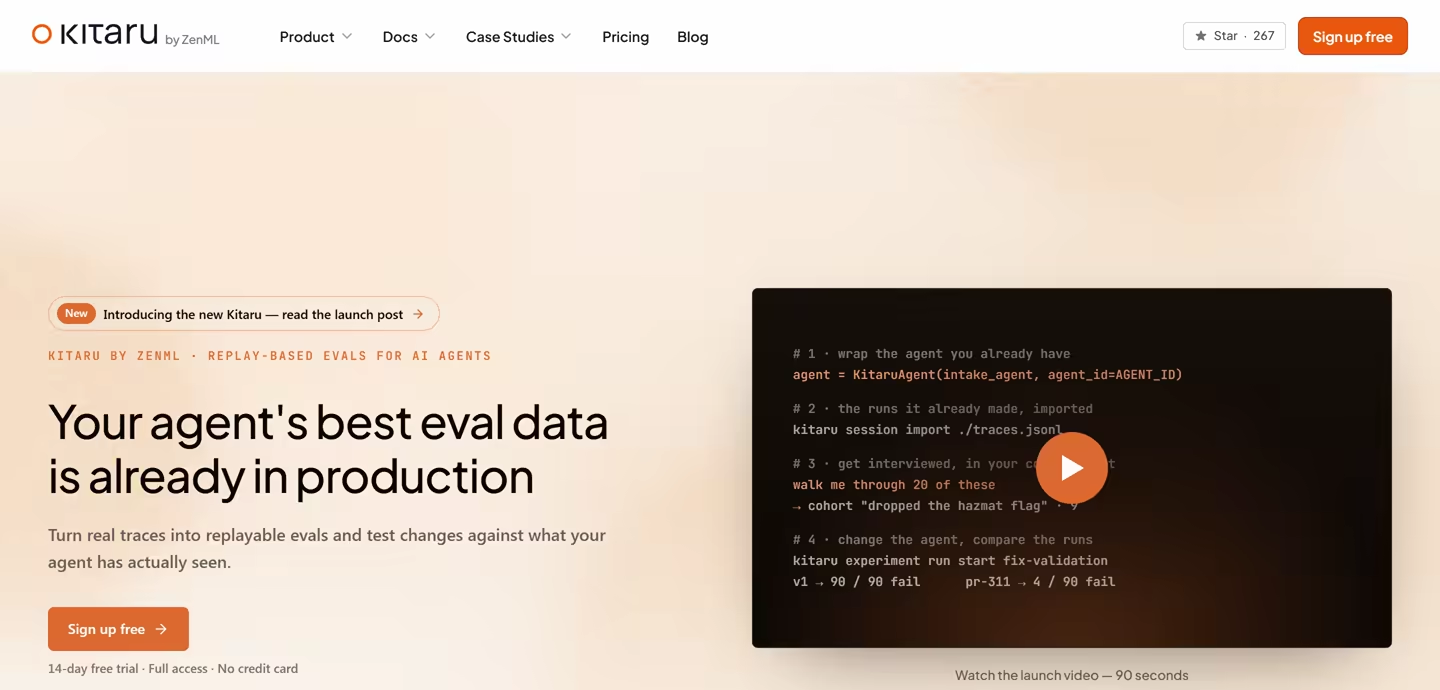
Kitaru, from ZenML, is an open-source, self-hosted replay and evaluation test bench for AI agents. While Temporal keeps production workflows running through failures, Kitaru helps you test what happens when you change an agent.
Instead of moving agent logic into deterministic Workflows and Activities, Kitaru sits beside the framework you already use. It records or imports complete production sessions, reruns the agent’s real code against controlled tool history, and compares the new behavior with the original.
If your problem is figuring out whether a model, prompt, or code change will break real agent behavior before you ship it, Kitaru is built around that job.
Here are some key features Kitaru offers:
Feature 1. Replay Real Production Runs Without Temporal’s Deterministic Workflow Rules
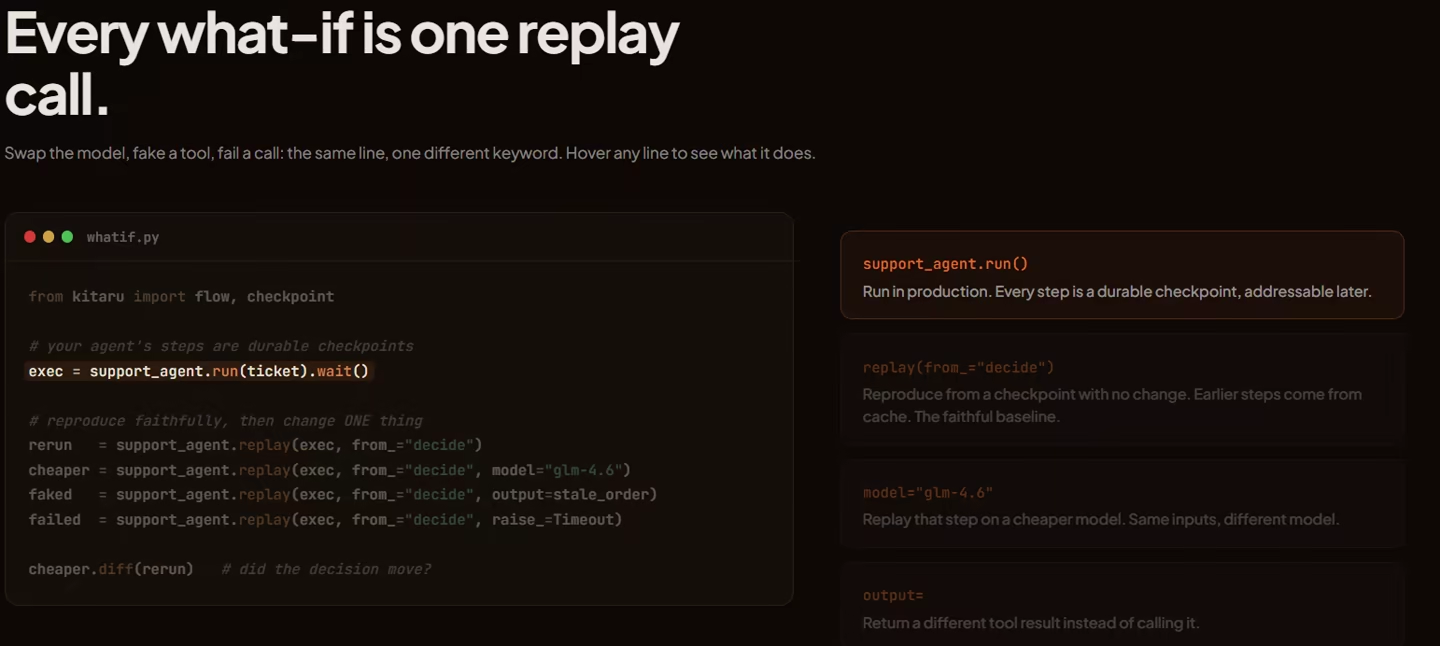
Kitaru starts the agent’s real code from the beginning and lets it reason again. Except unlike Temporal, it doesn’t force you into deterministic decisions.
You can change the model, prompt, input, model parameters, or agent code version and record the resulting trajectory as a new session. The candidate is allowed to take a different path because that difference is exactly what you are trying to test.
Kitaru recommends running an unchanged replay first. Once you know the recorded session can be reproduced closely enough, you can introduce one change and judge the difference with more confidence.
Feature 2. Test Tool-Using Agents Without Repeating Real Side Effects
Agent changes become harder to test when tools send emails, modify databases, approve claims, or issue refunds. Running those calls again just to test a new prompt is usually a bad idea.
Kitaru gives each replay a tool policy. It can return a matching result from recorded history, provide a fixed response, permit a real call, or use supported model-generated results. For side-effecting tools, recorded history with on_miss="fail" lets the test stop if the new trajectory asks for a result that was never recorded.
This gives agent teams a controlled external world for testing. Temporal can keep Activity results in event history for workflow recovery, but Kitaru uses recorded tool behavior specifically to test how a changed agent would act against the same production case.
Feature 3. Regression-Test Changes Across Real Production Cases
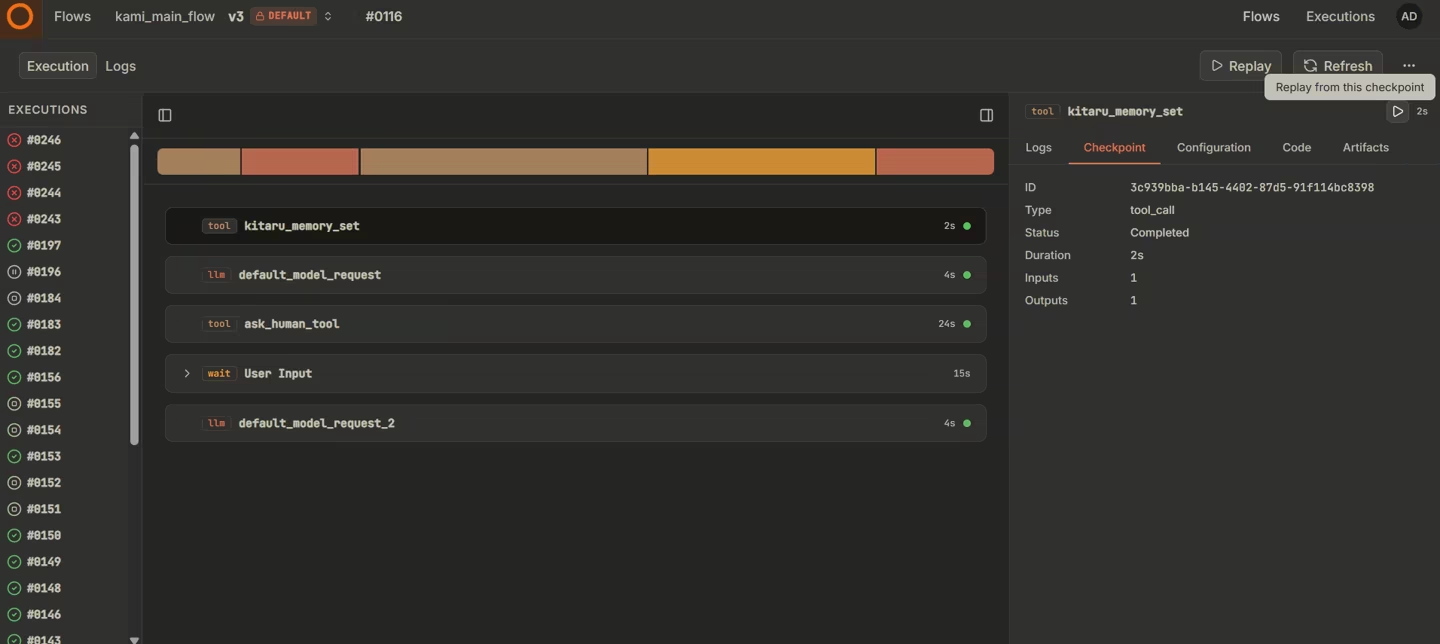
One successful replay does not tell you whether a fix is safe across the rest of your traffic. Kitaru lets you collect production sessions into immutable cohort versions and run an experiment across the entire set.
An experiment can test a model, prompt, parameter, or code change with one replay per session. The baseline and candidate can then run through the same versioned evaluators, so you can see which cases improved, regressed, created a trade-off, or could not be judged with the available evidence.
Human review fits into the same loop. Investigations and annotations capture what domain experts thought was wrong with a session, and those judgments can be used to check evaluators before you depend on them as release criteria.
Feature 4. Keep Your Agent Framework, Trace Store, and Compute
Adopting Temporal means writing work around its Workflow and Activity model. Kitaru leaves the agent loop with the framework that already owns it.
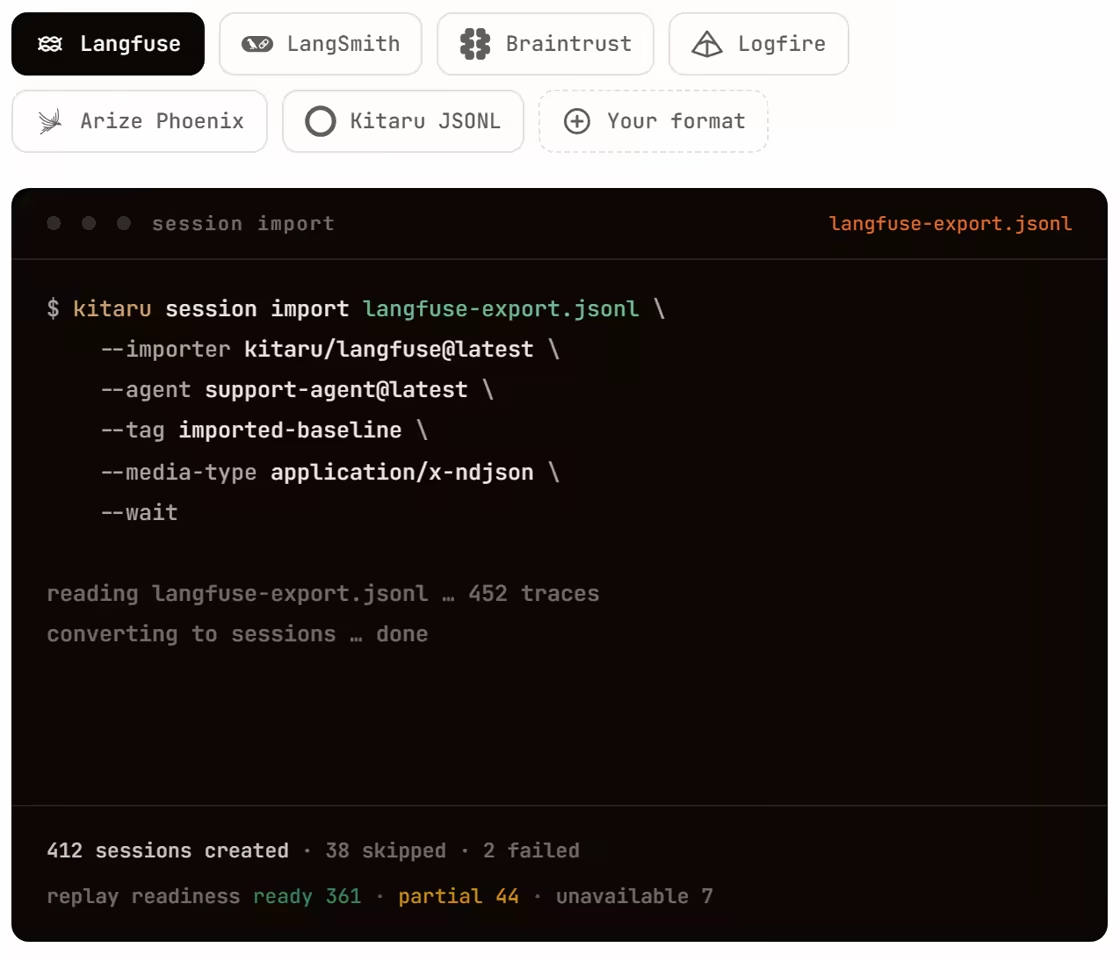
Current adapters cover PydanticAI, LangGraph, OpenAI Agents SDK, Mastra, and Vercel AI SDK. You can also import sessions from Langfuse, LangSmith, Braintrust, Logfire, or Kitaru JSONL instead of replacing your existing trace store.
Kitaru coordinates replay and evaluation work through its server, while workers in your environment execute the agent code, evaluators, and imports. That gives teams a smaller change to their existing agent stack when the goal is testing rather than production workflow orchestration.
Pricing
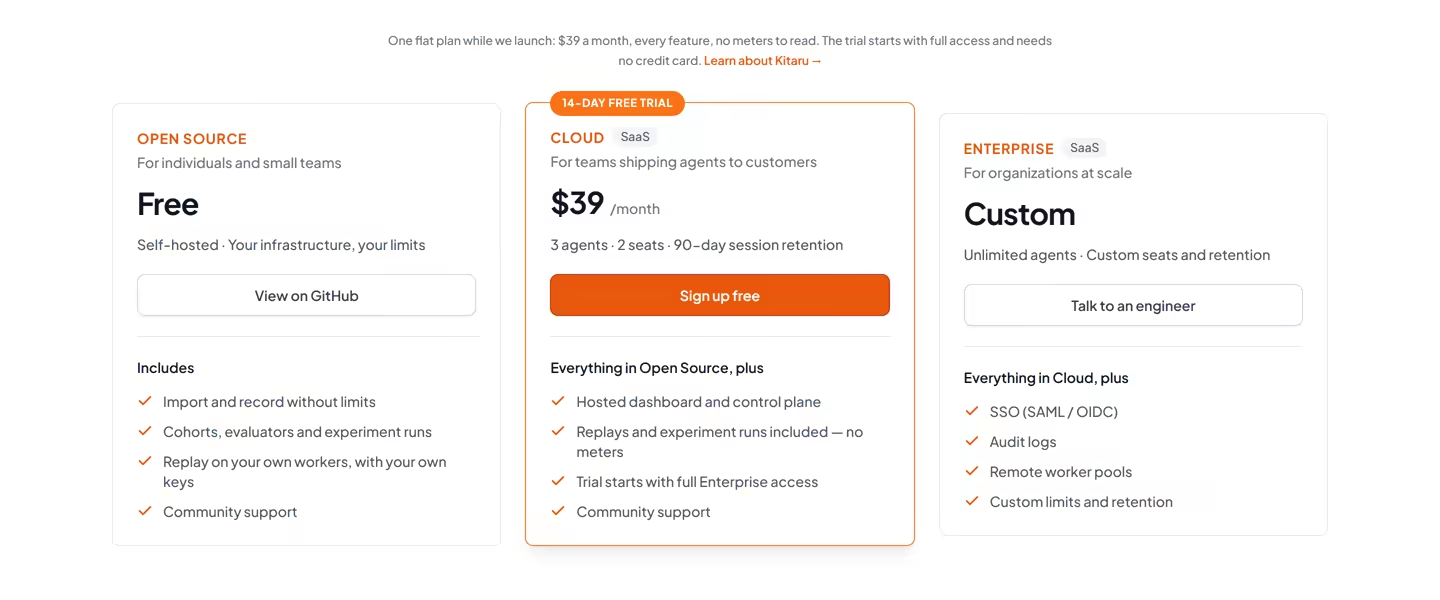
Kitaru is open-source and free to self-host under Apache 2.0. The open-source version includes unlimited recording and imports, cohorts, evaluators, experiment runs, and replay on your own workers.
Apart from the open-source version, we offer two paid plans:
-
Cloud (SaaS): $39 per month; 3 agents, 2 seats, 90 days session retention, and replay and experiment runs without usage meters.
-
Enterprise: Custom; unlimited agents, custom seats and retention, SSO, audit logs, remote worker pools, and custom limits.
For more details on our Enterprise plan you can talk to an engineer from our team.
Pros and Cons
Kitaru is the best pick in this list when your production agent already runs somewhere else and you want to test changes against cases it has actually seen. You keep your framework, reuse existing traces, control tool behavior during replay, and turn production incidents into regression cases. Visual dashboards provide a bird-eye view to evals and experimental projects without moving logic into BPMN.
The tradeoff is that Kitaru does not replace Temporal’s production durability. Replays start from the beginning rather than resuming from a mid-run checkpoint, and Kitaru does not provide the live timers, waits, and workflow recovery Temporal is built for. It’s also currently Alpha, so adapter behavior and interfaces may still change.
Read Comparison: Kitaru vs Temporal
2. Restate
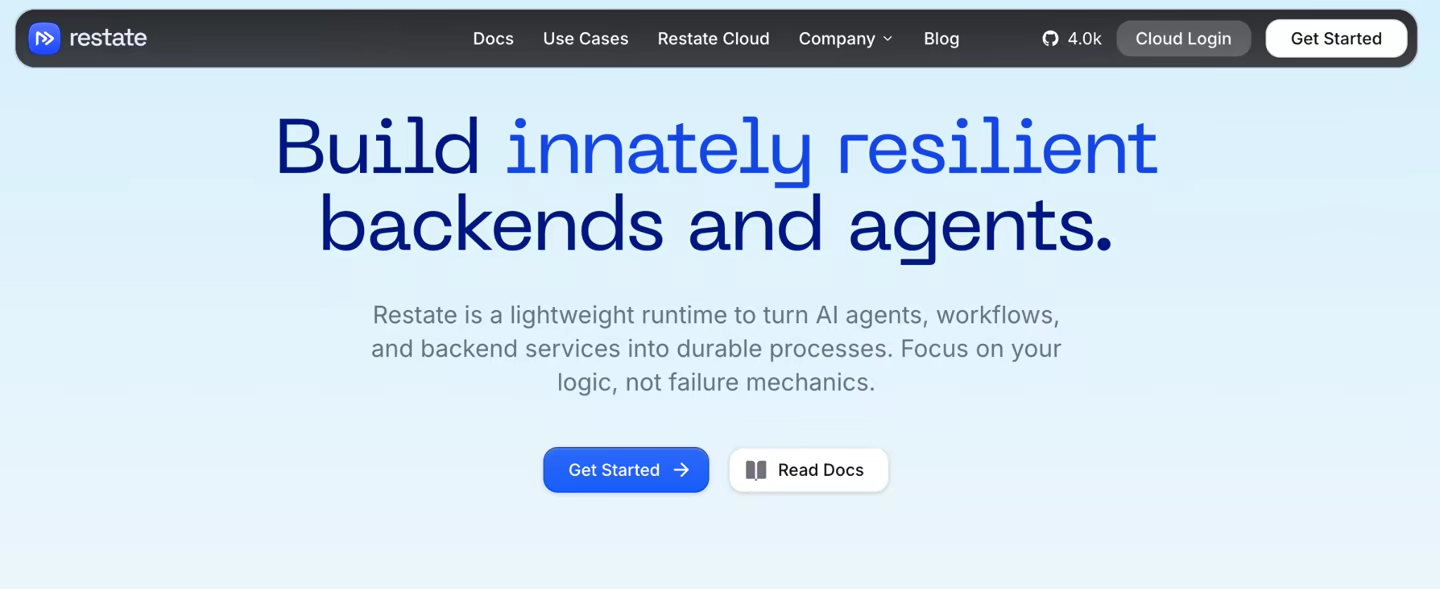
Restate is a lightweight runtime for durable services, workflows, and AI agents. It’s a good pick if you want fault-tolerant service calls, timers, state, and agent recovery without running a large workflow platform.
Features
-
Persist each durable action, including LLM calls, tool steps, sleeps, service calls, and function completion. If a process fails, Restate can continue from the recorded progress, so you don’t have to repeat every action.
-
You can build agents that are resilient to crashes and interruptions. Even if something goes wrong, Restate can restore previous progress from model calls and tool executions, so your agent doesn’t lose its place.
-
Use virtual objects and services for stateful coordination. This works well when an agent owns a session, task, or customer-level process that needs a clear state owner.
-
You’re not locked in and have flexibility to run Restate locally as a single binary, use Restate Cloud, or deploy the runtime beside your services. This gives you more deployment choices than a cloud-only workflow product.
Pricing
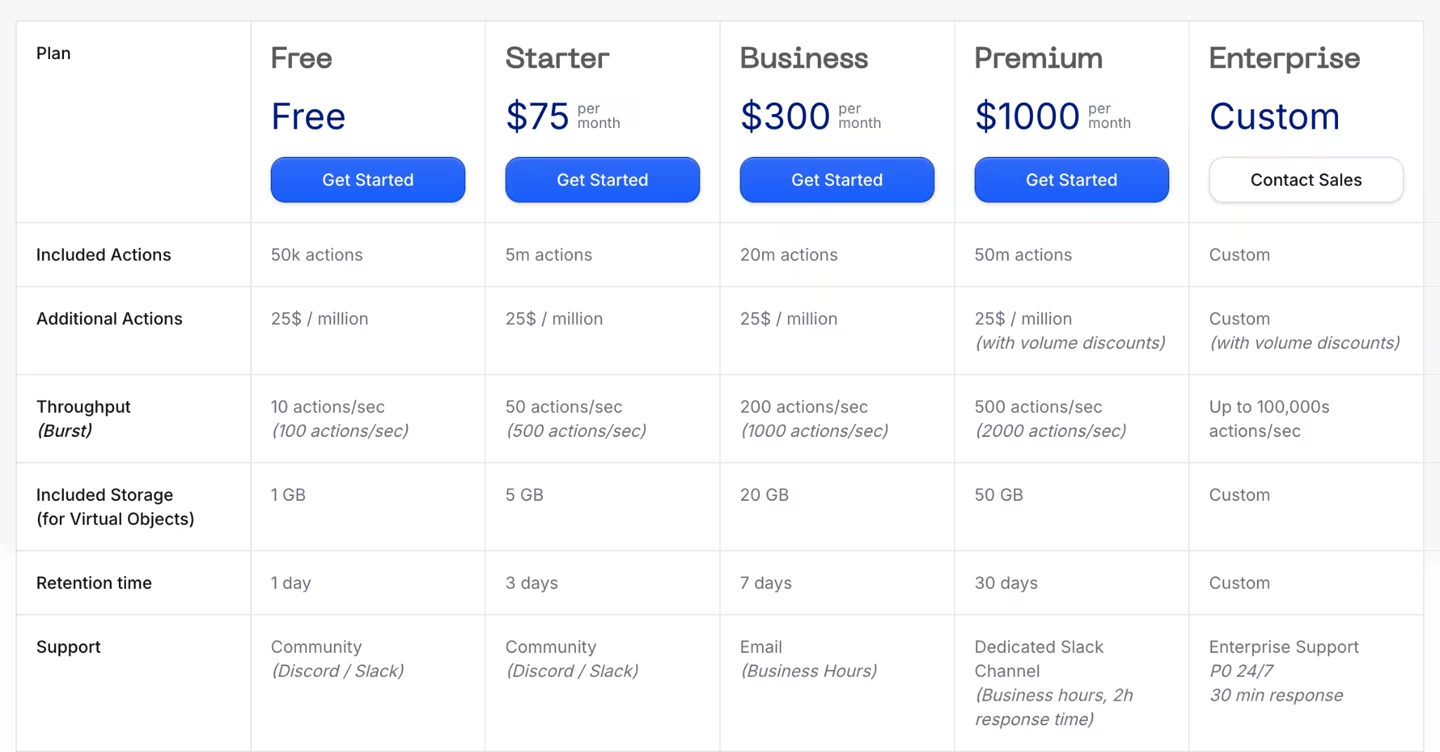
Restate offers a free cloud tier and four paid plans:
-
Starter: $75 per month
-
Business: $300 per month
-
Premium: $1000 per month
-
Enterprise: Custom pricing
Pros and Cons
Restate is strong when your workflow lives close to backend services. It gives you durable steps, timers, and messaging without forcing every process into Temporal-style workflow code. Restate and Kitaru can work side by side. So while Restate keeps production workflows running, Kitaru can help you test changes against real agent sessions without forcing a full migration.
The downside is that your team still needs to adopt Restate’s service model. If you already have a large Temporal setup, Restate may feel like a new runtime to run and learn. If your agents are pure Python loops, Kitaru may feel more natural.
You may want to read next: Kitaru vs Restate
3. DBOS
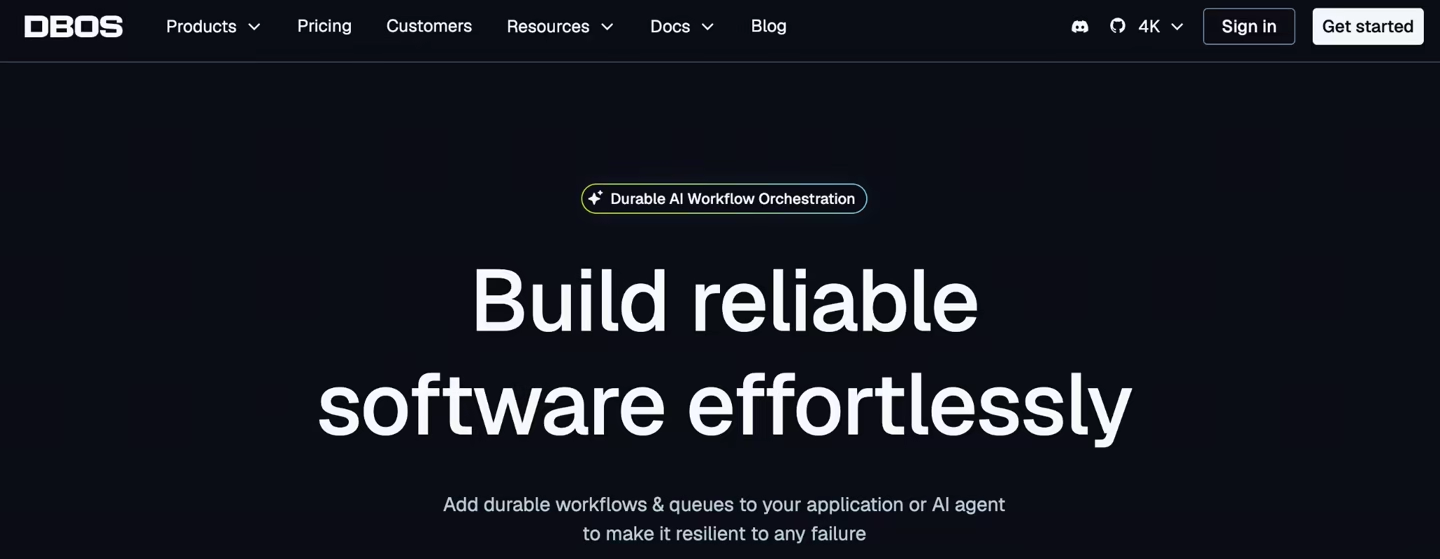
DBOS is a durable execution framework that uses Postgres as the source of workflow truth. It’s a solid Temporal alternative when you already trust Postgres and want workflows, queues, transactions, and agents inside normal app code.
Features
-
Store workflow and step progress in Postgres. If the application stops or crashes, it can resume from the last successful step instead of rerunning the entire workflow, which saves time and avoids duplicate side effects.
-
Use workflow IDs as idempotency keys. Each workflow run is uniquely identified, which means repeated requests, whether from retries, duplicate API calls, or webhook replays, can be safely handled without executing the same logic twice.
-
Pair DBOS with Pydantic AI for durable agent workflows. DBOS checkpoints workflow state in the database, while Pydantic AI handles typed agent logic. Together, they let you build agents that are both resilient to failure and easier to reason about in code.
-
Manage and visualize runs through DBOS Conductor. You can view workflows, inspect runs, retry failed runs, and even fork workflows for debugging or experimentation without building a custom ops UI.
Pricing
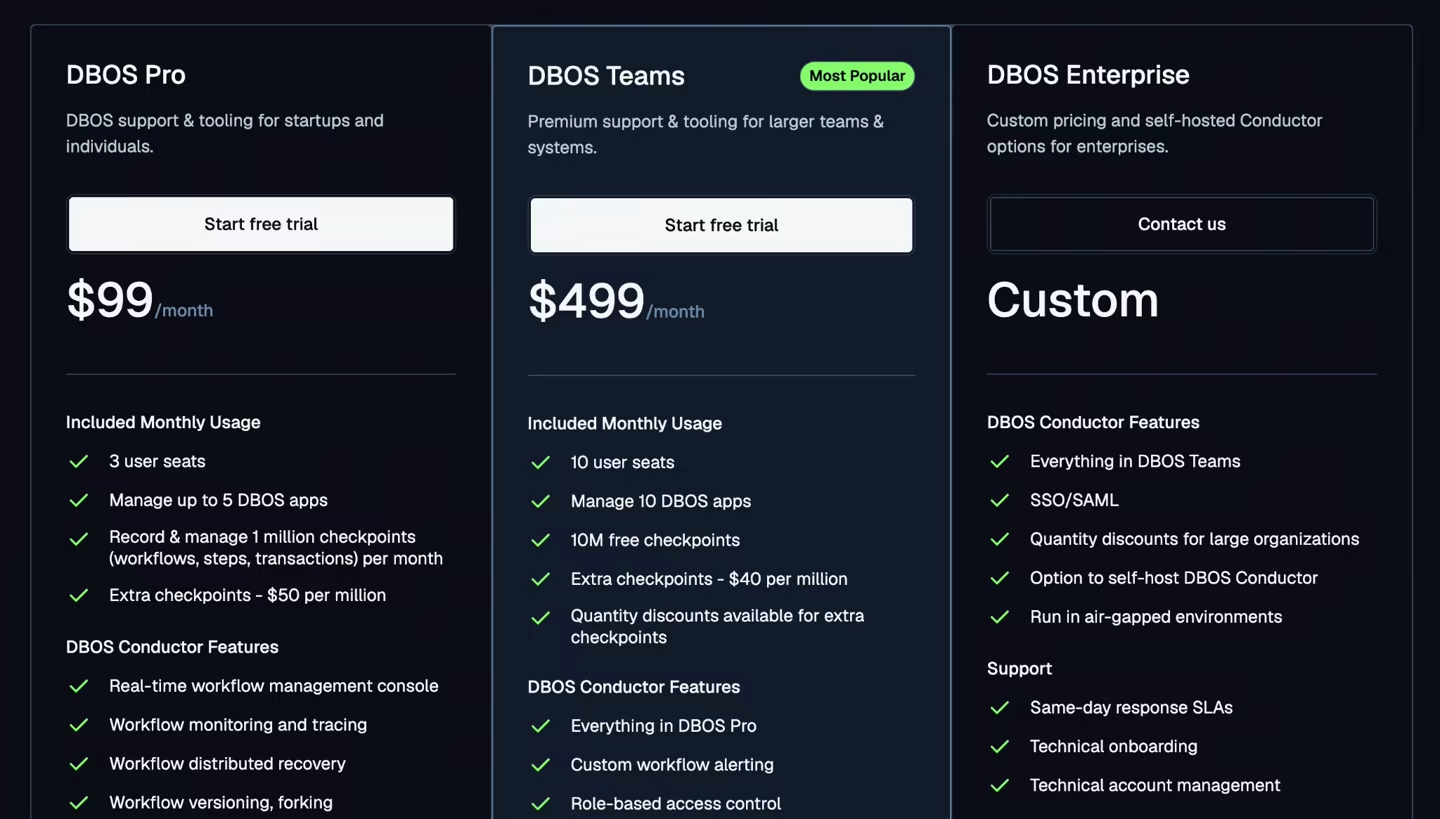
DBOS Transact is free and open source. Additionally, DBOS provides three premium plans:
-
Pro: $99 per month
-
Teams: $499 per month
-
Enterprise: Custom pricing
Pros and Cons
On the plus side, this Postgres-first approach can feel very natural for your backend team. You get strong durability, built-in idempotency, and a simpler mental model since everything lives in one place. It can also reduce operational overhead because you are not running and maintaining a separate orchestration cluster.
The tradeoff is the database-centered model. If your workflow depends heavily on external artifacts like files, model outputs, and sandboxed execution, forcing everything through Postgres may not feel like the best fit. You may also run into scaling or performance issues if workflows become heavy or involve non-database operations.
Also read: Kitaru vs DBOS
4. Inngest
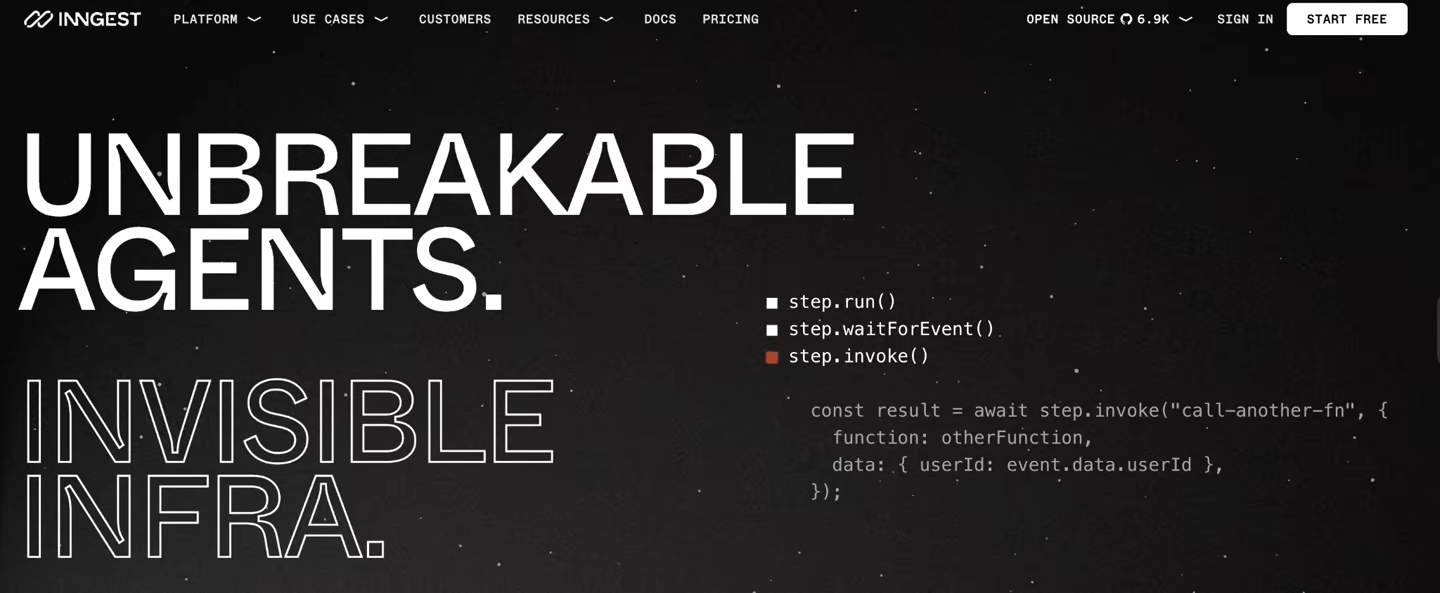
Inngest is an event-driven platform for durable functions that simplifies how modern applications handle background work and long-running processes. It lets you build workflows in TypeScript or Python with durable steps, sleeps, retries, and cron, all without the overhead of managing a full orchestration system.
Features
-
Wrap work in
step.run()so each step can save output and retry on failure. This lets you break workflow into clearly defined units where results are automatically persisted. It’s useful when a model call, API request, or database write should not run twice after a later failure. -
Use
step.sleep()andwaitForEvent()for long waits. Your workflows can pause until a user replies, a webhook arrives, or a delay passes, without consuming compute or building a custom polling loop. -
Build your workflow around event-driven execution, trigger functions from product events, schedules, queues, and webhooks. This makes it easy to kick off agent jobs in response to real-time activity, like a new signup, a payment event, or a scheduled task.
Pricing
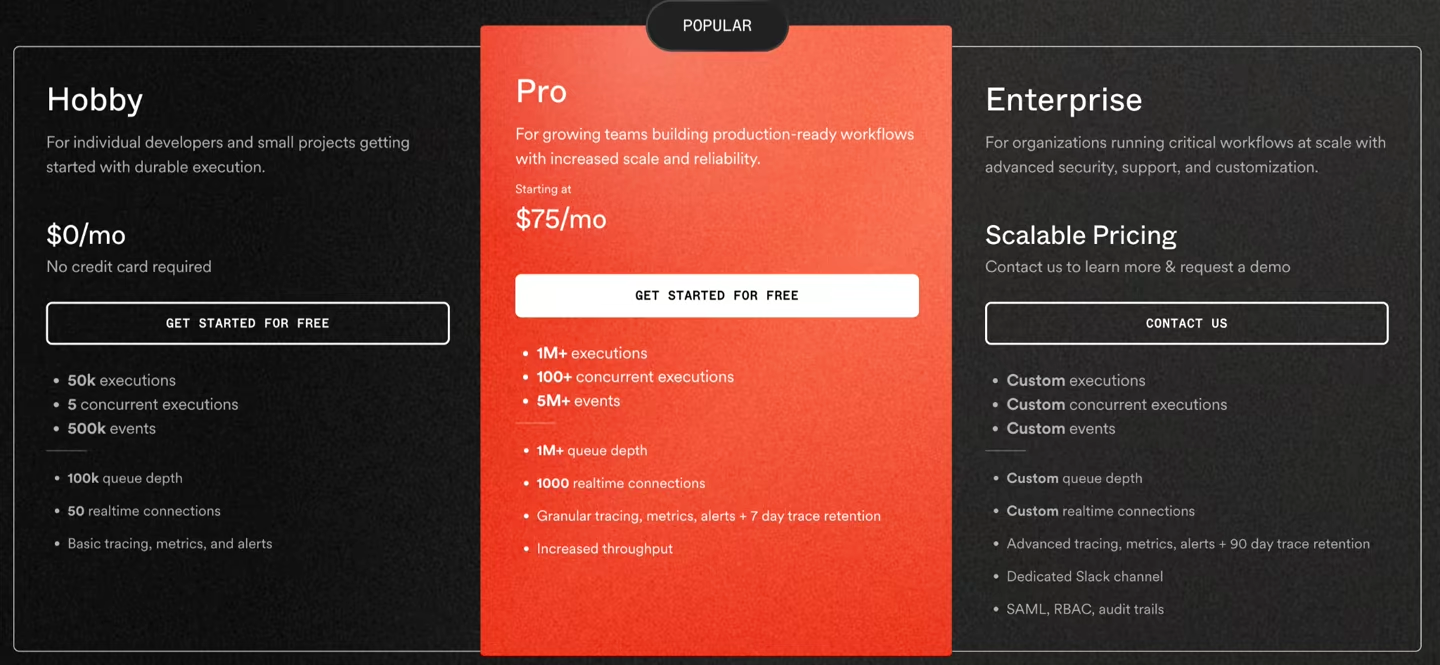
Inngest is open-source and free to self-host. It has three pricing plans:
-
Hobby: Free
-
Pro: $75 per month
-
Enterprise: Custom pricing
Pros and Cons
Inngest’s built-in durable execution primitives like step retries, sleeps, and event waits, simplify error handling during long-running processes without managing infrastructure yourself. It integrates naturally with modern web stacks, which makes it easy to adopt. On Inngest Cloud, the managed execution model reduces operational overhead because you do not run the execution engine yourself. If you self-host Inngest, you are responsible for operating the Inngest services.
However, Inngest is more opinionated around event-based triggers and less flexible for workflows that require more dynamic control flow. It lacks features like native model call replay, artifact tracking, or tight integration with agent frameworks. While it supports Python, its ecosystem and tooling are more mature in TypeScript, which may be a drawback if you primarily build in Python.
Related Reads: Kitaru vs Inngest
5. Hatchet
Hatchet focuses on orchestrating background jobs and task queues with durability built in. It’d suit you if you need fine-grained control over workers, retries, and concurrency without relying on Temporal-style deterministic replay.
Features
-
Write tasks in Python, TypeScript, Go, Ruby, or the language your team already uses. For Hatchet Durable Tasks, resumability comes from durable execution primitives: the task can wait for time/events or spawn child tasks, and Hatchet writes checkpoints to a durable event log at those boundaries.
-
Use durable tasks that wait for time to pass or events to arrive, while Hatchet records checkpoints in a durable event log. This means long-running operations don’t need to stay active in memory, reducing compute waste. You can design workflows that pause for external signals or delays and reliably continue from the last known state.
-
Control concurrency, queues, rate limits, and retries close to the task definition. You get fine-grained control over how tasks are executed. You can prevent overload, smooth traffic spikes, and ensure critical tasks get priority without building custom scheduling logic.
-
View each task’s lifecycle, including runs, logs, failures, and retries in the Hatchet UI. You can quickly identify where a workflow failed, inspect logs, and retry specific steps without rerunning the entire job.
Pricing
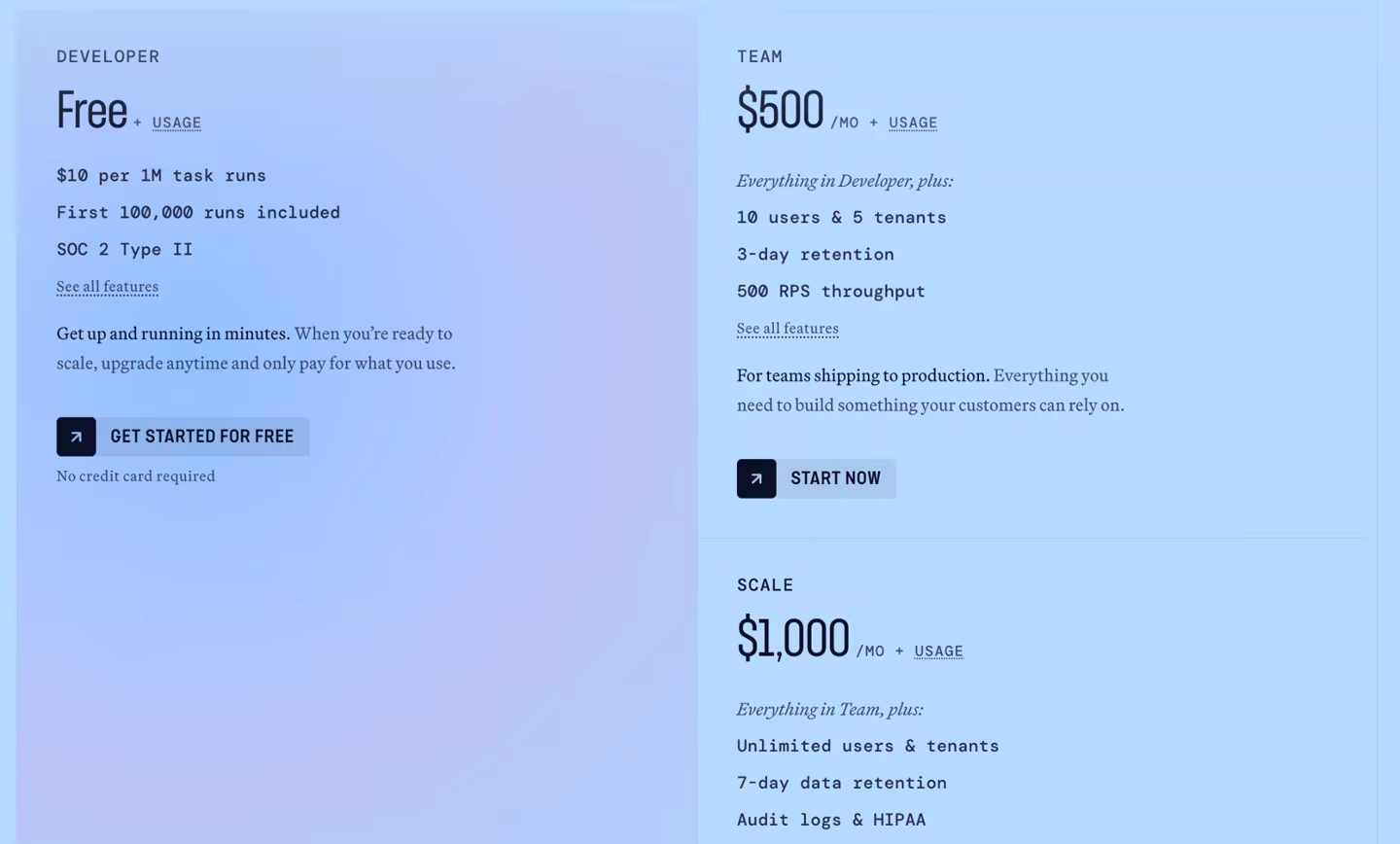
Hatchet is free to use as an open-source platform. It also has a free cloud-based Developer plan with usage-based task runs, and two paid plans:
-
Team: $500 per month
-
Scale: $1000 per month
Pros and Cons
Hatchet gives you complete control over workers, retries, concurrency, and failures. These controls are built into the task system rather than requiring external infrastructure. It also provides strong observability through its UI. Additionally, its queue-based model aligns well with existing background job patterns, making migration from tools like Celery or Bull easier.
The tradeoff is that Hatchet is less suited to formal workflow modeling than Camunda. It’s simpler when the problem looks like task queues and workers, but its Durable Tasks still require a deterministic structure around checkpoints. It is not a free-form Python agent loop.
6. Trigger.dev
Trigger.dev is a TypeScript-first platform for long-running tasks, background jobs, and AI workflows. It’s designed for product teams that want tasks in code with checkpoint-resume behavior and no serverless timeout pain.
Features
-
Use a checkpoint-resume system for long-running tasks. Task state is persisted at defined checkpoints so you can build workflows that exceed typical serverless time limits while ensuring that failures or restarts do not require rerunning completed steps.
-
Add waitpoints for callbacks or external events. A task can wait for a webhook, third-party job, or human input, then continue with the result. This makes it easier to coordinate asynchronous workflows without building custom polling or state management logic.
-
Use normal TypeScript task code with queues, schedules, retries, and dashboard logs. You can define workflows using familiar patterns and integrate them into existing apps without adopting a new orchestration model. Built-in observability tools provide visibility into task execution, which makes debugging and monitoring easier for web teams.
-
Run tasks on managed workers and only pay while tasks execute. Trigger.dev handles worker infrastructure and automatically scales execution, while pausing billing during idle wait periods by checkpointing tasks after short delays.
Pricing
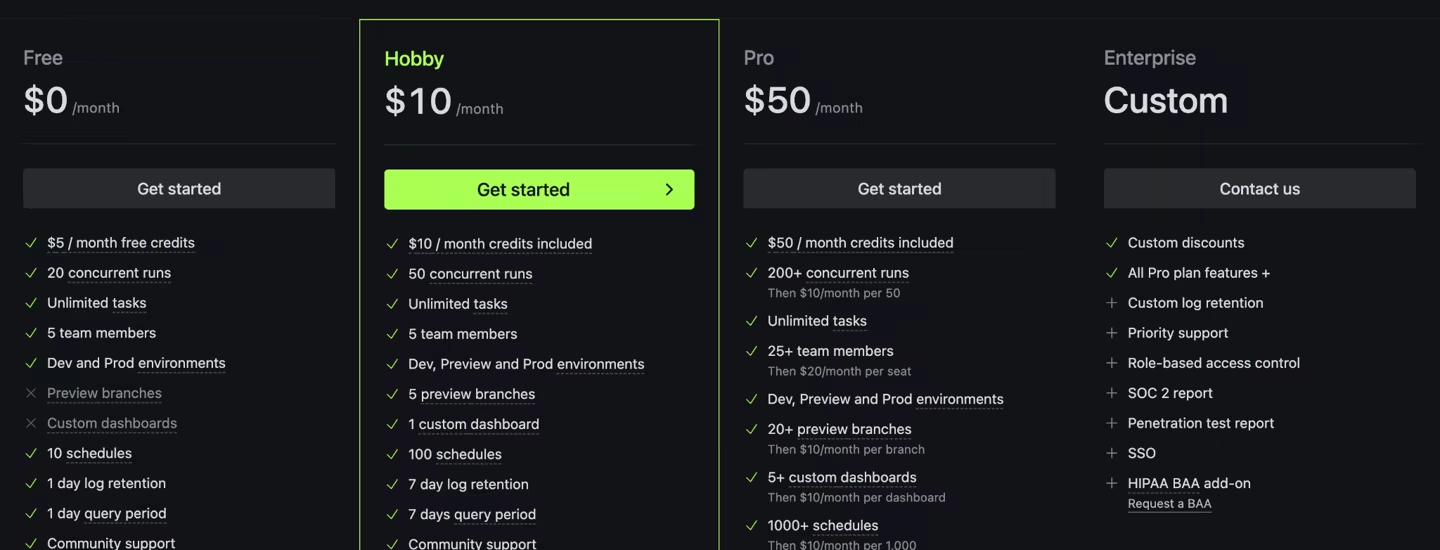
Trigger.dev offers a free plan with unlimited tasks, 20 concurrent runs, and five team members. Other than that, it has three paid plans:
-
Hobby: $10 per month
-
Pro: $50 per month
-
Enterprise: Custom pricing
Pros and Cons
Trigger.dev is a great choice if your team already lives in TypeScript and wants a simple way to run durable background jobs. It feels natural to plug into an existing web app, especially if you’re already using queues, cron jobs, or event-driven workflows. The checkpoint-resume model is a big win here, since you don’t have to worry about timeouts killing long-running tasks. The developer experience is smooth, and the dashboard makes it easy to see what’s going on when something fails.
That said, it’s not a perfect fit for every team. If your workflows are Python-heavy, especially for AI agents, the TypeScript-first approach can feel like a mismatch. While you can run Python scripts, it’s not as good as other Temporal alternatives built specifically for Python workflows.
7. Argo Workflows
Argo Workflows is an open-source workflow engine for Kubernetes. It’s a good Temporal alternative if you run jobs as containers and want DAG or step-based orchestration inside Kubernetes.
Features
-
Define workflows as Kubernetes custom resources. Each step runs as a container, so you can package ML jobs, data pipelines, or batch agent tasks with dependencies and run them reliably across environments.
-
Model workflows as DAGs or ordered steps. Argo lets you define dependencies between tasks and is especially useful when workflows resemble container-based pipelines. You can optimize execution time and resource usage without rewriting logic into function-based orchestration.
-
Use Kubernetes primitives for scheduling, secrets, service accounts, resource requests, and job isolation. Argo integrates directly with native Kubernetes features, so you can control permissions, manage sensitive data, and allocate compute resources using familiar tools.
-
Track artifacts, parameters, retries, and workflow status through Argo’s controller and UI. You can monitor progress in real time and quickly rerun failed steps, improving reliability without needing an external orchestration service.
Pricing
Argo Workflows is free and open source. You still pay for the Kubernetes cluster, compute, storage, and any managed service that runs it.
Pros and Cons
If your team is already comfortable with Kubernetes, Argo feels like a natural extension rather than a new system to learn. It works well for ML pipelines, batch jobs, CI/CD pipelines, and infrastructure-heavy workloads where each step is already packaged as a container. Tight integration with Kubernetes primitives like secrets, RBAC, and resource scheduling simplifies operations for platform teams.
The tradeoff is that Argo is not an agent runtime. Plus, it does not provide Kitaru’s production-session replay, controlled tool-history testing, or production-derived regression cohorts.
8. Azure Durable Functions
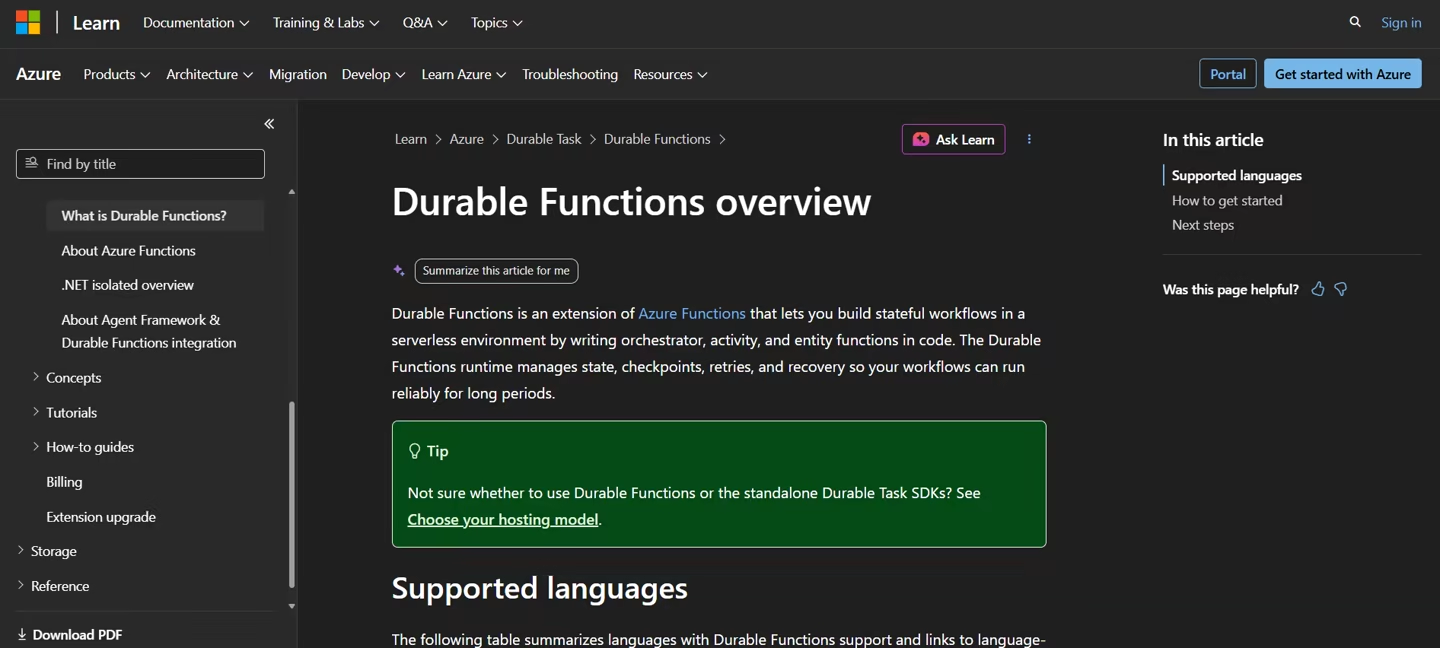
Azure Durable Functions is Microsoft’s serverless workflow system for Azure Functions. It offers orchestrator functions, activity functions, timers, and event-based waits. It allows you to write stateful workflows in code while the platform handles everything else behind the scenes, making it easier to build long-running, reliable processes without managing infrastructure.
Features
-
Write orchestrator functions that call activity functions, wait for timers, and manage long-running workflows through event sourcing. These orchestrators act as a control layer and allow you to build complex workflows without individually tracking progress or writing custom retry logic.
-
Use activity functions for side effects such as API calls, database writes, file work, and model calls. This is similar to Temporal’s split between workflow code and activities. You can confidently integrate third-party services or internal systems without worrying about duplicate execution during retries.
-
Handle human approvals or external events through durable timers and event waits. You can design workflows that pause until a user responds, a webhook fires, or a specific condition is met, without consuming compute resources in the meantime.
Pricing
Azure Durable Functions is billed through Azure Functions. Consumption plans include monthly free grants and pay-as-you-go pricing for executions and resource use. Orchestrator replays can be billed as separate invocations on the Consumption plan.
Pros and Cons
Azure Durable Functions is a practical choice for Azure-native teams. Its tight integration with Azure lets you reuse existing infrastructure, security models, and CI/CD pipelines without introducing a separate orchestration platform. It also reduces operational overhead while keeping workflows close to the rest of the application stack.
The downside is the same replay constraint class you see with Temporal. Microsoft docs say orchestrator code must be deterministic, so direct side effects and nondeterministic calls need care.
9. Camunda
Camunda is a process orchestration platform built around BPMN, job workers, human tasks, and business process visibility. It is a Temporal alternative when the workflow includes people, systems, AI agents, and formal process models.
Features
-
Model processes in BPMN so you have an easy-to-digest visual where both technical and non-technical stakeholders can inspect how a workflow behaves. Use these diagrams to align on logic, spot gaps early, and make changes collaboratively before anything is deployed.
-
Use Zeebe job workers to execute external work. A worker requests a job, completes it, fails it, or retries it while the process waits at that task. This setup keeps execution logic in your own services while allowing you to scale workers independently and control retries without tightly coupling everything into the workflow engine.
-
You can route tasks between systems, people, and agents in one process model. This makes it easier to design workflows that reflect real-world processes where automation and human input coexist.
-
Use Camunda Operate and related tools to inspect process instances, failures, incidents, and process progress. These tools give you visibility across all running workflows and help them get unstuck quickly.
Pricing
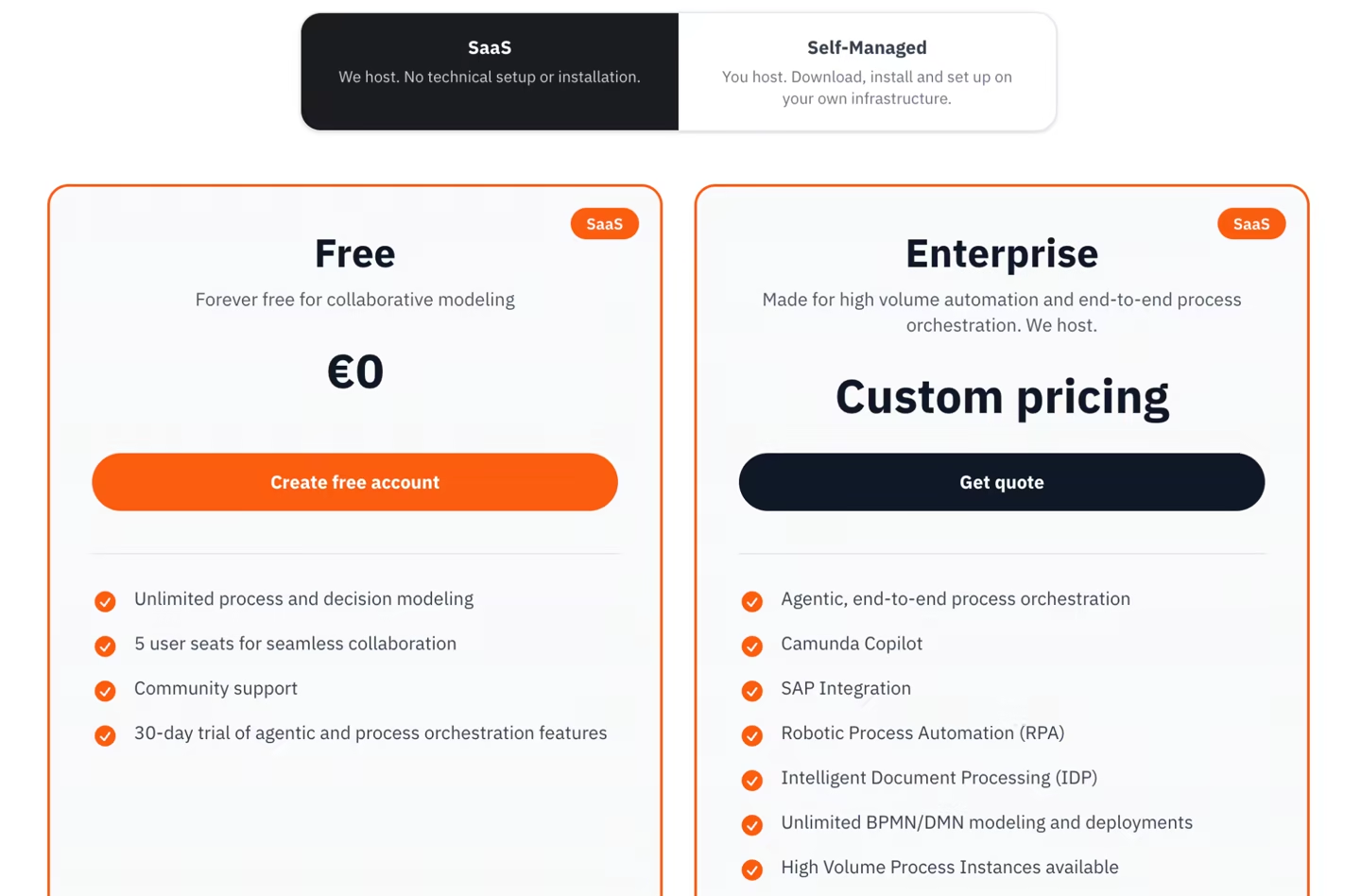
Camunda offers a 30-day SaaS trial. After the trial, users can keep a free account for collaborative modeling, but production process orchestration is tied to Enterprise pricing. For Self-Managed, Camunda also supports local development and evaluation, while production use needs an Enterprise plan.
Pros and Cons
Camunda is strongest when process modeling matters as much as execution. If your workflows span people, systems, approvals, audit needs, and business process owners, BPMN can help. Built-in support for human tasks, approvals, and observability tools like Camunda Operate make it a natural fit for enterprise workflows.
The downside is that BPMN can feel over-structured for your code-first process. If the real work is a Python loop with tool calls, model retries, checkpoints, and stateful waits, Restate will usually feel closer. But if it’s testing changes against past production cases, Kitaru is the more relevant comparison.
The Best Temporal Alternatives for Durable Execution
During our review, we found no single best Temporal alternative. The right tool depends on the shape of the work, the language your team uses, and the environment you want to live in.
-
Restate is best when you want durable services, timers, messaging, and state around backend code.
-
DBOS is the best fit when Postgres is already the system you trust for state.
-
Inngest, Hatchet, and Trigger.dev are strong choices for durable background jobs and event-driven app workflows.
Kitaru by ZenML is the best fit when you want to replay real agent sessions, test model, prompt, or code changes against controlled tool history, and turn production cases into regression suites.
Kitaru takes real production sessions, reruns them against the candidate change, and compares the result before that change reaches users.
Book a demo with us and explore how we can help you set up Kitaru and make your AI workflows more efficient.