On this page
Shipping an AI agent to production is nothing like demoing it in a notebook. Once agentic AI systems run, cracks appear fast. You notice inconsistent outputs, bloated costs, and no clear way to debug failures. If you’ve hit those walls, you’re at the right place.
In this guide, we break down 12 of the best MLOps tools for building and scaling agentic AI systems.
You’ll see how each tool handles orchestration, reproducibility, evaluation, and deployment, so you can choose the right backbone for your agents.
Quick Look at the Top MLOps Tools
- ZenML: Teams that want a unified workflow layer to run ML and LLM pipelines end-to-end across cloud or on-prem.
- MLflow: Teams centered on experiment tracking and model registry, with added support for LLM tracking when evolving into agent workflows.
- AWS Bedrock: Teams shipping LLM apps that want managed foundation models with built-in guardrails, enterprise controls, and agent building blocks.
- Google Agent Development Kit (ADK): Developers building structured multi-agent systems in Python, designed to deploy cleanly on Google Cloud.
- Kubeflow: Organizations already on Kubernetes that need scalable, containerized ML pipelines with full infrastructure control.
- Weights & Biases Weave: Teams that want LLM/agent tracing, evaluation, and debugging in a developer-friendly UI.
- Databricks: Enterprises building on a lakehouse that want managed MLflow, model serving, and GenAI tooling, all in one platform.
- Azure Machine Learning: Azure-native teams that need managed pipelines, governance, and prompt-driven LLM workflows.
- Metaflow: Python-first teams that want a simple workflow API with versioned runs and straightforward scaling.
- ClearML: Teams that want an open-source MLOps suite with tracking and orchestration, plus dataset versioning and model serving.
- DataRobot: Enterprises that want a governed, managed platform for deploying and monitoring models in production.
- Apache Airflow: Data teams that need general DAG scheduling and orchestration, then adapt it for ML and AI workflows.
What Factors Should I Consider when Choosing an MLOps Tool?
The right infrastructure defines how fast you ship and how reliably you scale.
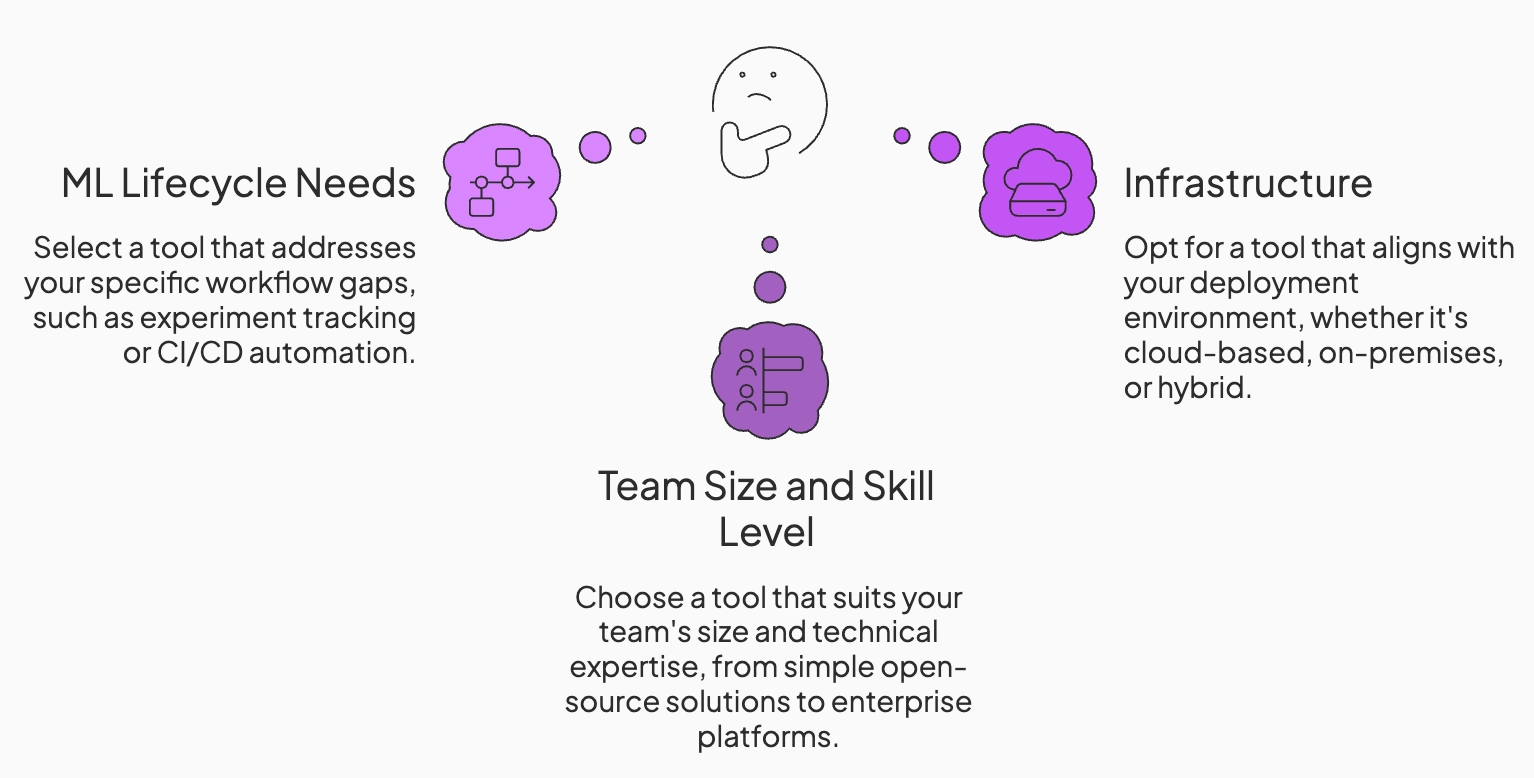
The following factors can help decide which MLOps tool fits your needs:
1. Your ML Lifecycle Needs
Evaluate which parts of the agentic workflow you need help with. Some tools focus on experiment tracking, others on pipelines or model serving. Choose a solution that fills your current gaps. For example, if experiment tracking is already handled by other tools, you might prioritize a platform that automates CI/CD workflows or handles model serving.
If you’re not sure what you want at the moment, look for tools that handle:
- Intermediate Tracing: The ability to see inputs and outputs for every step in a reasoning chain, not just the final result.
- RAG Pipeline Management: Support for versioning vector indices and tracking data lineage, ensuring you know exactly which document chunk your agent used to generate an answer.
- Evaluation Loops: Infrastructure that allows you to run ‘LLM-as-a-judge’ evaluators automatically after every run or deployment.
2. Team Size and Skill Level
The best MLOps tool often depends on the user. For small teams or single developers, a simpler open-source solution might suffice, while larger teams may need enterprise features like collaboration, access controls, and professional support.
3. Cloud vs. On-Prem vs. Hybrid Infrastructure
Your choice of deployment environment often restricts your tooling options, particularly regarding data gravity and compliance.
If your data and users are already in AWS or Azure, using their native MLOps tools can reduce latency and integration headaches. This is often the path of least resistance for startups.
For high-compliance industries like finance or healthcare, you require self-hosted platforms that can be deployed via Docker or Kubernetes within your own security perimeter, ensuring no sensitive customer data is exposed to public API endpoints.
What are the Best MLOps Tools Currently On the Market?
Here’s a quick table summarizing the best MLOps platforms on the market:
<tr>
<td><a href="https://mlflow.org/" target="_blank">MLflow</a></td>
<td>
<ul>
<li>Experiment tracking for models, prompts, and runs</li>
<li>Model registry with staged deployments</li>
<li>GenAI tracing and evaluation support</li>
</ul>
</td>
<td>
<ul>
<li>Free (Open-source)</li>
<li>Managed via Databricks</li>
</ul>
</td>
</tr>
<tr>
<td><a href="https://aws.amazon.com/bedrock/" target="_blank">AWS Bedrock</a></td>
<td>
<ul>
<li>Unified API for foundation models</li>
<li>Guardrails and evaluation tooling</li>
<li>Managed scaling for production agents</li>
</ul>
</td>
<td>
<ul>
<li>Pay-as-you-go</li>
<li>Enterprise pricing varies by usage</li>
</ul>
</td>
</tr>
<tr>
<td><a href="https://google.github.io/adk-docs/" target="_blank">Google ADK</a></td>
<td>
<ul>
<li>Structured, tool-using agent workflows</li>
<li>Stateful multi-step reasoning support</li>
<li>Deep Google Cloud integration</li>
</ul>
</td>
<td>
<ul>
<li>Free toolkit</li>
<li>GCP usage-based pricing</li>
</ul>
</td>
</tr>
<tr>
<td><a href="https://www.kubeflow.org/" target="_blank">Kubeflow</a></td>
<td>
<ul>
<li>Kubernetes-native ML pipeline orchestration</li>
<li>Distributed training and tuning jobs</li>
<li>Kubernetes-based deployment patterns for model services</li>
</ul>
</td>
<td>
<ul>
<li>Free (Open-source)</li>
<li>Infrastructure costs apply</li>
</ul>
</td>
</tr>
<tr>
<td><a href="https://wandb.ai/site/" target="_blank">Weights & Biases Weave</a></td>
<td>
<ul>
<li>Model and prompt experiment tracking</li>
<li>Evaluation inspection and analysis</li>
<li>Team dashboards and collaboration tools</li>
</ul>
</td>
<td>
<ul>
<li>Free tier</li>
<li>Pro ($60/mo)</li>
<li>Enterprise (Custom)</li>
</ul>
</td>
</tr>
<tr>
<td><a href="https://www.databricks.com/" target="_blank">Databricks</a></td>
<td>
<ul>
<li>Unified data and ML platform on Spark</li>
<li>Native MLflow tracking and registry</li>
<li>Scalable serving and feature pipelines</li>
</ul>
</td>
<td>
<ul>
<li>Usage-based pricing</li>
<li>Enterprise contracts</li>
</ul>
</td>
</tr>
<tr>
<td><a href="https://azure.microsoft.com/en-us/products/machine-learning" target="_blank">Azure Machine Learning</a></td>
<td>
<ul>
<li>End-to-end ML lifecycle management</li>
<li>Managed training, deployment, and monitoring</li>
<li>Azure OpenAI integration</li>
</ul>
</td>
<td>
<ul>
<li>Pay-as-you-go</li>
<li>Enterprise pricing</li>
</ul>
</td>
</tr>
<tr>
<td><a href="https://metaflow.org/" target="_blank">Metaflow</a></td>
<td>
<ul>
<li>Python-first ML workflow orchestration</li>
<li>Built-in data versioning and lineage</li>
<li>Local-to-cloud scalability</li>
</ul>
</td>
<td>
<ul>
<li>Free (Open-source)</li>
<li>Cloud infrastructure costs</li>
</ul>
</td>
</tr>
<tr>
<td><a href="https://clear.ml/" target="_blank">ClearML</a></td>
<td>
<ul>
<li>Experiment tracking with metadata logging</li>
<li>Cross-cluster pipeline orchestration</li>
<li>Integrated model serving</li>
</ul>
</td>
<td>
<ul>
<li>Free (Open-source)</li>
<li>Paid plans start at $15/month + usage</li>
</ul>
</td>
</tr>
<tr>
<td><a href="https://www.datarobot.com/" target="_blank">DataRobot</a></td>
<td>
<ul>
<li>Automated ML workflows with governance</li>
<li>Enterprise validation and monitoring</li>
<li>Managed deployment infrastructure</li>
</ul>
</td>
<td>
<ul>
<li>Enterprise pricing (Custom)</li>
</ul>
</td>
</tr>
<tr>
<td><a href="https://airflow.apache.org/" target="_blank">Apache Airflow</a></td>
<td>
<ul>
<li>DAG-based task orchestration</li>
<li>Dependency management for ML pipelines</li>
<li>Broad ecosystem integrations</li>
</ul>
</td>
<td>
<ul>
<li>Free (Open-source)</li>
<li>Infrastructure costs apply</li>
</ul>
</td>
</tr>| Tool | Key Features | Pricing |
|---|---|---|
| ZenML |
|
|
1. ZenML
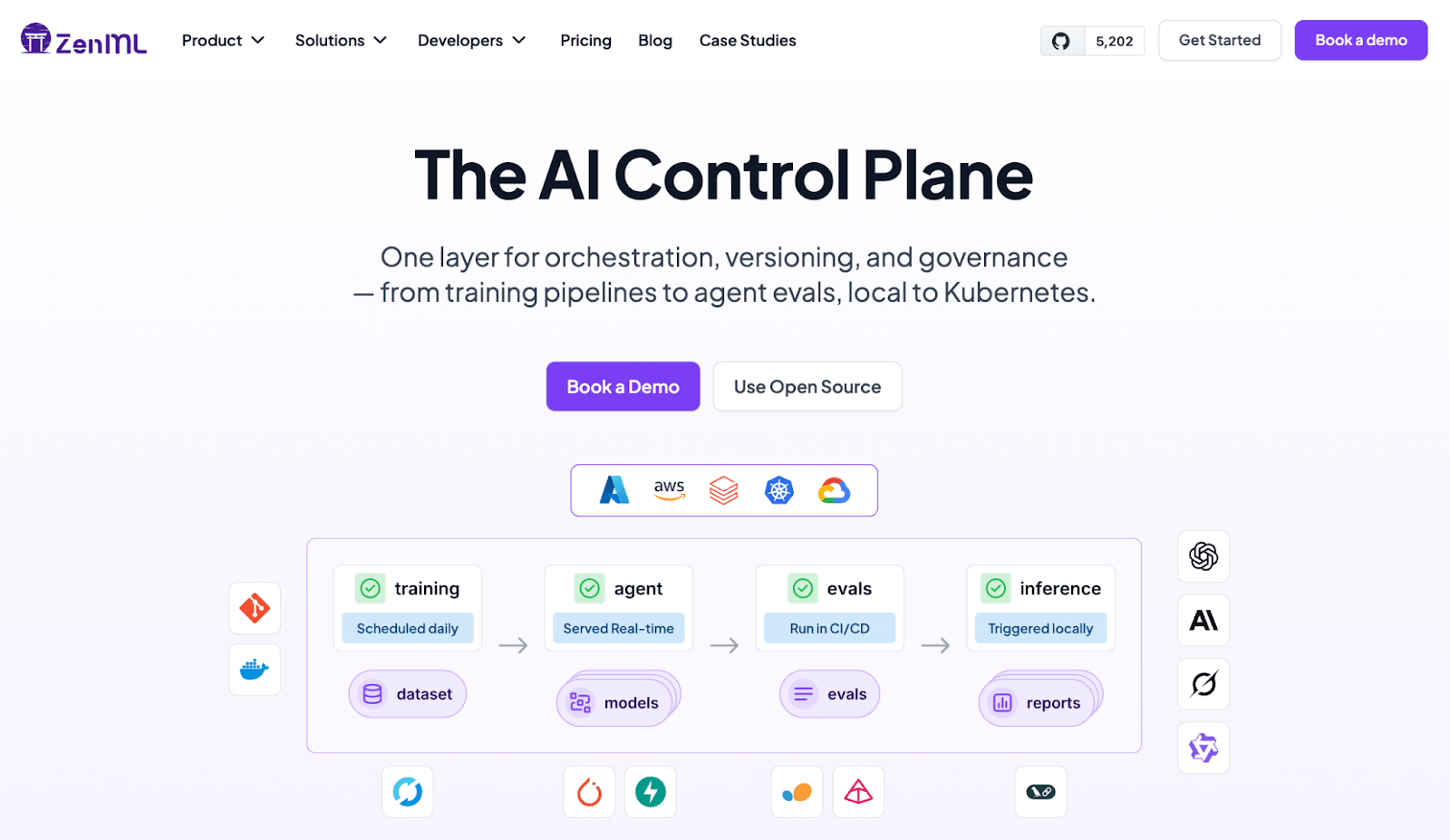
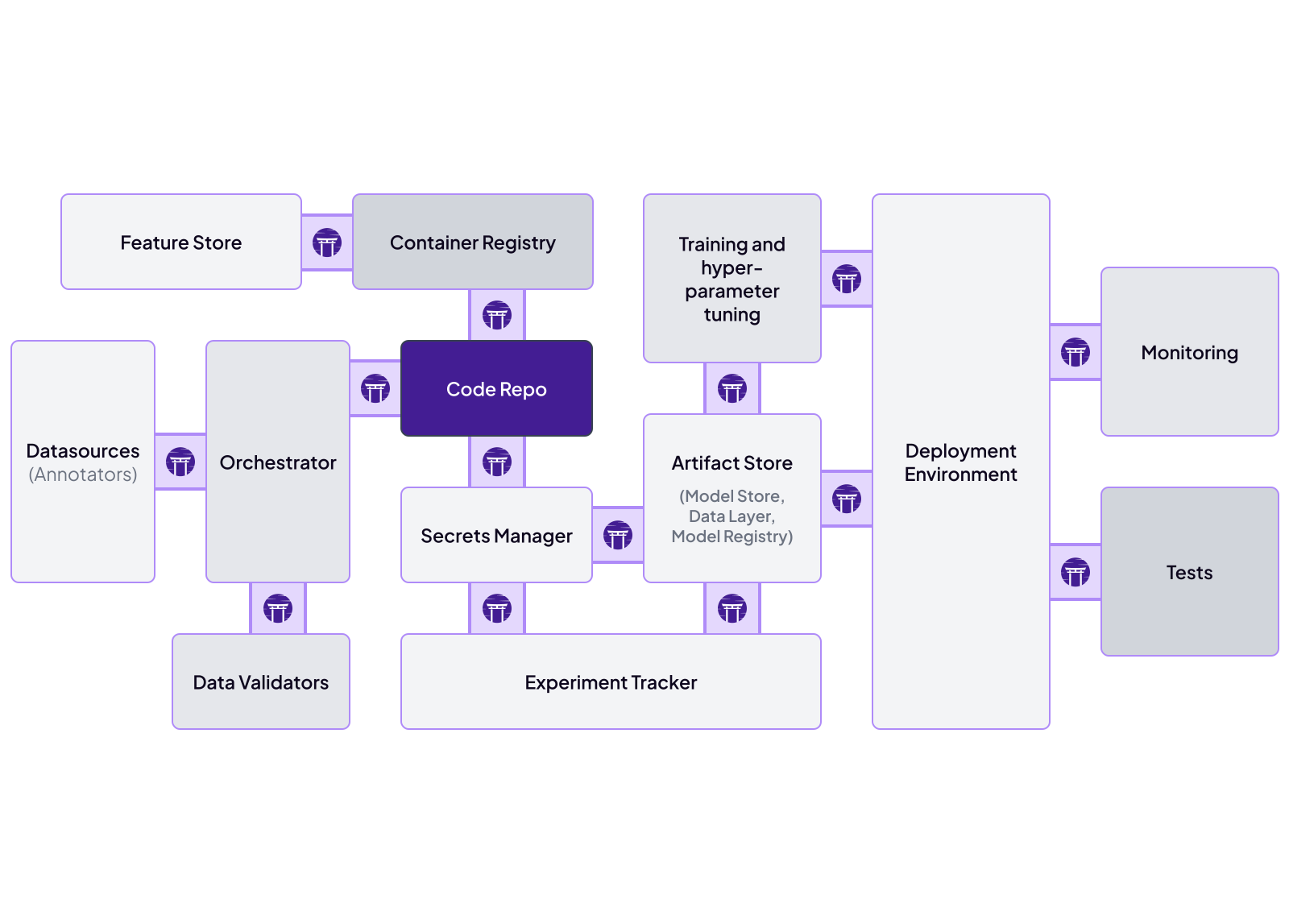
ZenML is a Python-first MLOps framework that treats agentic AI tasks as versioned pipelines rather than ad hoc scripts. It natively supports adding RAG and agent steps into a reproducible pipeline, tracking every artifact and computation. Every step, from context retrieval to LLM output, runs within a defined pipeline component and is tracked end-to-end.
Here’s how ZenML supports production-grade agentic AI workflows:
Key Feature 1: Orchestrated Agent Pipelines
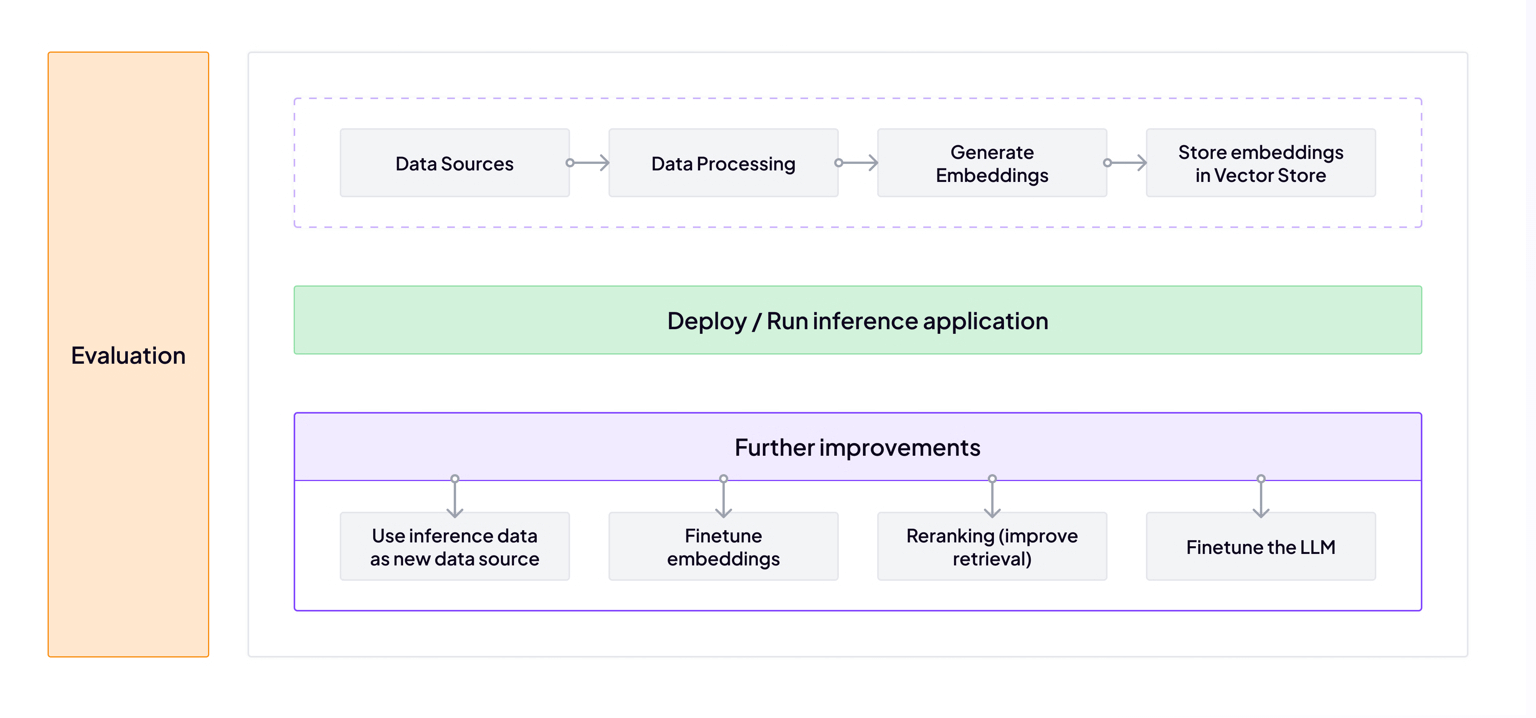
ZenML transforms agent workflows into first-class pipeline steps. Rather than hiding multi-step reasoning inside a single, opaque function, it makes the entire chain explicit. The process begins with data preparation and embedding creation, then moves into vector search and post-processing; all managed as distinct, traceable steps.
Why this matters for Agentic AI:
- Infrastructure Agility: Lets you move from local execution to remote backends (e.g., Kubernetes) without changing pipeline logic, but you will need to configure a different ZenML stack/orchestrator.
- Targeted Scaling: Because steps are decoupled, you can scale retrieval-heavy tasks independently and parallelize tool calls to reduce latency.
- Reproducible Reasoning: ZenML improves observability and reproducibility by versioning artifacts, tracking code/configuration, and (optionally) running steps in containerised environments with pinned dependencies.
Key Feature 2: End-to-End Experiment and Lineage Tracking
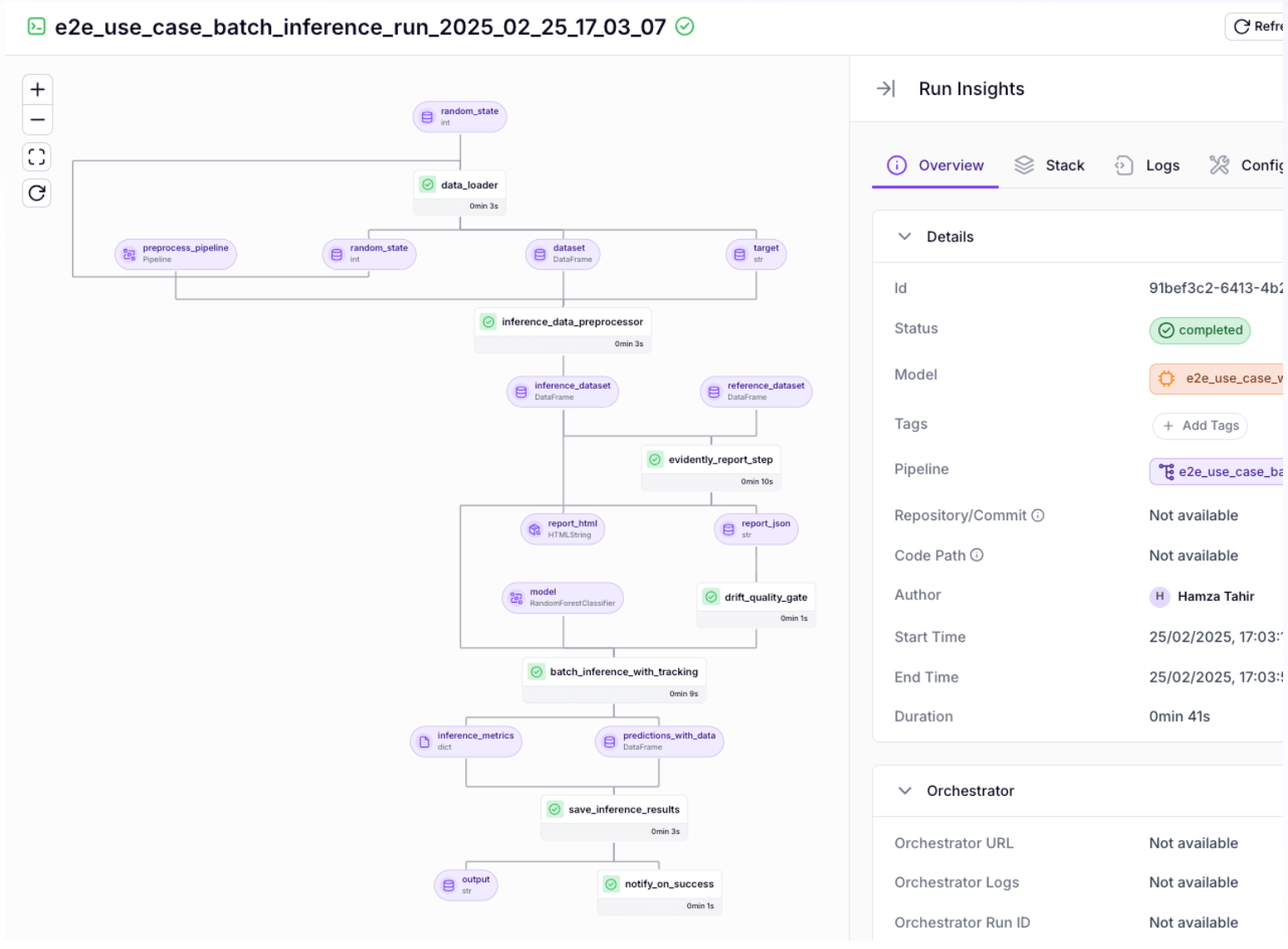
Agent behavior changes with small prompt edits or embedding swaps. That’s why ZenML automatically tracks and version-controls all inputs, code, and outputs of each run, so you can reproduce and audit agent workflows.
Besides, this also makes debugging easier. If an agent produces a faulty answer, you can inspect the exact prompt, context, and model version used in that run. You can compare runs across prompt variants or memory backends with full traceability.
In regulated environments or customer-facing systems, this level of lineage supports audit requirements and structured iteration without guesswork.
Key Feature 3. The Model Control Plane: A Unified Model Management Approach
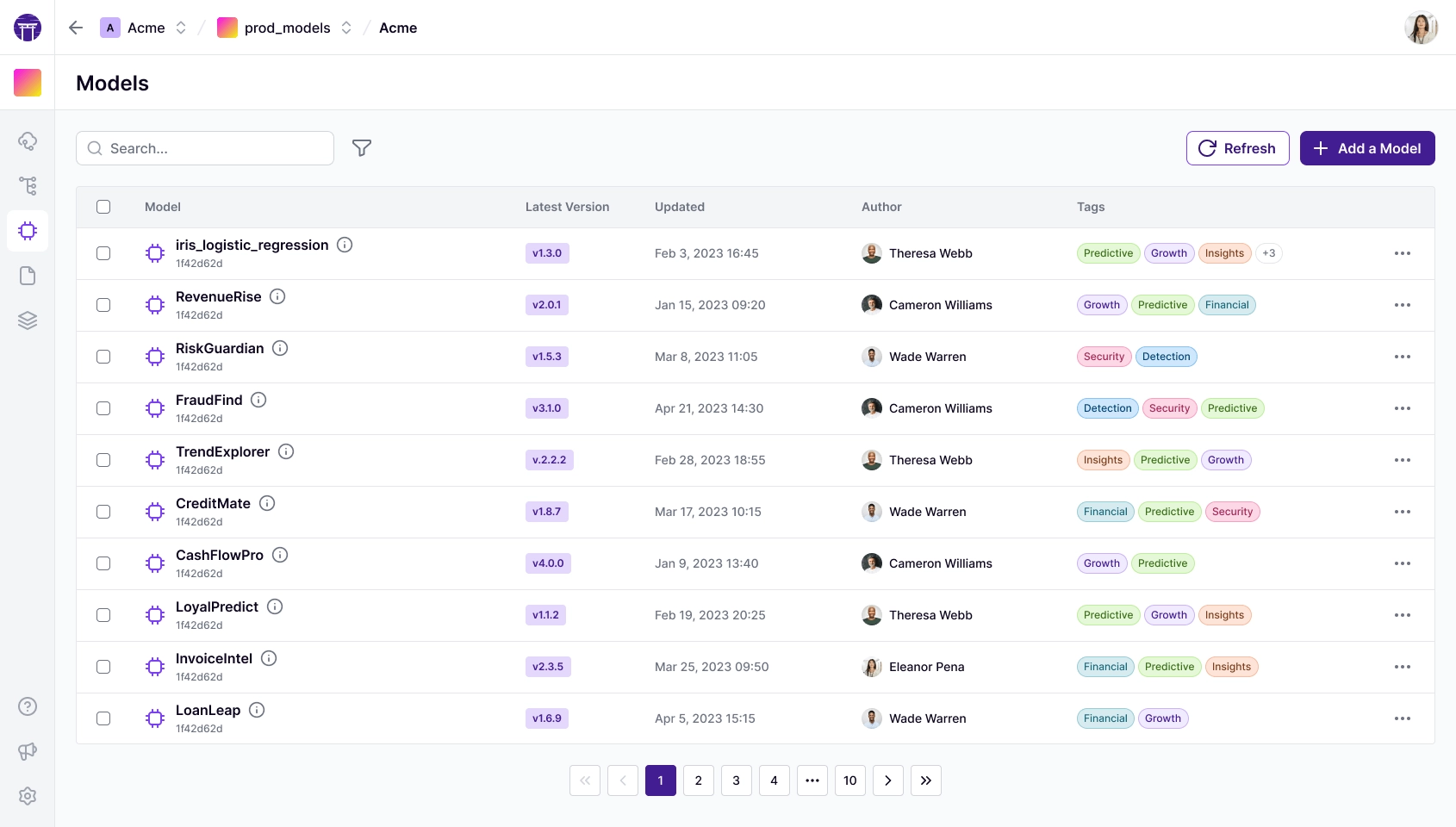
ZenML’s Model Control Plane unifies pipeline lineage, artifacts, and business context into a single model-centric framework. Here’s what the Control Plane can help you with:
- Business-oriented model concept: A ZenML Model is a first-class entity that groups the relevant pipelines, artifacts, metadata, and business metrics for a given ML problem.
- Lifecycle management: Models in ZenML have versioning and stage management built in. Each training run can produce a new Model Version, tracked automatically with lineage to the data and code that created it.
- Artifact linking: The Model Control Plane allows linking each model version to not only its technical artifacts (weights, metrics) but also to relevant non-technical context.
Pricing
ZenML offers a free, open-source Community Edition (Apache 2.0). It also has a Pro plan for enterprise users who require managed infrastructure, role-based access control, or advanced collaboration features.
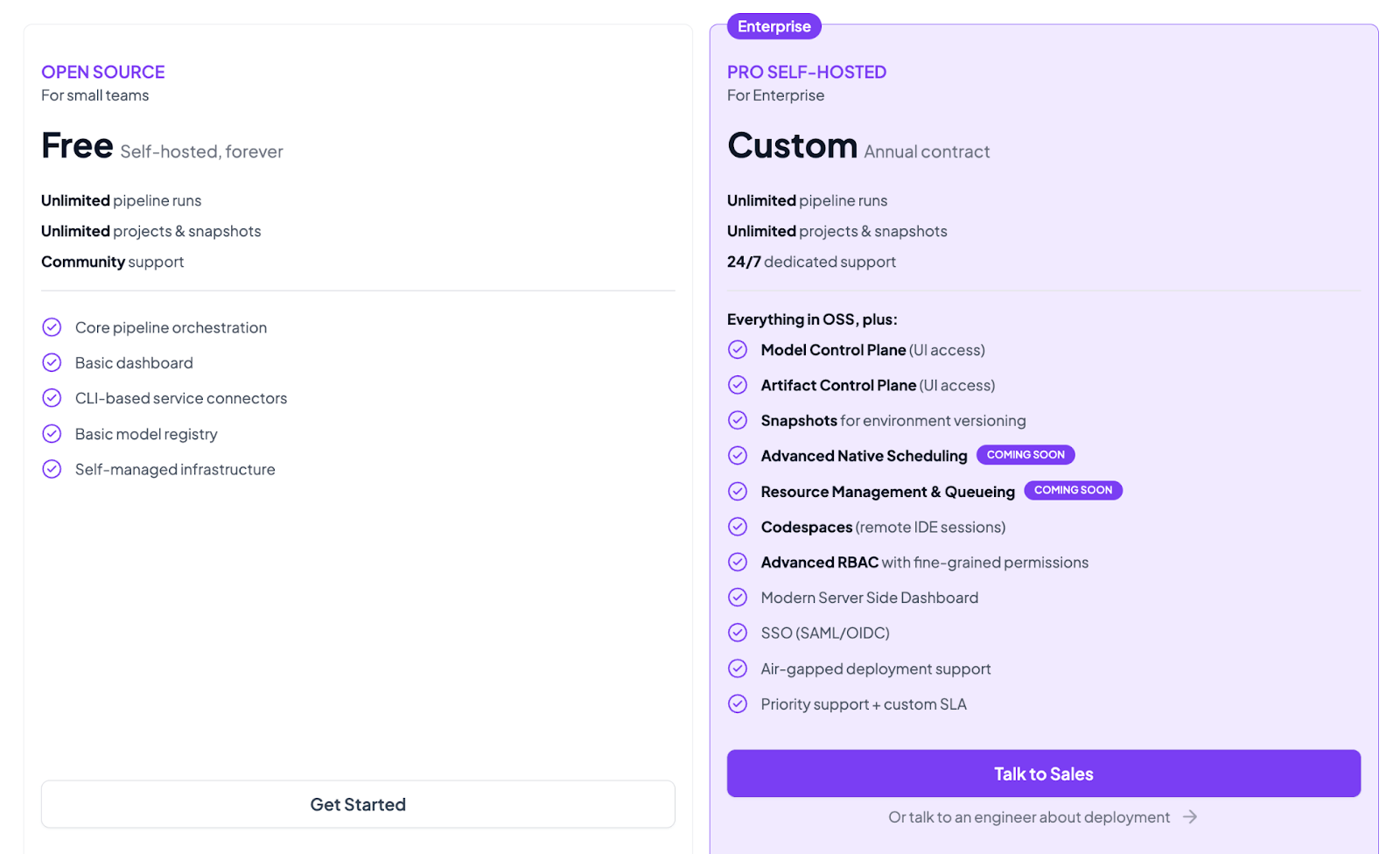
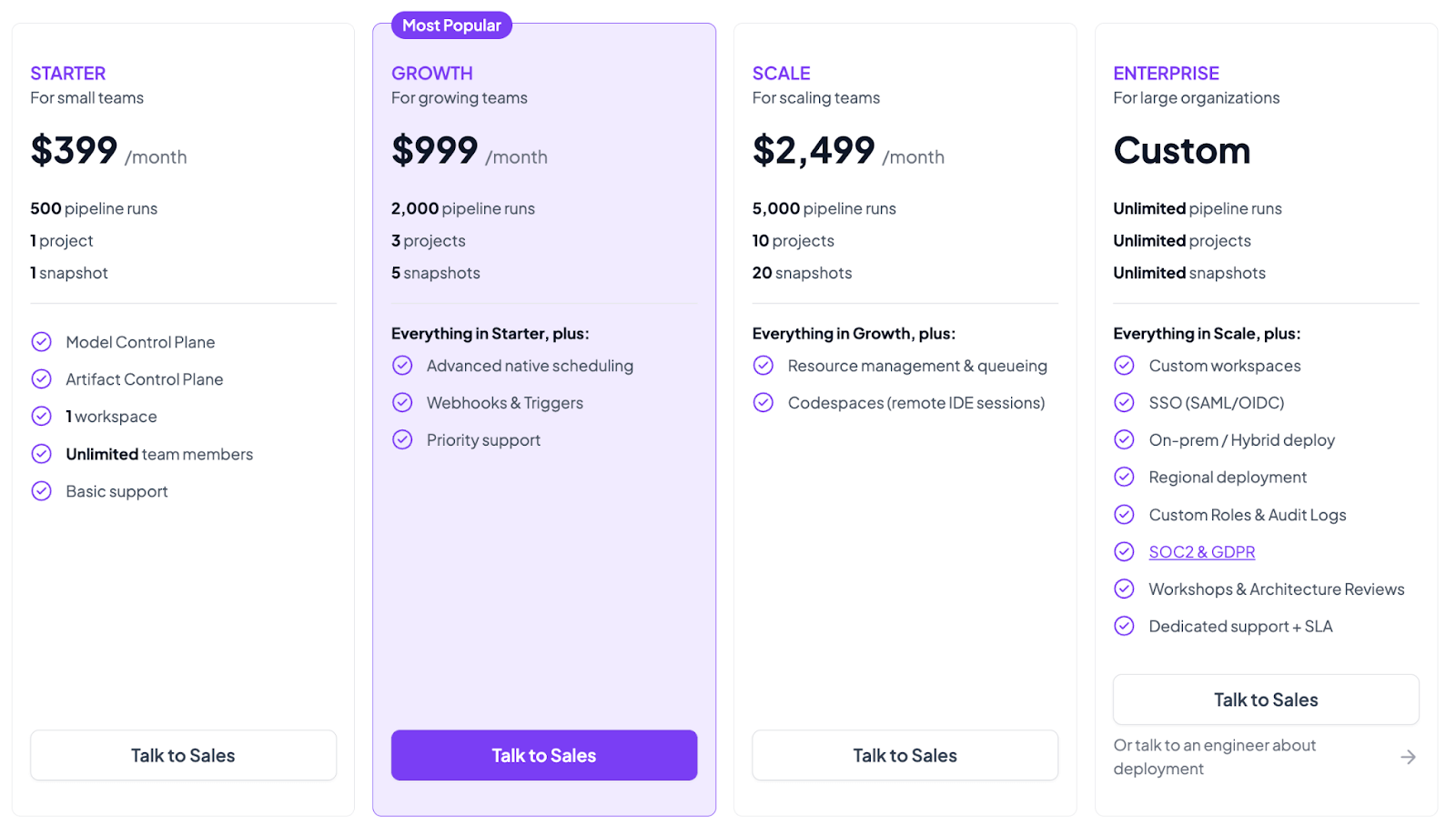
Both the plans above are self-hosted. ZenML now also has 4 paid SaaS plans:
- Starter: $399 per month
- Growth: $999 per month
- Scale: $2,499 per month
- Enterprise: Custom pricing
Pros and Cons
The core strength of ZenML is its unified orchestration layer. It provides clear abstractions for each step and robust metadata tracking, making debugging easy for multi-step AI agents. Because it’s framework-agnostic, you can integrate any LLM or agent library. Besides, you can manage traditional ML and GenAI in one place, which reduces infrastructure sprawl.
On the downside, ZenML treats agent workflows as code (there’s no drag-and-drop GUI). It doesn’t come with a visual agent editor.
2. MLflow
MLflow is an open-source platform for managing the end-to-end machine learning lifecycle. It has expanded into generative AI with built-in tracing and evaluation support for LLMs and agent workflows.
Features
- Capture intermediate steps and tool interactions in traces (subject to your instrumentation, sampling, and redaction settings) to understand agent behaviour in production.
- Record complete chat histories, token usage, and session-level metadata to analyze agent behavior across interactions.
- Track inputs and outputs of function calls or API tools triggered during agent execution as part of the same experiment run.
- Register LLM-powered applications and associated artifacts in the Model Registry for reproducibility and controlled promotion.
- Use
mlflow.genai.evaluate()with built-in and custom scorers to grade quality and safety signals for agent outputs.
Pricing
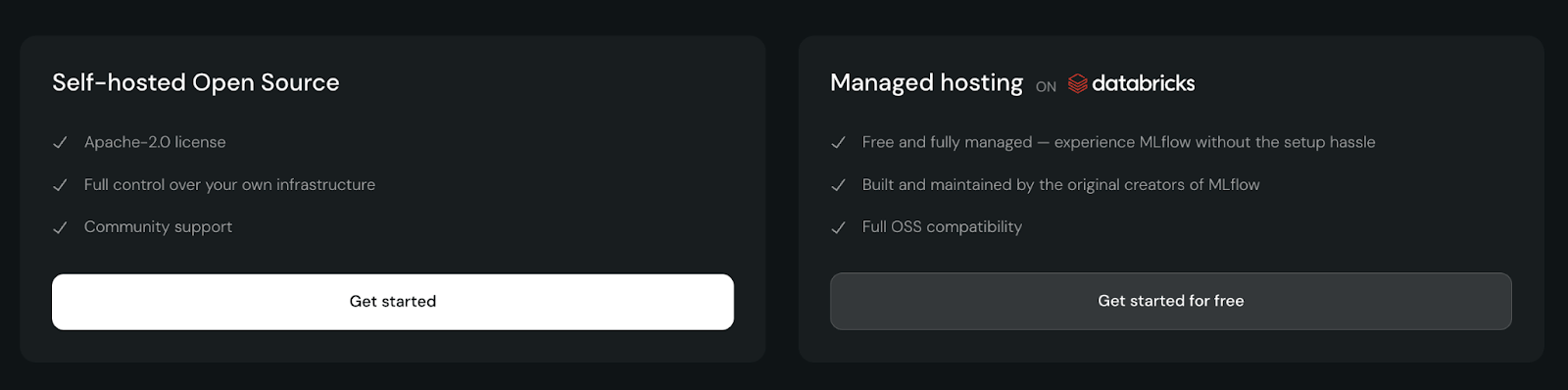
MLflow is fully open source under the Apache 2.0 license and free to self-host. If you want a managed option, Databricks provides hosted MLflow Tracking (including a free Databricks Community Edition for learning and small projects), while production features like Model Registry and deployment are typically part of paid Databricks workspaces
Pros and Cons
MLflow is lightweight and great for teams already using experiment tracking. Its new genAI tools make it easy to add LLM interactions to existing ML pipelines. The integration with MLflow Tracking and Registry brings enterprise-grade versioning.
However, MLflow’s interface remains code-centric and lacks specialized agent development features. It does not orchestrate pipelines alone.
📚 Learn more about MLflow and its alternatives:
3. AWS Bedrock
AWS Bedrock is Amazon’s managed service for building generative AI applications, now including autonomous agent capabilities. It provides APIs for multiple foundation models and an Agent feature that autonomously breaks down tasks and executes them using LLM reasoning.
Features
- Configure agents that automatically break down user requests into a logical sequence of steps without rewriting the orchestration loops.
- Run a supervisor agent that plans and routes work to one or more specialized collaborator agents, letting them work in parallel and combine results for complex tasks.
- Ground your agents in proprietary data using Knowledge Bases for Amazon Bedrock, which manages the RAG pipeline fully.
- Store and reuse conversation state across conversations to maintain coherence and continuity in multi-turn sessions.
- Visualize the agent's reasoning in the AWS console to understand how it arrived at a specific conclusion or why it chose a specific tool.
Pricing
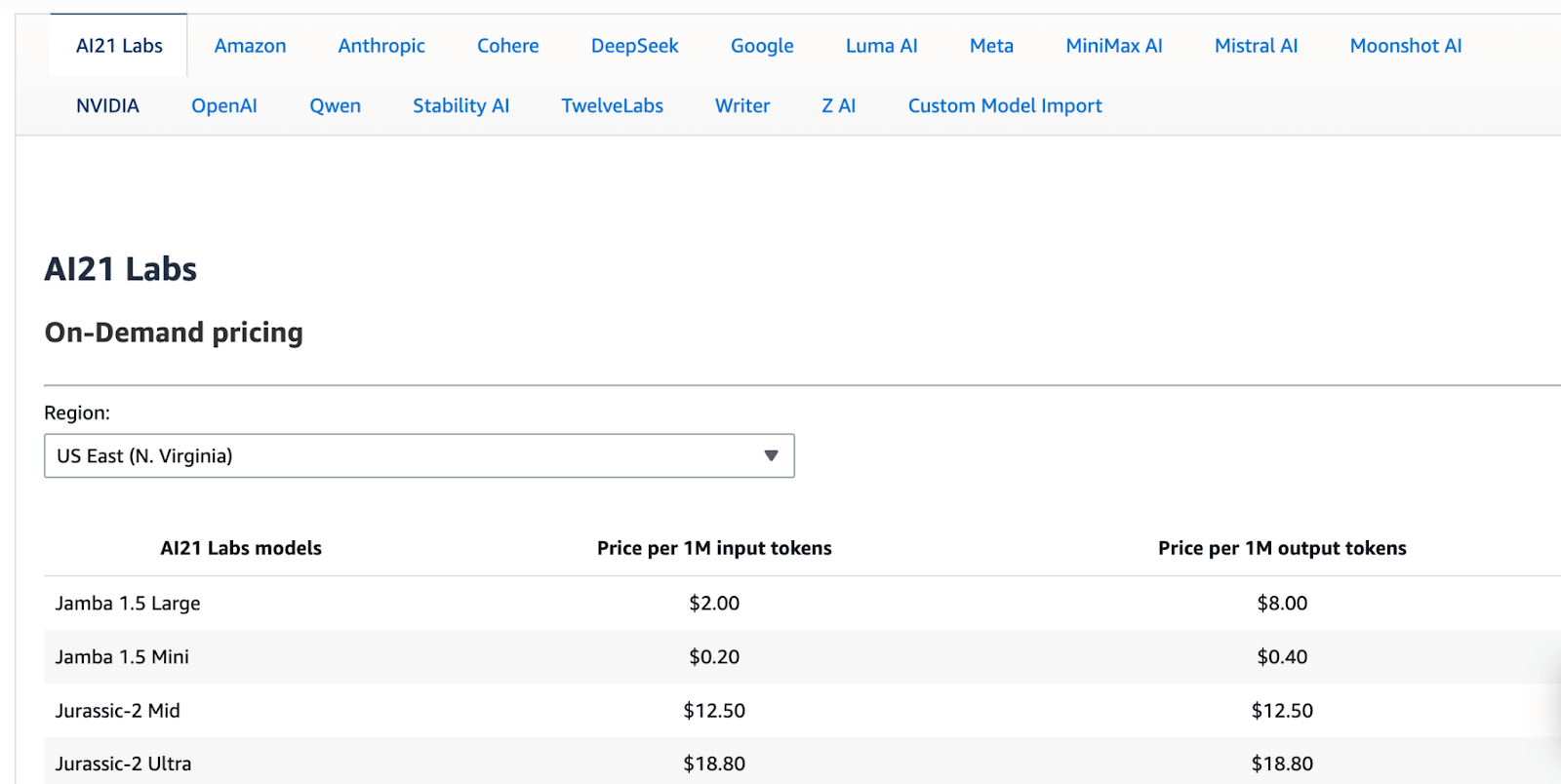
Bedrock is usage-billed. You pay for model inference (tokens processed) and for any enabled capabilities and associated AWS resources (for example, knowledge base storage/querying and guardrail checks). There is no separate charge just to call InvokeAgent.
New AWS customers may be eligible for AWS Free Tier credits; however, Amazon Bedrock usage is metered, so costs depend on token usage and enabled capabilities. Use the Bedrock pricing page (and the AWS pricing calculator) to estimate production spend.
Pros and Cons
AWS Bedrock offers the deepest integration with the broader AWS ecosystem, including IAM security and S3 storage. Its serverless architecture makes it easy to scale without managing servers, but you still operate within Amazon Bedrock service quotas and model throughput limits (and may need quota increases for sustained high traffic).
The downside is the black box nature of the service. You have less control over the underlying prompting strategies and orchestration logic than with an open framework.
4. Google Agent Development Kit
The Google Agent Development Kit is an open-source framework for building LLM-based agents. It’s optimized for Gemini but model-agnostic, and provides tools to define both static pipelines and dynamic LLM-driven agent workflows.
Features
- Build sequential or parallel pipelines, or let an LLM choose the next step at runtime to support both deterministic and adaptive flows.
- Structure manager and worker agents into coordinated teams with built-in communication and hierarchical execution.
- Access prepackaged tools such as web search, calculators, and code execution, and extend agents with custom functions.
- Containerize and run agents on Vertex AI Agent Engine, Cloud Run, or Kubernetes with native scaling support.
- Test step-level and end-to-end execution against ground-truth oracles to validate reasoning and output correctness.
Pricing
The ADK framework itself is open source and free (Apache 2.0 license). However, Google ADK tools generally tie into Vertex AI pricing. You pay for the compute resources, vector search operations, and model inference tokens used by your agents.
Pros and Cons
ADK is a versatile toolkit for developers: it provides structure without locking you into a particular LLM or service. You get multi-agent patterns, tool integration, and evaluation infrastructure.
However, it is more of a developer framework than a ready-made platform. You write Python code to define agents, so there is coding overhead. ADK by itself has no managed UI – you must handle your own deployment and tracking.
**Read about how **Google ADK compares to LangGraph
5. Kubeflow
Kubeflow is an open-source, Kubernetes-native toolkit for ML workflows. It provides a flexible Pipelines component for defining end-to-end ML workflows as containerized steps. While it is overkill for simple chatbots, it provides the robust infrastructure needed to train models that power agents and to deploy complex, resource-intensive agent services.
Features
- Build DAG workflows using a Python SDK or YAML; each step runs as a container on Kubernetes (for example, GKE/EKS/AKS or on-prem Kubernetes).
- Inspect execution graphs, logs, metrics, and artifacts through the Kubeflow Pipelines UI and compare historical runs.
- Reuse unchanged step outputs to avoid recomputation and execute independent steps concurrently for faster runs.
- Compile pipelines to the KFP intermediate representation (IR) and run them on KFP-conformant backends such as the open-source Kubeflow Pipelines backend or Google Cloud Vertex AI Pipelines.
- Connect pipeline steps to services like BigQuery and S3 and execute distributed workloads such as Spark or MPI jobs.
Pricing
Kubeflow is a free, open-source software. There is no licensing cost. You pay for the underlying compute and Kubernetes.
Pros and Cons
Kubeflow offers strong control over infrastructure. If you are building agents that rely on custom-trained models or need to run on specific hardware, Kubeflow gives you the primitives to manage it all. The UI for Kubeflow Pipelines provides useful visibility.
The trade-off is complexity. With so many components to install and maintain, Kubeflow has a steep operational overhead. It assumes familiarity with Kubernetes concepts, which raises the barrier for smaller teams.
📚 Read more about Kubeflow and its alternatives:
6. Weights & Biases Weave
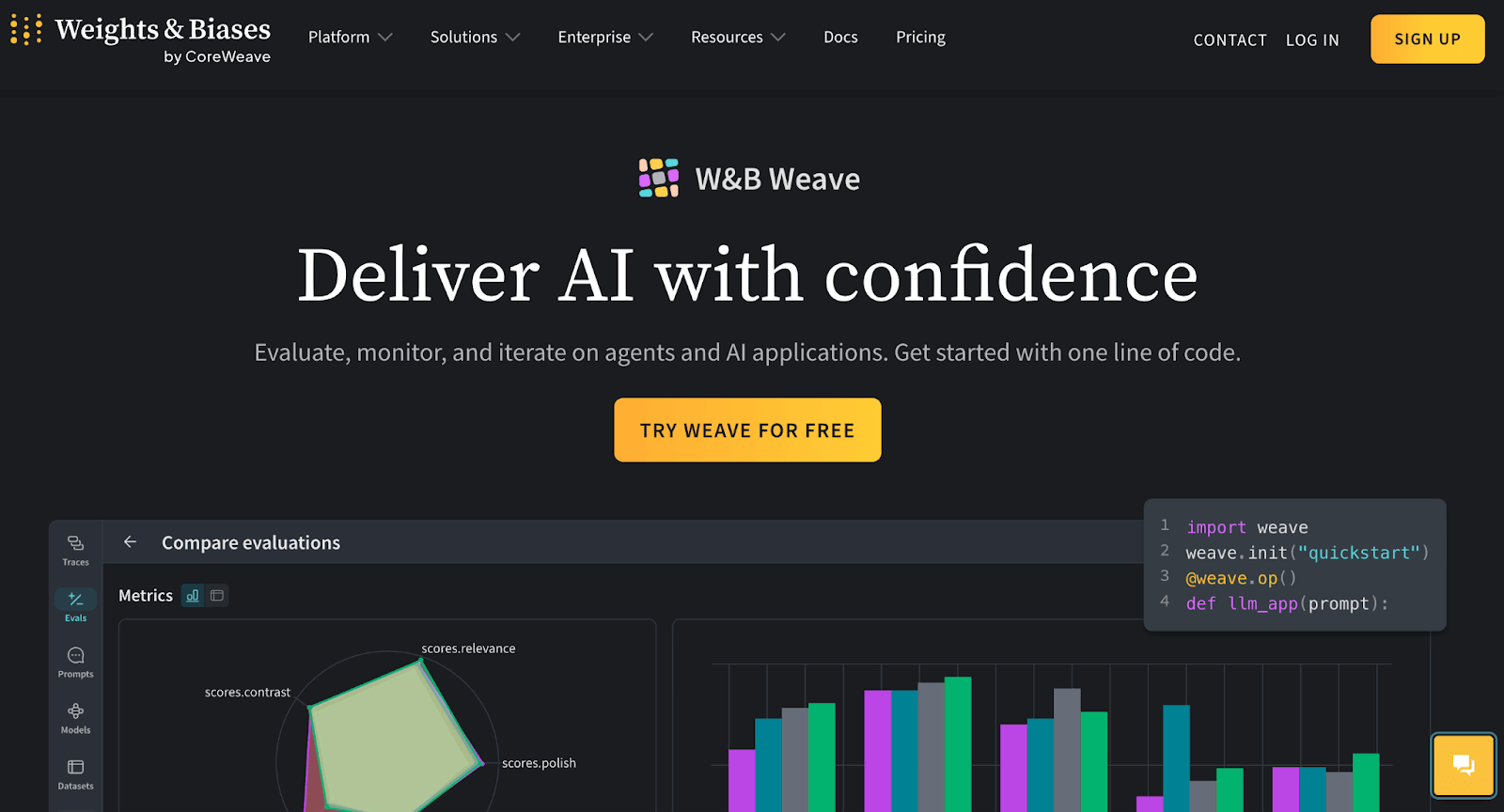
Weave is the newest addition to the Weights & Biases ecosystem, specifically built for the iterative nature of agent development. It treats agent building as an experimental science, tracking every prompt modification and tool call.
Features
- Capture full call trees of your agents, including tool usage, latency per step, and token costs.
- Run evaluation pipelines that use LLM judges to grade agent outputs on custom criteria like faithfulness or style.
- Use customizable dashboards to spot trends in your agent's resource consumption over time.
- Experiment with different system prompts in a playground environment and save the best versions directly to your project.
- Share links to specific failed runs with your team to collaboratively debug why an agent went off the rails.
Pricing
W&B offers a free tier for personal projects and two paid tiers:
- Pro: $60 per month
- Enterprise: Custom pricing
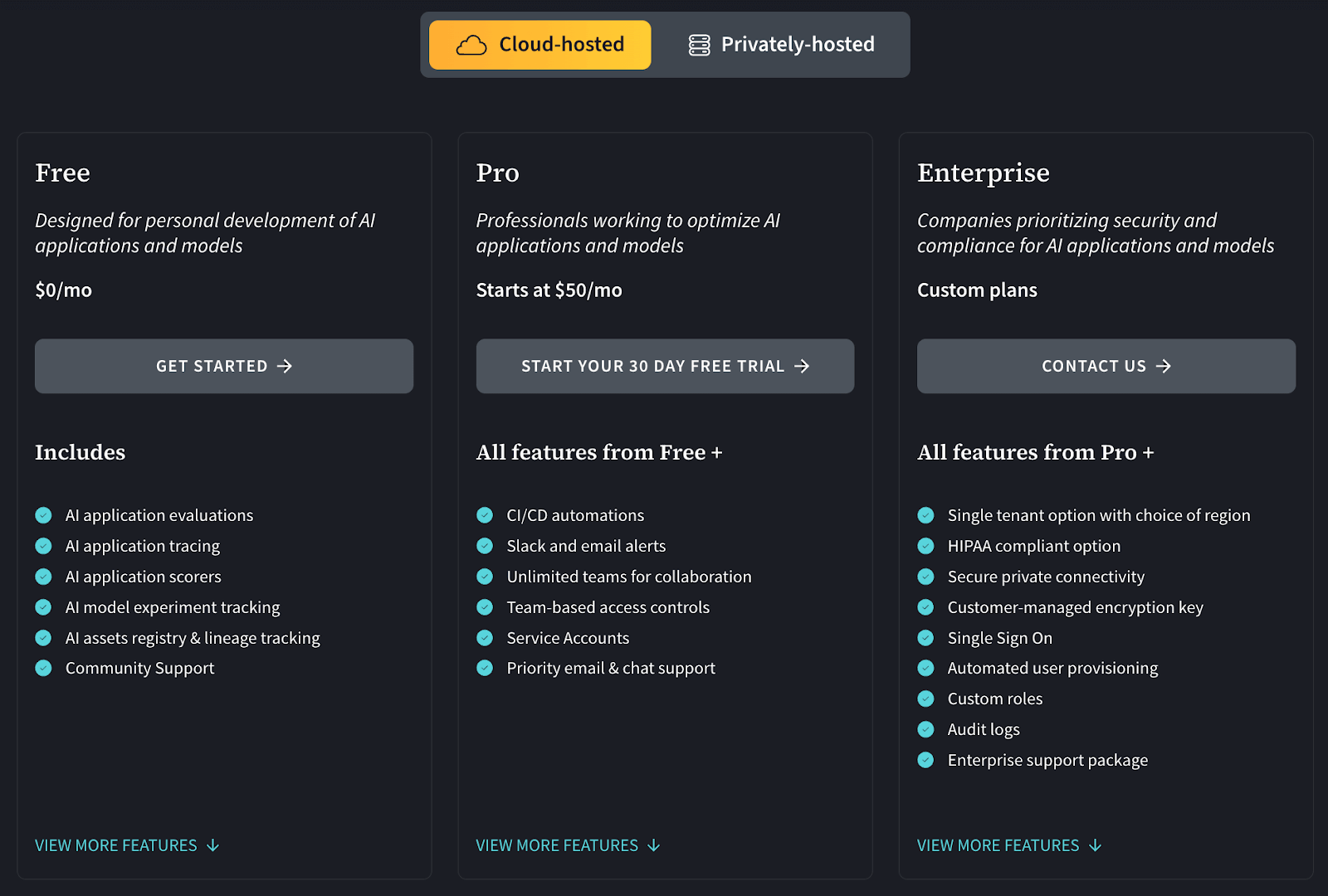
Apart from the above cloud-hosted plans, W&B also offers privately-hosted paid plans that have custom pricing.
Pros and Cons
W&B is developer-friendly and quick to set up. Its visualizations make it easy to compare agent runs and track metrics. The new agent/tracing features are designed for multi-step LLM pipelines.
However, W&B is often used as a hosted service, so data privacy may be a concern for some. Also, advanced features require paid plans. It does not include pipeline orchestration; it’s focused on observability and tracking.
7. Databricks
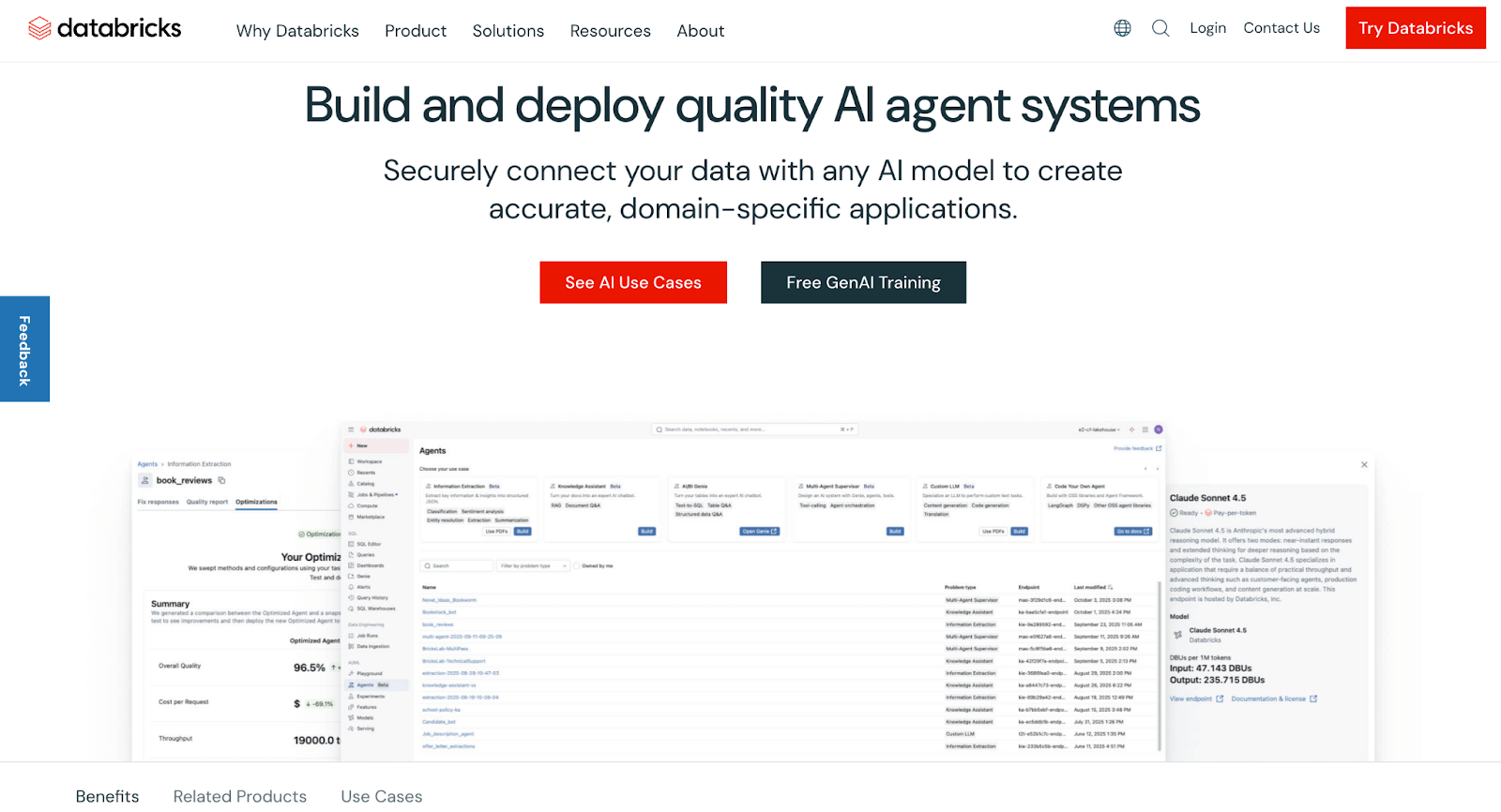
Databricks is a unified data and AI platform built on Apache Spark. It provides managed MLflow, data engineering, collaborative notebooks, and has extensive GenAI features. Databricks can serve as an MLOps backbone by combining data pipelines and model operations in one place.
Features
- Log metrics, parameters, and artifacts with managed MLflow. Promote models using a built-in registry and CI/CD workflows.
- Build agent workflows using the Playground, hosted foundation models, and Agent Bricks templates, and fine-tune on GPU clusters.
- Manage tables, vectors, and features through Unity Catalog with built-in vector search and real-time feature serving.
- Package and serve ML models or agents using Databricks Apps and Model Serving endpoints.
- Collect logs, metrics, and execution traces while monitoring job runs and detecting model drift.
Pricing
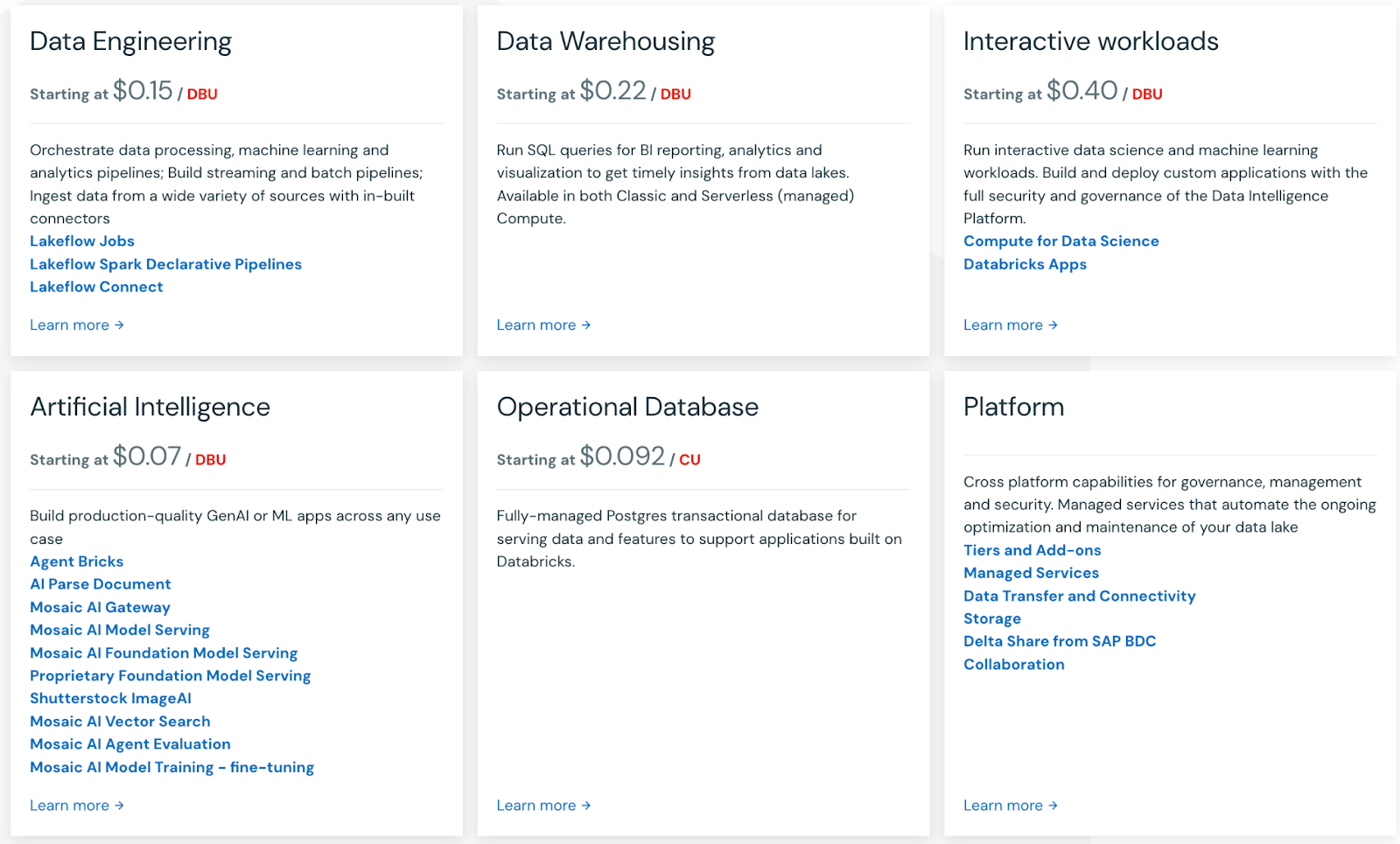
Databricks uses pay-as-you-go pricing based on compute usage.
Pros and Cons
Databricks provides strong governance via Unity Catalog, which can be helpful when agents access sensitive data in a lakehouse. Vector Search is available as a managed feature within the platform.
The trade-off is platform commitment: adopting Databricks for agentic AI can be a major architecture decision if your organisation is not already on it.
8. Azure Machine Learning
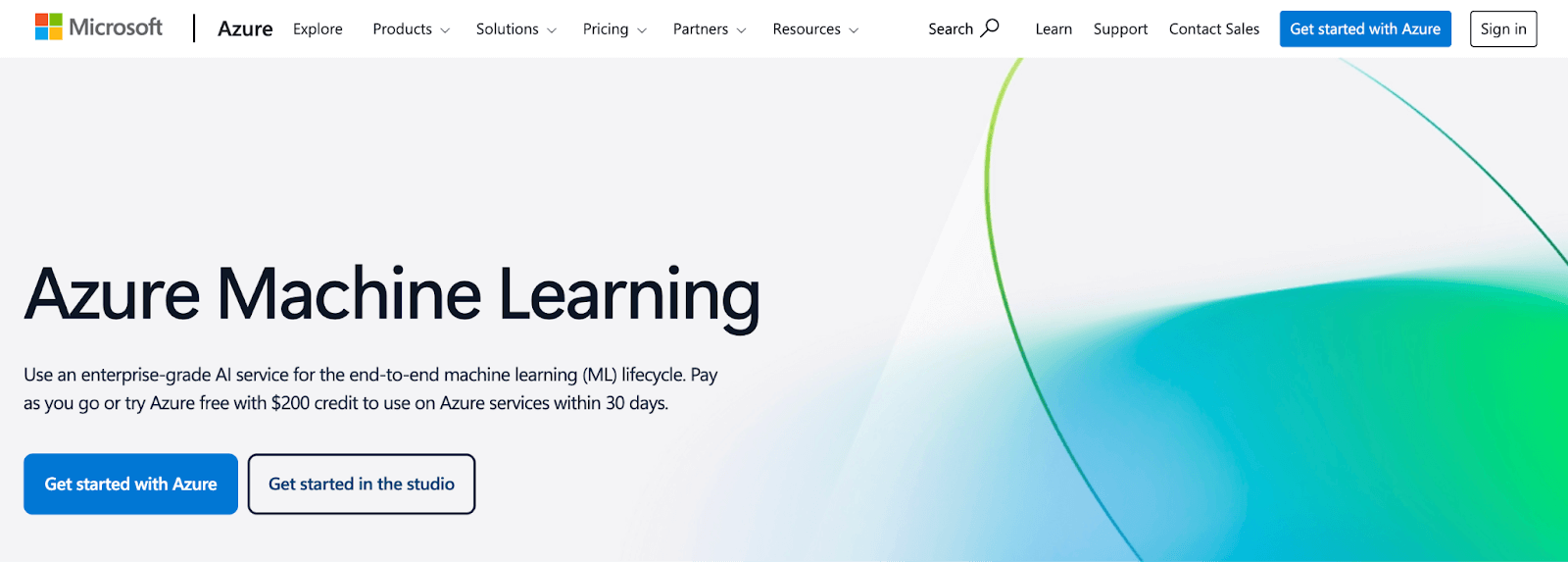
Azure ML is Microsoft’s cloud ML platform for the full lifecycle. It provides end-to-end tools, including data wrangling, experiment tracking, model registry, and automated ML. For agentic AI, it includes LLM-specific features (Prompt Flow) and integrates with Azure AI services.
Features
- Use the Model Catalog to select hosted models and build multi-step LLM pipelines visually with Prompt Flow.
- Define training and deployment workflows in Python or YAML, track experiments in a registry, and manage production endpoints with logging.
- Use Responsible AI tooling (for traditional ML models) plus Prompt Flow evaluation flows and monitoring (for LLM apps) to assess quality/safety metrics and track how outputs change over time.
- Run training or inference on managed compute instances, GPU clusters, or on-prem infrastructure as needed.
- Connect to Azure OpenAI, Blob Storage, Synapse, AKS, IoT Edge, and Application Insights for data access, deployment, and monitoring.
Pricing
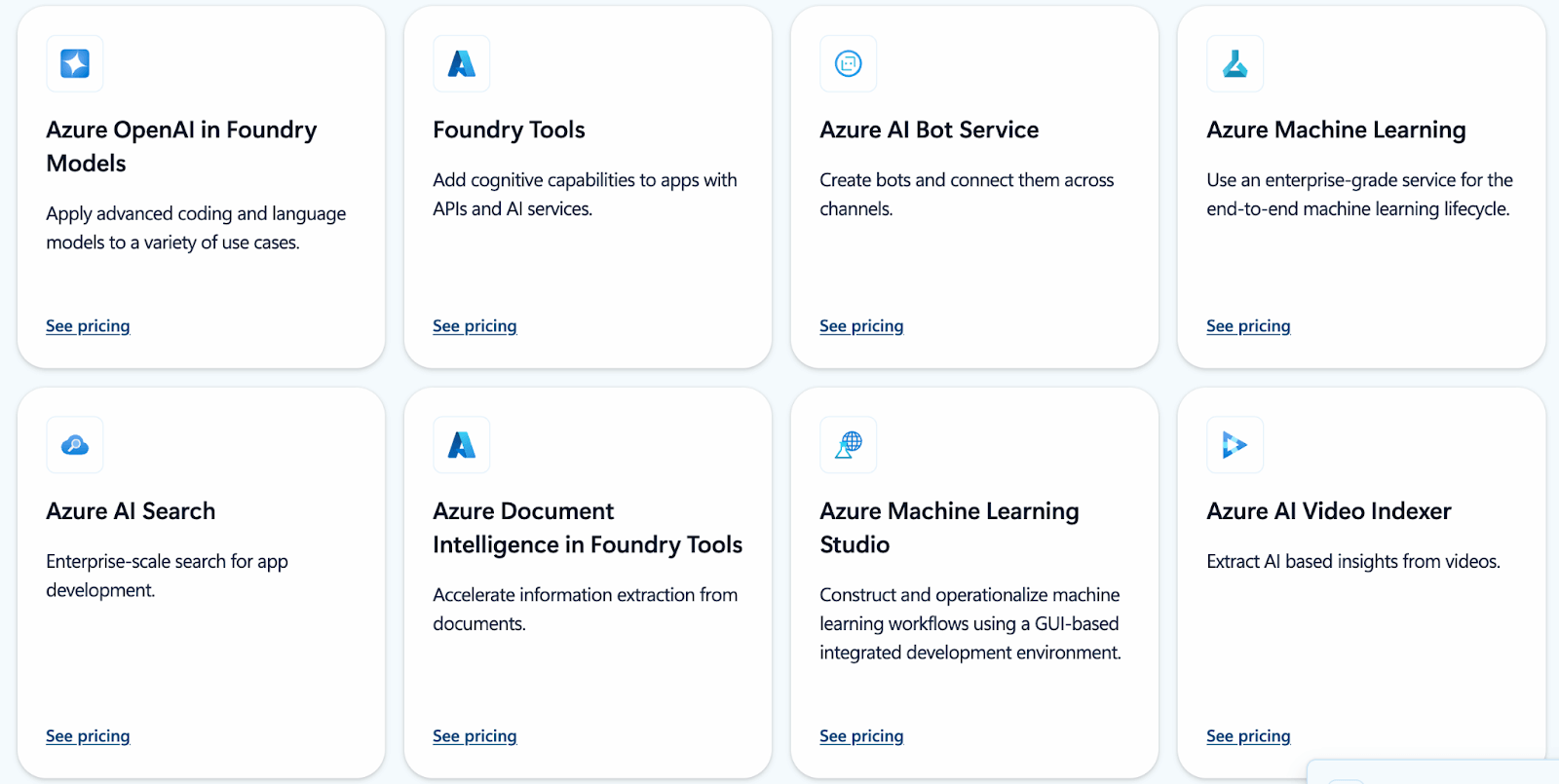
Azure Machine Learning is billed pay‑as‑you‑go for the underlying compute and associated Azure services you use; pricing details are published, and enterprise agreements are available for organisations that want negotiated terms.
Pros and Cons
For enterprises already standardised on Microsoft, Azure Machine Learning is often pragmatic because it integrates tightly with Microsoft identity tooling (Microsoft Entra ID) and offers strong tooling support, including a Visual Studio Code (VS Code) extension for Azure ML workflows.
However, like Databricks, it’s an opinionated cloud platform. You must pay for Azure compute, and the learning curve is moderate. Customization often requires fighting against the ‘Microsoft way’ of doing things. Some users prefer more open frameworks than Azure’s workflow system.
9. Metaflow
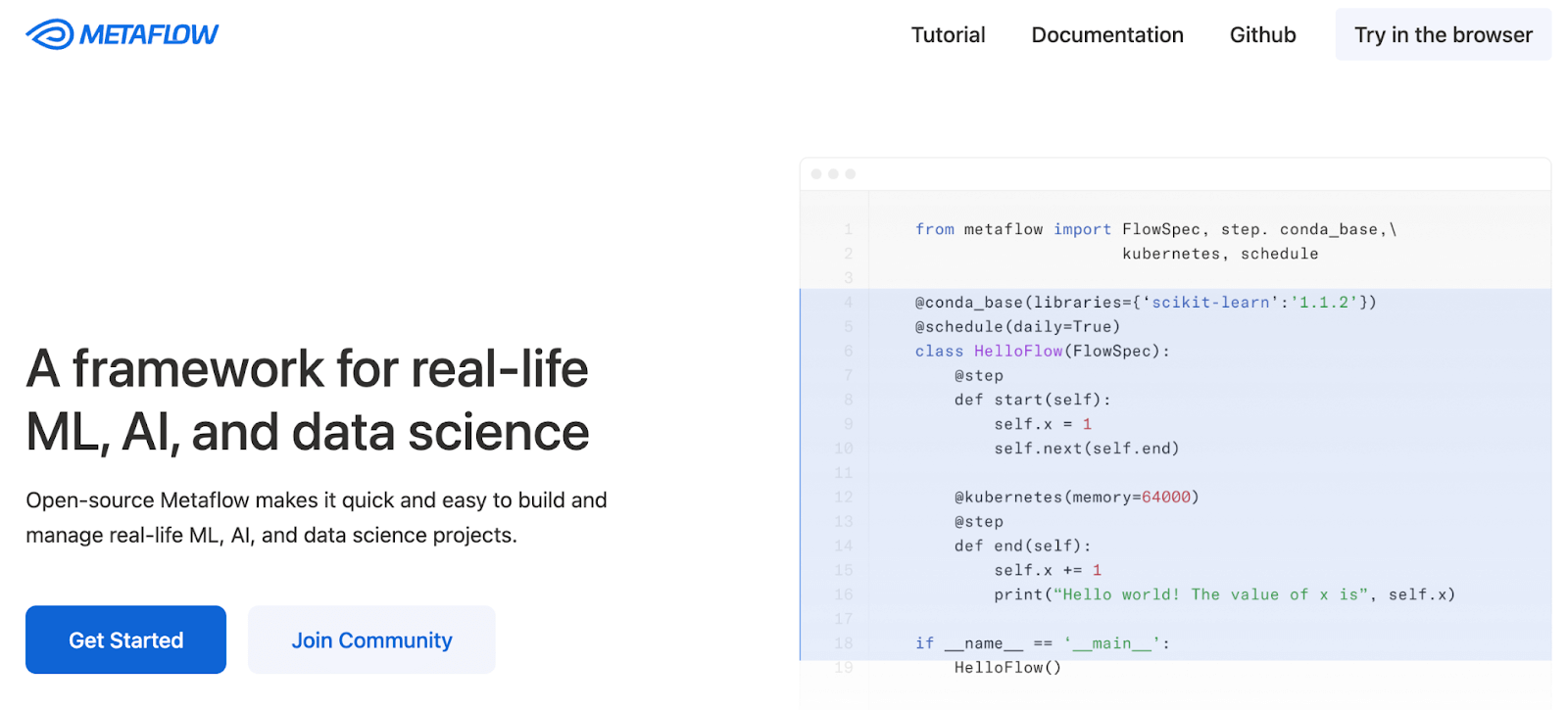
Metaflow is an open-source Python framework, originally developed by Netflix, for building and managing data science pipelines. It’s designed for both experimentation and production, with versioning built in. Metaflow can orchestrate complex flows that include ML training, data transforms, and even multi-step LLM tasks.
Features
- Snapshot agent state at every step of the flow by default to reproduce results or roll back to earlier pipeline states.
- Write pipelines as decorated Python functions with support for conditionals and loops. Run the same code locally or at scale.
- Execute tasks on AWS Batch, Step Functions, or Kubernetes with support for parallel, multi-core, or GPU workloads.
- Persist and transfer artifacts through S3 or other blob storage while maintaining automatic data versioning.
- Push workflows to managed schedulers with a single command and trigger them on events or schedules.
- Run hundreds of variations of an agent simultaneously to test different prompts or models against each other.
Pricing
Metaflow is completely free and open source (Apache 2.0 license). It can run on your laptop or any cloud account. You can deploy your own environment on AWS/Azure/GCP or on-prem.
Pros and Cons
Metaflow is user-friendly for Python data scientists. The local-to-cloud experience is smooth, and the built-in versioning is incredibly helpful for auditing agentic runs. Being able to inspect exactly what was in the agent’s memory at step 3 of a 10-step process is invaluable for debugging.
The downside is it’s not specifically tailored to LLMs; you’d have to manage prompts, and LLM calls in your steps. Metaflow includes a UI and run-inspection tools, but it’s less of a full MLOps suite than platforms with larger admin consoles.
10. ClearML
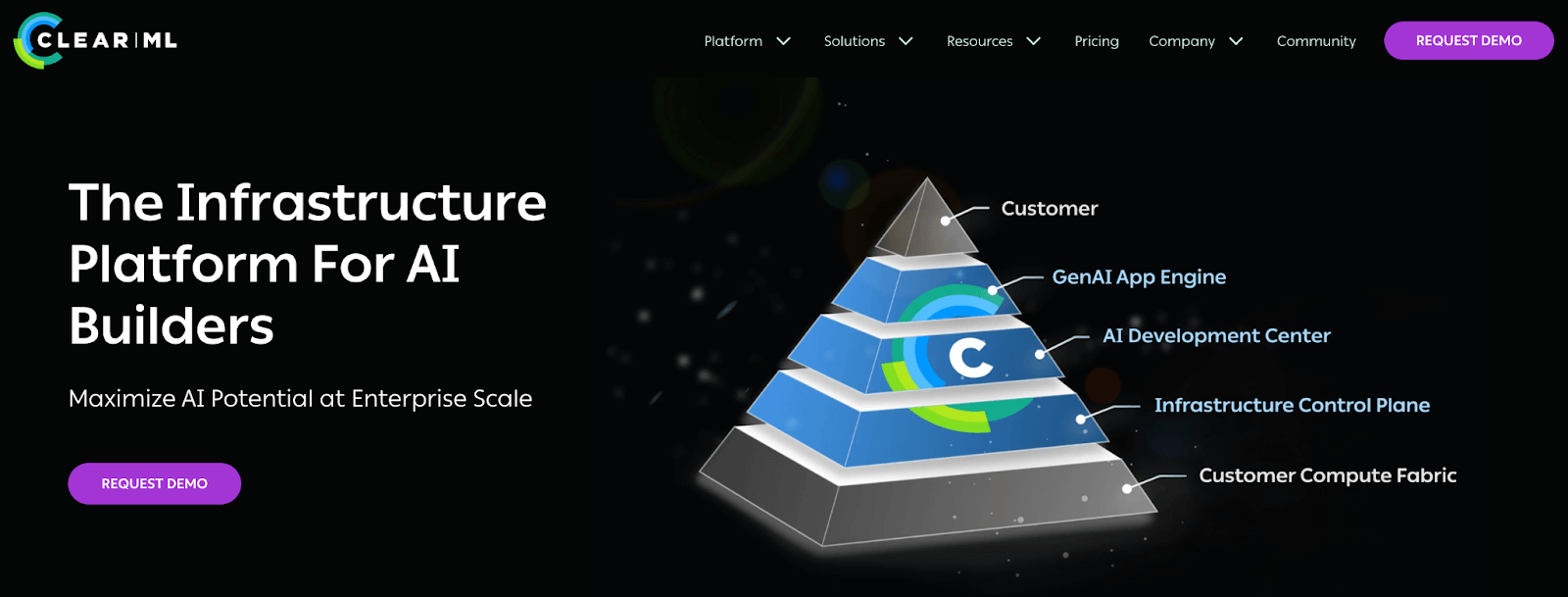
ClearML is an end-to-end MLOps platform that provides a unified suite of tools for experiment tracking, data versioning, pipeline orchestration, and resource management. Recently, it introduced GenAI and agent orchestration, becoming a single pane of glass for all AI development.
Features
- Capture code, hyperparameters, artifacts, and runtime statistics for each run and visualize them in a web dashboard.
- Use ClearML pipelines to manage the flow of data between your agent, vector databases, and LLM providers.
- Track data stored on S3, Azure, or GCS to ensure models can be reproduced from exact dataset versions.
- Launch inference endpoints using Triton-based serving with monitoring for predictions and resource usage.
- Dynamically allocate GPUs and compute resources for training or running heavy agent workloads using the scheduling agent.
- Set up APIs for language models, create vector indexes from your data, and collect user feedback within the ClearML ecosystem.
Pricing
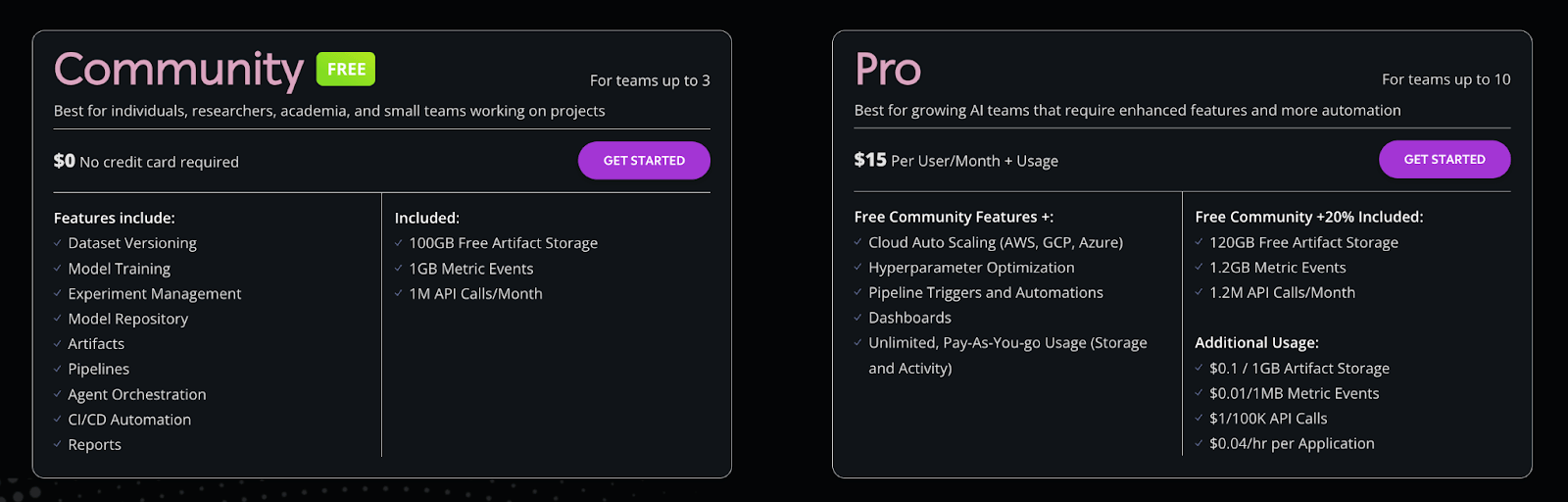
ClearML core open-source is free to self-host. It also has a free hosted tier for individuals, and three paid plans:
- Pro: $15 per user per month + usage (plan is designed for teams of up to 10).
- Scale: Custom pricing
- Enterprise: Custom pricing
Pros and Cons
ClearML is feature-rich, covering everything from orchestration to data management. The modular agent system can run tasks remotely without much setup. Its unique ‘Hyper-Datasets’ concept is a powerful way to manage the data side of RAG agents. It even includes a nice scheduler for clusters.
However, the UI is somewhat generic, and setting up ClearML Server can be non-trivial. The hosted service costs money for team usage. The GenAI features are powerful but newer, so the ecosystem is evolving.
11. DataRobot
DataRobot is a commercial AI platform designed for teams that build and govern agents. Its MLOps offering gives you a centralized way to deploy, monitor, and govern models in production.
Features
- Lets you deploy any model - Python, Spark, XGBoost, and more, as REST endpoints with one click. It also offers dashboards that show service health, accuracy over time, data drift for each model, and more stats.
- Supports automated retraining policies you configure (for example, schedule-based or metric-based triggers). When a policy triggers, DataRobot retrains a new candidate model and notifies you to review and promote it based on your governance workflow.
- The platform enforces approval workflows and tracks lineage. You can audit who did what and roll back deployments.
- DataRobot supports hybrid cloud deployments and can connect to AWS, Azure, GCP, or on-prem infrastructure.
Pricing
DataRobot is proprietary software with enterprise licensing. Pricing details are not publicly listed; typically, you contact DataRobot for a quote. It’s generally targeted at large organizations (with corresponding licensing costs).
Pros and Cons
DataRobot’s biggest strength is production control: guardrails, monitoring, and governing are treated as core capabilities. This is valuable in regulated environments where teams need audits and enforced policies.
The trade-off is heaviness: it is an enterprise platform with enterprise procurement, which can feel oversized and expensive for small teams.
12. Apache Airflow
Apache Airflow is a widely used open-source workflow orchestrator. Airflow 3.0 (released in 2025) introduced major architectural changes (Task Execution API / Task SDKs) that expand support for multi-environment execution, which can be useful for AI/ML workflows.
Features
- Workflows are defined as Python code (DAGs), giving you full programmatic control over pipeline logic. Airflow can schedule data processing, model retraining, or any multi-step job on a timer or trigger.
- Airflow ships with operators for Google Cloud, AWS, Azure, Databricks, and dozens of other services. A single DAG can pull training data from S3, kick off a Spark preprocessing job, and then hit an LLM API - all without leaving the framework.
- Agentic pipelines can be triggered by external updates in messaging queues. This allows for near real-time autonomous reactions.
- Airflow 3 introduces the Task Execution Interface and Task Execution API. Airflow 3 ships with a Python Task SDK today, and Task SDKs for additional languages are rolling out over time (starting with Go). Edge-style execution is supported via the Edge Executor provider package.
Pricing
Airflow is open source under Apache 2.0. You pay only for the compute resources you deploy Airflow on.
Pros and Cons
Airflow is highly flexible and battle-tested in the industry for scheduling data pipelines. It works for any use case that can be broken into tasks.
However, it’s not specific to ML or LLMs. There’s no built-in model registry or experiment tracking; you’d have to plug those in.
Which MLOps Tool Should You Use for Agentic AI
Each platform above has strengths depending on your context. Evaluate your team’s skills, data infrastructure, and the agentic patterns you need to pick the right tool.
- ZenML and Metaflow are great if you want open-source flexibility and code-first pipelines.
- Kubeflow and Airflow excel if you use Kubernetes daily and are technically sound.
- Cloud services like AWS Bedrock or Databricks offer managed scalability and integrations.
In many cases, you will combine tools to run your MLOps. For instance, use an orchestration platform (Airflow or Kubeflow) alongside an experiment tracking platform (W&B or MLflow) to cover all needs.
That’s where our tool ZenML will help you.
ZenML connects your existing MLOps tools into one unified pipeline. It lets you combine orchestrators, experiment trackers, and artifact stores without rewriting code, while automatically handling versioning, lineage, and reproducibility across runs so your workflows stay consistent from local development to production.